
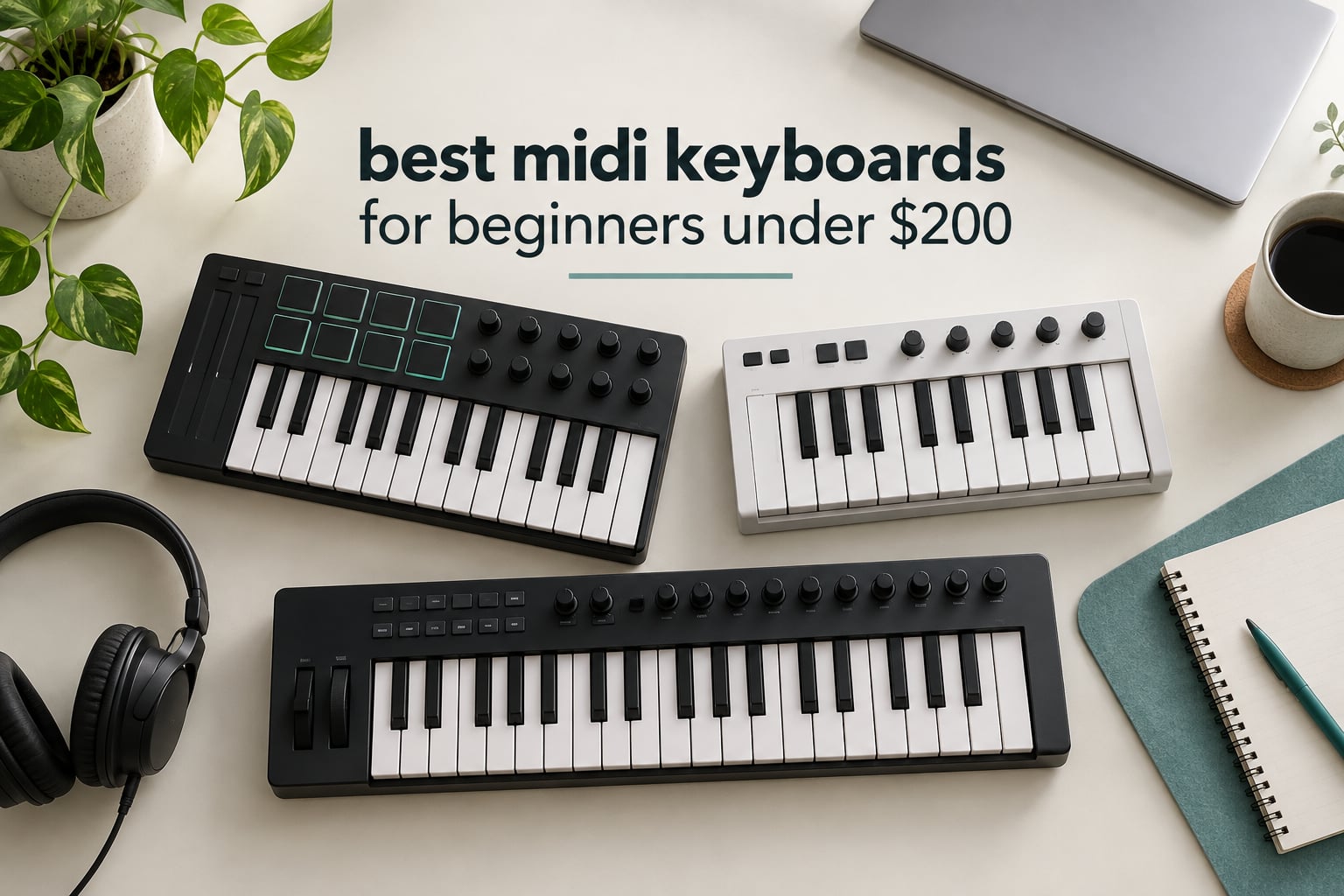
The best MIDI keyboards for beginners under 200 dollars all do the same three things: they send note data to your computer, they give you velocity-sensitive keys so dynamics are captured, and they plug in without an installer. Everything past that is preference. I spent weeks with these twelve boards on the same desk, running the same first-project test on each, and the honest headline is that beginners massively overthink this purchase. A forum regular put it best when they wrote that any competent MIDI keyboard is good enough and the real skill is in the software. That is true, but not all twelve are equal, so here is where they genuinely differ.
One thing to clear up before the reviews, because it trips up almost everyone: a MIDI keyboard makes no sound on its own. It is a controller, not an instrument. You plug it into a computer, open a digital audio workstation, load a virtual instrument, and only then does pressing a key produce a sound. The keyboard is sending instructions, not audio. If you want something that makes a noise the moment you switch it on, you want a digital piano, not one of the boards below.
Every pick in this roundup sits genuinely inside the 200-dollar ceiling, which sounds like a low bar until you read the competing roundups. Several of the top-ranking pages for this search include controllers well above the cap, and one lists a 49-key Arturia model at over 200 dollars. I excluded anything that breached the ceiling. Prices in this category move constantly, so treat every figure here as a snapshot and use the buttons below to see the current number.
One more housekeeping note. Almost none of these boards ship with a sustain pedal, even though every one of them has a pedal input. Add a basic pedal to your budget when you compare, because holding chords with one hand while you work the mouse is miserable. For the pedal question specifically, our guide to the best MIDI keyboard controllers covers the pairing options in more detail.
Table of Contents
What Is MIDI, Actually?
MIDI stands for Musical Instrument Digital Interface. Despite the name, no audio travels through a MIDI cable. What travels is a stream of tiny messages: this note started, that note stopped, it was played this hard, that knob moved to 42 percent. A computer reads those messages and turns them into sound using software you choose.
That single design decision is why MIDI keyboards are so cheap compared with digital pianos. A board under 200 dollars is mostly keys, a circuit board and some plastic. It is not an amplifier, not a speaker cabinet and not a set of sound samples. The sounds live on your computer, and a single software instrument can hold thousands of them.
Here is how a first session actually works. You connect the board over USB, open your DAW, add a software instrument on a track, and arm the track for recording. Play something. The DAW captures the notes and the timing, then plays them back through whatever sound you loaded. Because the recording is note data rather than audio, you can fix a wrong note, tighten the timing or swap the entire sound weeks later without re-performing anything. For a beginner, that editability matters more than any hardware feature.
USB on a modern MIDI keyboard does three jobs at once: it carries the MIDI data, it carries any control data for your DAW, and it powers the board. There is no separate power supply to lose. That is the whole connection, and it is why every product here is described as bus-powered and plug-and-play.
The one term you can ignore for now is MPE, short for MIDI Polyphonic Expression. It lets each note be bent individually rather than the whole chord, which is a lovely thing for expressive playing. No board in this roundup needs it and no beginner will miss it.
Top 3 Picks for Best Beginners Under 200 Dollars (October 2026)
These three cover the most common beginner situations: the all-rounder, the value pick with proper full-size keys, and the highest-rated compact board. Every other pick further down is a specialist case.

Akai MPK Mini IV
- 25 velocity-sensitive mini keys
- 8 MPC pads with RGB feedback
- 8 assignable 360 degree knobs
- Full-color display with push and turn encoder

M-Audio Keystation 49 MK3
- 49 full-size velocity-sensitive keys
- Pitch and modulation wheels
- Volume fader plus transport buttons
- Plug-and-play USB with no drivers

Arturia MiniLab 37
- 37 slim semi-weighted keys
- 8 DAW-integrated pads in a 2x4 layout
- Faders and knobs mapped to DAW controls
- Real-time mini display
All 12 Picks at a Glance in 2026
Here is the whole lineup in one place, with the three attributes that matter most at this price: how many keys you get, whether the keys are full-size, and what controls sit next to the keybed. The individual reviews follow in the same order.
| Product | Specifications | Action |
|---|---|---|
| Akai Professional MPK Mini IV |
|
Check Latest Price |
| M-Audio Keystation 49 MK3 |
|
Check Latest Price |
 midiplus AKM320 midiplus AKM320 |
|
Check Latest Price |
| Arturia MiniLab 37 |
|
Check Latest Price |
 Nektar SE49 Nektar SE49 |
|
Check Latest Price |
 Akai Professional LPK25 Akai Professional LPK25 |
|
Check Latest Price |
 M-Audio Oxygen 49 MKV M-Audio Oxygen 49 MKV |
|
Check Latest Price |
 Novation Launchkey Mini 25 MK4 Novation Launchkey Mini 25 MK4 |
|
Check Latest Price |
 midiplus AK490+ midiplus AK490+ |
|
Check Latest Price |
 Donner N-32 Donner N-32 |
|
Check Latest Price |
 Nektar SE61 Nektar SE61 |
|
Check Latest Price |
 midiplus i61 midiplus i61 |
|
Check Latest Price |
1. Akai Professional MPK Mini IV – Best All-Rounder for a First Board
Akai Professional MPK Mini IV 25-Key USB-C MIDI Keyboard Controller, Black
- Velocity-sensitive mini keys give real dynamic range
- 8 pads plus 8 knobs and a color screen in one box
- Bundled suite with 1000+ pro-grade sounds
- Pre-mapped DAW integration so you can produce in minutes
- USB-C with full-size MIDI out and no adapter
- Mini keys need adjustment if you play full-size piano
- Screen and encoder are limited versus 37 and 49 key boards
- Bundled software is largely trial-based and installs separately
This is the board I hand to friends who say they want to start making music and do not yet know what a DAW is. At one kilogram and with a 25-key footprint of 7.56 by 13.88 inches, it fits in a laptop bag and covers a laptop’s keyboard without shoving it aside.
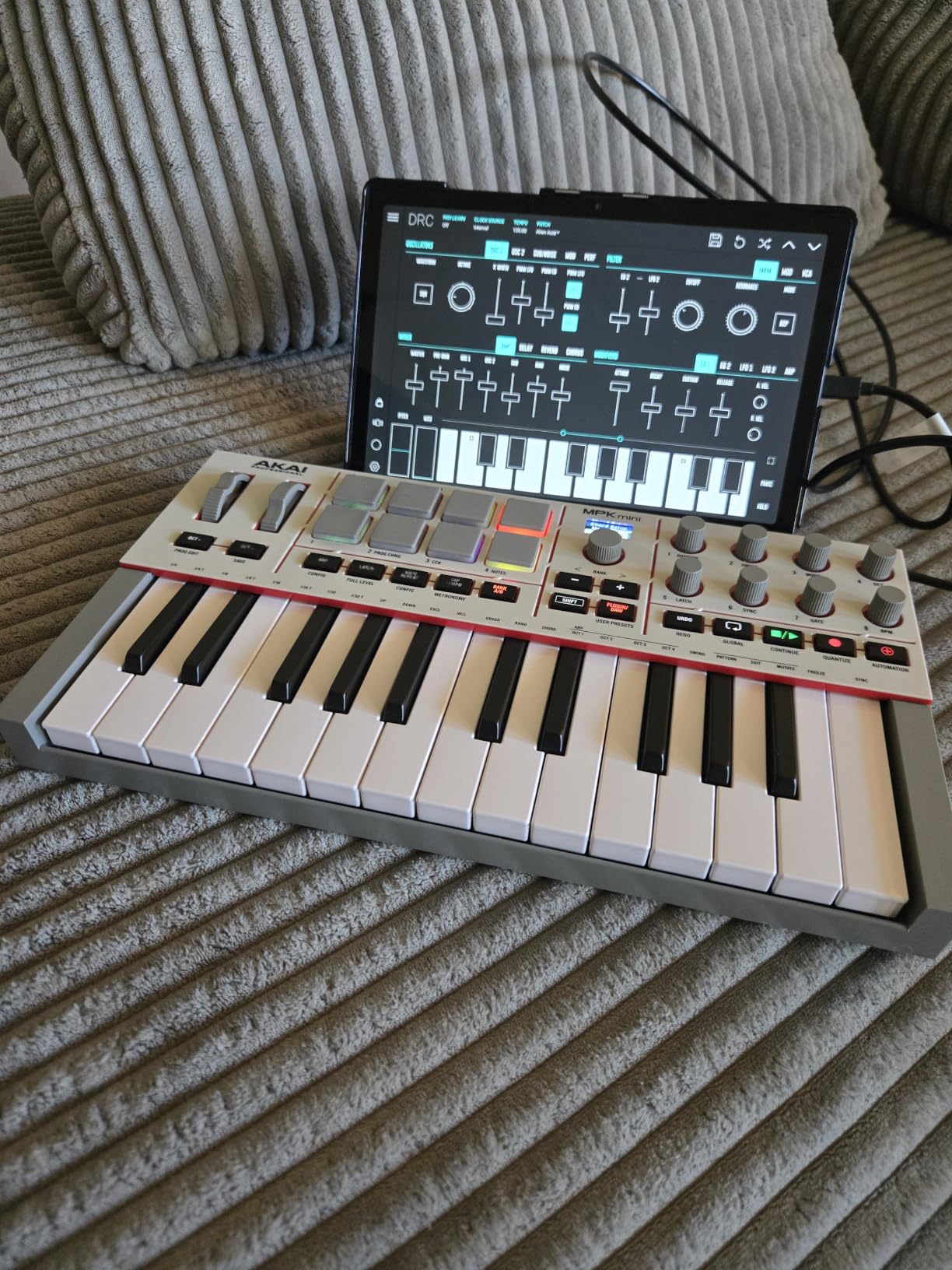
What separates it from the other mini boards here is what surrounds the keys. Eight velocity- and pressure-sensitive MPC pads with RGB feedback, eight assignable 360-degree rotary knobs and a full-color display with a push-and-turn encoder is a genuine control surface, not a novelty strip. The pads let you finger drum or launch clips, and the knobs are usable without opening any settings panel.
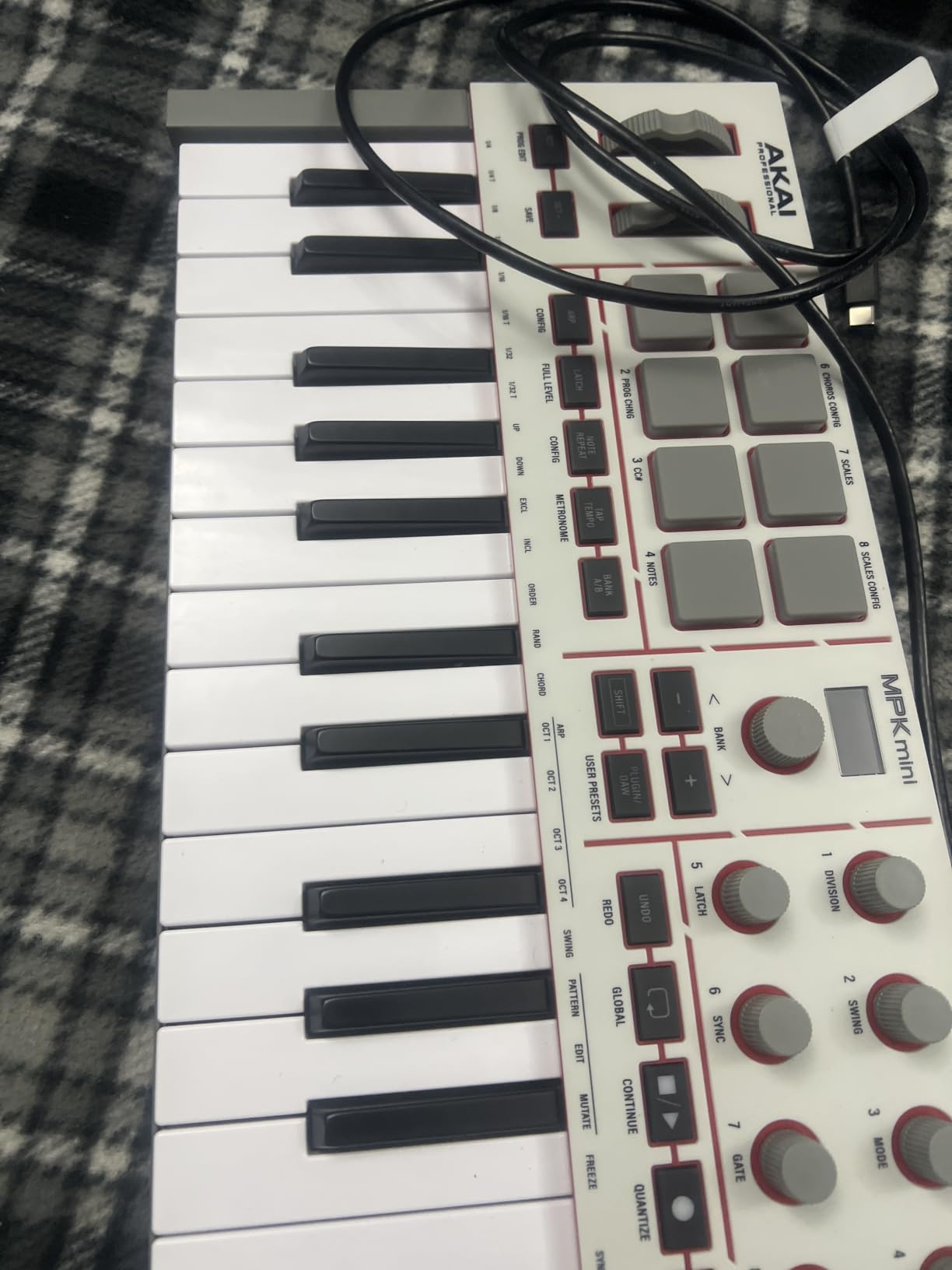
The review data backs the enthusiasm. Out of 18636 reviews, 81 percent are five star, and the recurring praise is for the pads, knobs and bundled software making quick beat production possible. The bundled suite is genuinely large, with more than 1000 pro-grade sounds from AIR, Akai Professional and Moog, and Native Kontrol Standard integration is built in.
There is also a full-size MIDI out on the rear, so you can drive an external hardware synth later without a special adapter, and the arpeggiator includes Pattern, Freeze and Mutate functions plus Chord and Scale modes. A 30-day Melodics trial and two months of Splice come in the box, which is a reasonable guided start for someone who does not know where to start.
Who it suits for a first board
It suits a beginner who wants pads and knobs immediately, and who has no piano background to undo. The pre-mapped DAW integration covers Ableton Live Lite 12, Logic Pro, FL Studio and more, so the first hour is not spent on setup. If you are producing beats rather than writing piano parts, this is the one to beat.
It also suits travel. The durable high-grade plastic body and one-kilogram weight make it a realistic carry-on controller, and the USB-C connection means one cable for a modern laptop.
Who should skip it
Skip it if you already play piano and want to keep playing. Mini keys are a real adjustment for trained hands, and that adjustment is the single most repeated complaint in the reviews. Also skip it if you want two-handed playing with more than about two octaves, because 25 keys is not enough range for that.
The screen and encoder are the other limit. If your plan involves deep menu navigation inside a DAW, a 37 or 49-key board with a bigger display will serve you better for not much more money.
2. M-Audio Keystation 49 MK3 – Best Value With Full-Size Keys
- Full-size velocity-sensitive keys give a natural piano-like feel
- Pitch and mod wheels plus sustain pedal input for expression
- Volume fader and transport buttons speed up DAW navigation
- Bundled set includes MPC Beats and Ableton Live Lite
- Free Skoove and 60+ Melodics lessons for new users
- No drum pads so clip launching and finger drumming are out
- Older USB-B connector rather than USB-C
- Unweighted synth-style action rather than semi-weighted
- Ableton Live Lite licence is a dated free version
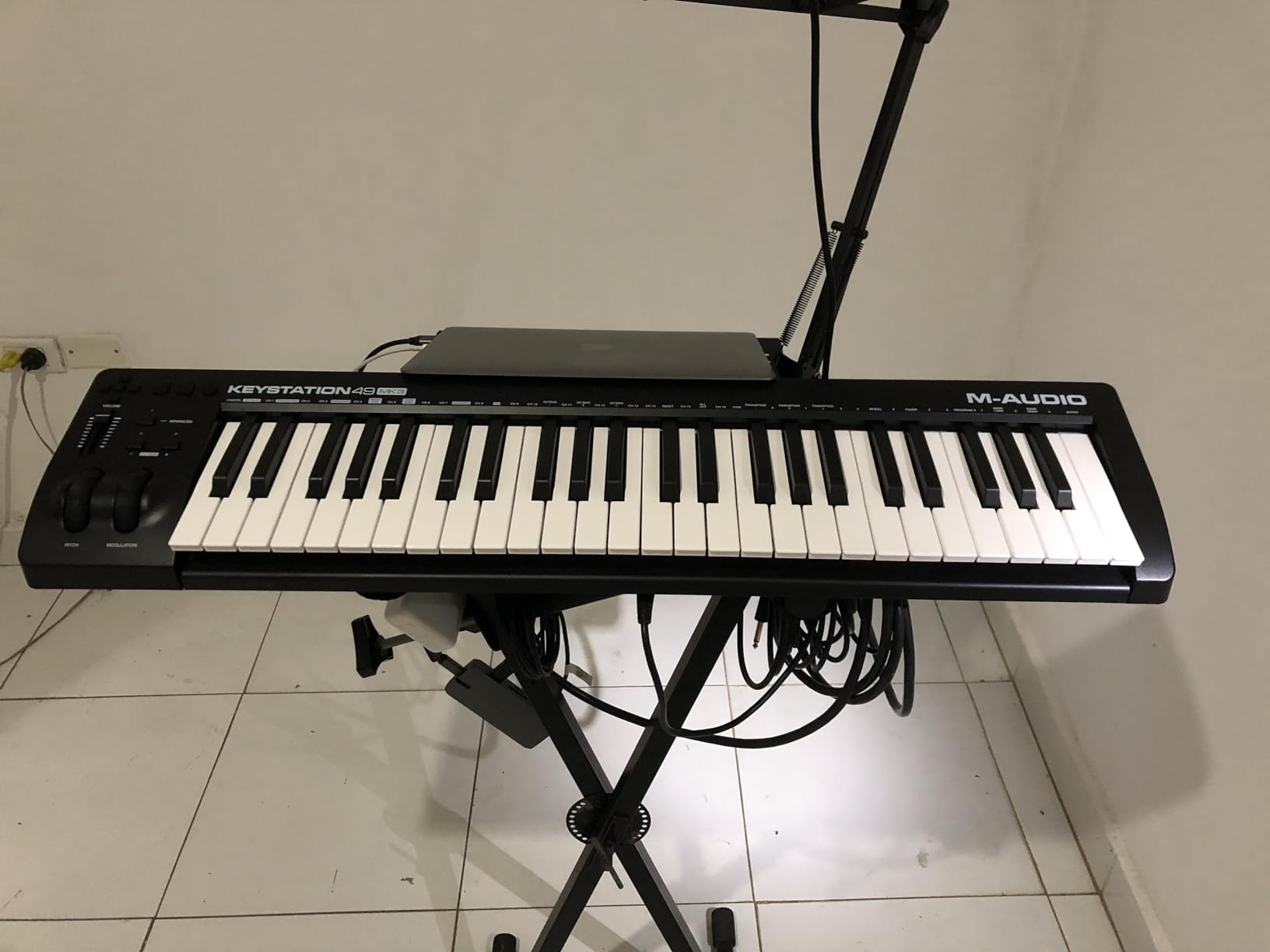
If the thing holding you back is that mini keys feel like toys, this is the direct answer. Forty-nine full-size velocity-sensitive keys across four octaves means you can play chords properly and see your hands on real key spacing, and it is still comfortably inside the ceiling.
The controls are old-fashioned in the best way. Real pitch and modulation wheels sit under your fingers, a volume fader and transport buttons let you drive the DAW without reaching for the mouse, and there is a sustain pedal input for when you buy a pedal. Plug-and-play over USB with no drivers and no power supply, it works on Mac and Windows straight out of the box.
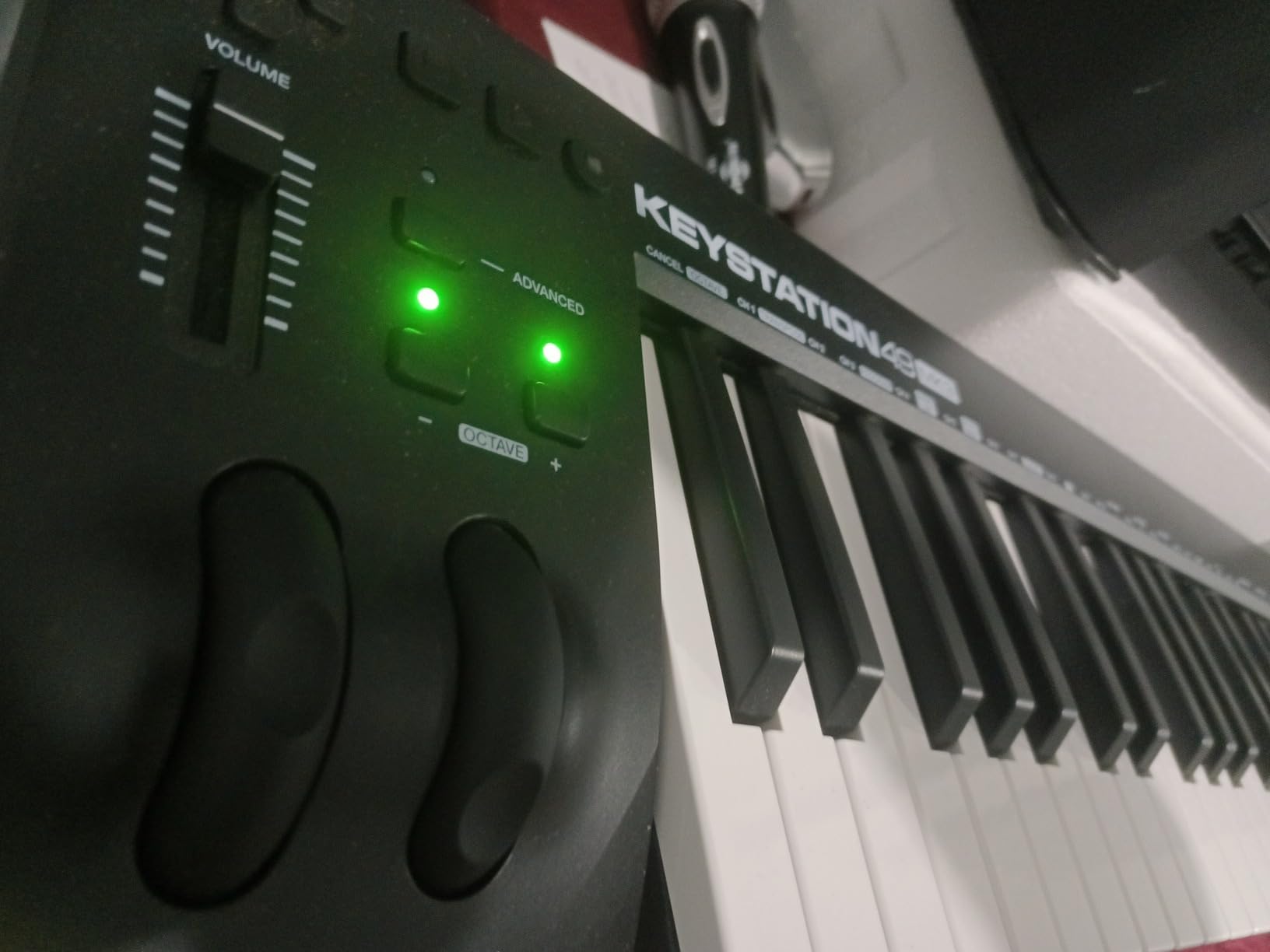
With 6793 reviews and 78 percent five star, owners consistently centre on the quality of the keybed and the usefulness of the wheels and fader. The bundle includes MPC Beats, Ableton Live Lite, Velvet, XPand2, Mini Grand and Touch Loops, plus free Skoove and 60-plus Melodics lessons, which is unusually generous for a board at this level.
It is a long-running seller, which means support, spare parts and secondhand resale are all straightforward. The ergonomic, 32.26-inch-wide body is the width of a small desk but the depth is only 7.44 inches, so it tucks against a monitor more easily than most 49-key boards.
Who it suits for a first board
It suits a beginner with any piano background at all, or anyone who expects to be playing two-handed within a month. Full-size keys also mean a future move to a weighted board feels familiar rather than like learning again.
It suits learners too. Skoove and the Melodics lessons turn the controller into practice material, which matters when you are the only teacher you have. If you want wider coverage of the category, our pick of the best 49 key MIDI controllers compares this against the alternatives in the same bracket.
Who should skip it
Skip it if you plan to make beats with finger drumming or launch clips from pads, because it has no pads at all. That is the most common functional gap named in the reviews, and it is a real one for anyone who watched a tutorial where the producer taps along on eight squares.
The USB-B connector is dated and the bundled Ableton Live Lite is an older free version. If those bother you, a newer board with USB-C and a larger display is the alternative.
3. midiplus AKM320 – Best for Learning the Basics on a Strict Budget
- Very low entry point with a real 32-note velocity-sensitive keybed
- Proper pitch bend and modulation wheels rather than buttons
- Light at 0.72 kg and small enough for travel and tiny desks
- Simple uncluttered layout that will not overwhelm a beginner
- Works on Windows Mac and Linux with no extra software
- Coarse velocity resolution with only a few effective levels
- Build quality and key durability are minimal with some reports of broken keys
- No pads knobs or faders for controlling a DAW
- No bundled sounds or DAW software at all
- Sustain pedal must be bought separately
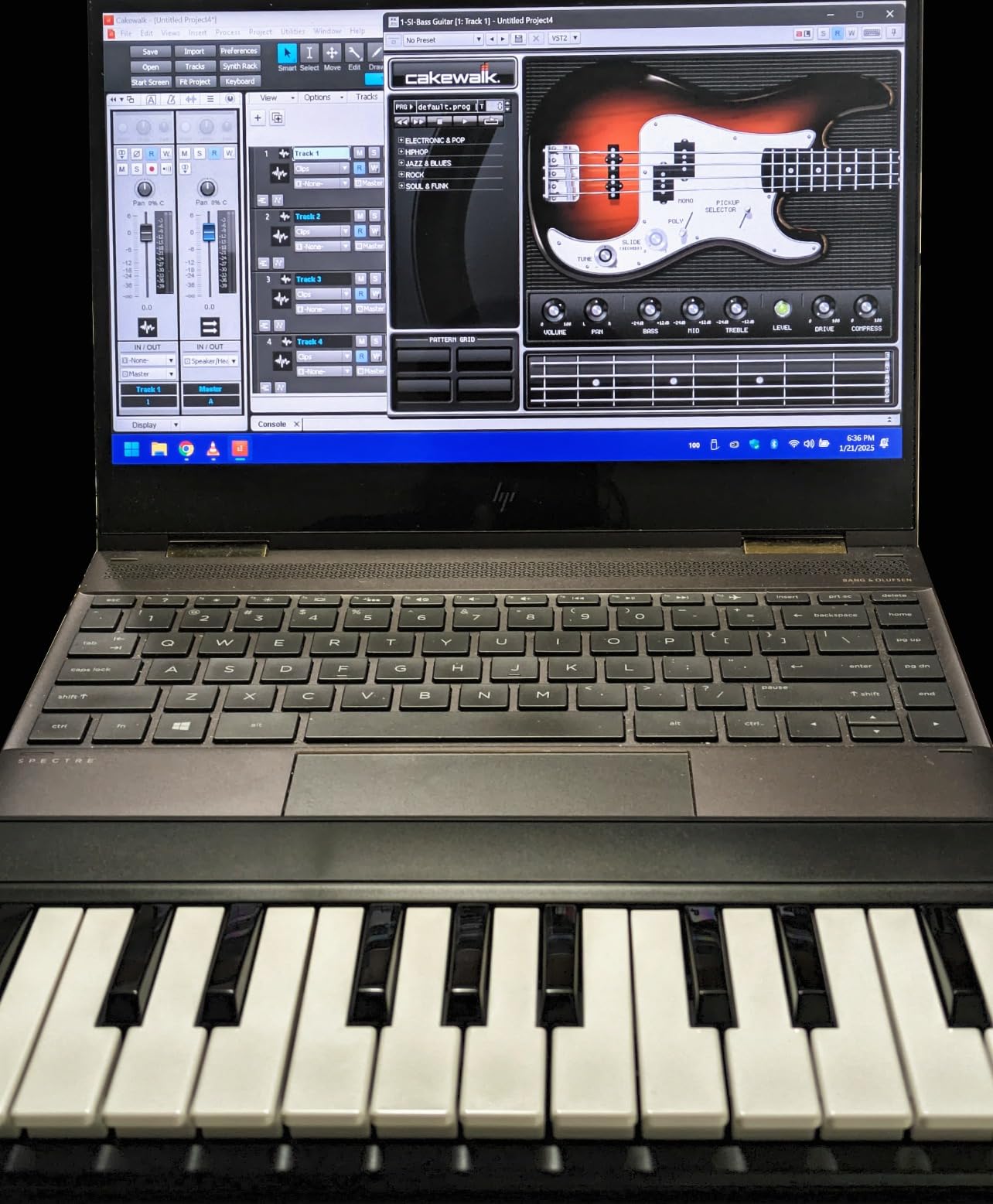
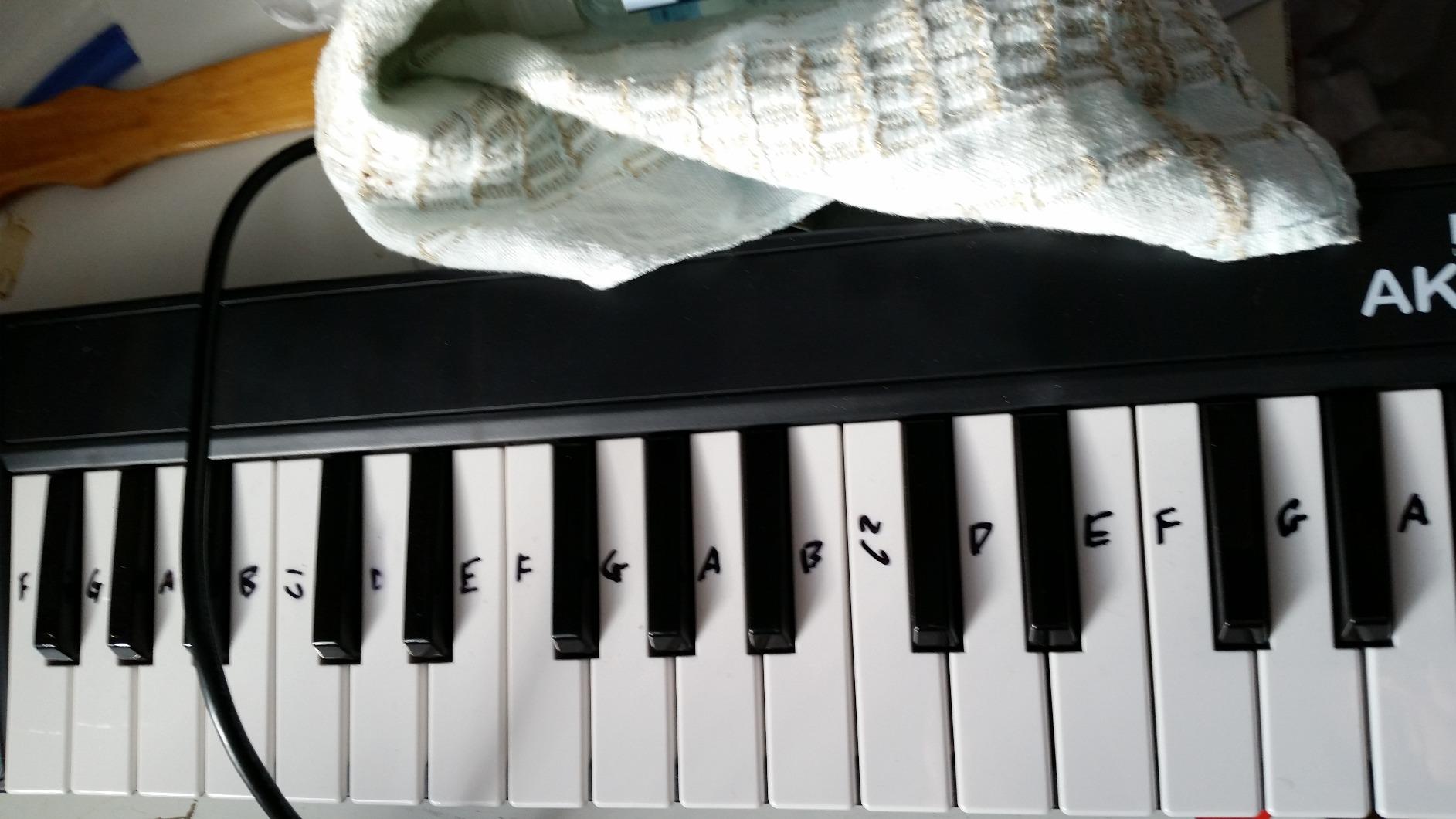
There is something refreshing about a board that does nothing but send notes. The AKM320 has 32 velocity-sensitive mid-size keys, two real wheels, octave buttons up and down, transpose buttons up and down and a sustain pedal input. There is no screen, no pads, no menu and nothing to configure.
At 0.72 kilograms and 18.1 inches wide, it is the most portable full-featured board in this roundup and it runs on Windows, macOS and Linux with nothing to install. It is also the cheapest way I know to get genuine pitch and modulation wheels, which matters because a lot of people assume wheels only come with expensive hardware.
Across 4574 reviews, 63 percent are five star and the pattern is consistent: owners treat it as a deliberate starter or backup board and praise the portability and the wheels. Several users report still having one after years, which is a fair durability signal for this tier.
The 32-note mid-size keybed is the compromise. Mid-size keys sit between mini and full-size, so you get more key range than 25 mini keys without committing to a 32-inch-wide desktop board. For chord writing and melody sketching that range is genuinely workable.
Who it suits for a first board
It suits a complete beginner who is intimidated by buttons, and anyone who wants to test whether they actually enjoy music production before spending more. The layout cannot overwhelm you because there is nothing to overwhelm you with.
It also suits a travelling musician or a student with a small desk. It is one of the few boards here that fits comfortably in a normal bag, and it works with Linux, which almost nothing else in this list does.
Who should skip it
Skip it if you want bundled sounds, because there are none at all. You will need to source a free or paid virtual instrument separately, which adds friction at exactly the moment you want none.
Skip it if you care about dynamics. Reviewers report coarse velocity resolution with only a few effective levels, so quiet playing and loud playing can sound similar. There are also reports of keys breaking off after travel, so treat the plastic chassis as disposable rather than built to last.
4. Arturia MiniLab 37 – Top Rated for Two-Handed Playing in a Small Footprint
- 4.7 average with 83 percent five-star ratings
- 37 slim semi-weighted keys allow genuine two-handed playing
- Pads faders and display reduce mouse dependence while producing
- Compact and light so it fits small desks and mobile rigs
- Arpeggiator Chord mode and custom mapping encourage exploration
- Costs more than most 25 and 32 key alternatives in this range
- Slim keys are not truly weighted and feel light for pianists
- No pitch or modulation wheels
- 37 keys is fewer than 49 or 61 key boards for two-handed playing
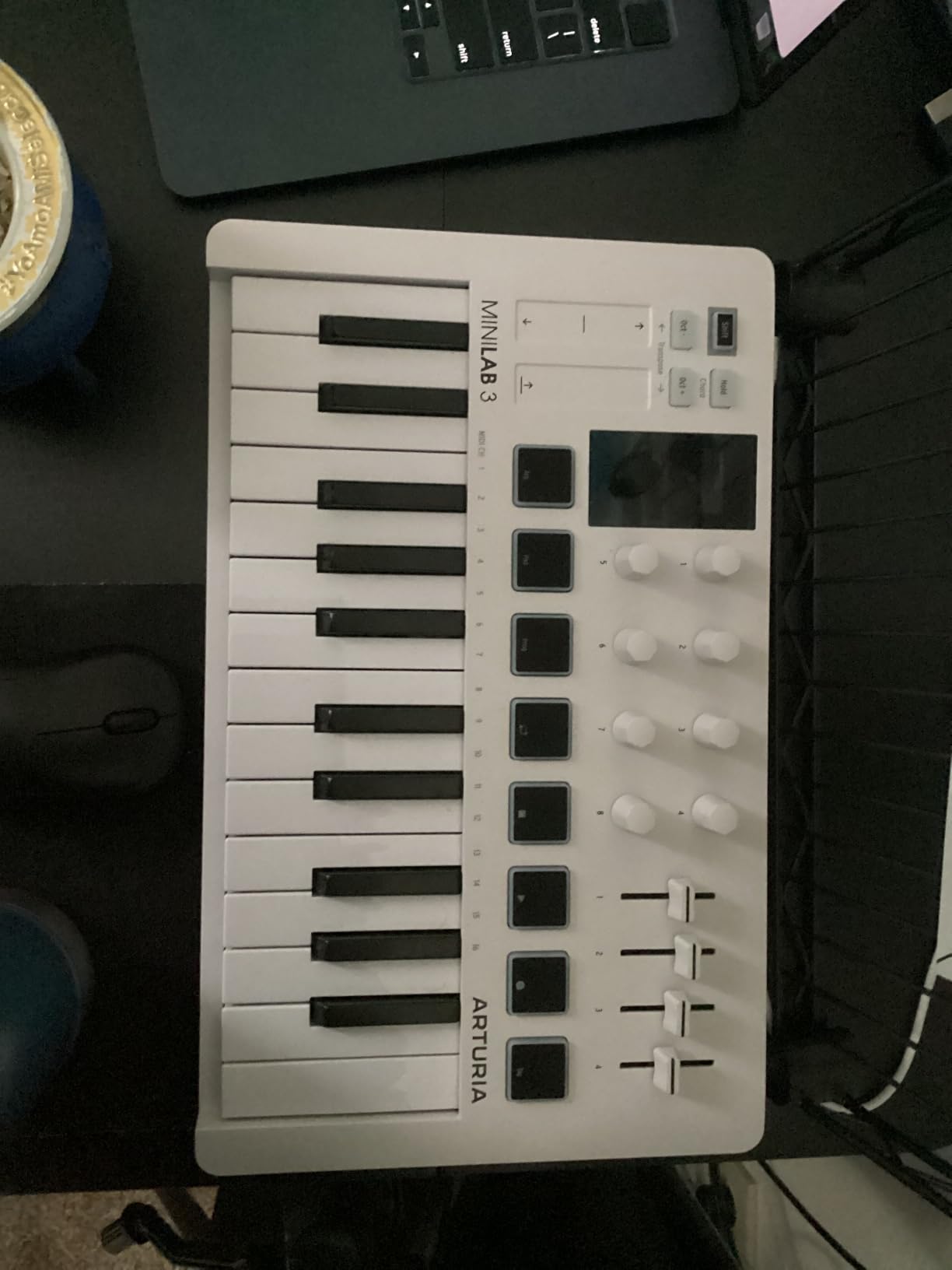
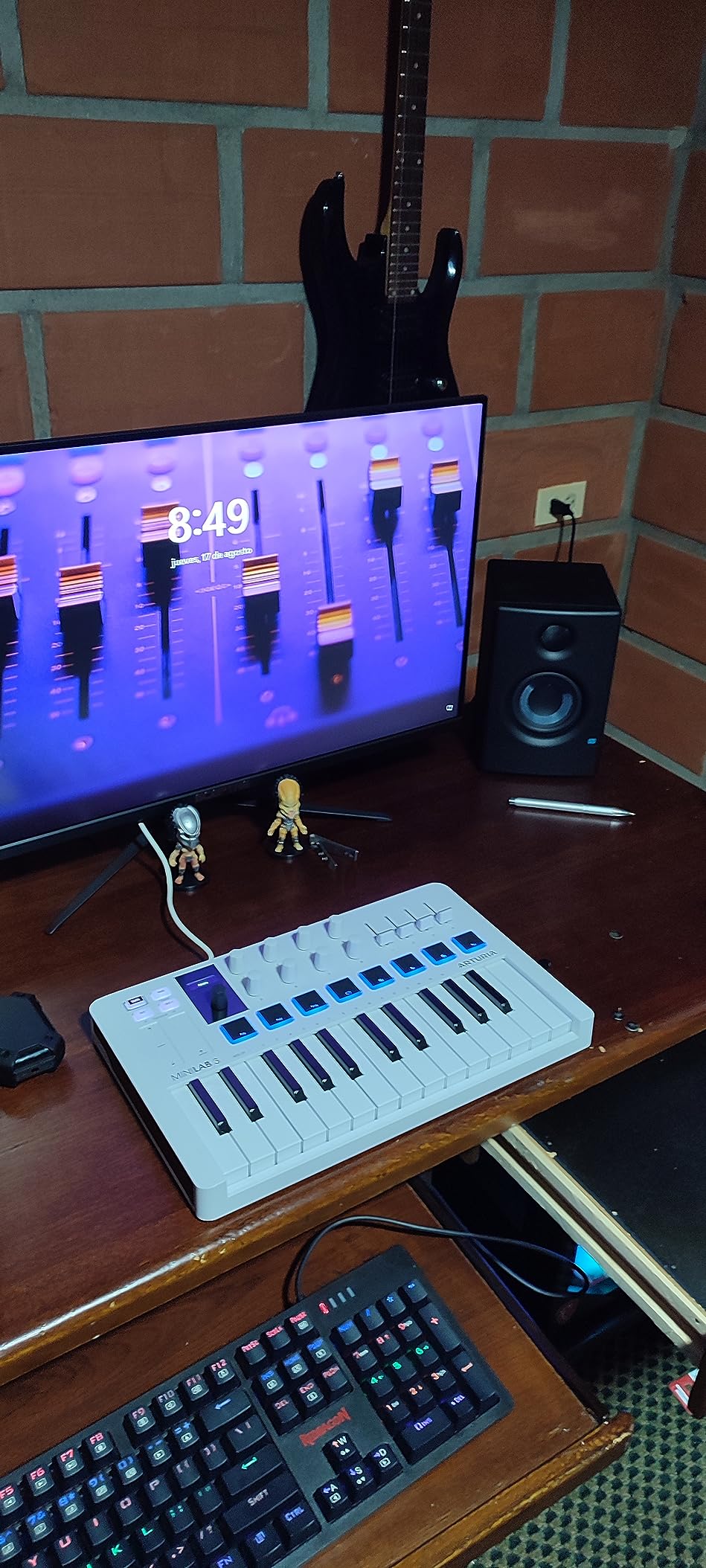
Thirty-seven keys sounds like an odd number until you play it. It is four octaves plus a third, which is exactly enough to play a melody and a chord progression with both hands without constantly shifting octaves. On a mini 25 you cannot do that at all.
The keys are slim semi-weighted, so they have more give than an unweighted synth key without the bulk of a weighted board. The rest of the control surface is unusually well judged for the size: eight DAW-integrated pads in a stacked two-by-four layout, faders and knobs mapped to DAW controls, and a real-time mini display.
The rating distribution is the best in this group. Out of 3448 reviews, 83 percent are five star and only 2 percent are one star, which is the narrowest spread of any board here. Buyers single out the key feel, the pads and the mapping that does not fight your DAW.
On the creative side there is a built-in arpeggiator, a Chord mode, custom DAW mappings and transposition. The two-year warranty is longer than most in this roundup, and at 1.17 kilograms with a 20.98-inch depth it still travels reasonably well.
Who it suits for a first board
It suits a beginner who wants to play, not just to pad a beat. Four octaves of semi-weighted keys is the most playable keybed under this ceiling, and the DAW-integrated pads mean you get finger drumming and clip launching in the same box.
It suits small desks. The shallow body sits close to a laptop, and the review consensus specifically praises how little room it takes up, which matters more than any specification in a home studio.
Who should skip it
Skip it if you play expressive lead lines and need pitch bend, because there are no pitch or modulation wheels on this board. That is the most consistent reservation in the reviews, and it is a real limitation for anyone coming from a guitar or a keyboard instrument.
Skip it if you are on a tighter budget. It sits above most 25-key and 32-key alternatives here, and a piano player looking for weighted keys should know these slim keys still feel light.
5. Nektar SE49 – Best for Logic, Cubase and GarageBand Users
Nektar, 49-Key Midi Controller (SE49),Black white Grey
- Full-size keys well below the price of full-size competitors
- Nektar DAW integration makes setup in Logic Cubase and GarageBand quick
- Bitwig Studio 8-track DAW licence included with sound content
- Works on Mac PC and iOS
- Slim lightweight body that is easy to move between setups
- No pads knobs or faders so DAW navigation relies on the computer
- Plastic chassis feels inexpensive to some buyers
- No bundled sustain pedal
- Minimal controls mean less hands-on control than alternatives
Nektar has spent years on DAW integration rather than on hardware bells and whistles, and the SE49 is where that shows. Plug it into Logic, Cubase, GarageBand, Reaper, FL Studio, Studio One or Bitwig and a large set of controls are already mapped to the things you actually use.
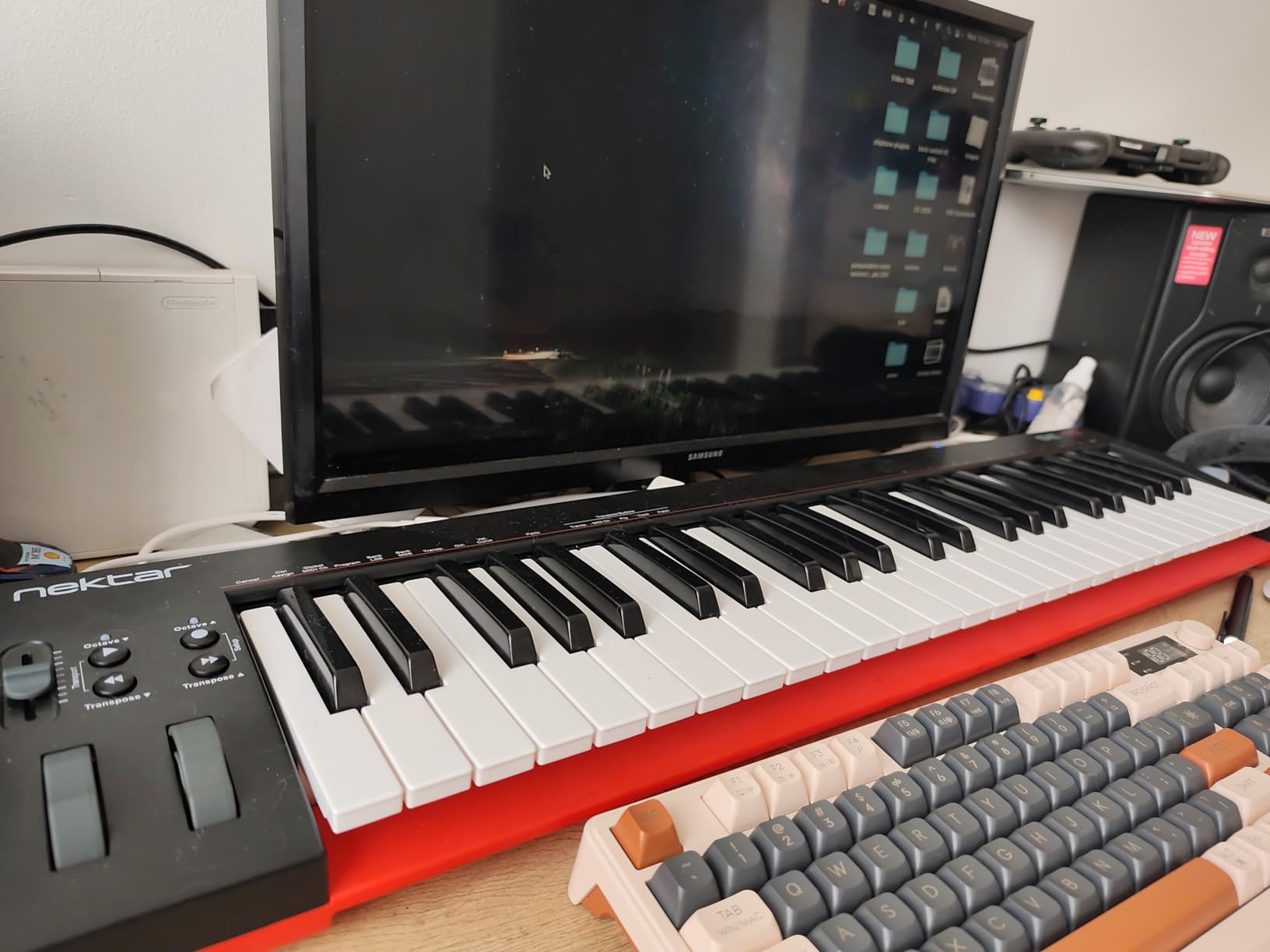
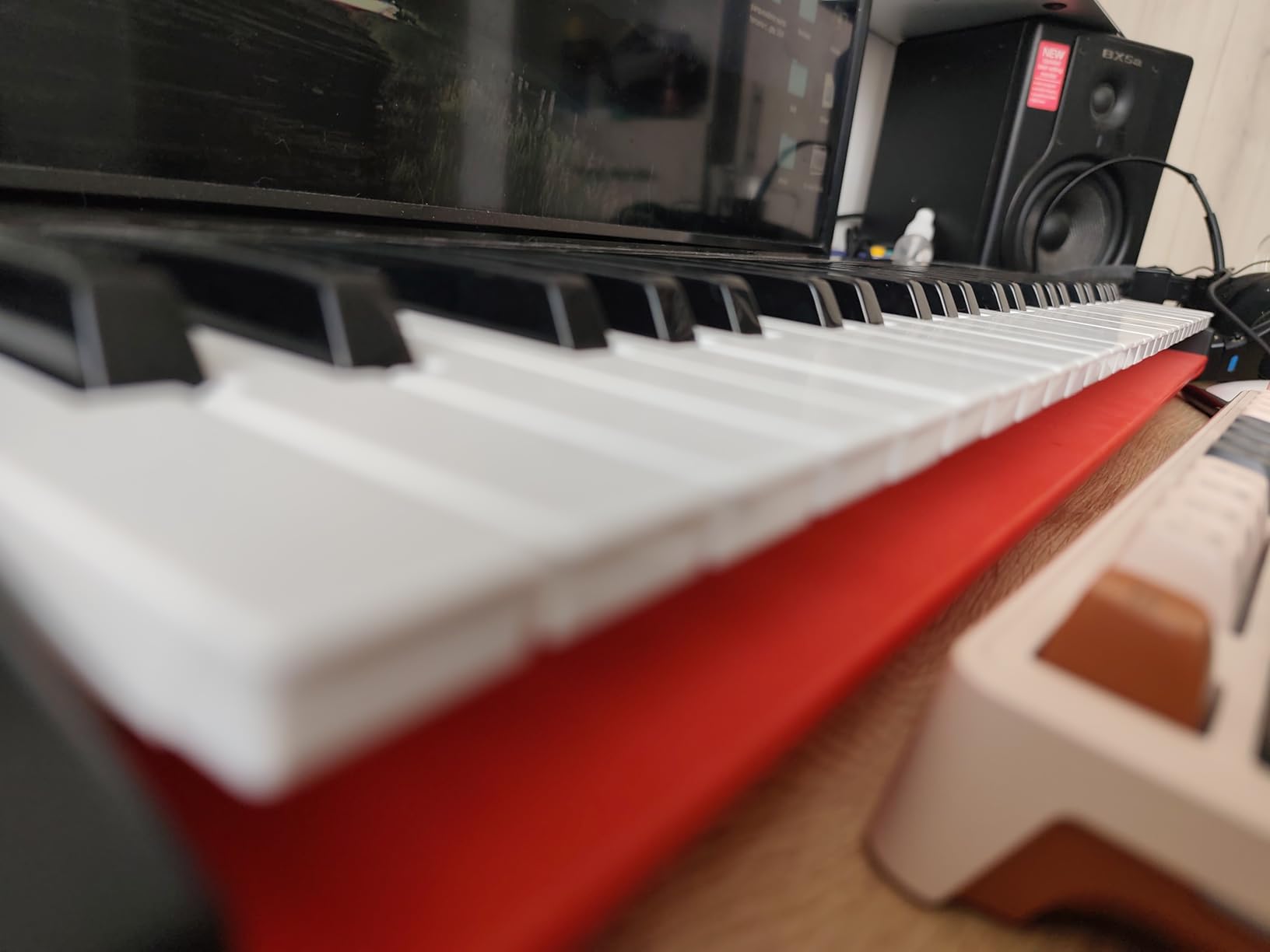
Underneath is 49 full-size velocity-sensitive keys and a 31.7-inch body that is only 7.75 inches deep. At four pounds it is one of the few full-size boards you can genuinely carry between rooms rather than install on a desk. It works on Mac, PC and iOS.
The Bitwig Studio 8-track DAW licence card in the box is a genuine surprise, and it comes with a sound content package, so you can record something without buying software first. Owners frequently mention that licence when explaining the value, and 75 percent of 1433 reviews are five star.
The keybed is semi-weighted rather than flat synth action, which is why this board comes up in conversations about four octaves of real key travel without breaking the budget ceiling. Reviewers moving up from mini boards tend to treat the key feel as the decisive upgrade.
Who it suits for a first board
It suits a beginner who has already picked a DAW and wants the controller to feel integrated on day one. If your plan is Ableton, Logic, Cubase or FL Studio, having the transport and mix controls pre-mapped saves the first frustrating hour.
It also suits a user who wants to be handed a working setup rather than assemble one. The bundled Bitwig licence means you have a recording application and a sound pack the moment you open the box.
Who should skip it
Skip it if you want to control your DAW by hand. There are no pads, knobs or faders, so mixing and navigation still happen with the mouse, and reviewers consistently name that as the main limitation.
Skip it if build quality is your priority. The plastic chassis reads as inexpensive to a lot of buyers, and there are isolated reports of dead keys on individual units, so check the key action on arrival.
6. Akai Professional LPK25 – Best for Practicing With a Built-In Arpeggiator
Akai Professional LPK25 25-Key USB MIDI Keyboard Controller
- Excellent value with useful bundled software including Hype Melodic and BFD Player
- Built-in arpeggiator and 8 preset slots give more control than bare mini keys
- Very compact and light at 0.48 kg so it fits on top of a laptop
- Plug-and-play on Mac and PC with broad DAW compatibility
- Good key travel and button feel for the price
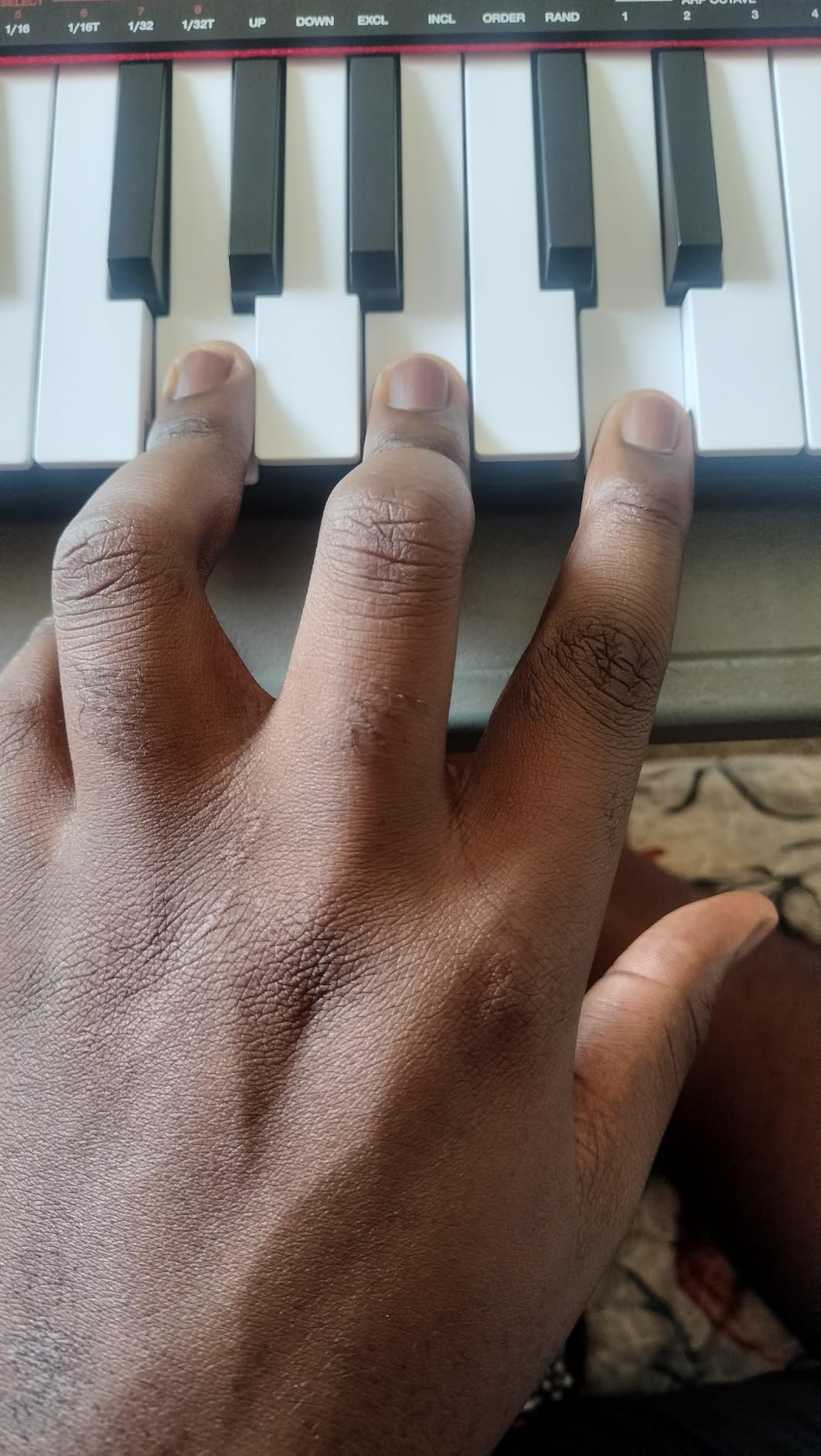
- 25 mini keys are cramped for players with larger hands
- Key action can feel muddy and white keys may twist under hard pressure
- Mini keys are not suitable for learning proper piano technique
- USB socket can feel slightly loose in the housing
- Bundled software is largely trial-based
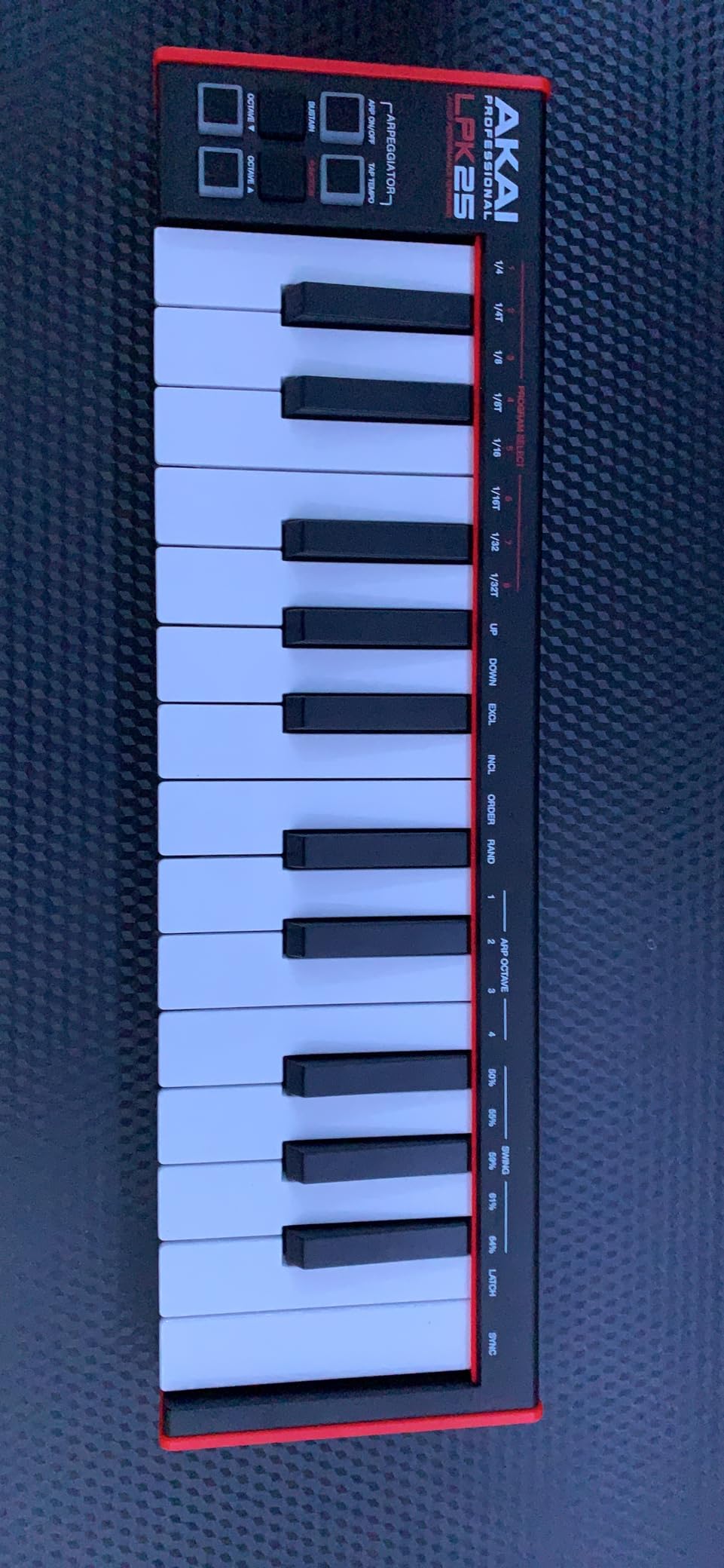
The LPK25 is the board I recommend when someone wants to practise scales and chord shapes without a computer in the room. The built-in arpeggiator and clock sit on the hardware itself, so you can run patterns and record yourself with nothing else plugged in.
Eight programmable preset slots are editable from the computer and let you jump between software instruments without hunting through menus. There are dedicated octave up and down buttons plus a sustain button, which covers the three functions beginners actually use on a small board.
The rating is 4.7 from 1111 reviews with 79 percent five star, and reviewers are routinely surprised by the software bundle for a board at this level, naming Hype, Melodic and BFD Player specifically. Several report finishing real projects on it, and almost nobody returns it.
At 0.48 kilograms and 13.68 inches wide it is one of the lightest boards here, and the compatibility list is long: GarageBand, Logic, Studio One, Cubase, Ableton Live, Pro Tools, FL Studio and Digital Performer all work with it.
Who it suits for a first board
It suits a beginner practising on a sofa or a desk away from the computer, and anyone who wants chord ideas generated without a plugin open. The arpeggiator is genuinely useful for learning interval shapes.
It suits the smallest home setups. At under half a kilogram it can sit on a laptop lid, and the bundled software means you are not starting from a blank project file on day one.
Who should skip it
Skip it if you are a pianist, without qualification. The 25 mini keys are cramped for larger hands, the action can feel muddy, and reviewers note that white keys may twist under hard pressure. This is not a board for learning proper piano technique.
Also consider skipping it if you want a modern port. The USB socket can feel slightly loose in the housing, and the bundled software is largely trial-based rather than something you keep.
7. M-Audio Oxygen 49 MKV – Best for Hands-On DAW Control
- Most hands-on control surface in this price range with 8 knobs 9 faders and 16 pads
- 49 full-size velocity-sensitive keys suit playing and beat production
- Smart Chord Smart Scale and arpeggiator help beginners avoid wrong notes
- Native Kontrol Standard integration plus a choice of instrument bundles
- Substantial bundled software including MPC Beats and Ableton Live Lite
- Largest and heaviest board here at nearly 7 pounds
- Entry price sits at the very top of this category
- Unweighted keybed does not replicate a weighted piano feel
- Learning curve for the fader and knob layout can be steep at first
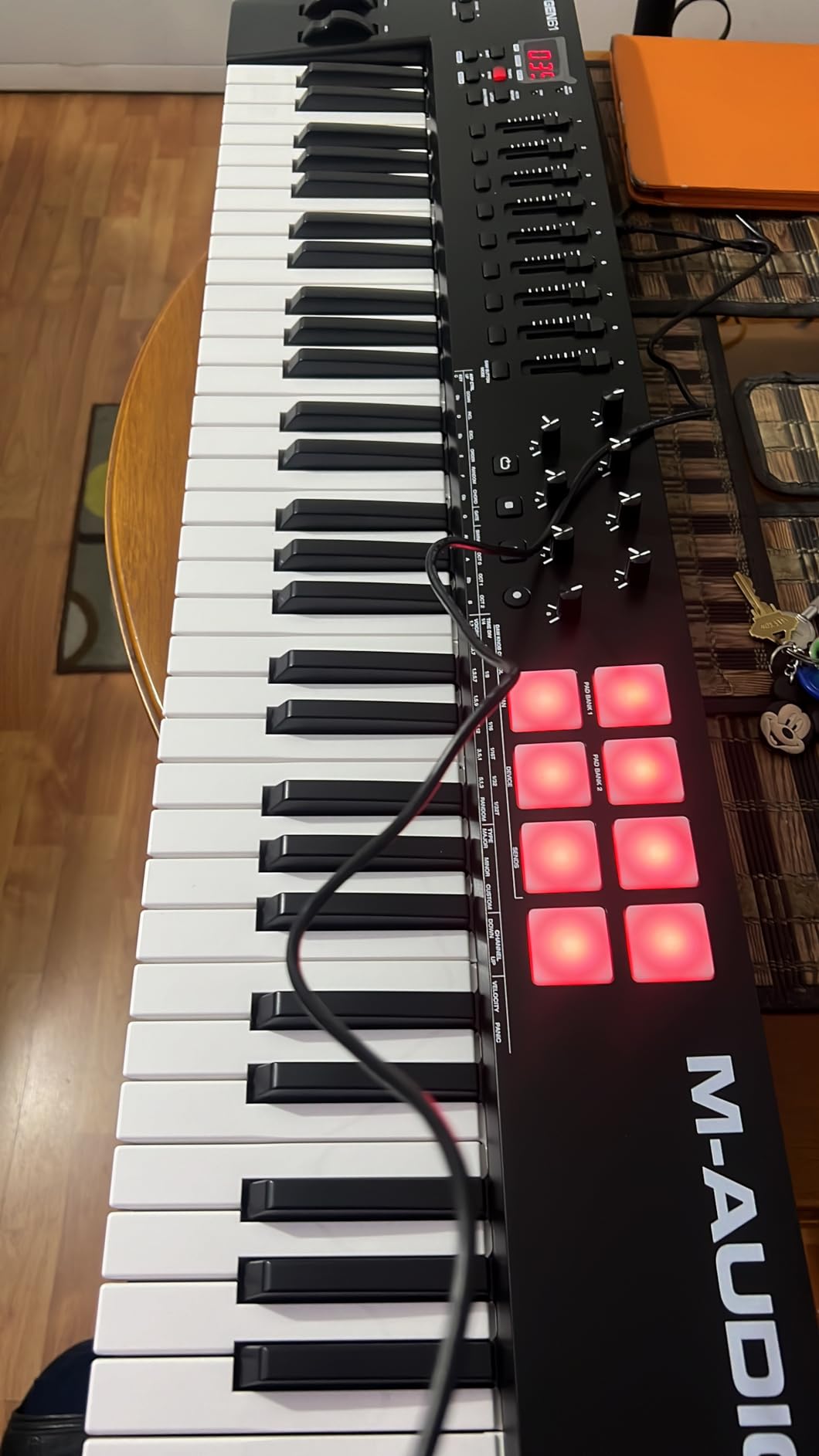
If you have read a tutorial where the producer never touches the mouse, this is the board that makes it possible. Eight assignable knobs, nine assignable faders and two banks of eight backlit velocity-sensitive pads with Note Repeat is the most complete control surface available inside this ceiling.
The 49 full-size velocity-sensitive keys mean it plays as well as it mixes. Smart Chord and Smart Scale modes, plus an arpeggiator, mean a beginner can trigger a correct chord or a scale-constrained melody without knowing the theory yet, which is a genuine learning aid rather than a gimmick.
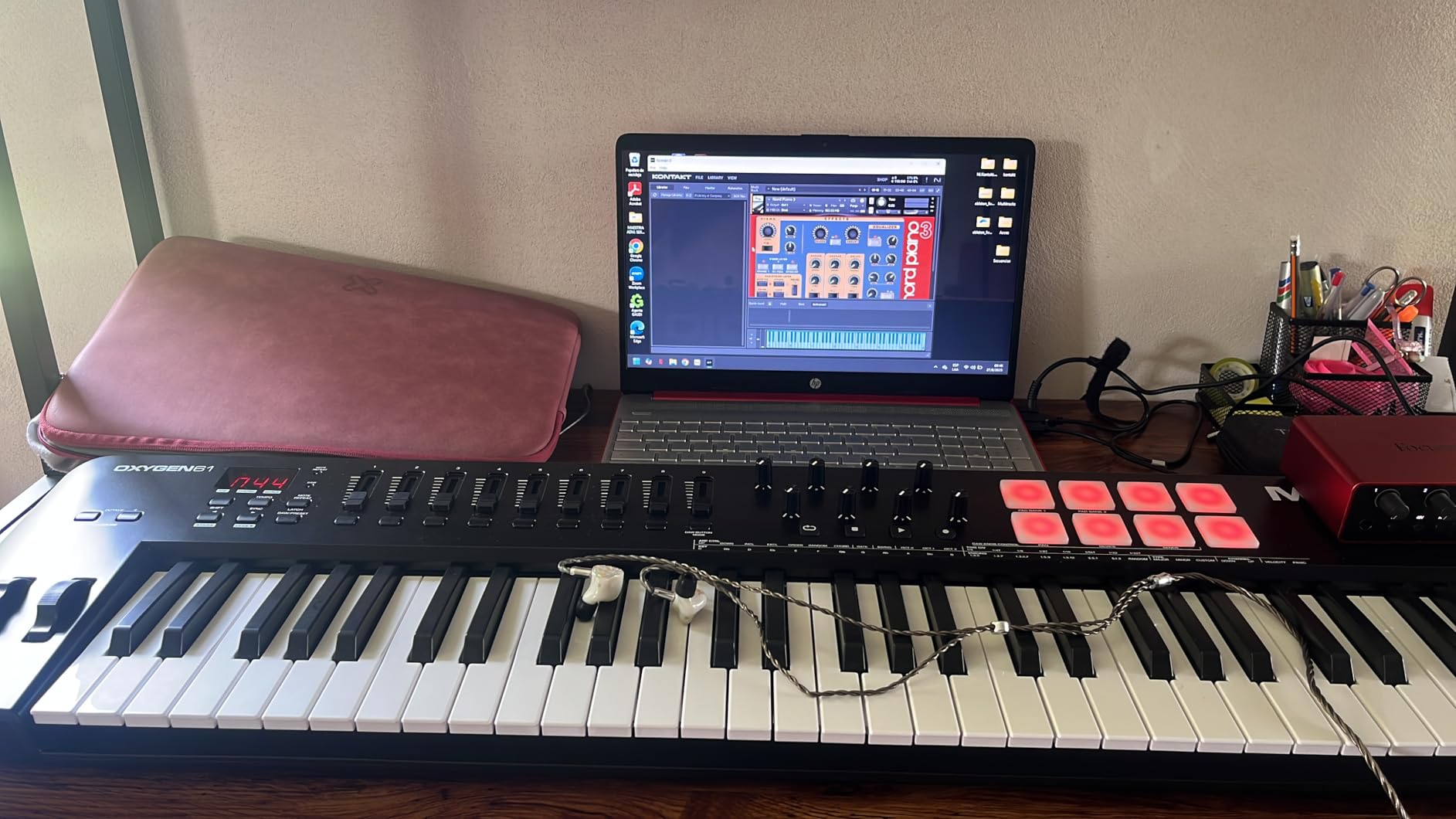
Native Kontrol Standard integration is built in, and you choose one of three complimentary Komplete 15 Select bundles. The software list also includes MPC Beats, Ableton Live Lite, Hybrid 3, Mini Grand from AIR Music Tech and five Akai MPC Expansion packs, which is the deepest bundle in this roundup.
With 1028 reviews at 4.6 and 81 percent five star, it is regularly described as the best-equipped controller below the ceiling. Pitch and mod wheels, sustain pedal input and an included USB MIDI cable complete a package with very few gaps.
Who it suits for a first board
It suits a beginner who already knows what they want to do, which is produce rather than practise. Pads for clip launching, faders for mixing and knobs for sound shaping mean the first month is spent making decisions instead of learning a mouse workflow.
It also suits a producer who plans to expand. NKS integration is a standard that will outlast this generation of software, and 16 pads is enough for a full 16-step sequence.
Who should skip it
Skip it if you are on a small desk or plan to move it between rooms. At nearly 7 pounds and 32 inches wide with a 9.6-inch depth, it is the largest and heaviest board in this roundup and it needs a real desk in front of it.
Skip it if you find dense control surfaces intimidating. The learning curve for the fader and knob layout is genuinely steep at first, and the keybed is unweighted, so a pianist will not find the feel they want here.
8. Novation Launchkey Mini 25 MK4 – Best DAW Integration in a Travel Size
Novation Launchkey Mini 25 MK4 USB MIDI Keyboard Controller
- Best-in-class DAW integration for Ableton Live Logic Cubase Reaper FL Studio and more
- 16 FSR pads with polyphonic aftertouch double as step sequencer and clip launcher
- Compact and light enough to double as a portable travel controller
- Scale Mode and Chord mode stop beginners playing wrong notes
- Top build quality within the compact keyboard category
- Mini keys can feel uncomfortable for players used to larger keybeds
- Serial-number registration and firmware setup can be frustrating
- Each bundled software package needs a separate account and sign-up
- Bundled instruments are standalone apps rather than VST plugins
- Smallest review base in this roundup so long-term reliability is less well documented
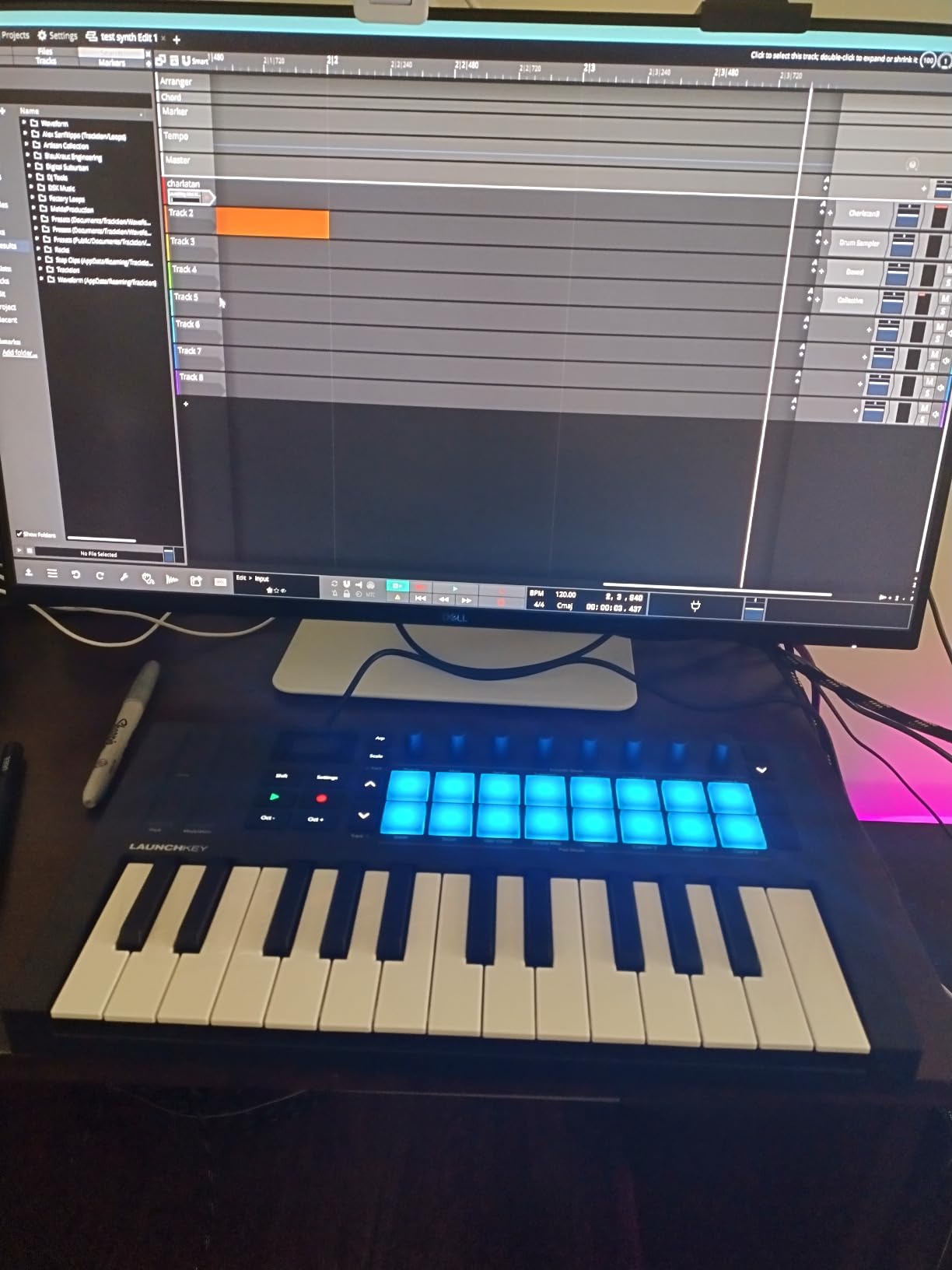
Novation has always invested in control mapping rather than raw key count, and this is the clearest example in the roundup. The integration covers Ableton Live, Logic, Cubase, Reason, Reaper, FL Studio and Ardour, which is the broadest DAW list on a compact board.
The pads are the story here. Sixteen FSR pads with polyphonic aftertouch act as finger-drum surfaces, but the same pads become a step sequencer, a clip launcher and a chord trigger depending on what you have open, and the OLED display with encoder navigation makes that switching legible.
Scale Mode and Chord mode, plus an arpeggiator with mutate, let a beginner stay inside a scale or a triad without knowing what the notes are called. It is a quietly powerful confidence builder over the first few weeks.
The bundled list is broad: Ableton Live Lite, Cubase LE, Novation Play, GForce, Klevgrand, Orchestral Tools and Native Instruments sounds, plus free Melodics lessons and NKS readiness. A three-year warranty is the longest in this roundup.
Who it suits for a first board
It suits a beginner who is mobile or works on a small desk, and anyone who wants the DAW to feel like an extension of the hardware rather than a separate program. Users regularly single out the mapping as better than competing mini controllers.
It suits Ableton and Logic users specifically, because the pre-mapped controls cover the transport and session view workflows those users rely on daily.
Who should skip it
Skip it if you play piano, since the mini Synth-Action keys are the recurring comfort complaint in the reviews. Skip it if setup friction would end the experiment, because serial-number registration and firmware updates are named as frustrating.
Also weigh that the bundled instruments are standalone apps rather than VST plugins, each needing its own account and sign-up, and the 260-review base is the smallest here, so long-term reliability is less well documented.
9. midiplus AK490+ – Best Semi-Weighted Keybed on a Budget
midiplus AK490+ semi-weighted USB MIDI keyboard controller
- Semi-weighted 49-note keybed feels more piano-like than unweighted budget boards
- Pitch and mod wheels positioned conveniently on the lower panel
- Solid stable build with enough weight to sit firmly on a desk
- Compact footprint suits small home studios and mobile sessions
- Full-size USB-B connector is more durable than mini or micro USB
- Semi-weighted keys still feel rubbery and springy to some players
- Velocity response is hard to control and often needs hard key strikes
- Manufacturer software editor is dated and may not recognise the keyboard on Mac
- Very low sales rank indicates limited mainstream adoption
- Poorly translated manual with a confusing file format for the editor
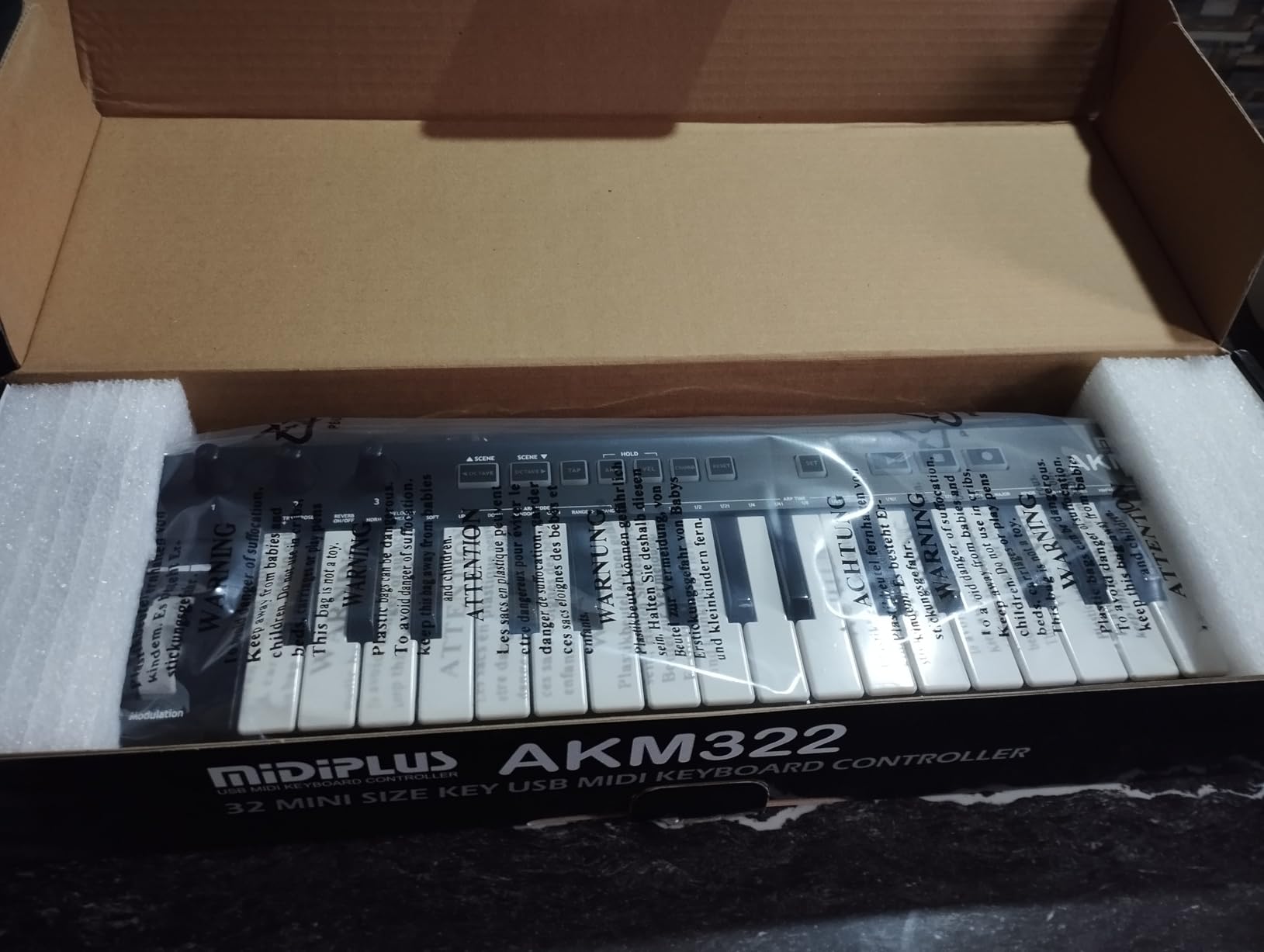
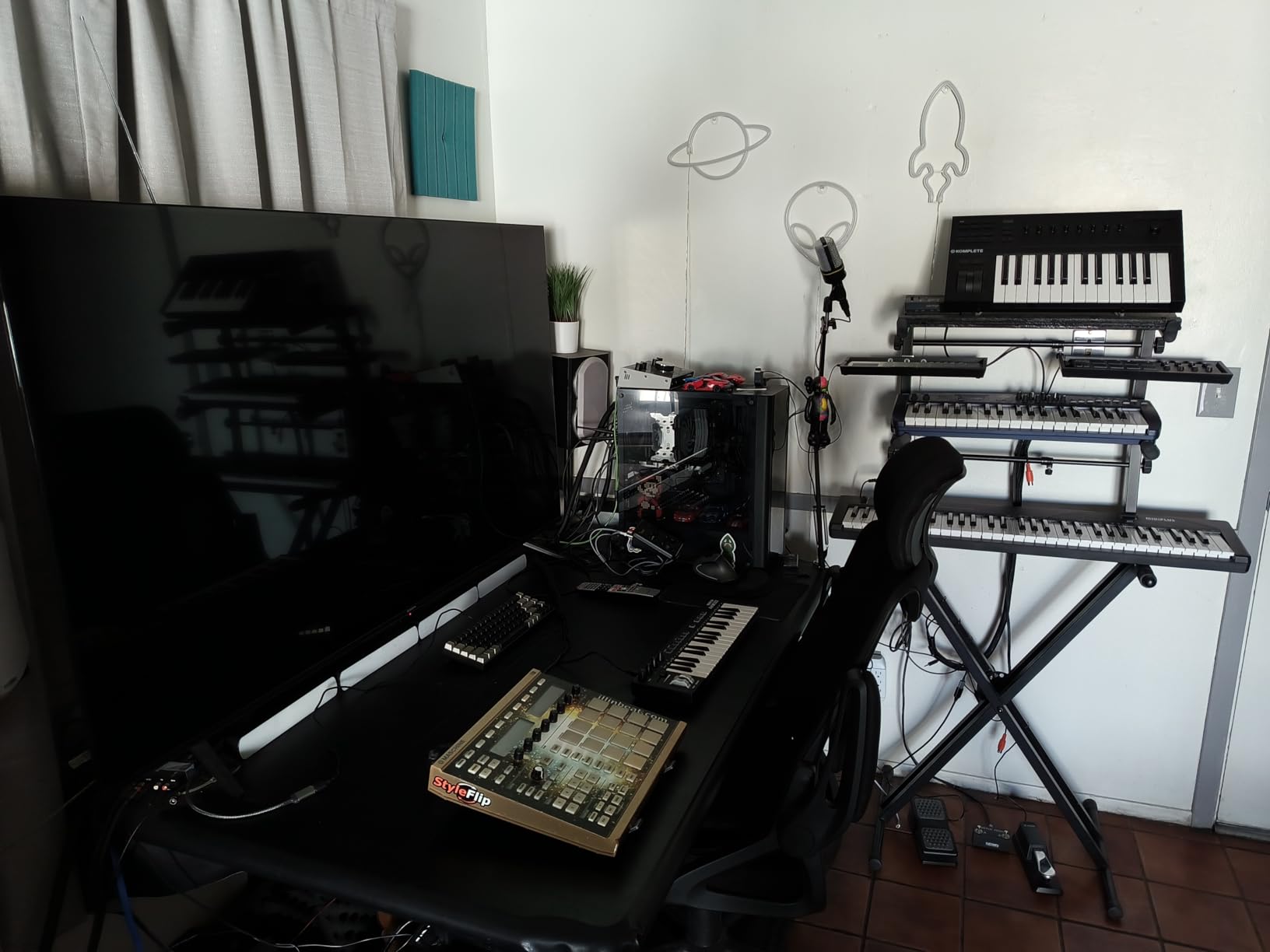
This is the board to look at if you specifically want a semi-weighted keybed and cannot justify spending past this ceiling. Forty-nine semi-weighted piano-style keys give noticeably more resistance than the flat synth action on most budget boards, which is the single thing pianists notice first.
Pitch and modulation wheels sit on the lower panel close to the keys, octave buttons handle range changes, and a single USB cable handles both data and power. Setup is genuinely instant on Mac and Windows.
The response here is more polarised than anywhere else in this roundup. Out of 584 reviews, 59 percent are five star but 11 percent are one star, and the split is predictable: pianists rate the key feel highly while producers wanting a tight synth action criticise it as rubbery and springy.
The 12-month warranty is the shortest here, and the very low sales rank tells you what the reviews also say, that mainstream adoption and support are limited. Treat it as a specialist choice rather than the safe option.
Who it suits for a first board
It suits a beginner with piano training who wants weighted feel in a first production board. The semi-weighted action is a real bridge between a synth-action controller and a digital piano, and it is rare at this price.
It also suits someone who wants a stable, full-size USB-B connector. On boards that use mini or micro USB, the socket is the first thing to fail; a full-size USB-B port is built for years of plugging and unplugging.
Who should skip it
Skip it if you play with a light touch. Reviewers report that the velocity response is hard to control and often requires hitting keys hard, which flattens dynamics in exactly the way beginners are trying to avoid.
Skip it if you want software support. The manufacturer editor is dated and may not recognise the keyboard on Mac, and the manual is poorly translated with a confusing file format for that editor utility.
10. Donner N-32 – Best for Tablet, Phone and Notation Work
Donner N-32 MIDI Keyboard, Small USB MIDI Controller with 32 Velocity-Sensitive Keys, Screen, Sequencer, Chord, Bend Sound Effects by Light-up Joystick, Music Production Software, 40 Teaching Courses
- Very compact and light
- smaller than a computer keyboard and easy to carry
- 32 keys is more than the usual 25 which helps when playing chords
- Screen sequencer chord and arpeggiator functions are unusual at this entry level
- Plug-and-play on Windows Mac Linux Android and iOS
- Bundled 40 teaching courses and production software help beginners start
- MIDI output channel is fixed and cannot be changed which breaks multi-device setups
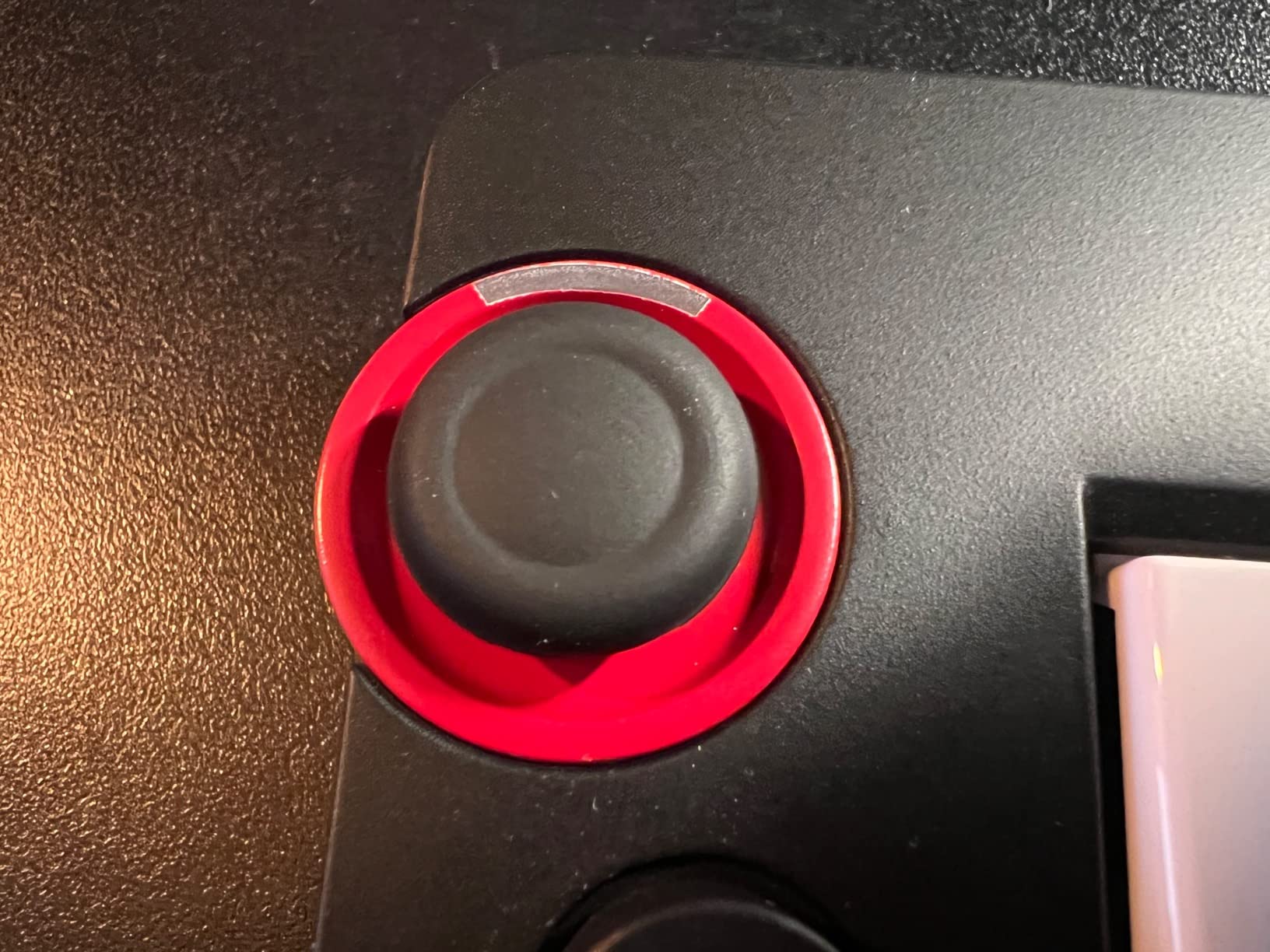
- Joystick pitch bend is harder to control precisely than a real wheel
- Cheap springy keys that are not suitable for learning piano
- Black keys sit on thin plastic mounts and can snap off
- Lowest average rating here with 11 percent one-star reviews
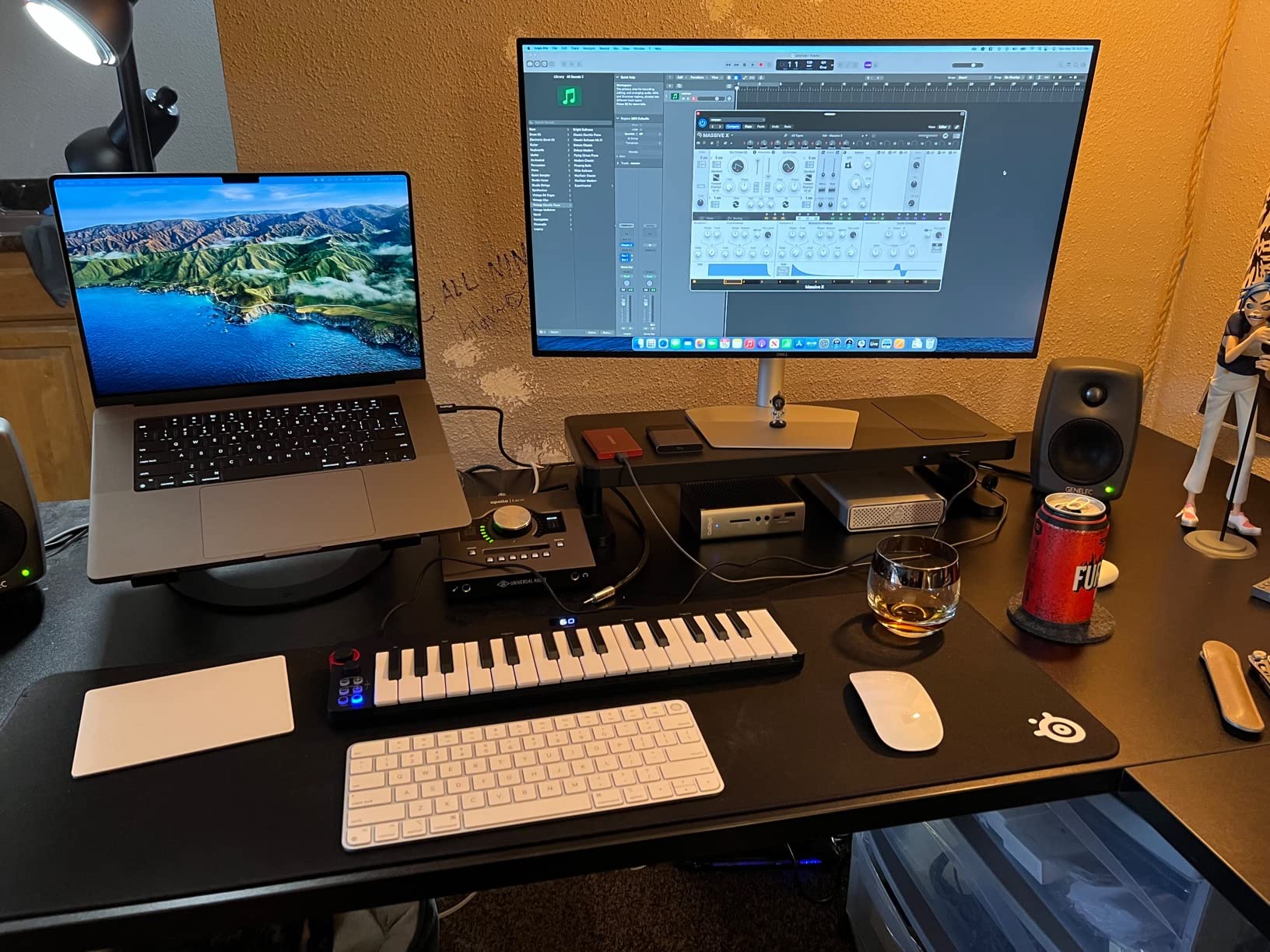
The Donner N-32 is the only board here that works properly as a phone and tablet input rather than just a computer accessory. Plug-and-play over USB-MIDI on Windows, Mac, Linux, Android and iOS, it is the pick for notation software on an iPad or for quick ideas on a phone.
It also does more on the hardware than most boards at this level. There is a built-in screen, a sequencer, chord and arpeggiator functions, four customisable banks of control settings, octave controls, a pitch shifter and sustain pedal support. A TRS MIDI out is wired to the Arturia standard for driving external gear.
Forty teaching courses from beginner to advanced come in the box, which is genuinely useful if you are learning notation or theory alone. At one pound and 16.7 inches wide it is smaller than a computer keyboard.
Be aware of the numbers, though. At 4.0 average from 492 reviews with 11 percent one star, it is the most divisive board here, and the complaints are specific rather than vague: a fixed MIDI output channel that cannot be changed, which breaks multi-device setups, and black keys mounted on thin plastic that can snap off under rough use.
Who it suits for a first board
It suits a beginner entering through the tablet rather than the laptop, and anyone who wants to enter notes into notation software quickly. More than 25 keys is a real advantage when you are typing chord progressions by hand.
It suits a traveller. One pound and a 1.3-inch profile mean it disappears into a bag, and the breathing light on the joystick gives you feedback in a dark room.
Who should skip it
Skip it if you plan to run more than one MIDI device at a time, because the fixed output channel cannot be changed. Skip it if you want precise pitch bends, since a joystick is harder to control than a real wheel, and it is the same control downgrade that shows up on other compact boards.
It is not a piano-learning board. The keys are springy rather than weighted, and the easily damaged black keys make it a poor long-term instrument for a child learning to practise.
11. Nektar SE61 – Best for Players Who Want Five Octaves
Nektar SE61 – USB MIDI Controller Keyboard with Nektar DAW Integration, Black
- Widest key range here at 61 full-size semi-weighted keys
- Light at about 3 kg for a full-size board so it is genuinely portable
- Strong touch sensitivity that works well with piano sampling plug-ins
- Nektar DAW integration and Bitwig Studio 8-track DAW included
- Reliable plug-and-play with no separate firmware or editor software
- No pads knobs or faders for hands-on DAW control
- Plastic body feels inexpensive despite the strong keybed
- 38.8 inch footprint needs desk space and is hard to transport in a small bag
- Sustain pedal is not included
- One review reports the lowest key not working on their unit
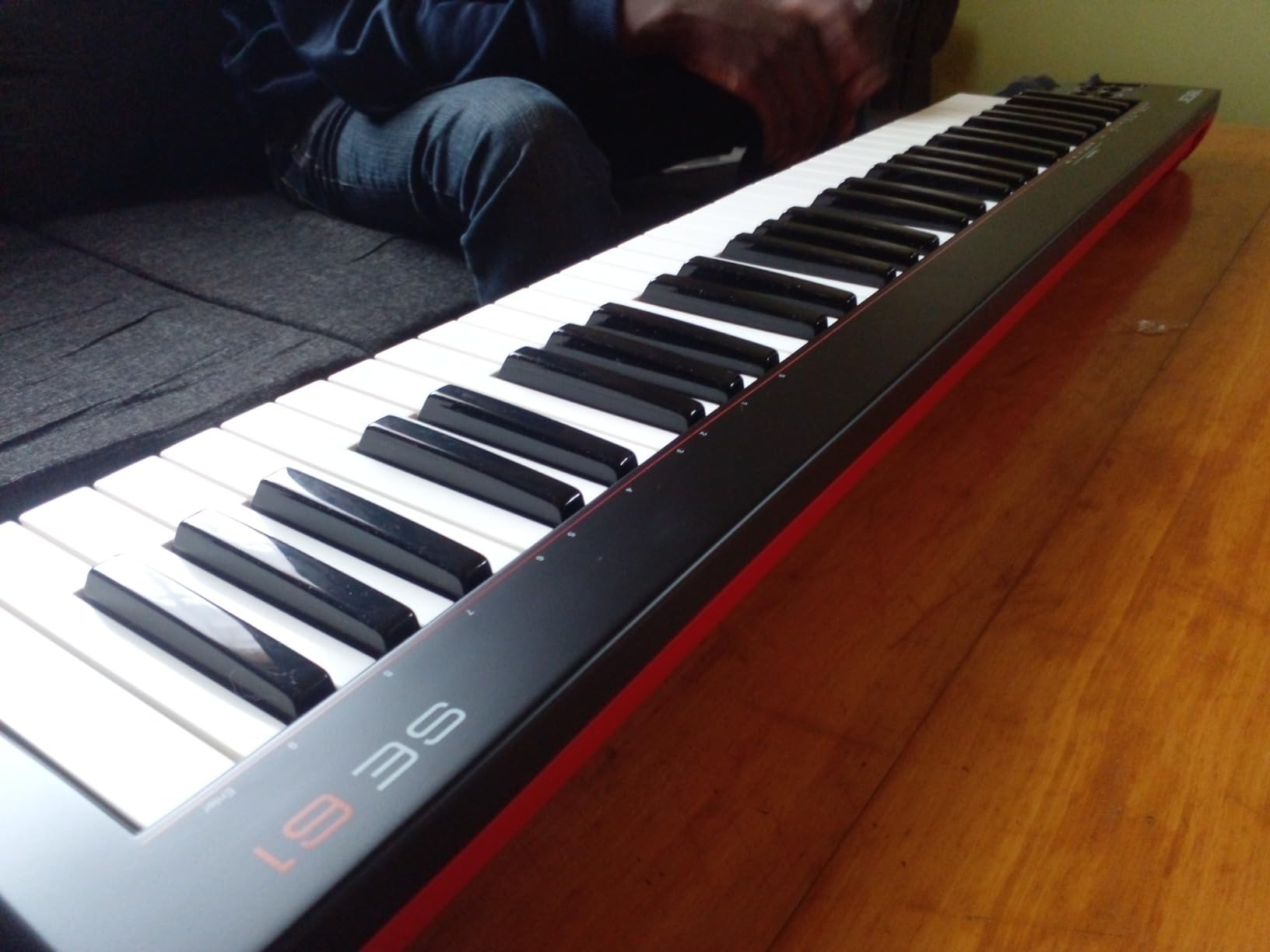
Five octaves is the point of this board. Anyone who has written on a 49-key controller and kept running out of room knows the feeling, and the SE61 fixes it with full-size semi-weighted keys at a weight of about 3 kilograms, which is remarkably light for 61 keys.
You also get pitch and modulation wheels, sustain pedal input, Mac, PC, Linux and iOS support and the same Nektar DAW integration as the smaller board, along with the Bitwig Studio 8-track DAW licence. No separate firmware or editor software is required, so setup is plug-and-play.
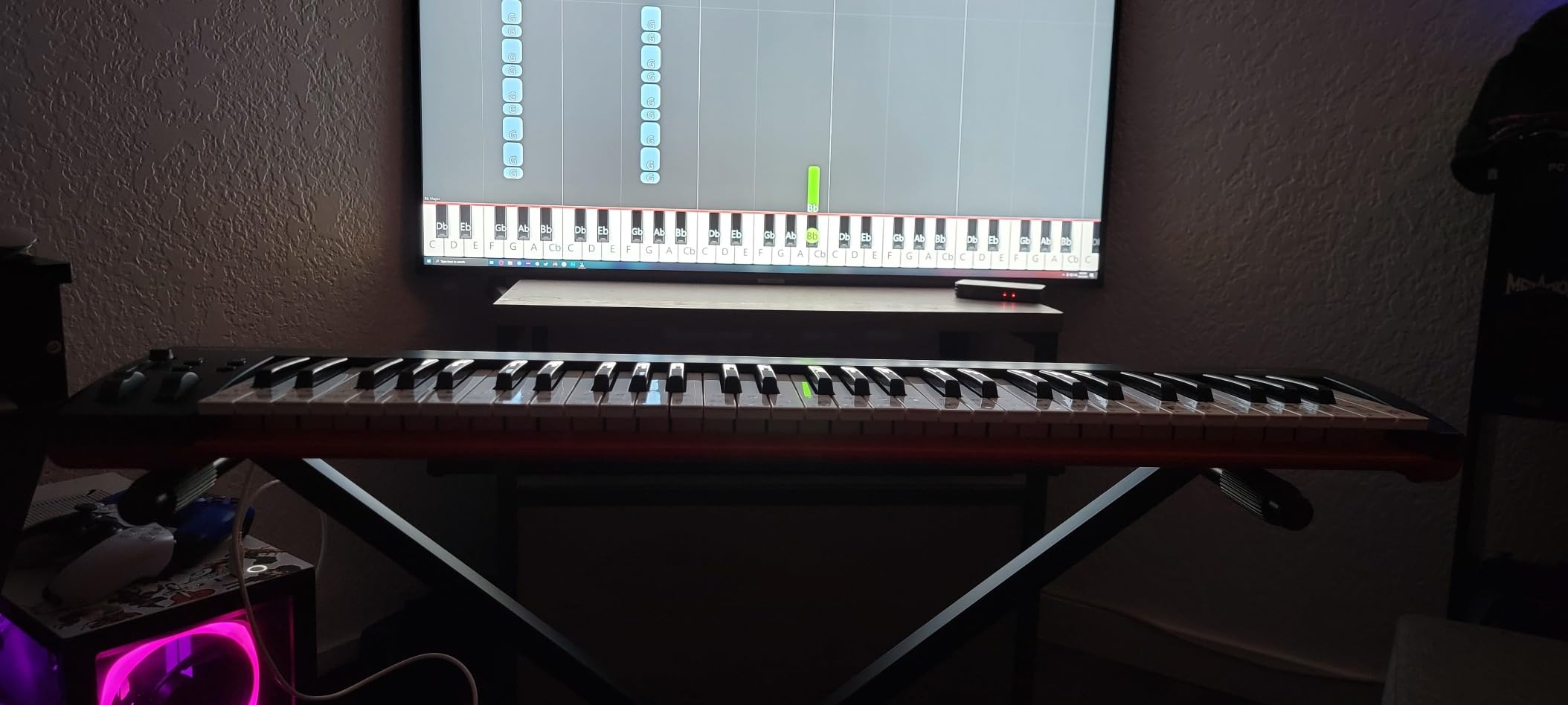
Reviewers moving up from smaller mini boards tend to describe the key feel and touch sensitivity as a decisive improvement, and piano sampling plug-ins in particular respond well to them. At 4.5 from 327 reviews with 74 percent five star, it is frequently described as the best value 61-key controller around.
The reservations are consistent and honest: the plastic body feels inexpensive despite the strong keybed, the 38.8-inch width demands real desk space, and no sustain pedal is included. There is also one reported unit where the lowest key did not work.
Who it suits for a first board
It suits a beginner who plays a full instrument, plays left-hand parts, or wants to record without shifting octaves mid-take. The touch sensitivity is the detail that matters most for anyone using sampled piano instruments.
It suits a home studio where the desk is fixed. Once it is set up, five octaves removes a whole category of frustration, and the included Bitwig licence means the software side is solved too.
Who should skip it
Skip it if your space is small or you need to carry it. At nearly 39 inches wide it needs a proper desk, and while 3 kilograms is light for the class, a 39-inch board is not a bag item.
Skip it if you want hands-on DAW control, since there are no pads, knobs or faders at all, and check the keys on arrival given the isolated key-failure report.
12. midiplus i61 – Best for Driving External Hardware Synths
- 61 full-size velocity-sensitive keys with 61-note polyphony for full two-handed playing
- Transport and data controls alongside pitch and modulation wheels
- Two MIDI out interfaces plus a dedicated sustain pedal input for external gear
- Durable full-size USB-B interface
- Broad compatibility with laptops computers and certain tablets and phones
- No drum pads knobs or faders for controlling a DAW
- Heavy at 6.4 pounds and over 36 inches wide so it is not portable
- Basic construction with a largely plastic feel
- Very low sales rank suggests limited software support and ecosystem
- No bundled DAW software or learning content
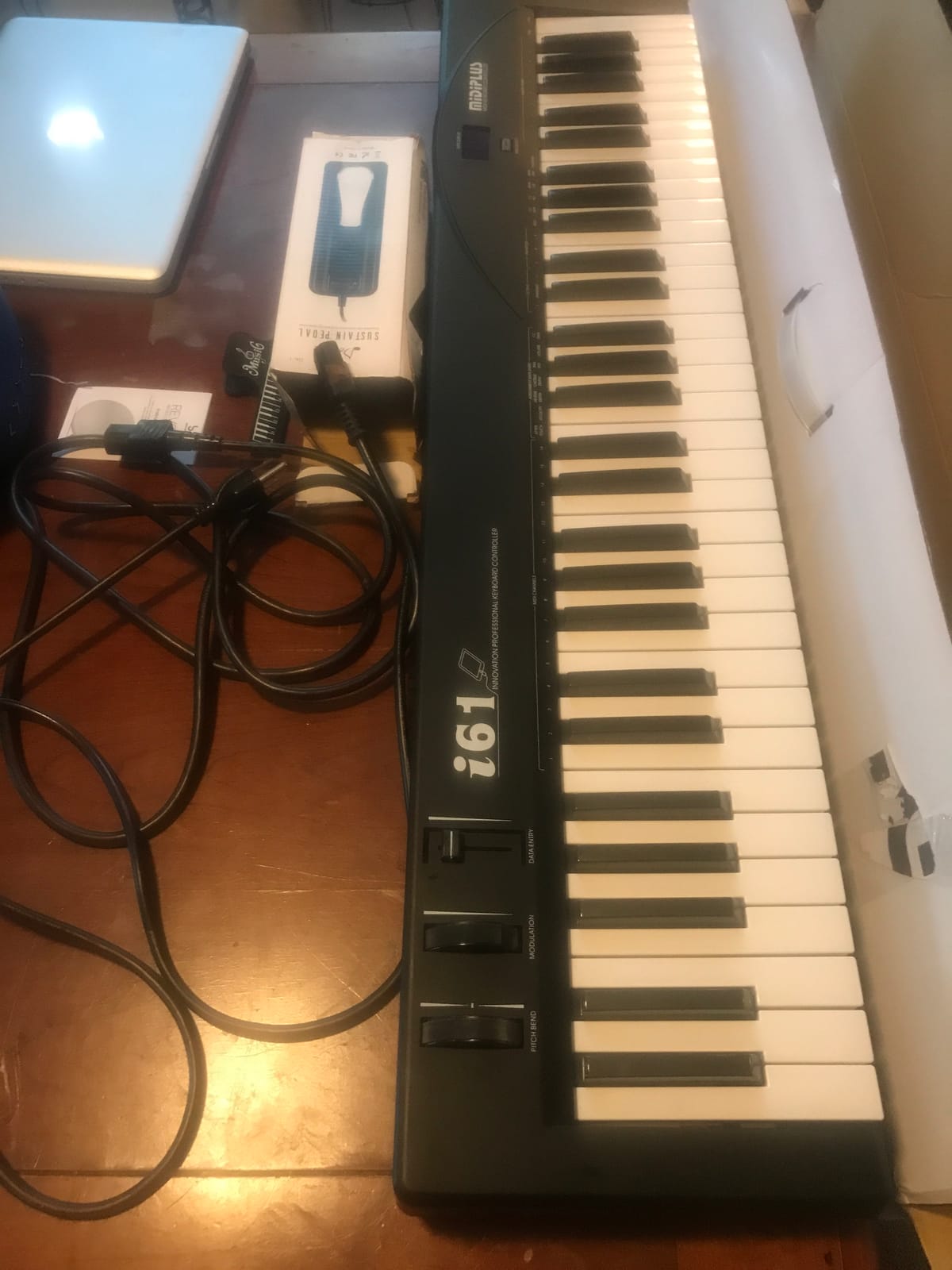
This is a utility controller, and the reason to buy it is on the back panel. Two MIDI out interfaces mean you can drive two external hardware devices at once, and with 61 full-size velocity-sensitive keys and 61-note polyphony you are not limited to monosynth lead lines.
There is a data entry wheel and a MIDI and select mode toggle button, plus pitch and modulation control wheels, a sustain pedal interface and USB-B handling both data and power. It works with Ableton Live, Avid Pro Tools and FL Studio, and with laptops, computers and certain tablets and smartphones.
At 4.3 from 258 reviews with 68 percent five star, the ratings are solid rather than exceptional, and the praise is concentrated on key count and the dual MIDI outs rather than on refinement.
The criticisms are equally concentrated: 6.4 pounds across more than 36 inches means it is not a portable board, the construction is largely plastic, and there is no bundled DAW or learning content at all, so you supply your own software from day one.
Who it suits for a first board
It suits a beginner who already owns hardware gear and wants a dedicated control surface for it. Two MIDI outs is a feature you simply cannot add later, and the full-size USB-B port is built to survive years of cable changes.
It suits anyone who plays a wide range. Sixty-one notes of polyphony covers chordal pads and string voices, not just bass lines, and a data entry wheel speeds up sound selection on older hardware.
Who should skip it
Skip it if you are a software-only beginner. There are no pads, knobs or faders, no bundled software, and the very low sales rank suggests a limited ecosystem, so the value only appears if you are connecting external hardware.
Skip it if you move between setups. At 6.4 pounds and over 36 inches wide it is essentially furniture, and if you have never played a MIDI keyboard before, a lighter board will teach you faster.
How to Choose a MIDI Keyboard: A Beginner’s Buying Guide
Almost every question I get about first MIDI keyboards comes down to five decisions, in this order: how many keys, what size and action those keys are, whether you want real wheels, how the board connects, and what software you will run. Work through them in that order and the choice makes itself.
How many keys do you need: the 25 versus 49 rule
Here is the rule I give people. If you have never made music on a computer and you are not a keyboard player, start at 25 to 32 keys. If you can already play chords and you intend to write two-handed, start at 49. Only go to 61 if you specifically want five octaves of range or you are driving external hardware.
Twenty-five keys is two octaves. That is enough for a bass line, a drum pattern, a chord stab and a hook, which covers most beat-making. It is not enough to play a melody and a chord progression with both hands, and constantly shifting the octave makes writing chords frustrating. Thirty-two and 37 keys are the useful middle ground, giving you room for full chords without the width of a 49-key board.
Forty-nine keys is four octaves and is the sweet spot for a beginner who plays. The reason is simple: most progressions fit inside four octaves without any octave shifting, so you can stop thinking about ranges and start thinking about music. Sixty-one keys is five octaves, which is a genuine upgrade in comfort but adds roughly 7 inches of width and real weight.
Forum threads on this question repeat the same advice, which is that beginners overthink the key count far more than they should. Any of the boards here will produce music. Pick the one that fits your desk and your hands.
Key size and key action: where the real difference lives
Key size is the physical width of the keys. Mini keys, found on the Akai MPK Mini IV, the Akai LPK25 and the Novation Launchkey Mini 25, are the most portable and the most divisive. The most repeated complaint about them in user discussions is simply that they feel cramped and alienating to anyone with piano training.
Mid-size keys, as on the midiplus AKM320, are a compromise that is underused as an option. They give you a real 32-note range in an 18-inch body, and they are far more forgiving than mini keys. If you have large hands and a small desk, this is the size to look for first.
Full-size keys, on the M-Audio Keystation 49 MK3, the Nektar SE49, the M-Audio Oxygen 49 MKV, the midiplus AK490+ and both 61-key boards, feel like a real instrument. Anyone learning piano, anyone who plays classical or jazz material, and anyone who intends to buy a weighted board later should insist on full-size.
Key action is the weight and feel under your fingers. Synth-action is light and unweighted, which is fast to play and gives no feedback about how hard you are pressing beyond velocity. Semi-weighted, as on the Arturia MiniLab 37, the Nektar SE49, the Nektar SE61 and the midiplus AK490+, adds resistance so the key physically tells you how hard you pressed. Weighted or hammer-action, which is what a digital piano has, is not available on any board inside this ceiling.
Velocity sensitivity is the measurement of that pressure, and it is what makes recorded dynamics real. Almost every board here is velocity-sensitive, but the resolution varies. The midiplus AKM320 is specifically criticised for coarse velocity with only a few effective levels, which means quiet and loud playing can sound alike. If dynamics matter to you, test the board in a store by playing the same note very softly and very hard.
Aftertouch is a rarer feature that measures pressure after the note has started. The Novation Launchkey Mini 25 MK4 has polyphonic aftertouch on its pads, which is the only place in this roundup you will meet it.
Wheels versus joystick, and what pads actually do
Pitch bend and modulation wheels are proper physical wheels. The M-Audio Keystation 49 MK3, the M-Audio Oxygen 49 MKV, the midiplus AKM320, the midiplus AK490+, the Nektar SE49, the Nektar SE61 and the midiplus i61 all have them. Pitch bend slides a note up or down, and modulation usually controls vibrato, filter movement or a timbral parameter.
A joystick does both in one smaller control, and it is a downgrade most beginners did not expect to find. The Donner N-32 has a light-up joystick, and users describe its bend as harder to control precisely than a real wheel. The Arturia MiniLab 37 has no pitch or modulation control at all, which is its single most consistent reservation. The Akai MPK Mini IV handles bend and modulation on a touch strip above the pads.
Drum pads are pressure-sensitive squares, usually backlit. They serve three overlapping jobs: finger drumming, launching audio or MIDI clips in a DAW, and acting as step-sequencer buttons. If you want to make beats and watch tutorials, pads matter. If you want to write music, they are optional.
Knobs and faders are where a DAW becomes hands-on. Faders map to mixer channels, knobs to plugin parameters, and both are typically assignable through MIDI CC or a MIDI Learn function in your DAW. Only the M-Audio Oxygen 49 MKV and the Arturia MiniLab 37 offer a real amount of this inside the ceiling, and the Akai MPK Mini IV adds eight assignable 360-degree knobs on a much smaller board.
Octave shift and transpose buttons matter more than beginners expect. Octave buttons move the range of the whole board so you can cover more than 37 keys. Transpose shifts playback or recording by whole steps, which is a genuine time-saver when learning a song in a different key. Both the midiplus AKM320 and the Akai LPK25 have them as dedicated buttons.
Connectivity: USB, Bluetooth and 5-pin MIDI out
Every board in this roundup is USB-connected and bus-powered, meaning one cable carries data and power. That is the only connection you need to start, and it is why all of them are described as plug-and-play.
Five-pin MIDI out, also called MIDI DIN, is the old-school round connector. Three boards here have it: the Akai MPK Mini IV, the Donner N-32 over a 3.5mm TRS socket wired to the Arturia standard, and the midiplus i61 with two of them. It matters only if you own or plan to own a hardware synthesizer, because it lets the board send notes to a device with no computer involved.
Bluetooth MIDI appears in this category constantly and none of the twelve boards here have it. That is deliberate. Bluetooth MIDI works, but it adds latency between your key press and the sound, and for playing along to a track that delay is distracting. Use USB for anything with timing, and Bluetooth only for convenience on a sofa or a tablet stand.
Apple and Android support also varies. The Donner N-32 lists Android, Mac, Windows and iOS as plug-and-play. The Nektar SE49 and SE61 and the Akai LPK25 all work on iOS, the latter with a Camera Adapter kit for the M-Audio Keystation 49 MK3. Check the platform list before buying if your plan involves a tablet.
DAW integration, lock-in and the bundled software question
DAW-specific integration means the board’s transport buttons, knobs and pads are already mapped to the controls of a particular application. Novation’s mapping for Ableton Live, Logic, Cubase, Reason, Reaper, FL Studio and Ardour is the broadest here, and Nektar covers Bitwig, Cubase, GarageBand, Logic, Nuendo, Digital Performer, Mixcraft, Reason, Reaper, Sonar, FL Studio and Studio One.
Lock-in is a real concern that beginners raise, and the answer is reassuring. A MIDI controller sends standard note and control messages, so any board here works with any DAW. What you lose by switching DAWs is the pre-mapped layouts, not the notes. You would reassign the controls yourself, which is a twenty-minute job in most applications.
Bundled software is a genuine question because opinions on forums are sharply divided. Some users dismiss the bundles as filler, and it is true that trial-based software expires. But the practical value for a beginner is that you have something to open on day one rather than an empty project. Ableton Live Lite, MPC Beats, Analog Lab, GarageBand and Bitwig Studio 8-track all appear across these boards, and MPC Beats is the most beginner-friendly of them because it does not require reading a manual.
What the accessory budget actually costs you
None of the twelve boards includes a sustain pedal, even the ones with a pedal input. Budget for a basic one alongside the keyboard, because holding chords with one hand while you work the mouse will end your first session early.
A desk or stand is the other hidden line. The three full-size 61-key boards need a wide surface, and the mini boards will happily balance on a laptop. If you are buying a 49-key board for a small desk, measure before you order.
MIDI keyboard versus digital piano: a go or no-go decision
If your goal is producing music, buying music and editing it later, a MIDI keyboard is the right tool and a digital piano is a waste of the budget. If your goal is learning to play the piano properly, buy a digital piano with weighted keys, because a controller cannot develop technique and the sounds will not substitute for an acoustic instrument.
The practical test is simple. Ask whether you want to open a computer and make a recording. If yes, controller. If no, digital piano.
Your first ten minutes: a five-step setup
Whatever board you choose, this sequence takes the anxiety out of day one.
Install the DAW first. MPC Beats and Ableton Live Lite are the gentlest starting points on a Windows or Mac machine, and GarageBand is free if you are on a Mac.
Connect the keyboard with the supplied USB cable and open your DAW. Confirm the board appears as a MIDI input; every board here is bus-powered, so there is no power supply to connect.
Add a software instrument on a new track. A piano or electric piano preset is the easiest to hear and the easiest to judge dynamics against.
Arm the track for recording, play a short phrase, then stop. You now have a MIDI clip you can quantise, re-pitch or replace with a different sound.
Map one control. Pick a single knob or fader, open MIDI Learn in your DAW, move it, and the software should assign itself. Doing this once teaches you more than an hour of reading.
Once you are past that point, the difference between a good board and a great one is how much of your DAW you can reach without the mouse. That is the reasoning behind every pick above. For a wider look at the category, our reviews of the best MIDI controllers for producers cover the step up once the first project is finished.
Frequently Asked Questions
What is the best MIDI keyboard for a beginner?
The Akai Professional MPK Mini IV is the best all-rounder for a first board, with 25 velocity-sensitive mini keys, 8 MPC pads, 8 assignable knobs and a colour screen, all working over plug-and-play USB-C. If you play piano, buy full-size keys instead and the M-Audio Keystation 49 MK3 is the better first board.
Should I get a 25 key or a 49 key MIDI keyboard?
Choose 25 keys if you are new to making music with no piano background and mainly want to write beats and bass lines, because 25 keys is two octaves. Choose 49 keys if you intend to play two-handed, because four octaves fits most chord progressions without octave shifting. Boards at 32 or 37 keys are the sensible middle ground.
Is 49 keys enough for a MIDI controller?
Yes for most work. Forty-nine keys is four octaves, which covers the majority of melodies and chord progressions in a single position and is the most common choice for a first serious controller. Only move to 61 keys if you specifically want five octaves of range, you play full two-handed arrangements, or you are driving external hardware synths.
Is 25 keys enough for a MIDI controller?
Enough for bass lines, drum patterns, chord stabs and simple hooks, which covers most beginner beat-making. It is not enough to play a melody and chords with both hands, so you would rely on the octave shift buttons constantly. If you already play piano, skip 25 keys entirely and start at 37 or 49 full-size keys.
Do MIDI keyboards make sound on their own?
No. A MIDI keyboard is a controller that sends note, velocity and control data to a computer or a hardware synth, and it makes no sound by itself. You plug it in over USB, open a digital audio workstation, load a virtual instrument on a track, and then the keys trigger that software sound. If you want a device that makes a sound the moment you switch it on, buy a digital piano instead.
Is a MIDI keyboard the same as a digital piano?
No. A MIDI keyboard has no built-in sounds, no speakers and usually unweighted or semi-weighted keys, and it is designed to control software. A digital piano has weighted keys, built-in speakers and its own sound, and it is designed for learning to play. Buy a controller to produce and record music, and a digital piano to practise piano technique.
Is Novation or Akai better for a first MIDI keyboard?
Both are among the easiest brands to set up, and the choice is mostly about size. Akai gives you more hardware per dollar with pads and knobs on a small board, while Novation puts more effort into DAW mapping, with the broadest pre-mapped support here. Pick Akai for beat-making on a tight desk and Novation if you want a DAW to feel integrated with the hardware.
Conclusion: Which Beginner MIDI Keyboard Should You Buy?
Start with the three that suit most people. The Akai MPK Mini IV is the best midi keyboard for beginners under 200 dollars if you want pads, knobs and portability in one box. The M-Audio Keystation 49 MK3 is the pick if you play piano at all and want full-size keys, real wheels and a free lesson platform. The Arturia MiniLab 37 is the one to buy if you want to play two-handed and produce at the same time, since four octaves of semi-weighted keys is the best keybed in the group.
Everything else is a specialist case: the Nektar SE49 and SE61 for DAW-integrated full-size keys, the M-Audio Oxygen 49 MKV if you want faders and 16 pads, the Novation Launchkey Mini 25 MK4 for the cleanest DAW mapping, and the three midiplus boards for the cheapest route into wheels and key count.
Decide in sixty seconds. Any piano background, buy 49 full-size keys. No piano background, buy 25 mini keys with pads. Then buy a sustain pedal, install a DAW, load a piano, and record something. The board stops mattering the moment you have a first clip on the timeline, and every one of these twelve will get you there in 2026.
If you would rather see the category beyond this budget, our guide to the best MIDI wind controllers covers the breath-controller side of home recording, and our beginner keyboard guide covers the general instrument side.