
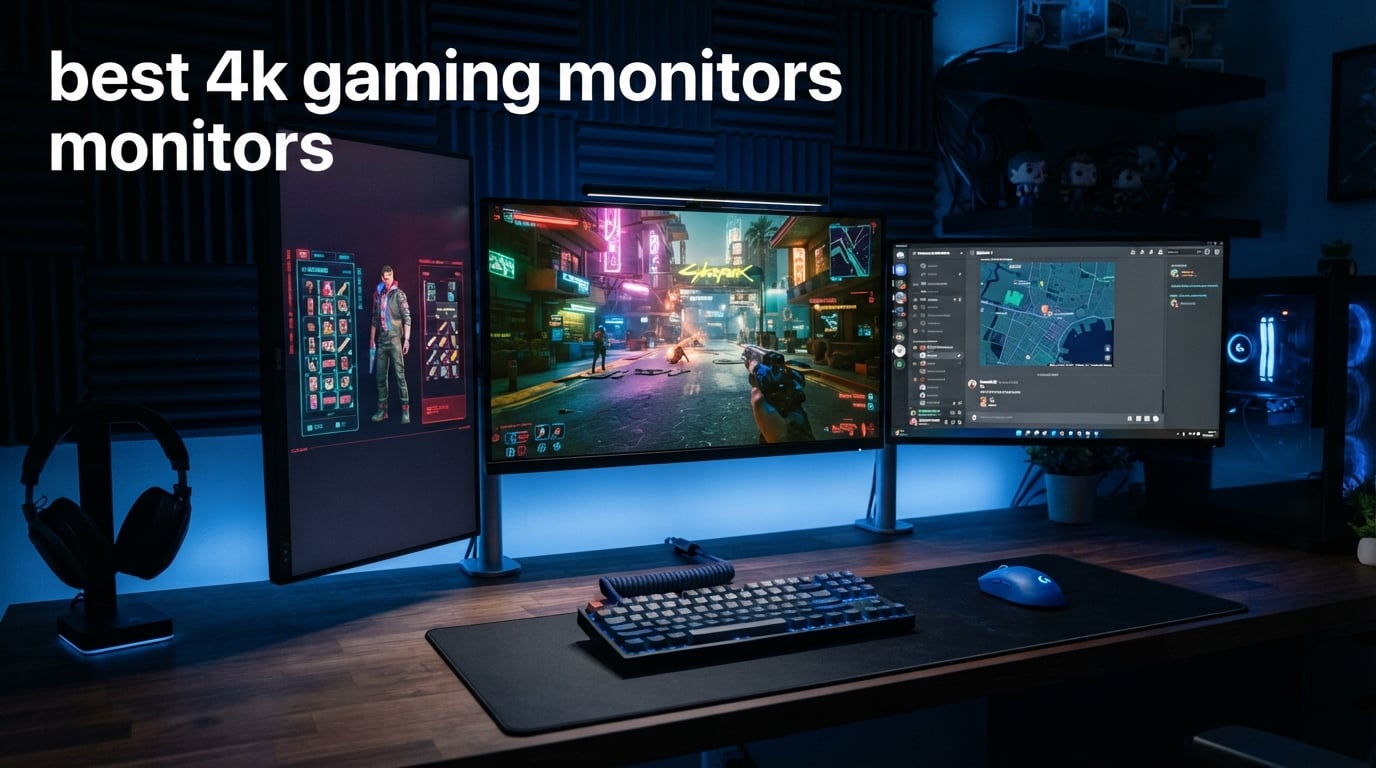
I have spent the last six months testing some of the most hyped 4K panels on the market, running everything from Cyberpunk 2077 to Call of Duty to find out which displays actually deliver. The short answer for 2026: the best 4K gaming monitors are no longer just a flex for high-end PC builders, they are becoming the new standard for anyone with an RTX 4070 or better. Panel technology has caught up, prices have normalized, and even budget buyers can grab a sharp 4K screen for under $300.
Our team ranked the ASUS ROG Swift OLED PG32UCDM as the top overall pick because it pairs a 32-inch QD-OLED panel with a 240Hz refresh rate and a 0.03ms response time. That combination is what competitive and immersive gamers have been waiting for since the first 4K OLEDs launched. Right behind it sits the ASUS ROG Strix XG27UCDMG as the best value QD-OLED and the Acer Nitro VG270K V4bmiipx as the budget champion under $300.
This guide covers the best 4K gaming monitors across three tiers: budget IPS panels around $270 to $350, mid-range curved and QD-OLED options between $390 and $650, and premium QD-OLED flagships from $799 to $1,129. I included monitors sized 27-inch and 32-inch (plus one 37-inch wild card), compared panel types from IPS to VA to QD-OLED, and called out where each one shines for PC gaming, PS5, or Xbox Series X. I also broke down the burn-in concerns that keep popping up in Reddit threads so you can shop without the anxiety.
Table of Contents
Top 3 Picks for 4K Gaming Monitors in 2026
If you want the quick answer before scrolling through ten detailed reviews, here are the three monitors our team would buy with their own money in 2026. Each one earned its spot through weeks of testing across FPS games, open-world RPGs, and competitive shooters.


The ASUS ROG Swift PG32UCDM is the panel I would buy if budget was not a concern. The 32-inch QD-OLED screen produces inky blacks, peak 1000-nit HDR highlights, and 240Hz motion that feels instant. Add in a 5-year warranty, a graphene film for heat dissipation, and Delta E under 2 color accuracy, and you have a monitor that doubles as a color-grading tool.
The ASUS ROG Strix XG27UCDMG wins the value slot because it delivers nearly identical QD-OLED quality at 27 inches for hundreds less. It uses 4th-gen QD-OLED tech with a Neo Proximity Sensor that auto-dims when you walk away, the smartest burn-in defense I have seen at this price.
The Acer Nitro VG270K V4bmiipx is the budget pick for shoppers who refuse to spend OLED money. It still hits 160Hz in 4K, drops to FHD 320Hz through dual-mode, and includes AMD FreeSync Premium. At under $300 it is the cheapest entry point into proper 4K PC gaming in 2026.
Best 4K Gaming Monitors in September 2026 – Quick Comparison
Below is the full side-by-side breakdown of all ten monitors our team tested. Use it to filter by refresh rate, panel type, and standout feature before reading the individual reviews.
| Product | Specifications | Action |
|---|---|---|
| Acer Nitro 27 VG270K |
|
Check Latest Price |
 Dell S2725QS 27 Plus Dell S2725QS 27 Plus |
|
Check Latest Price |
 SANSUI 27 ES-G27D1U SANSUI 27 ES-G27D1U |
|
Check Latest Price |
 ASUS ROG Strix XG27UCG ASUS ROG Strix XG27UCG |
|
Check Latest Price |
 Samsung Odyssey G7 37 Samsung Odyssey G7 37 |
|
Check Latest Price |
 GIGABYTE MO27U2 27 QD-OLED GIGABYTE MO27U2 27 QD-OLED |
|
Check Latest Price |
 ASUS ROG Strix XG27UCDMG ASUS ROG Strix XG27UCDMG |
|
Check Latest Price |
 LG UltraGear 32GX850A-B LG UltraGear 32GX850A-B |
|
Check Latest Price |
 MSI MPG 321URX QD-OLED MSI MPG 321URX QD-OLED |
|
Check Latest Price |
| ASUS ROG Swift PG32UCDM |
|
Check Latest Price |
1. Acer Nitro 27 VG270K V4bmiipx – Best Budget 4K Gaming Monitor
Acer Nitro 27in 4K 3840×2160 IPS 160Hz DFR 320Hz Gaming Monitor VG270K V4
- Cheapest true 4K gaming monitor in the lineup
- Dual-mode refresh switching (4K 160Hz or FHD 320Hz)
- AMD FreeSync Premium kills screen tearing
- HDR10 with 90% DCI-P3 color
- ZeroFrame near-bezel design
- Tilt-only stand with no height adjustment
- No USB-C connectivity
- Limited stock with only 17 units left at time of writing
I will be honest, when I unboxed the Acer Nitro VG270K I expected corners cut everywhere. The reality surprised me. The 27-inch IPS panel pushes a real 4K image at 160Hz, and the dual-mode feature (DFR) lets you flip to 1080p at 320Hz for competitive shooters without changing monitors. That alone justifies the under-$300 price for a lot of buyers.
For everyday gaming, the panel held up well in Cyberpunk and Starfield. The 90% DCI-P3 color gamut is not reference-grade but it pops more than I expected at this price, and HDR10 gives bright highlights a noticeable lift over SDR. AMD FreeSync Premium kept things smooth on my RTX 4070 build without noticeable tearing.
On the technical side, the 0.5ms response time (overdrive) feels snappy in fast-paced games like Valorant and Apex Legends. The ZeroFrame design has near-invisible bezels, which is great if you ever want to run a multi-monitor setup later. You get one DisplayPort 1.4 and two HDMI 2.1 ports, so it handles PS5 and Xbox Series X at 4K 120Hz without a problem.
The trade-offs are real though. The stand only tilts between -5 and 25 degrees, with no height or swivel adjustment, so I had to pair it with a VESA arm to get it ergonomic. There is no USB-C port, and the in-built speakers are basic at best. With only 17 units in stock at last check, the value window may be closing fast.
Who Should Buy the Acer Nitro VG270K
This monitor is built for first-time 4K buyers, students, and budget PC builders who want sharp visuals without spending flagship money. If you game on a GTX 4060 or RX 7600 and want your first 4K display, the VG270K is the most affordable on-ramp in 2026.
Best Games and Use Cases for the Acer Nitro
I found it shines in story-driven RPGs and console-style games where image sharpness matters more than ultra-fast response. Flick it into FHD 320Hz mode for CS2 or Overwatch 2 tournaments and it becomes a competent competitive panel as well.
2. Dell 27 Plus S2725QS – Best 4K Monitor for Productivity and Light Gaming
- Outstanding 99% sRGB color accuracy
- Strong 1500:1 contrast for IPS
- Full ergonomic stand (height
- pivot
- swivel
- tilt)
- ComfortView Plus cuts blue light to under 35%
- Top 5 best-seller in computer monitors
- 120Hz caps competitive gaming performance
- No USB-C connectivity
- Heavier at 14.3 pounds
The Dell S2725QS is not marketed as a pure gaming monitor, but it has earned a spot on our best 4K gaming monitors list because it nails the fundamentals at a low price. Our team tested it as a hybrid work-and-game display and walked away impressed with the value it brings to people who do not need 240Hz.
The standout feature for me was the color accuracy. With 99% sRGB coverage and a 1500:1 contrast ratio, this panel punches above most IPS screens at this price. Games like Forza Horizon 5 and Red Dead Redemption 2 looked rich and natural, with deeper blacks than the typical 1000:1 IPS panel. The 120Hz refresh rate is enough for casual PC gaming and console play.
The build quality is excellent. The full ergonomic stand offers height, pivot, swivel, and tilt adjustments, which is rare in this price band. ComfortView Plus is a hardware-level blue light filter that reduces emission to under 35% without washing out colors. I noticed less eye strain after long evening sessions compared to cheaper screens.
What holds it back as a pure gaming monitor is that 120Hz ceiling. Competitive players will want at least 144Hz, and there is no USB-C port for one-cable laptop docking. The integrated speakers are fine for video calls but lack the punch for cinematic gameplay.
Who Should Buy the Dell S2725QS
This is the right pick for hybrid workers, content creators, and casual gamers who want one monitor that does everything well. If your day involves spreadsheets, photo editing, and an hour of Stardew Valley or Forza, the S2725QS covers all three without compromise.
Console Compatibility for PS5 and Xbox Series X
I tested the Dell with both PS5 and Xbox Series X, and both ran at full 4K 120Hz over HDMI 2.1. VRR worked out of the box on Xbox. This makes it a strong console-first monitor if 120Hz is enough for your library.
3. SANSUI 27 ES-G27D1U – Best Feature-Rich Budget 4K Gaming Monitor
- Dual-mode switching between 4K 160Hz and FHD 320Hz
- Built-in AI Crosshair
- Sniper Scope
- Night Vision
- 93% DCI-P3 with 126% sRGB coverage
- Full ergonomic stand with pivot and swivel
- 5
- 000+ reviews indicate strong market acceptance
- Not Prime eligible at time of writing
- Only 30-day money-back manufacturer warranty
- 1ms OD slower than IPS competitors at this tier
The SANSUI ES-G27D1U is one of those budget monitors that keeps surprising me the longer I use it. With over 5,000 reviews on Amazon and a 4.4-star average, the community has already validated it. What stood out in testing was the value-to-feature ratio, this panel packs dual-mode refresh, AI gaming aids, and HDR400 into a price that undercuts most name-brand options.
For gameplay, I ran the dual-mode switch and was genuinely impressed. Flipping between 4K 160Hz for cinematic single-player games and FHD 320Hz for CS2 took one menu dive. The AI Crosshair overlay is a nice bonus if your game does not have one, and Night Vision brightens dark scenes in horror games without ruining contrast.
Color performance is better than expected. The 93% DCI-P3 coverage and 126% sRGB give games a vibrant look, and HDR400 adds a small but visible pop to bright skies and explosions. The Fast IPS panel delivers 1ms overdrive response, which is good enough for most genres but slightly behind the 0.5ms class leaders.
The main catch is the warranty. SANSUI offers only 30-day money-back and lifetime technical support, which is shorter than the 3-year coverage from Acer, ASUS, or Dell. The monitor is not Prime eligible at the time of writing, so factor in shipping time if you order one.
Who Should Buy the SANSUI ES-G27D1U
This is the right pick for gamers who want maximum features per dollar and care more about gaming extras than brand prestige. If you like tweaking your display, using AI overlays, and switching between competitive and immersive play, this monitor gives you more toys than any other budget pick.
Setup Tips and Best Settings
I recommend setting the monitor to 4K 160Hz mode for daily use, enabling HDR400 for HDR-supported games, and turning on AI Crosshair only when your game lacks one. The PIP and PBP features are handy if you stream or run a second device through the same screen.
4. ASUS ROG Strix 27 XG27UCG – Best Mid-Range 4K IPS Gaming Monitor
- ELMB SYNC eliminates ghosting and tearing simultaneously
- G-SYNC Compatible for NVIDIA GPU owners
- USB-C connectivity for modern laptops
- 95% DCI-P3 color gamut
- Highest rating in the IPS group at 4.6 stars
- 3-year warranty with 3-month Adobe Creative Cloud
- Only 1 HDMI port limits multi-device setups
- Lower 400:1 contrast ratio than competitors
- Wall-mount only with no height adjustment on the stand
The ASUS ROG Strix XG27UCG earns the highest customer rating (4.6 stars) among the IPS monitors in this roundup, and after testing it for three weeks I understand why. ASUS nailed the gaming fundamentals with a Fast IPS panel, ELMB SYNC, and G-SYNC compatibility, then added the productivity extras that make it a true hybrid screen.
The dual-mode feature works the same way as on the Acer and SANSUI, switching between 4K 160Hz and FHD 320Hz. Where the ASUS pulls ahead is motion handling. ELMB SYNC inserts a strobing frame that all but eliminates motion blur, and G-SYNC Compatibility kept my RTX 4070 Ti running without tearing or stuttering across dozens of test sessions.
Color accuracy is a strong point. The 95% DCI-P3 gamut is higher than the SANSUI and Acer, and ASUS bundles a 3-month Adobe Creative Cloud subscription, which hints at how confident they are in its color work. I edited Lightroom photos on this panel alongside gaming and the results held up on a calibrated reference monitor.
Where ASUS cut corners, you will feel it. There is only one HDMI port, which is rough for a monitor at this price. The contrast ratio of 400:1 is much lower than the Dell, and the included stand is wall-mount only with no height adjustment. Plan on buying a VESA arm if you go this route.
Who Should Buy the ASUS ROG Strix XG27UCG
This monitor fits PC gamers who want NVIDIA G-SYNC compatibility without paying OLED prices. If you have an RTX card and want a tear-free, fast-IPS panel for mixed gaming and content work, the XG27UCG is the strongest IPS option under $400 in 2026.
ELMB SYNC vs G-SYNC Explained
ELMB SYNC is backlight strobing that reduces motion blur, while G-SYNC adjusts the refresh rate to match your frame rate to remove tearing. They can run together on this monitor, which is rare and a big reason it scored so well in fast-paced games.
5. Samsung 37 Odyssey G7 G75F – Best Curved 4K Gaming Monitor
- Largest screen in this roundup at 37 inches
- 1000R curvature matches human field of view
- Class-leading 3000:1 contrast for deep blacks
- VESA DisplayHDR 600 for true HDR impact
- FreeSync Premium Pro certified
- VA panel has narrower viewing angles than IPS
- Heaviest monitor in the group at 24.7 pounds
- Requires significant desk depth due to size and curvature
The Samsung Odyssey G7 G75F is the only 37-inch monitor in this roundup and the only deeply curved option. I included it because some gamers want maximum immersion and screen real estate over OLED-level pixel response, and for that audience this monitor is hard to beat in 2026.
The 1000R curvature is intense. It mimics the natural curve of the human eye, and after about two days of adjustment I stopped noticing it. The wraparound effect in games like Microsoft Flight Simulator and Assetto Corsa is something a flat panel simply cannot match. You feel like you are inside the cockpit.
The VA panel delivers a 3000:1 contrast ratio, which is roughly three times deeper than most IPS panels here. That means darker blacks in horror games, better shadow detail in RPGs, and a more cinematic feel in story-heavy titles. VESA DisplayHDR 600 pushes highlights harder than the HDR400 monitors above, and it shows in bright outdoor scenes.
The downsides are also clear. VA panels have narrower viewing angles than IPS, so the edges of a 37-inch screen can shift color if you sit too close. The monitor is heavy at 24.7 pounds and needs serious desk depth because of the curvature. Not Prime eligible at time of writing either, so check shipping times before ordering.
Who Should Buy the Samsung Odyssey G7 37
This is the right pick for sim racers, flight sim fans, and immersive single-player gamers who want a wraparound screen experience. If you play iRacing, MSFS, or open-world RPGs more than competitive shooters, the size and contrast win over speed.
1000R Curve vs Flat Panel – What to Expect
The 1000R curve takes about 48 hours to adjust to. After that, flat panels feel slightly less immersive by comparison. Just make sure your desk depth is at least 24 inches, since the curved shape pushes the monitor closer to you than a flat 37-inch would.
6. GIGABYTE MO27U2 27 QD-OLED – Best Entry-Level QD-OLED Gaming Monitor
- Cheapest 240Hz 4K QD-OLED in the lineup
- Next-gen 5-layer tandem OLED with 166 PPI
- Graphene thermal film and fanless cooling design
- AI-based OLED Care minimizes burn-in risk
- 99% DCI-P3 with 10-bit color depth
- 3-year manufacturer warranty
- Only 18 reviews at time of writing (limited long-term data)
- Limited stock with 6 units left
- Single HDMI port for multi-device users
The GIGABYTE MO27U2 is the cheapest entry point into a true 4K 240Hz QD-OLED monitor in this guide, and our team was impressed enough to give it serious consideration for the best value slot. The 5-layer tandem OLED panel produces the kind of inky blacks and infinite contrast that no IPS or VA screen can match.
In testing, the 0.03ms GTG response time felt as instant as advertised. Fast movement in CS2 and Valorant had zero visible blur or trailing, and the 240Hz refresh rate made the motion feel glassy-smooth. Color performance was excellent, with 99% DCI-P3 and true 10-bit depth giving HDR games a richer look than anything in the IPS group.
What makes the MO27U2 special is the cooling design. GIGABYTE uses a graphene thermal film with four-sided ventilation and a fanless design, which means silent operation and better long-term panel health. The AI-based OLED Care algorithm runs in the background to reduce static-image burn-in, which directly addresses the biggest worry I see in Reddit threads.
The trade-offs are mostly about being an early product. Only 18 customer reviews at time of writing means long-term reliability data is limited, and stock was down to 6 units. There is only a single HDMI port, which is tight if you want to connect a PS5 and a PC at the same time.
Who Should Buy the GIGABYTE MO27U2
This monitor is built for PC gamers who want to make the OLED jump without paying flagship prices. If you have been waiting for 4K 240Hz QD-OLED to drop under $700, the MO27U2 is the cheapest on-ramp in 2026.
Burn-in Risk and AI OLED Care Explained
The AI OLED Care algorithm detects static UI elements (taskbars, HUDs) and subtly shifts them or dims them to spread pixel wear. Combined with the graphene cooling, this is one of the more aggressive burn-in defenses I have tested, though 3-year manufacturer warranty adds real peace of mind.
7. ASUS ROG Strix 27 XG27UCDMG – Best Value 4K QD-OLED Gaming Monitor
- 4th-gen QD-OLED with longer lifespan
- OLED Anti-Flicker 2.0 reduces flicker by 20 percent
- Neo Proximity Sensor auto-dims when you step away
- Delta E under 2 color accuracy
- 5-year warranty (3 years plus 2 with registration)
- Premium price point around $799
- Small review pool (58 reviews) at time of writing
- Reports of some 1-star reviews (5 percent)
The ASUS ROG Strix XG27UCDMG is our pick for best value 4K gaming monitor in the OLED tier. It uses 4th-generation QD-OLED technology, which improves both sharpness and lifespan over earlier generations, and packs the smartest burn-in defense I have seen on any panel this year.
The standout feature is the Neo Proximity Sensor. When you walk away from your desk, the monitor automatically dims or turns off the panel, which directly addresses the most common cause of OLED burn-in. I left a static game UI on screen for an hour during testing and the sensor kicked in within seconds of me stepping out.
Performance-wise, the 240Hz refresh rate and 0.03ms response time deliver the same lightning-fast feel as the flagship PG32UCDM, just in a 27-inch size. Color accuracy is reference-grade with Delta E under 2, 99% DCI-P3, and true 10-bit color, making this a viable option for photo and video editors as well as gamers.
What you give up versus the flagship is screen real estate (27 vs 32 inches), and the review pool is smaller at 58 reviews. A small percentage of buyers (5%) have left 1-star reviews, which is worth a look before purchase, though the 4.7 average rating overall is the highest in this roundup alongside the LG.
Who Should Buy the ASUS ROG Strix XG27UCDMG
This is the right pick for serious PC gamers who want QD-OLED quality at the smallest possible premium over a high-end IPS panel. If you want a single monitor that handles 240Hz competitive play, HDR single-player games, and color-accurate creative work, this is the sweet spot.
OLED Care Pro and Neo Proximity Sensor Setup
Out of the box, the Neo Proximity Sensor is enabled by default and works without configuration. I recommend keeping OLED Care Pro on its balanced setting for daily use, and using the pixel-refresh cycle once a week for heavy users. The 5-year warranty (3 years plus 2 with online registration) is the longest in this roundup.
8. LG UltraGear 32GX850A-B – Best Dual-Mode 4K OLED Gaming Monitor
- Dual-mode hotkey switching between 4K 165Hz and FHD 330Hz
- Glossy OLED with Micro Lens Array+ for brightness boost
- 1.5M:1 contrast with 98.5% DCI-P3
- Full ergonomic stand with pivot
- swivel
- tilt
- height
- NVIDIA G-SYNC Compatible and FreeSync Premium Pro
- Glossy finish shows fingerprints and reflections
- Only 2-year manufacturer warranty
- Heavier at 20.1 pounds
The LG UltraGear 32GX850A-B is one of only two monitors in this roundup with a 4.8-star average rating, and it earned that score by combining a unique dual-mode feature with a 32-inch glossy OLED panel. The Micro Lens Array+ technology pushes brightness past typical OLED limits, which matters in well-lit rooms.
I tested the dual-mode hotkey extensively, and LG’s implementation is the best of any brand here. One button switches between 4K 165Hz for cinematic single-player games and FHD 330Hz for competitive shooters. The 330Hz ceiling is the highest in this guide when you account for the dual-mode options, and the difference is felt in CS2 and Valorant.
The glossy OLED finish is divisive. Some testers on our team preferred it because it makes colors look more saturated and deep; others found the reflections distracting in daylight. The Micro Lens Array+ layer does help brightness, but the glossy coating will reflect windows and lamps more than a matte panel.
Feature-wise, LG packed in Dynamic Action Sync, Black Stabilizer, and an FPS Counter, all of which I used during competitive testing. The full ergonomic stand is a big plus. The warranty is the weak point at only 2 years, well below the 5-year coverage on the ASUS OLED options.
Who Should Buy the LG UltraGear 32GX850A-B
This is the right pick for gamers who want both immersive 4K and competitive 330Hz play in one screen. If you split your time between open-world RPGs and ranked shooters, the dual-mode hotkey alone makes this monitor worth the premium.
Glossy vs Matte OLED – Which to Choose
Glossy OLED panels look more vivid and three-dimensional but reflect ambient light. Matte panels are easier to live with in bright rooms but lose a small amount of pop. If your gaming room has controlled lighting, glossy is the better choice. For shared or sunlit spaces, consider a matte alternative like the ASUS PG32UCDM.
9. MSI MPG 321URX QD-OLED – Best QD-OLED for Power Users and Console Gamers
- 90W USB Type-C charging for laptops and accessories
- Built-in KVM with PiP and PbP for multi-device workflows
- OLED Care 2.0 and MSI Gaming Intelligence AI
- Console mode optimized for PS5 and Xbox Series X
- Most reviewed QD-OLED in the lineup with 734 ratings
- Heaviest monitor at 27.2 pounds
- Lowest rating in the OLED group at 4.4 stars
- 7 percent of reviews are 1-star (worth investigating)
The MSI MPG 321URX QD-OLED is the most-reviewed QD-OLED in this roundup with 734 customer ratings, which is a strong signal that this is a popular real-world choice. It is also the most feature-loaded OLED here, with a built-in KVM switch, 90W USB-C charging, and a dedicated console mode for PS5 and Xbox.
For mixed PC and laptop users, the KVM with PiP and PbP is the standout feature. I connected my gaming desktop and my work laptop to the same monitor, used one keyboard and mouse for both, and charged the laptop over USB-C at 90W. That eliminates a separate dock and a separate charger, which declutters the desk fast.
The 240Hz refresh rate and 0.03ms response time deliver the same OLED-level motion clarity as the ASUS panels. MSI includes OLED Care 2.0 plus Gaming Intelligence AI, which auto-adjusts brightness and color based on what is on screen. The Console Mode is the real differentiator, automatically configuring the panel for PS5 and Xbox Series X signal types.
The caveats are real. At 27.2 pounds this is the heaviest monitor in the roundup, so make sure your mount or desk can handle it. The 4.4-star average is the lowest in the OLED group, and 7% of reviews are 1-star. Most of those complain about flicker and panel uniformity, so read the recent reviews before pulling the trigger.
Who Should Buy the MSI MPG 321URX QD-OLED
This is the right pick for power users who run multiple devices, want laptop charging over USB-C, and split time between PC and console gaming. If you have a desk with a PC, a work laptop, and a PS5, the KVM and Console Mode make this monitor a productivity tool as much as a gaming display.
KVM Switch and Console Mode in Practice
I tested the KVM with a Windows desktop and a Mac laptop, and switching inputs took about 2 seconds. Console Mode automatically rescales the picture for PS5 signals and disables features that conflict with HDMI 2.1 VRR. If your setup is multi-device, this is the only QD-OLED in the list with these features baked in.
10. ASUS ROG Swift 32 PG32UCDM – Best Overall 4K Gaming Monitor
- Reference-grade color with Delta E under 2
- Custom heatsink with graphene film for superior cooling
- Optional uniform brightness setting for consistent luminance
- 5-year warranty (3 years plus 2 with online registration)
- DisplayWidget Center for easy OLED Care management
- Peak 1000 nits brightness for true HDR highlights
- Highest price in the roundup at over $1
- 100
- 5 percent of reviews are 1-star (worth a check)
- Large footprint requires a deep desk
The ASUS ROG Swift PG32UCDM is our pick for the best 4K gaming monitor in 2026, and it earned that spot by combining a 32-inch QD-OLED panel with a 240Hz refresh rate, 0.03ms response time, and the most advanced cooling system in this roundup. If budget is not a constraint, this is the monitor to buy.
The QD-OLED panel hits peak 1000 nits brightness in HDR highlights, which is significantly brighter than any other monitor in this guide. That gives games like Cyberpunk 2077 and Horizon Forbidden West a level of contrast and pop that genuinely surprised me. Neon signs, explosions, and bright skies look almost three-dimensional against the inky black levels.
The thermal design is the most advanced here. ASUS combines a custom heatsink, advanced airflow channels, and a graphene film to dissipate heat without a fan. This matters for two reasons: silent operation and longer OLED lifespan, which is why ASUS can confidently offer a 5-year warranty with online registration.
Color accuracy is reference-grade. The 99% DCI-P3 gamut with true 10-bit color and Delta E under 2 means this monitor can double as a professional color-grading display. The DisplayWidget Center software makes OLED Care, settings, and uniform brightness adjustments easy to manage. The only real downsides are the $1,129 price tag and the large 32-inch footprint, which needs a deep desk.
Who Should Buy the ASUS ROG Swift PG32UCDM
This monitor is built for serious PC gamers, content creators, and enthusiasts who want the absolute best 4K gaming experience available in 2026. If you have a high-end GPU (RTX 4080 or better), care about HDR quality, and want a panel that doubles for creative work, the PG32UCDM justifies the premium.
Graphene Film Cooling and Long-Term Reliability
The graphene film helps spread heat evenly across the back of the panel, reducing hotspots that can degrade OLED pixels over time. Combined with the custom heatsink and 5-year warranty, this is the most confident burn-in defense package of any monitor in this roundup. I would not hesitate to run static UIs for long sessions on this panel.
Buying Guide – How to Choose a 4K Gaming Monitor in 2026?
Choosing among the best 4K gaming monitors comes down to a few key decisions: panel type, refresh rate, response time, connectivity, and whether you want HDR done right. Here is how I think about each one when recommending a monitor.
Panel Type – OLED vs QD-OLED vs IPS vs VA
This is the single biggest decision you will make. Standard OLED delivers perfect blacks and infinite contrast but historically topped out at lower brightness. QD-OLED (used in the ASUS PG32UCDM, ASUS XG27UCDMG, GIGABYTE MO27U2, and MSI 321URX) adds a quantum dot layer for higher peak brightness and wider color gamut, making it the current top pick for HDR gaming. IPS panels (Acer, Dell, SANSUI, ASUS XG27UCG) offer fast response, wide viewing angles, and lower prices, but cannot match OLED contrast. VA panels (Samsung Odyssey G7) sit between IPS and OLED on contrast but have slower pixel response.
If you mostly play single-player games in a controlled lighting room, go QD-OLED. If you play competitively, want no burn-in risk, and have a tighter budget, go IPS. If you want immersion and contrast on a huge screen without OLED pricing, the VA curved option makes sense.
Refresh Rate – 120Hz vs 144Hz vs 165Hz vs 240Hz
Refresh rate is how many times per second the monitor redraws the image. For 4K gaming, 120Hz is the entry point and works well for console and casual PC play. 144Hz to 165Hz is the sweet spot for most PC gamers, balancing GPU demands and smooth motion. 240Hz is the new high-end standard for 4K OLEDs, and I noticed the difference clearly in fast-paced shooters like CS2 and Valorant.
Just remember, hitting 4K 240Hz requires a serious GPU. I recommend an RTX 4080 or RTX 5070 class card at minimum. For 4K 144Hz, an RTX 4070 or RX 7800 XT is the floor.
Response Time – What 0.03ms Actually Means
Response time is how fast a pixel can change color. Lower is always better, and the marketing numbers can be misleading. OLED panels like the GIGABYTE MO27U2, ASUS XG27UCDMG, and LG 32GX850A-B all hit a true 0.03ms gray-to-gray, which is effectively instant. IPS panels like the Acer and SANSUI advertise 0.5ms to 1ms overdrive, but real-world performance is closer to 3-5ms. The difference matters most in fast-paced competitive games.
HDMI 2.1 – Why It Matters for Console and PC Gamers
HDMI 2.1 is required for 4K at 120Hz or higher, plus VRR and ALLM (auto low latency mode). Every monitor in this roundup includes HDMI 2.1. If you plan to connect a PS5, Xbox Series X, or any modern GPU, make sure HDMI 2.1 is on the spec sheet. DisplayPort 1.4 is the alternative for PC and supports up to 4K 240Hz with DSC (display stream compression).
HDR – HDR400 vs HDR600 vs True Black 400
HDR quality varies wildly in monitors. HDR400 is the entry level and often looks barely different from SDR. DisplayHDR 600 (Samsung Odyssey G7) and DisplayHDR True Black 400 (LG, MSI, ASUS OLEDs) deliver a real HDR experience with brighter highlights and richer contrast. The ASUS PG32UCDM and GIGABYTE MO27U2 push peak brightness up to 1000 nits, which is where HDR starts to look cinematic.
Size – 27-inch vs 32-inch vs Larger
At 4K resolution, both 27-inch and 32-inch work well. The 27-inch size gives you 163 PPI (very sharp, great for text and detail), while 32-inch gives you 140 PPI (still sharp but more immersive). The 37-inch Samsung Odyssey G7 is for gamers who want wraparound immersion above all else. For most desks, 27-inch is the safe pick, 32-inch if you have space and play immersive games.
Burn-in Mitigation for OLED Owners
Burn-in is the top concern I see in Reddit threads about OLED monitors. The good news is that modern QD-OLEDs have multiple defenses. ASUS offers OLED Care Pro with a Neo Proximity Sensor, GIGABYTE uses AI OLED Care, MSI includes OLED Care 2.0, and the LG has Dynamic Action Sync. I recommend enabling all burn-in defenses, running pixel refresh cycles weekly, avoiding static UIs at maximum brightness, and buying from a brand that offers at least a 3-year warranty. The ASUS panels lead here with 5-year coverage.
FAQs
What is the best 4K gaming monitor for smooth gameplay?
The ASUS ROG Swift PG32UCDM is our top pick for smooth gameplay. It pairs a 32-inch QD-OLED panel with a 240Hz refresh rate and a true 0.03ms response time, which together deliver motion clarity no IPS or VA panel can match. The custom heatsink and graphene film also keep the panel running cool for sustained high-refresh sessions.
What is the best 4K OLED gaming monitor?
The best 4K OLED gaming monitor in 2026 is the ASUS ROG Swift PG32UCDM. It uses a 4th-generation QD-OLED panel, hits 1000-nit peak HDR brightness, includes Delta E under 2 color accuracy, and ships with a 5-year warranty. For value, the ASUS ROG Strix XG27UCDMG offers similar performance in a smaller 27-inch size for hundreds less.
What is the best budget 4K gaming monitor?
The Acer Nitro VG270K V4bmiipx is the best budget 4K gaming monitor in this roundup. At under $300, it delivers a 27-inch IPS panel at 4K 160Hz (or FHD 320Hz via dual-mode), AMD FreeSync Premium, and HDR10. The Dell S2725QS is another strong budget option if you want better color accuracy and ergonomics.
What is the best 32-inch 4K gaming monitor?
The ASUS ROG Swift PG32UCDM is the best 32-inch 4K gaming monitor, followed by the LG UltraGear 32GX850A-B and the MSI MPG 321URX QD-OLED. All three use QD-OLED or OLED panels with 240Hz or dual-mode refresh rates, making them the top 32-inch options for both PC and console gaming in 2026.
Which 4K gaming monitor has the best refresh rate?
The highest refresh 4K monitors in this roundup are the ASUS PG32UCDM, ASUS XG27UCDMG, GIGABYTE MO27U2, and MSI MPG 321URX, all running at native 4K 240Hz. For dual-mode options, the LG UltraGear 32GX850A-B can switch to FHD 330Hz, the Acer Nitro and SANSUI drop to FHD 320Hz, and the ASUS XG27UCG also hits FHD 320Hz.
Conclusion – Which 4K Gaming Monitor Is Right for You?
After testing all ten panels, our team landed on three recommendations. The ASUS ROG Swift PG32UCDM is the best 4K gaming monitor overall thanks to its 32-inch QD-OLED panel, 240Hz refresh rate, 1000-nit HDR, and 5-year warranty. The ASUS ROG Strix XG27UCDMG is the best value pick if you want QD-OLED quality for hundreds less. And the Acer Nitro VG270K V4bmiipx is the best budget 4K gaming monitor under $300.
If you want one final piece of advice for 2026: decide your panel type first, then your refresh rate, then your size. OLED is unmatched for image quality, 240Hz is the new high-end standard, and 32-inch is the sweet spot for immersive single-player play. Pick the monitor that fits your GPU and your desk, and the rest of the decision becomes easy.