
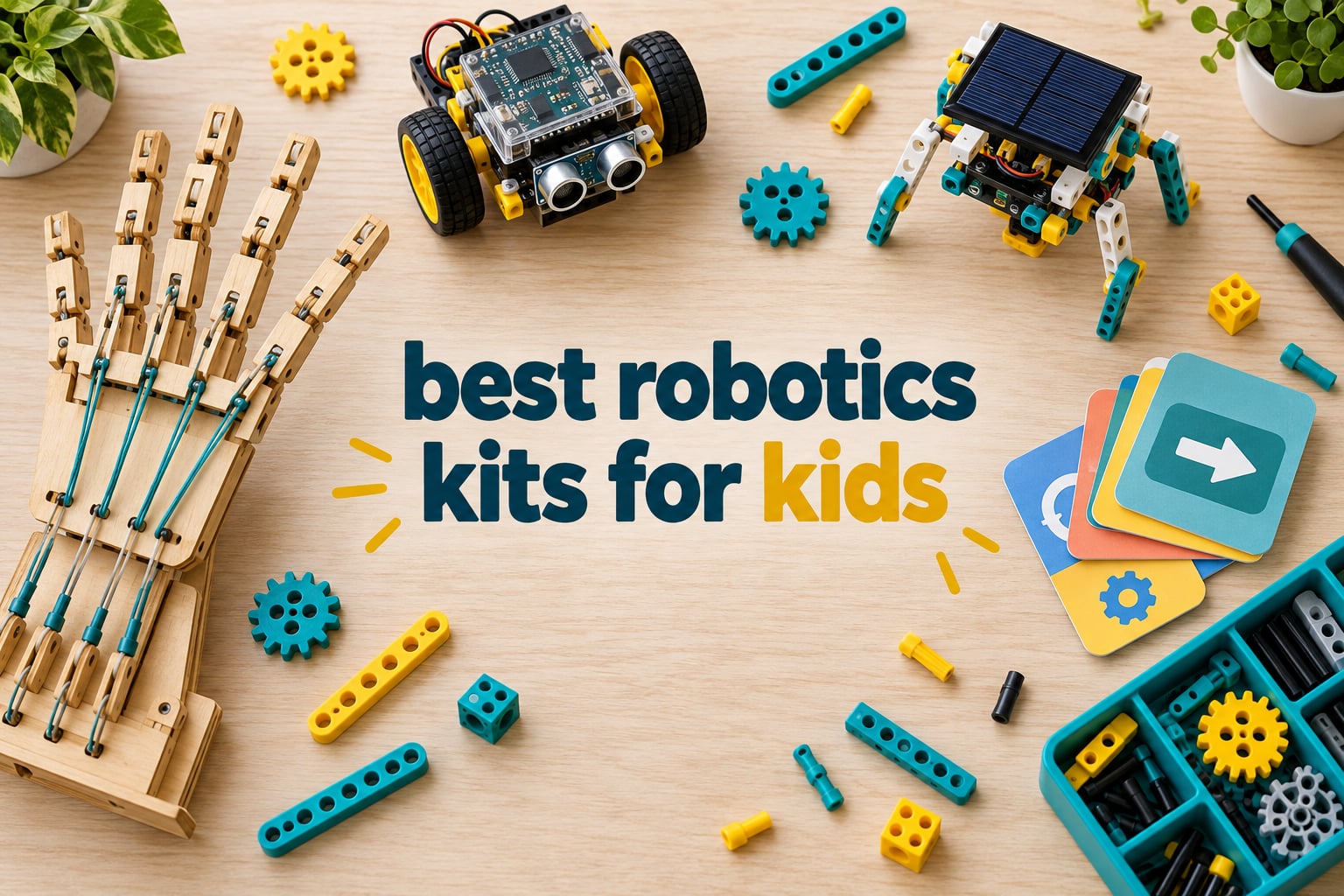
Our best overall pick is the Smartivity DIY Robotic Mechanical Hand, a screen-free build rated 4.6 stars across 3914 reviews that feels solid in the hand and teaches real mechanical reasoning without needing a tablet. For a younger child starting out, the Thames & Kosmos Kids First Coding & Robotics set introduces sequences, loops and functions through paper cards a robot scans with an optical reader. And if your child is eight or older and ready for real programming, the Makeblock mBot builds in about 15 minutes and moves from Scratch blocks straight into Arduino code when they are ready.
That is the short version. The reason all three made this list is that they answer the three questions parents actually ask, in order: what will my child do in the first ten minutes, will it still work in six months, and do I need another device to run it. The best robotics kits for kids are not the ones with the most parts. They are the ones where the child reaches a working result quickly, has something left to figure out afterwards, and does not stall at a screen login.
We compared 12 kits across three ages bands and both screen-free and screen-required designs, and we paid close attention to the things manufacturers leave out: build time, whether batteries are included, whether the app still exists in a few years, and what breaks first. Parents in r/edtech repeatedly make the same point in our research – hardware alone is not worth much if nothing teaches the child how to use it, which is why several picks here ship with real lessons rather than a thin booklet.
Table of Contents
Top 3 Robotics Kits for Kids in 2026

Smartivity Robotic Hand
- Engineered wood construction
- No batteries or screen
- Replacement parts for life


The Smartivity hand takes the top spot because it is the only kit in this group that a child can finish, show off and then keep using without an adult intervening. The Thames & Kosmos set is the right first purchase for anyone under eight, and Botley 2.0 remains the cleanest introduction to cause and effect for a five-year-old.
The 12 Best Robotics Kits for Kids in 2026
| Product | Specifications | Action |
|---|---|---|
| Smartivity DIY Robotic Mechanical Hand |
|
Check Latest Price |
| Thames and Kosmos Kids First Coding and Robotics |
|
Check Latest Price |
| Learning Resources Botley 2.0 Activity Set |
|
Check Latest Price |
 Thames and Kosmos Mega Cyborg Hand Thames and Kosmos Mega Cyborg Hand |
|
Check Latest Price |
 Makeblock mBot STEM Coding Robot Makeblock mBot STEM Coding Robot |
|
Check Latest Price |
 Teach Tech Mech-5 Coding Robot Teach Tech Mech-5 Coding Robot |
|
Check Latest Price |
 Sillbird 12-in-1 Solar Robot Kit Sillbird 12-in-1 Solar Robot Kit |
|
Check Latest Price |
 COBFDHA STEM Projects 6-in-1 Robot Set COBFDHA STEM Projects 6-in-1 Robot Set |
|
Check Latest Price |
 Butterfly EduFields 10-in-1 STEM Electronics Kit Butterfly EduFields 10-in-1 STEM Electronics Kit |
|
Check Latest Price |
 Sillbird 5-in-1 Programmable Robot Set Sillbird 5-in-1 Programmable Robot Set |
|
Check Latest Price |
 ELEGOO UNO R3 Smart Robot Car Kit V4 ELEGOO UNO R3 Smart Robot Car Kit V4 |
|
Check Latest Price |
 HISTOYE 51-in-1 Robot Building Kit HISTOYE 51-in-1 Robot Building Kit |
|
Check Latest Price |
The table above is ordered by age fit rather than by price, because age is the variable that decides whether a kit gets opened twice or once. Everything here works without a screen unless the description says otherwise, and every one has a stated piece count or build count so you can estimate assembly time before the box arrives.
1. Smartivity DIY Robotic Mechanical Hand – Best Overall for Ages 8-14
- Highest rated kit in our group at 4.6 stars
- Wood build feels far sturdier than plastic
- Screen-free so it competes with tablets instead of adding to them
- Replacement parts supplied for the life of the product
- Pull-cord mechanism can loosen with heavy play
- Heavier than comparable plastic kits
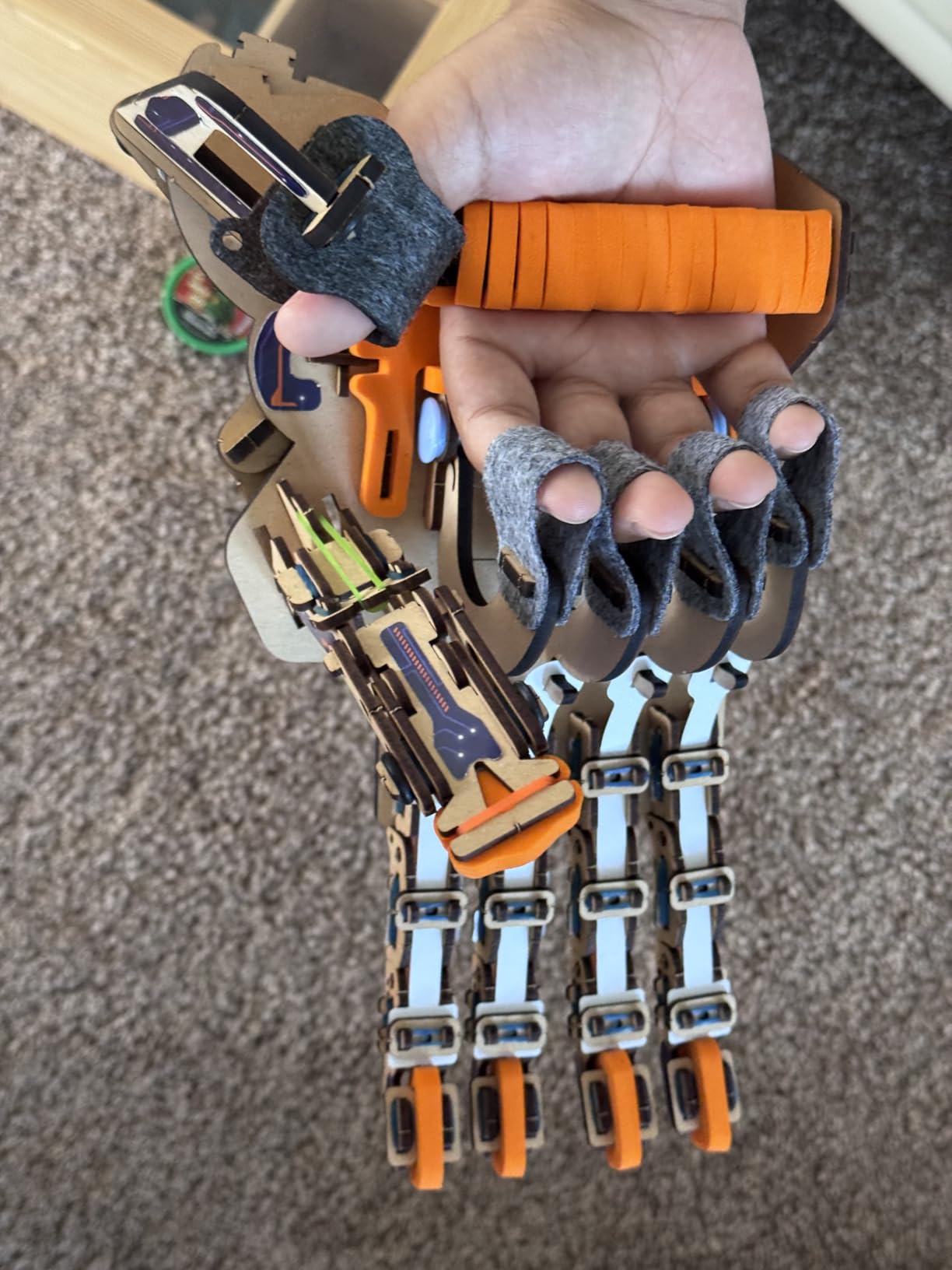
This is the kit we hand to a child who has already grown out of snap-together plastic blocks. The construction is engineered wood rather than ABS, and you notice it immediately in how the joints hold their shape after weeks of being pulled at. Reviewers consistently single out the wood as the reason the kit still works when cheaper plastic equivalents have cracked.
The mechanism itself is deliberately simple. A string pull drives the fingers, so there is no motor, no battery and no app anywhere in the box. A child who has never coded before can still grip a soda can with it on the first attempt, which does more for confidence than a failed app connection ever does.
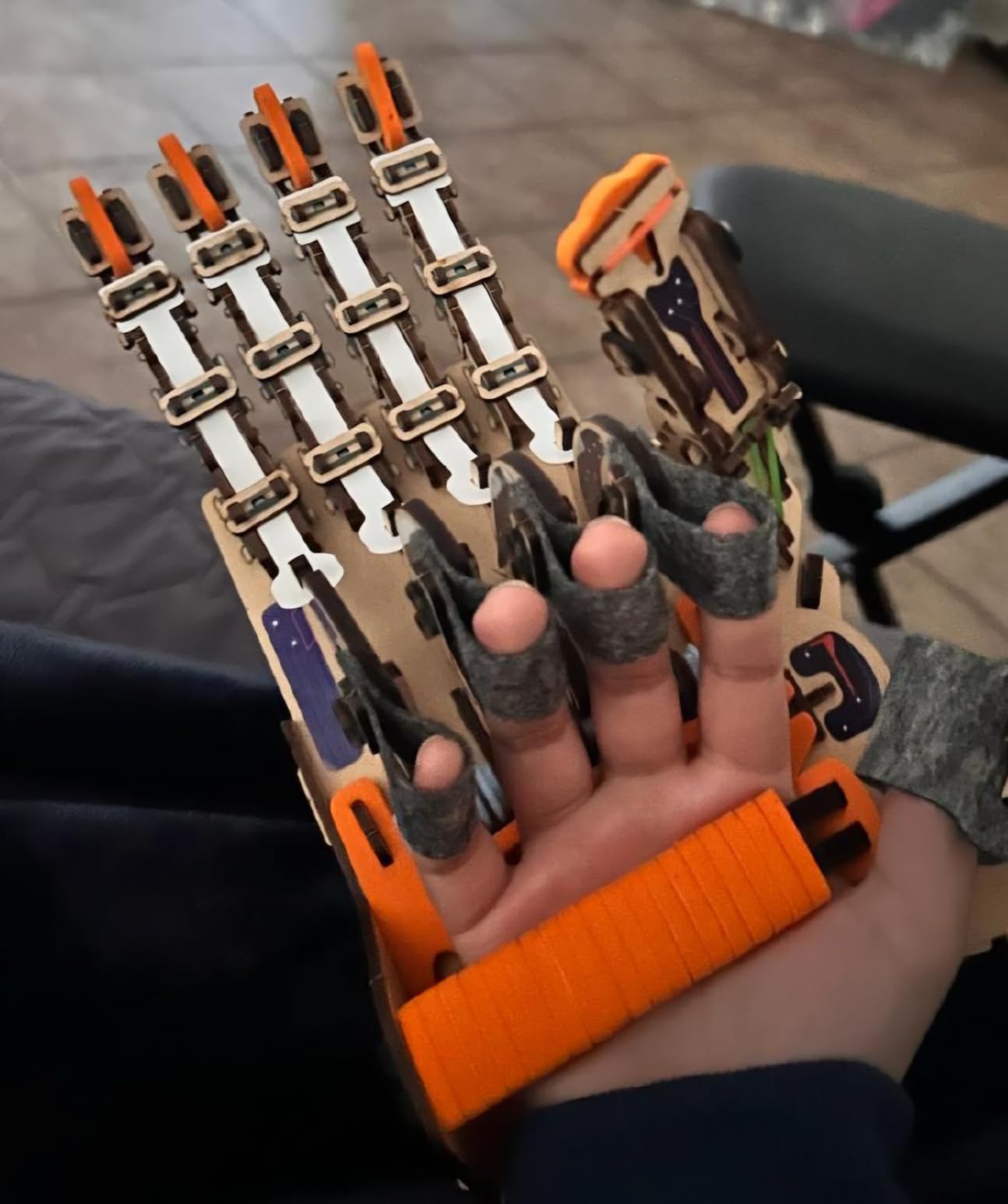
At 4.6 stars across 3914 reviews, this is the best-rated kit in the group, and the qualitative feedback matches the score. Parents mention that the build is engaging enough to hold attention on its own, and that the finished hand is sturdy enough to pass around to visiting cousins without damage.
The manual is step-by-step and screen-free, with no QR-gated app that can vanish. The model number is SMRT1135 and the box measures 11.81 by 9.84 by 7.48 inches, which is a reasonable size for a birthday table project rather than a floor-sprawling one.
What ages and skill levels suit it
The manufacturer rates it for ages 8 to 14, and that range is honest. An eight-year-old will need help reading the assembly diagrams, while a twelve-year-old can usually complete it unassisted in a sitting.
It is a mechanical model rather than a programmable robot, so a child who specifically wants to write code will be disappointed by it. The right buyer is a child who enjoys building and wants a visible result more than a programmable one.
What to know before you buy it
Two limitations come up repeatedly in reviews. The pull-cord can loosen after heavy play and needs tightening, and the wooden parts make the box noticeably heavier than a plastic kit of similar size.
There is also a floor to hit. Once the hand is built and the child has worked out how to grip things, there is no programming left to explore, so the shelf-sitting risk is real for kids who want to keep going. The counter is the lifetime replacement parts offer, which means a broken finger can be replaced rather than ending the project.
2. Thames & Kosmos Kids First Coding & Robotics – Best for Ages 4 and Up
- No tablet
- app or computer required at any point
- 64-page full-color manual covers loops functions and variables
- Optical scanner turns paper cards into real programs
- Teaches debugging in roughly 20 minutes
- Many small pieces to punch out and sort
- Moving to a new chapter means partly disassembling the last model
- Cards are thin and bend easily
This is the set we recommend when the question is whether a four-year-old is too young. They are not. The robot reads jigsaw-style programming cards with an optical scanner, and the child lays out a path on a map card before pressing start. There is no screen anywhere in the loop.
What separates it from cheaper card kits is the 64-page full-color experiment manual. It walks through sequences, loops, functions, conditions, events, algorithms and variables across six storylines, which are genuinely the concepts a child will meet again in Scratch or Python years later.
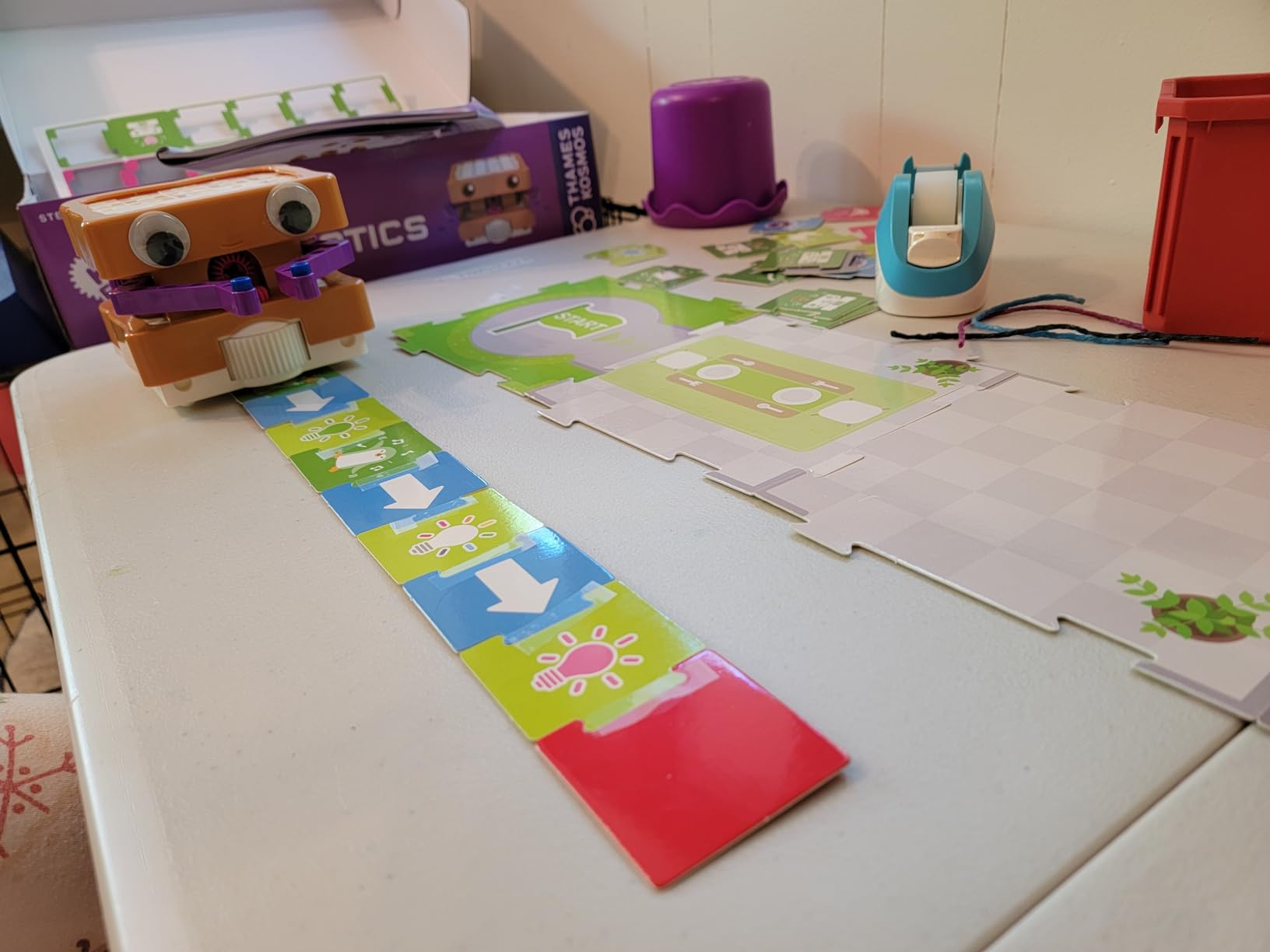
Reviewers describe the screen-free card system as teaching transferable programming principles rather than toy-level mimicry, and the 4.6-star average comes with unusually specific written feedback for a kit with a smaller review pool than most.
The robot carries an LED and speaker for audio feedback, so a child gets confirmation that a program ran even before they can read the text. A one-year manufacturer warranty covers defects, which matters more than it sounds for a set with this many small components.
Why it works for the youngest builders
Because nothing requires reading to operate, a preschooler can use it independently, which is rare in this category. A five-year-old and a seven-year-old can both work at the same table with the same box.
It also makes the first robotics experience a shared one. The parent lays the cards, the child describes the route, and the robot either makes it or does not. That conversation is the actual lesson.
What to know before you buy it
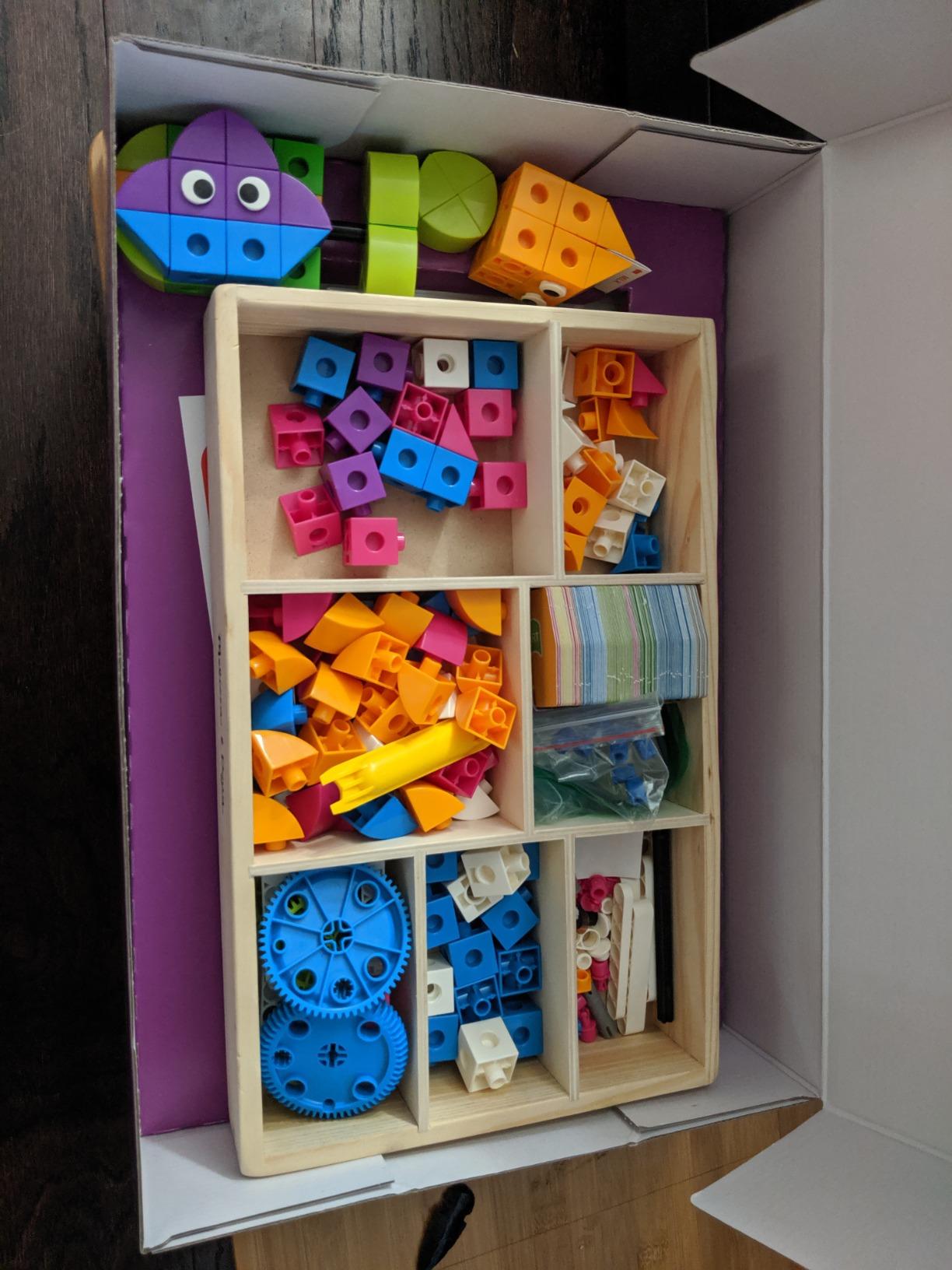
The physical drawbacks are real. There are many small pieces to punch out and organise, the cardboard cards and puzzle pieces are thin, and moving to a new story requires partially taking apart the previous model.
Code cards can also slip out of their frames and be missed by the scanner, which is frustrating rather than fatal. And the manual is English-language only, which matters if your family does not read English comfortably. The box is also large at 16.8 by 3.2 by 11.5 inches, so check cupboard space before ordering.
3. Learning Resources Botley 2.0 – Best Screen-Free Coding for Preschool Ages
Learning Resources Botley 2.0 The Coding Robot Activity Set
- Works with no tablet or app at all
- Scales from cause-and-effect to multi-step paths and object sensing
- No reading required to operate
- Doubles as an obstacle-course building set
- Turns are limited to 90 or 45 degrees
- Needs five AAA batteries
- Some buyers wanted more first-time guidance
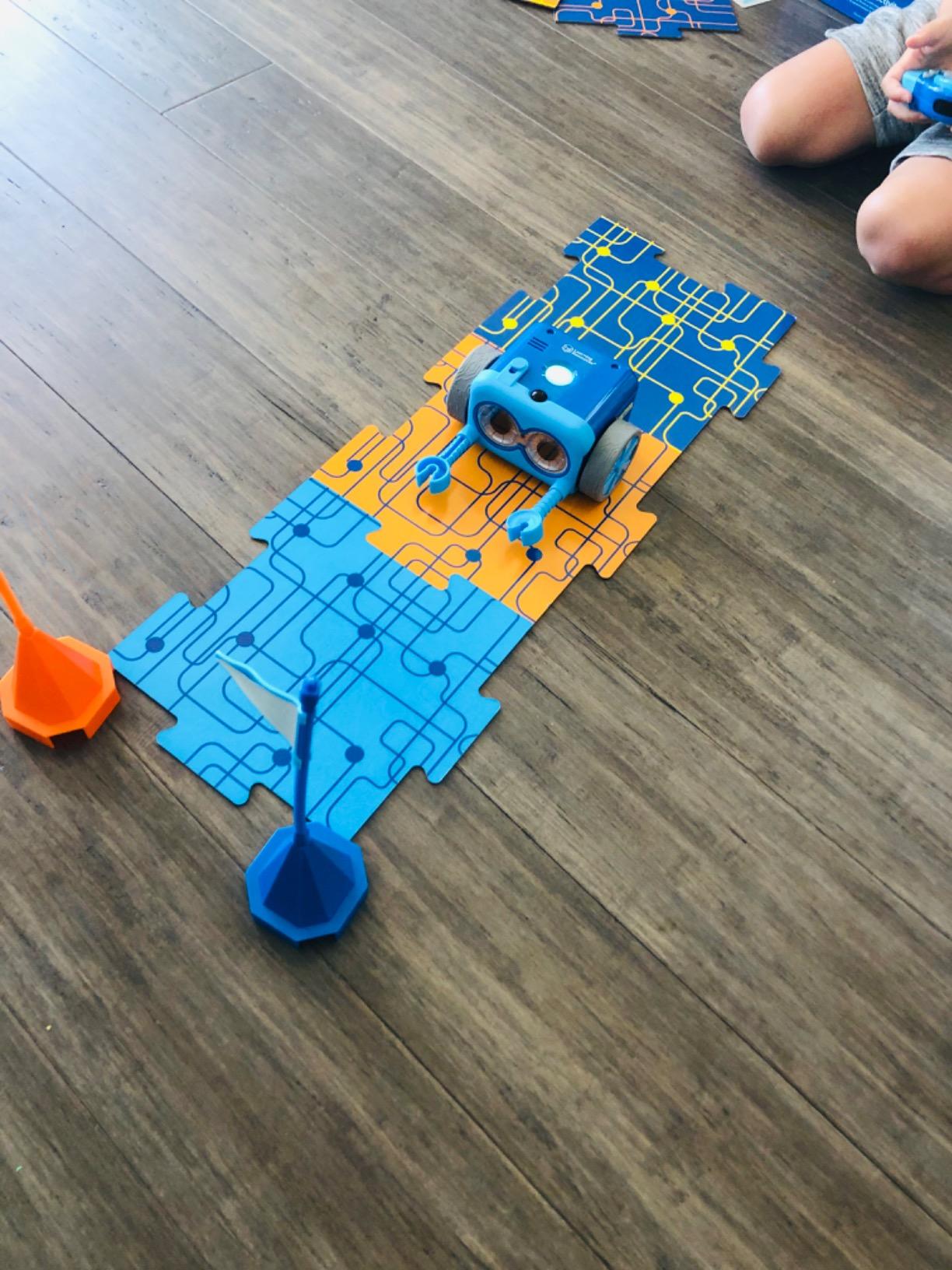
Botley 2.0 is the kit we recommend when parents want to avoid handing a young child a screen for a STEM toy. The programming happens on a handheld remote with physical buttons, and the robot follows the sequence without any software at all.
The 78-piece set includes the robot, the remote programmer, 40 coding cards, six double-sided boards and stackable obstacle pieces. That means the same box teaches a five-year-old to press forward three times and teaches a nine-year-old to build a maze, program a long path and set the robot to react when it bumps something.
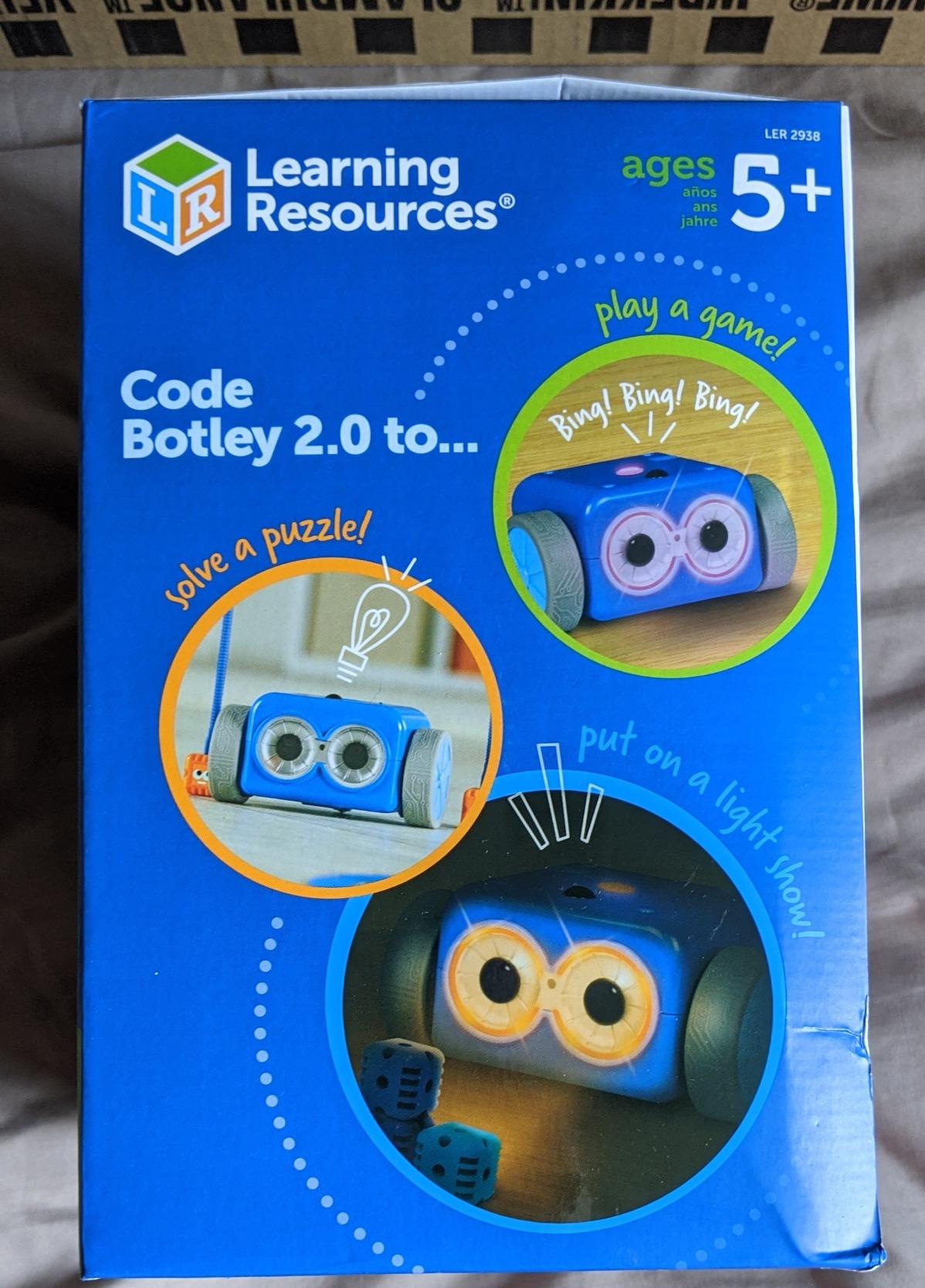
It also has lights, sounds and music, with 16 secret code combinations children can hunt for, which is the sort of detail that keeps a set in rotation for years. Teachers in our research specifically pointed to robot kits of this design when they asked what works for early elementary without a screen.
Settings on the robot itself include code mode, line-follow mode and off, and the line-follow option quietly teaches an early version of sensor-driven behaviour without a single line of programming.
How much it teaches and how fast
The progression is well judged for the age range. A first-time child can produce a working program in minutes, which is the single most important factor in whether a kit gets used again.
The trade-off is depth. Object-sensing reactions and multi-step paths are genuinely useful concepts, but this is not a coding environment. A child who wants to write instructions in a visual editor will hit a ceiling here.
What to know before you buy it
The most common technical complaint across reviews is the turn restriction. The robot only turns 90 or 45 degrees, so any path that needs a shallower angle produces a small programming error, and young builders need adult help working out what went wrong.
It also takes five AAA batteries, which parents should factor in as an ongoing cost rather than a one-time expense. A small number of reviews mention receiving a defective unit, so checking the mechanism on arrival is worth five minutes.
4. Thames & Kosmos Mega Cyborg Hand – Best Hydraulic Build for Ages 7 and Up
- Grip is strong enough to lift real objects
- Adjustable finger joints fit different hand sizes and configurations
- Manual includes comic-style stories and physics facts
- Runs on air pressure so it never dies mid-session
- Assembly takes three to four hours even with help
- Sprue pieces can leave sharp edges that need trimming
- Hard to use for children with less hand strength
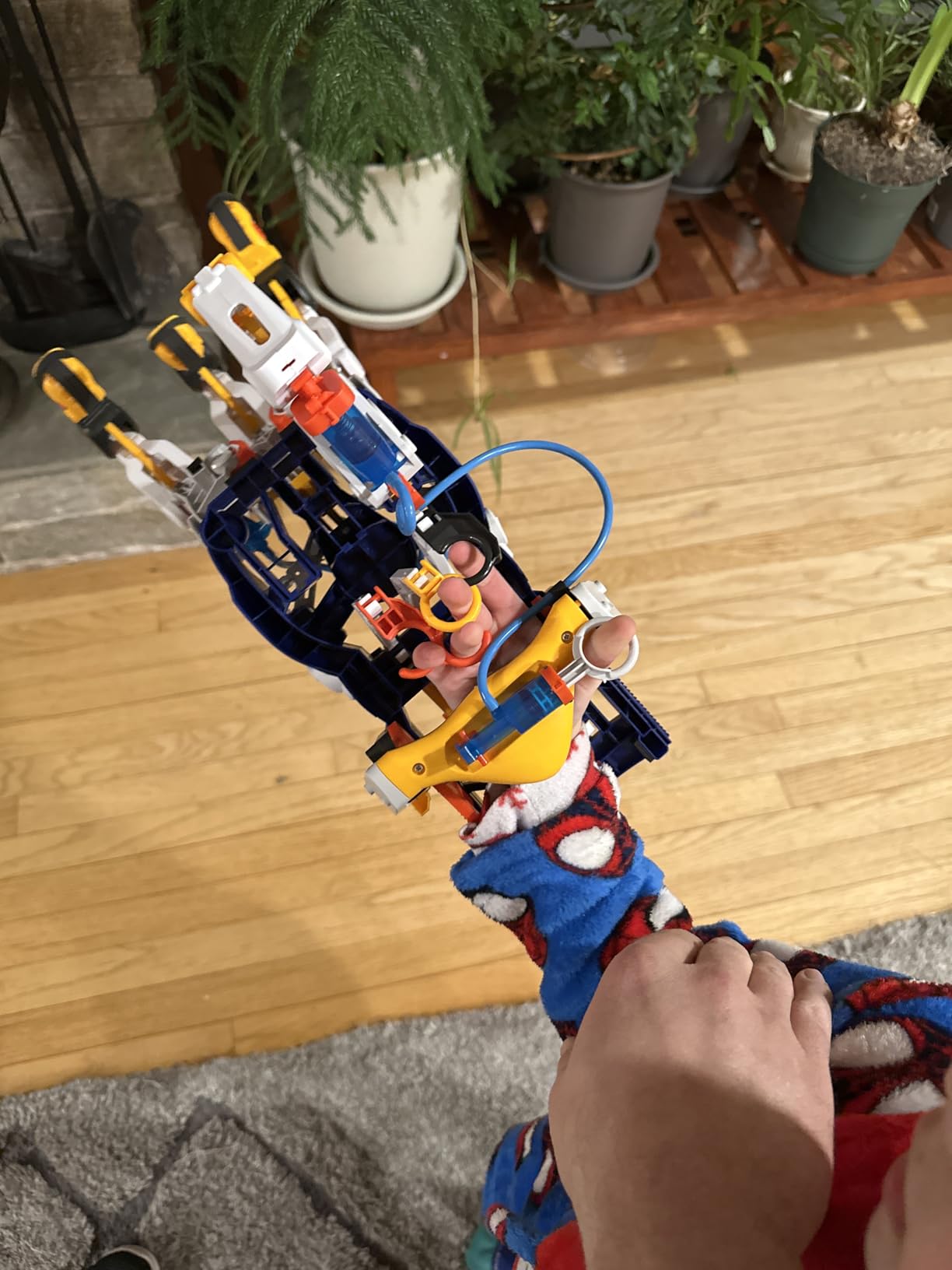
This kit is a different category of object from everything else on the list. You wear it on your hand, and hydraulic pistons driven by your own fingers open and close the grip with enough force to lift objects off a table.
There are no motors and no batteries. The whole mechanism runs on air pressure and water in a sealed cylinder, which means it works forever without a charge and without a device. It won the Toy Association STEAM Toy of the Year award, and reviewers single out the illustrated manual with its comic-style stories and physics facts.
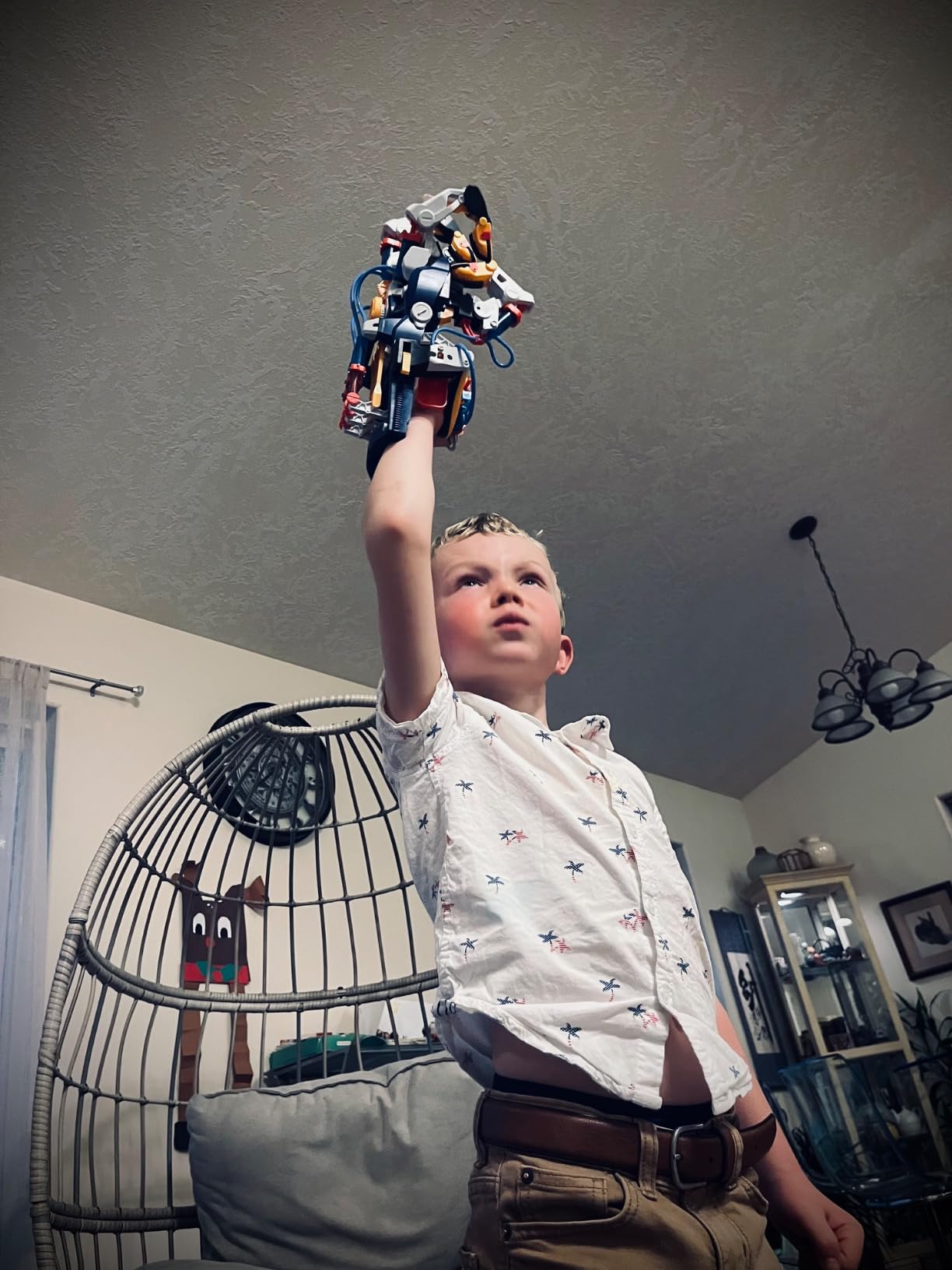
Every finger joint is adjustable to different angles for precision movement, and the kit includes three configurations – right hand, left hand and a claw-like grip. That flexibility is what reviewers describe as making it work for a wide range of children rather than only those with one hand size.
With 4.4 stars from 4206 reviews, it ranks near the top of Educational Science Kits, and the feedback is unusually consistent: people love the working grip and the adjustability, and they almost all mention the build.
Who it fits and who it does not
The manufacturer rating is 7 years and up, and reviewers confirm that a seven-year-old needs adult hands-on help. It is a strong pick for a child who is fascinated by how things work rather than one who wants to program.
It is also a good co-build project for a parent and child together, because the three-to-four hour assembly time is exactly the kind of thing that turns into an afternoon rather than a failure.
What to know before you buy it
Assembly is the dominant drawback. Multiple reviewers independently describe a three-to-four hour build even with help, and a few flag sharp edges where pieces pop out of the sprues, which may need shaving before a child handles them.
Children with less hand strength can struggle to operate it, and no spare cylinders or piston seals are included, so a hydraulic leak ends the toy. A one-year manufacturer warranty is provided, which helps but does not cover wear.
5. Makeblock mBot – Best Programmable Robot for Ages 8 and Up
- Fast 15-minute build most children finish alone
- Same kit supports Scratch blocks and real Arduino code
- Open-source architecture works with 100+ modules and LEGO pieces
- Works as a remote-controlled car with line-follow and obstacle-avoidance out of the box
- Batteries for the robot and remote are not included
- Software setup can be fiddly for first-time users
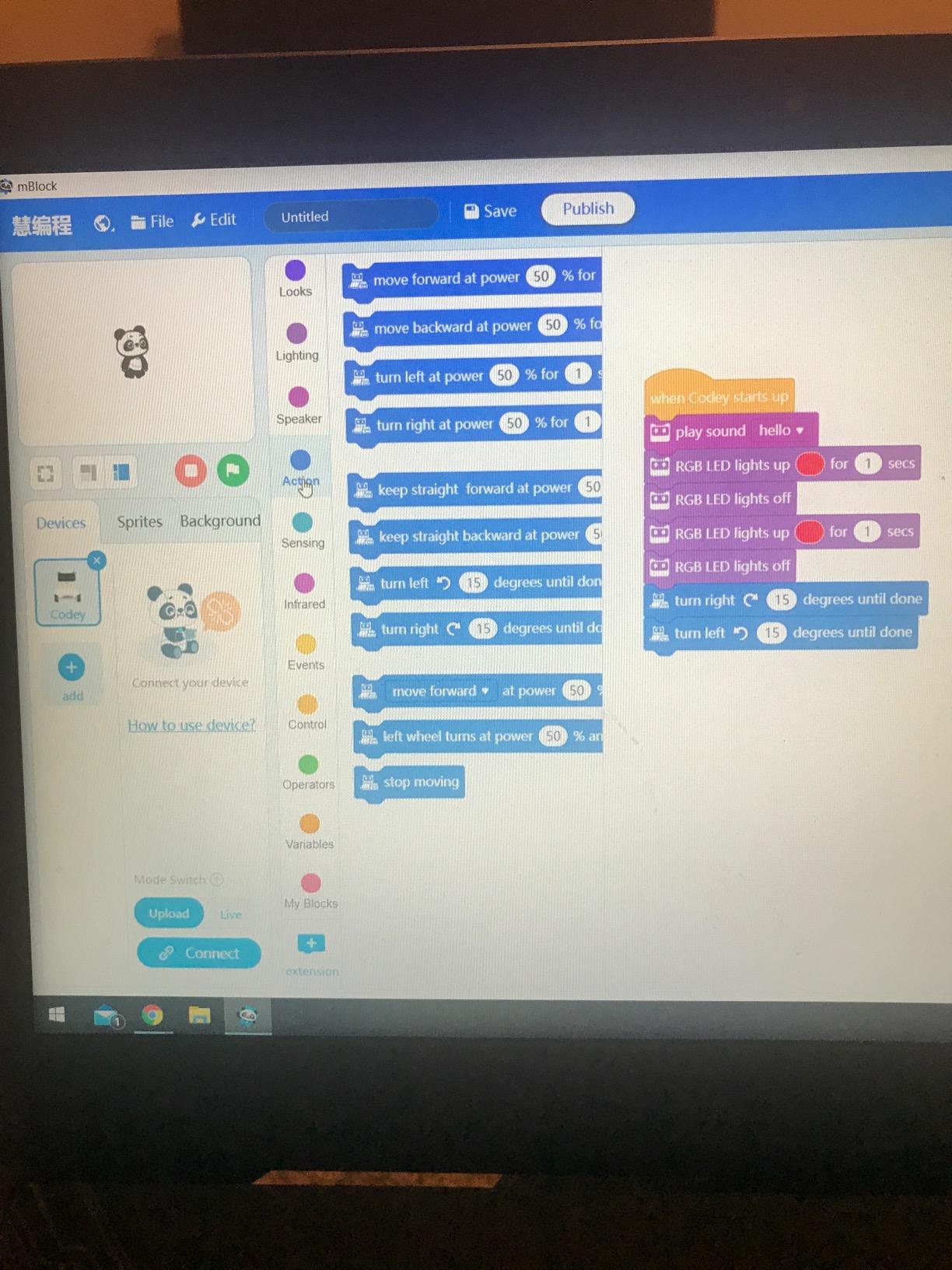
If your child wants a robot that actually responds to code rather than to a pull-cord, mBot is the kit we recommend first. It assembles in about 15 minutes with clear instructions, and most eight-year-olds complete it without help, which is unusual for a programmable kit.
The coding story is the reason it lasts. The same robot runs Scratch-based blocks for a beginner and Arduino code for a child who has outgrown them, so the purchase does not expire when the blocks get too easy. Three free Makeblock apps and the mBlock software come with it, along with coding cards and lessons.
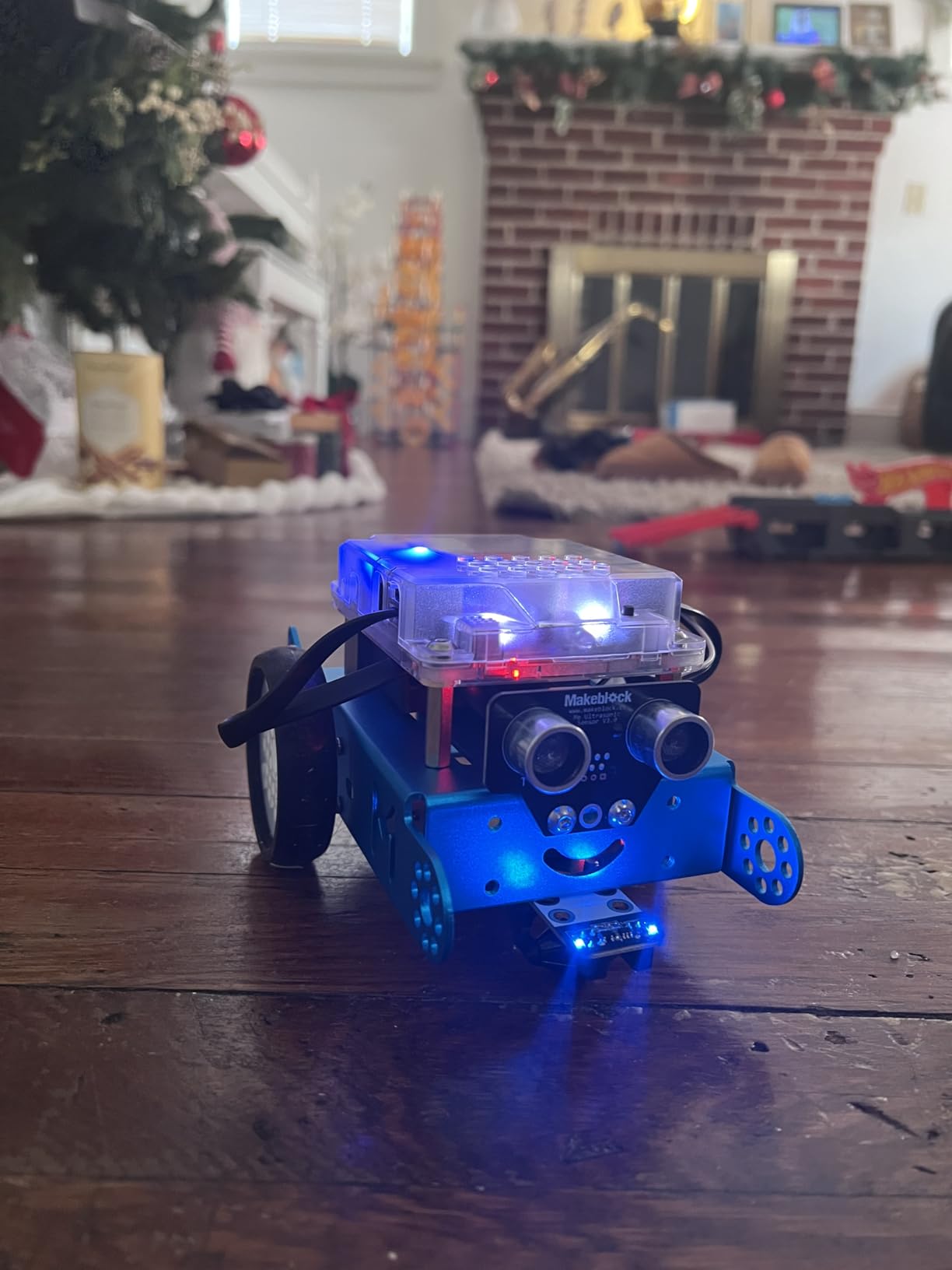
Out of the box it behaves like a remote-controlled car, and the line-follow and obstacle-avoidance modes are already programmed. That matters more than it sounds, because a robot that moves on the first day buys you two weeks of interest before any code is written.
Reviewers at 4.6 stars from 2873 reviews emphasise how much the add-on ecosystem extends the value, since the open-source architecture is compatible with 100+ electronic modules, 500+ parts and standard LEGO pieces.
How to get the most out of it
Start in the app with the pre-programmed modes, then move to a simple line-follow program in Scratch, and only then start changing motor speeds. That sequence takes roughly a month and gives a beginner a visible improvement every week.
Metal and plastic construction gives it a durable feel that survives being dropped on a desk, and the 0.93 kg weight means it is stable enough to drive over uneven carpet without tipping.
What to know before you buy it
Two practical notes before ordering. The robot needs four AA batteries and the remote needs a CR2025, and none of them are included, so add them to your first trip to the shop.
Some first-time users find the initial setup and software configuration fiddly, and compatibility should be checked against the device you intend to use. This is also a kit where the parent may need to be the one reading the setup guide, at least the first time.
6. Teach Tech Mech-5 – Best Screen-Free Coding for Ages 10 and Up
TEACH TECH Mech-5 STEM Coding Robot Building Kit for Kids Ages 10+
- Mechanical coding wheel is a clever introduction to programming logic with no screen
- Finished robot throws
- lifts
- kicks and draws
- Teaches real mechanical engineering alongside coding
- Substantial build holds a child's attention for hours
- Several hours of assembly time
- Mechanical coding is far less flexible than app-based programming
- Age rating means most younger children need an adult
Mech-5 solves a problem most screen-free coding kits ignore. Instead of a screen, the child snaps physical coding buttons onto a wheel, sets the sequence, and a mechanical mechanism executes the moves. There is nothing to log into and nothing to charge.
What the child gets at the end is a robot that genuinely performs distinct physical actions. It throws a ball, lifts an object, kicks and draws. Reviewers say this is what makes the coding concept land, because the outcome is a visible mechanical result rather than a small change on a display.
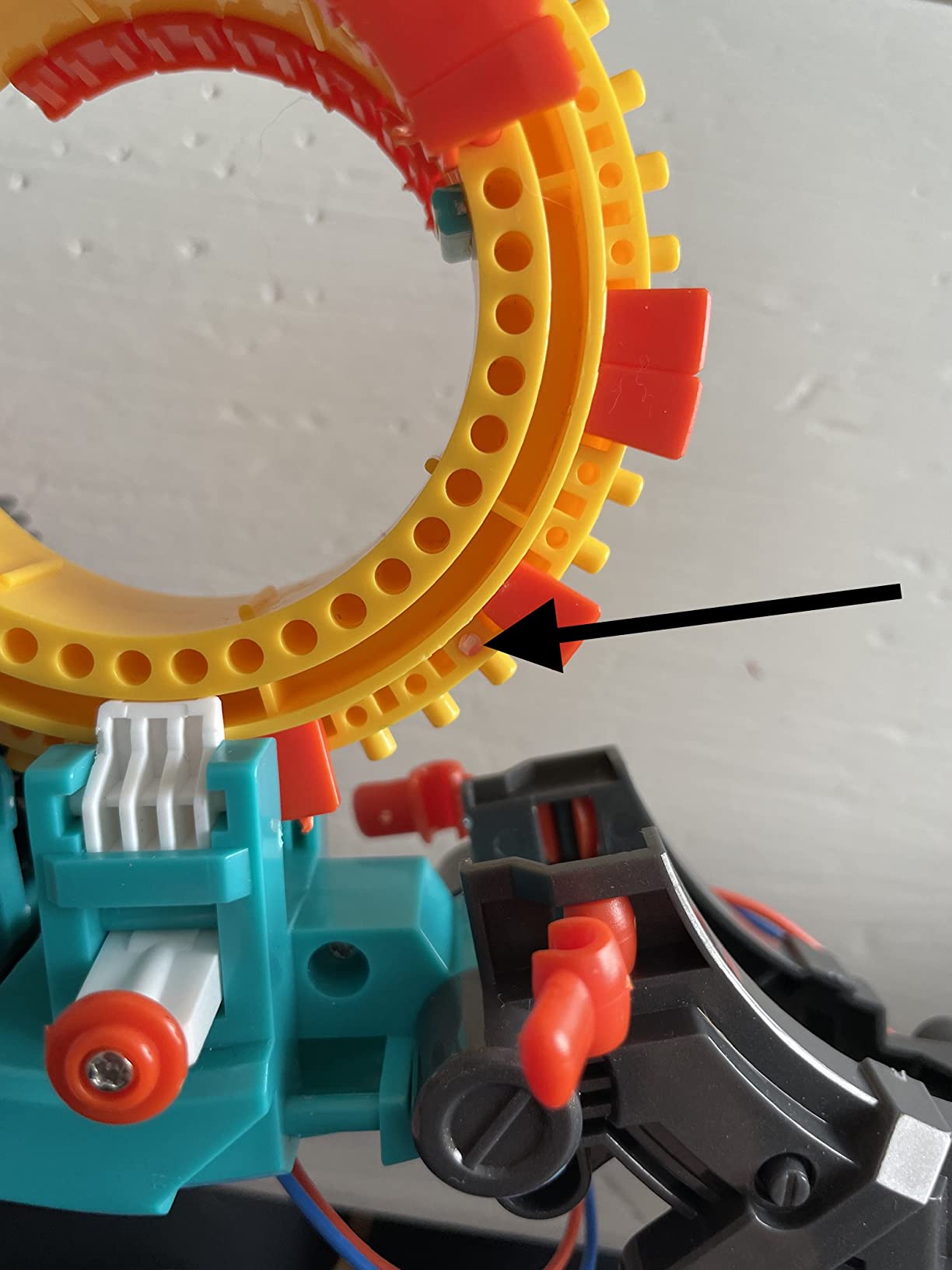
The design is deliberately mission-based and entry-level, teaching mechanical engineering and coding basics together, and it is part of the Snap Circuits family with a one-year manufacturer warranty. At 4.5 stars from 4995 reviews it is among the most established products in this roundup.
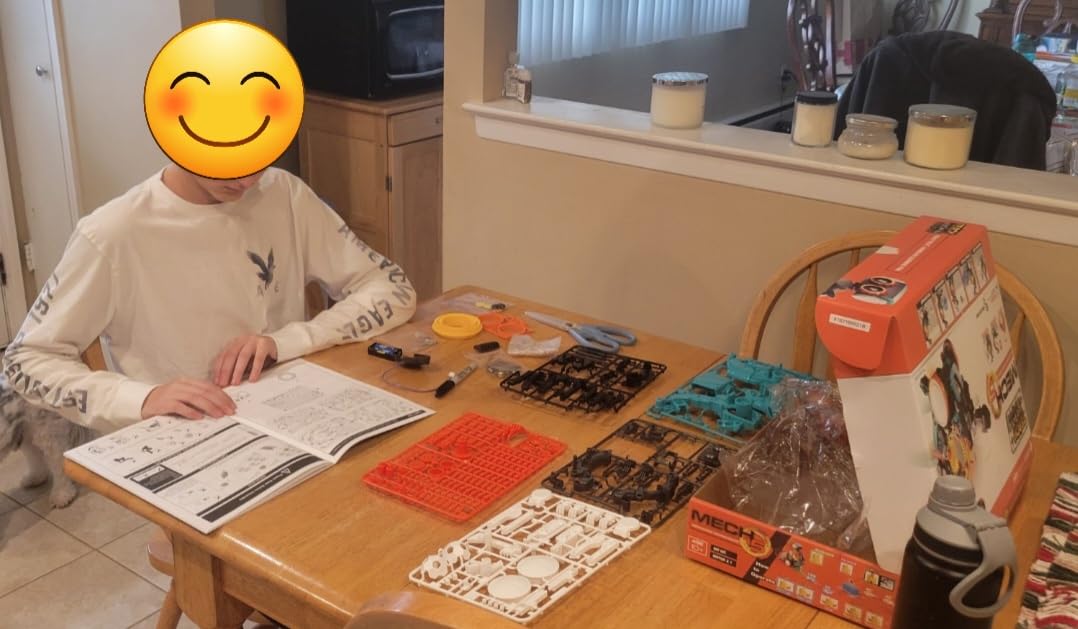
Plan the afternoon properly. The specification lists detailed step-by-step assembly instructions and expects several hours of build time, and reviewers consistently confirm that number rather than minimising it.
Why the no-screen approach works here
Older children often have more screen access than parents would like, so a kit that produces a working robot with a coding concept attached fits neatly into the same allowance.
It is also a strong first electronics-adjacent build for a ten-year-old. Two AAA batteries are all it needs, there is no firmware to flash, and the box measures 12.4 by 2.5 by 9.1 inches at 16 ounces.
What to know before you buy it
The build time is the honest drawback. Several hours is a project, not a gift-wrapping session, and most children under 10 will need an adult working alongside them rather than supervising from a sofa.
Second, the mechanical coding is far less flexible than app-based programming. There is no way to add sensors, expand the vocabulary or invent new commands, so this is a first or second kit rather than a long-term platform.
7. Sillbird 12-in-1 Solar Robot Kit – Budget Pick Multi-Build
- Twelve buildable models keeps a child engaged far longer than a single build
- Upgraded larger solar panel gives noticeably stronger output
- Clear step-by-step instructions make independent assembly realistic
- Teaches renewable energy alongside engineering
- Manufacturer recommends age 10 and up despite the 8-13 listing
- Plastic joints can feel loose on some models
- No electronics means no coding
This is the most-reviewed kit in the roundup by a wide margin, with 15909 reviews, and it holds the number one position in Solar Power Kits. The reason is simple: 190 pieces that build 12 different models at increasing levels of difficulty.
Multi-build value is the actual selling point. A child who finishes the first robot on day two has nine more to construct, and because the difficulty rises across the models, the third or fourth build is a genuine challenge rather than a repeat.
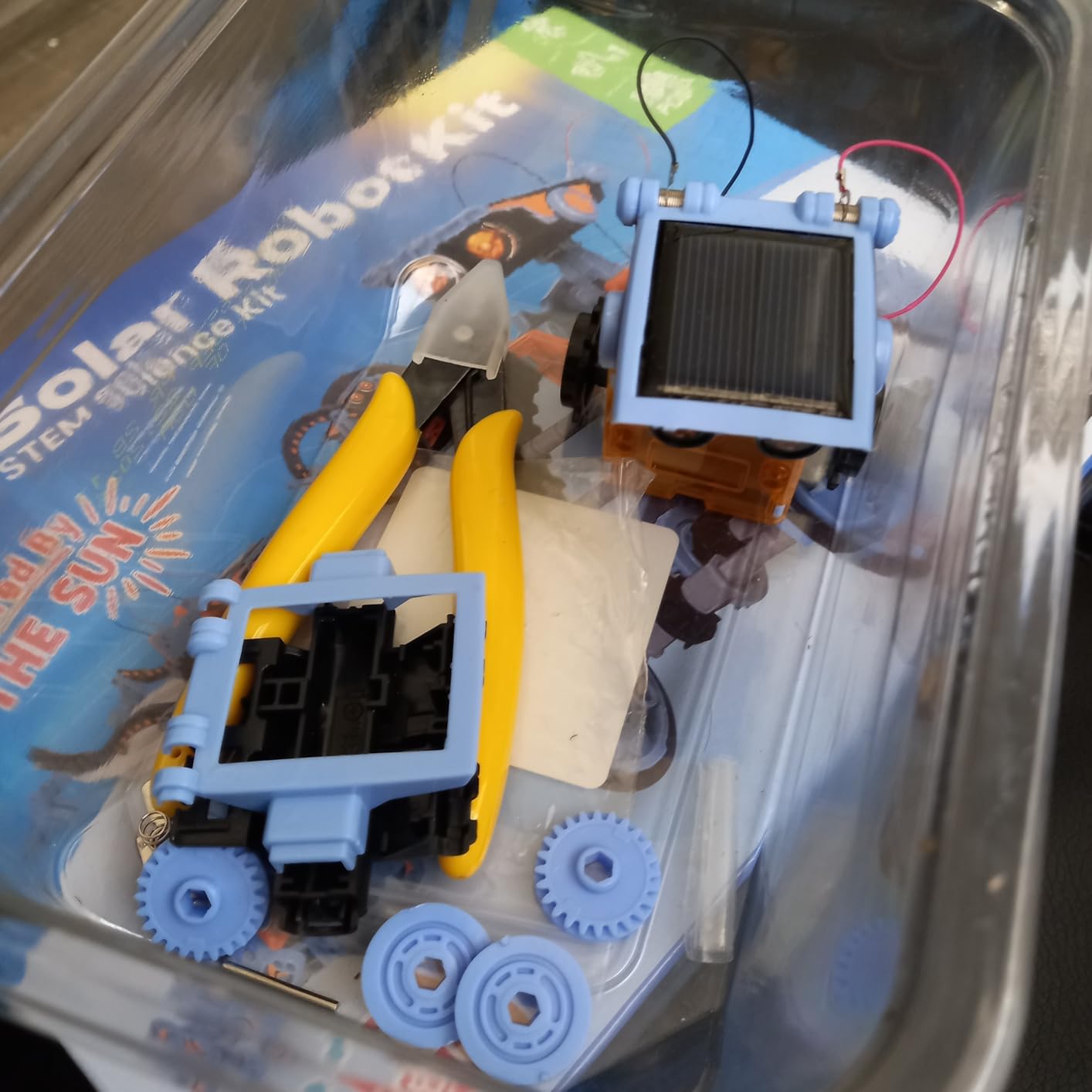
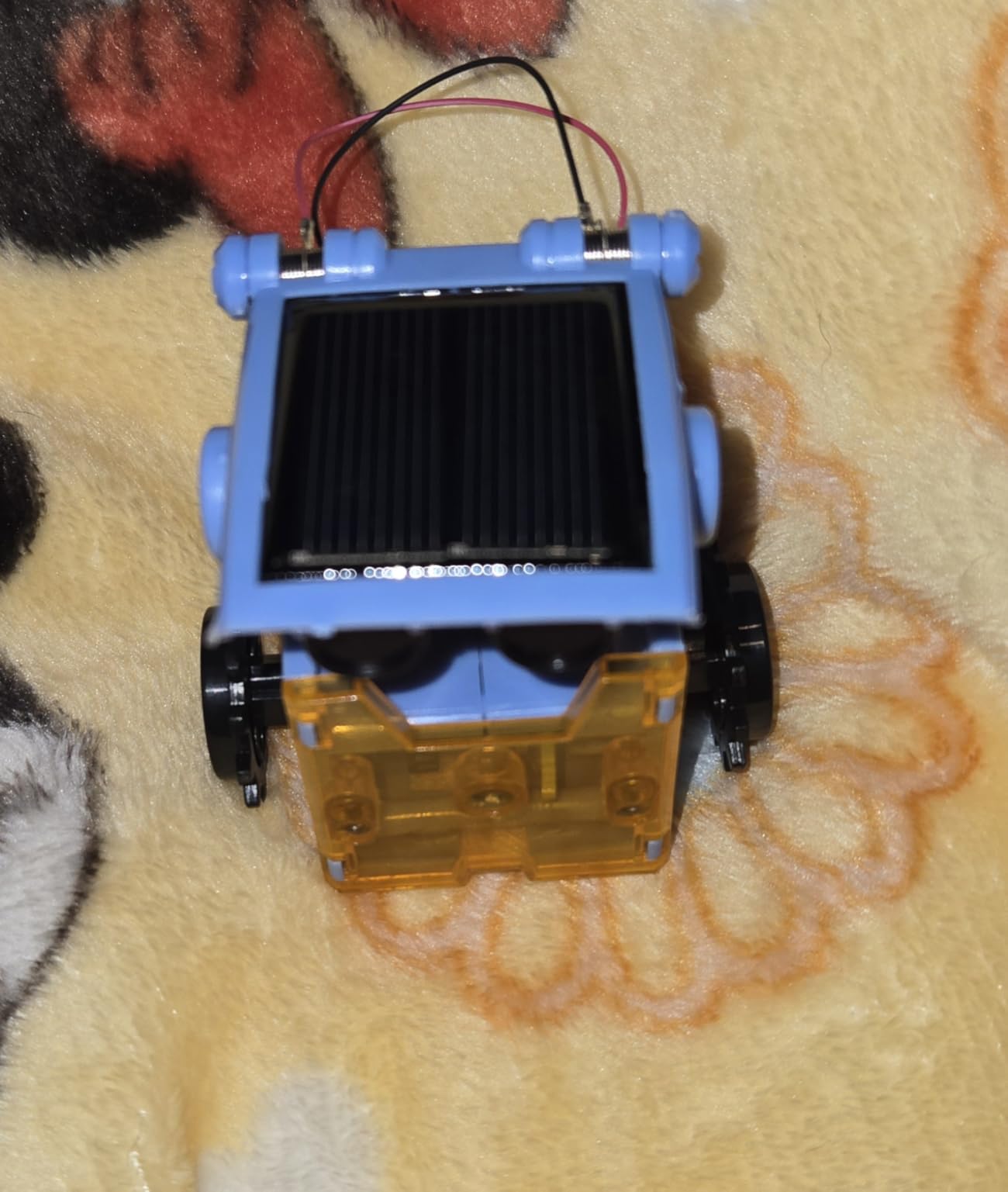
The larger solar panel is the second most praised feature. It produces noticeably stronger power than smaller panels in the same category, and it runs outdoors on sunlight or indoors under a strong artificial light source, so weather does not end the play season.
Material is ABS and the box measures 10.24 by 7.87 by 2.56 inches. There is no battery to buy and no app to install, which is a real advantage for households trying to keep a young child away from screens.
How the solar power actually behaves
Sunlight is the best case. Indoors, a strong lamp close to the panel will drive the model, and reviewers note that weaker household lighting is where performance drops off.
For a child who loves the idea of clean power, the renewable-energy lesson is a genuine bonus that costs nothing extra in screen time. It also travels well, since there is nothing to lose apart from loose pieces.
What to know before you buy it
The age listing says 8 to 13, but the manufacturer recommendation is 10 years and up, and that discrepancy shows up in reviews. Younger children generally need help with assembly even on the simpler models.
Be clear about what it is not. There is no coding, no sensors and no electronics to program, so a child whose goal is programming will find it repetitive after a few builds. Some reviewers also note the plastic joints feel loose on certain models.
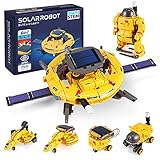
8. COBFDHA STEM Projects 6-in-1 Solar Robot Set – Best Value
- Six buildable robot designs give solid replay value
- Dual power means it works in any weather indoors or out
- Well illustrated manual keeps assembly approachable for beginners
- Sturdy ABS construction
- Wiring and connectors are simpler than electronics-based kits
- Some models move slowly once built
This is the set we suggest when a robotics kit has to work for a large group or several children without breaking the budget. Six robot designs from 120 components is a lot of building per kit, and the model number 219A keeps the space theme coherent across builds.
The dual power source is the practical winner. A solar panel for outdoor use and batteries for any weather means the kit does not sit unused on a wet week, which is a common fate for solar-only kits in the UK and northern climates.

Buyers rate it 4.4 stars across 3493 reviews and it ranks near the top of Solar Power Kits, with the most common praise landing on the six-in-one variety, the flexibility of the power source and the clarity of the instructions.
An instruction manual is included for guided assembly, and the box measures 9.4 by 7 by 3 inches at 0.3 kg, so it is light enough for a child to carry to a sibling’s room without an argument.

Where it fits in a multi-child home
For two or three children, one of these plus a couple of the smaller screen-free sets often covers everyone, and children can swap models rather than fighting over a single robot. The ABS plastic also survives being handled by younger siblings.
The manufacturer rating is 8 to 12 years, though the listing is marketed up to 14, and it is a comfortable fit through the middle primary years.
What to know before you buy it
The mechanisms are simpler than in electronics-based kits. Reviewers note the wiring and connectors are basic, and some models move slowly once assembled, which can look like a fault to a child who expects a fast car.
It is a construction toy with a power source, not a coding platform. Setting that expectation early prevents the disappointment of a child looking for a program to write.
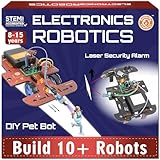
9. Butterfly EduFields 10-in-1 STEM Electronics Robotics Kit – Best for Electronics
Butterfly EduFields 10in1 STEM Electronics Robotics Kit for Kids Ages 8-12
- Ten different working models from one box
- Well illustrated manual makes real electronics approachable
- Engages older children who find simple kits boring
- Good entry point into wiring and circuits
- Sensor board reliability issues reported
- Some components feel cheap and the LDR is fragile
- Wheel axle shafts sometimes need modification
- Customer service responses are slow
This is the kit to buy when a child has outgrown building kits and wants to understand circuits. It comes with 100+ components including wires, switches, connectors and LED lights, and it supports sensor-controlled functions such as line-following and obstacle avoidance.
It is also one of the fastest builds in the group. The manual states a build time of about 15 minutes, and the well-illustrated step-by-step instructions mean a child can work independently rather than waiting for a parent to interpret diagrams.
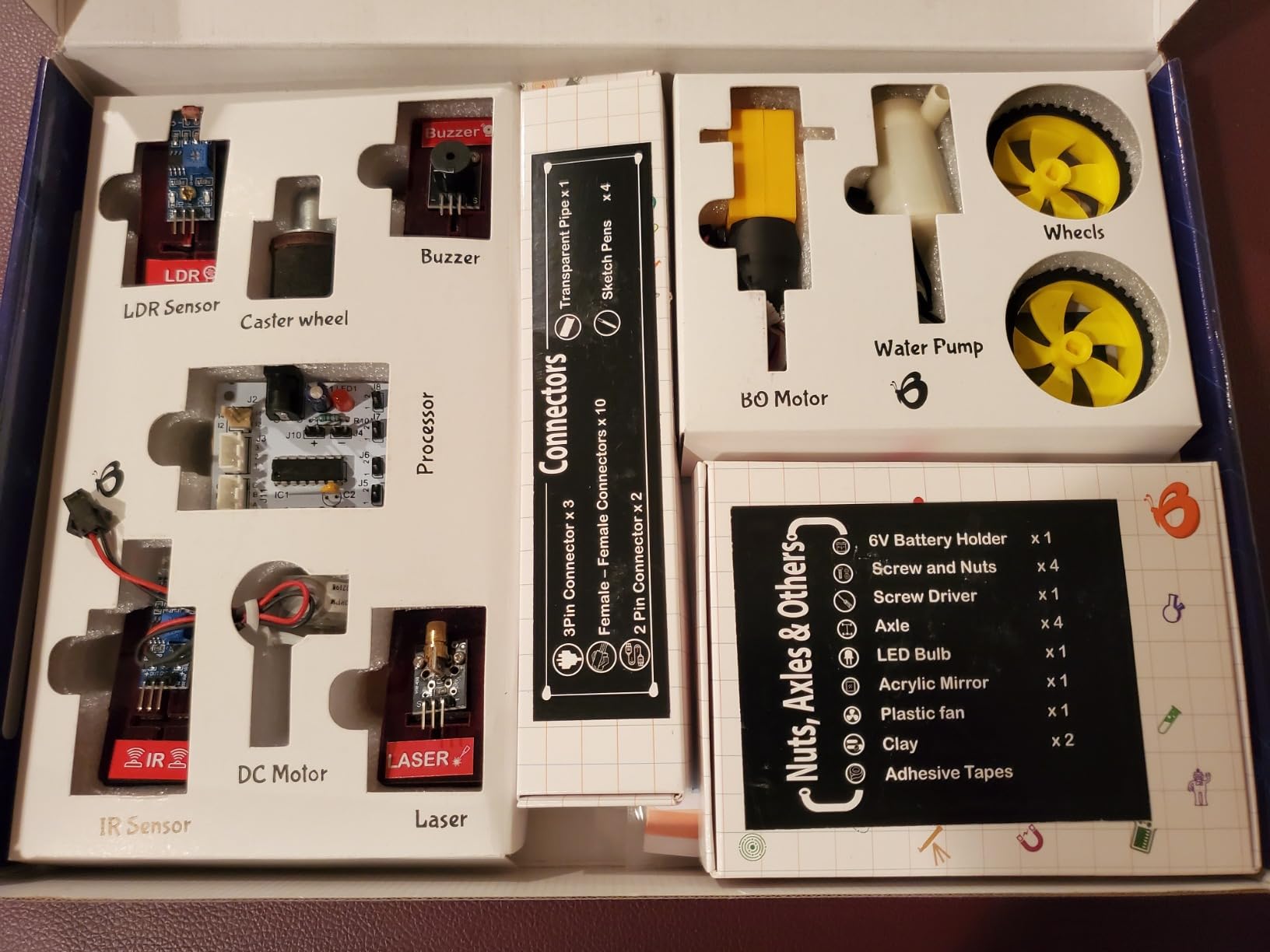
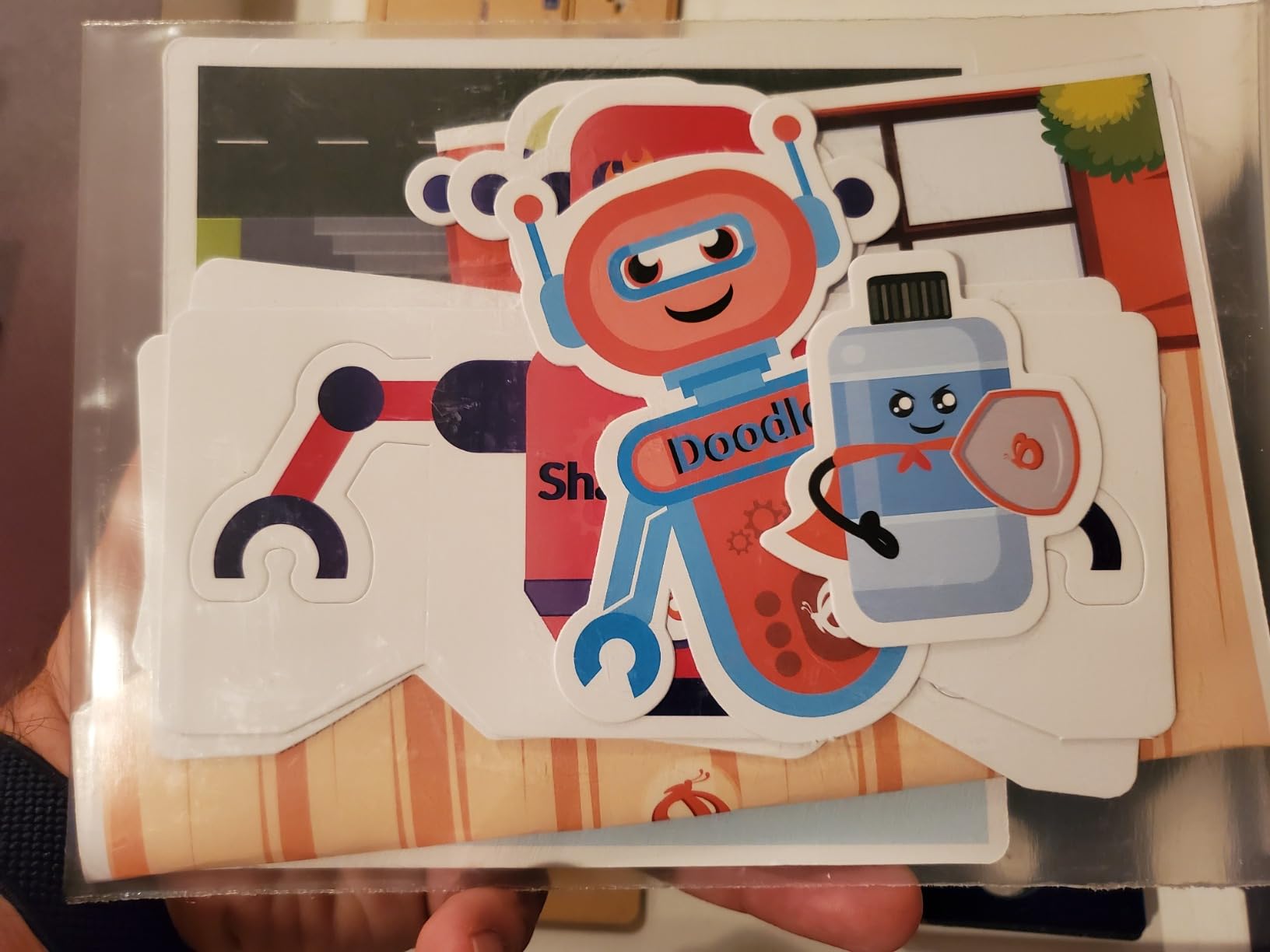
Beyond robots, the box includes components for a hand-sanitiser dispenser project and light-dependent resistor circuits, which broadens it into a genuine electronics set. Material is wood and the box is 7.87 by 3.94 by 0.79 inches at 400 g.
With 367 reviews at 4.4 stars it has a smaller feedback pool than the leaders here, and parents of 8- to 12-year-olds praise the ten buildable models, the clear instructions and the value.
Who benefits most from it
Children aged 11 or older who find plain construction kits repetitive. Because the manufacturer rating runs to 17, it works as a bridge between a building kit and a soldering kit, and it is one of the few options here that a teenager will not find babyish.
It is also a reasonable choice for a homeschool curriculum, since the circuit projects map onto standard electronics units without needing specialist equipment.
What to know before you buy it
Sensor board reliability is the recurring thread in the lower-rated reviews, with reports of non-functioning output pins. A few buyers also report that wheel axle shafts need modification before the wheels fit properly, and one LDR broke off.
Customer service is described as unresponsive to emailed support requests, so treat this as a kit you assemble yourself rather than one that comes with hand-holding. Check every output pin works before a child invests a weekend in a project.
10. Sillbird 5-in-1 Programmable Robot Set – Best App-Controlled Multi-Model
Sillbird STEM Robot Building Kit with Remote Control Gifts for Boys 8-13
- 488 pieces and five distinct buildable models
- App and remote control both work for different play styles
- Adjustable limbs let children pose finished models
- Rechargeable battery avoids constant replacements
- Long build for younger children
- Programming features are basic next to dedicated coding robots
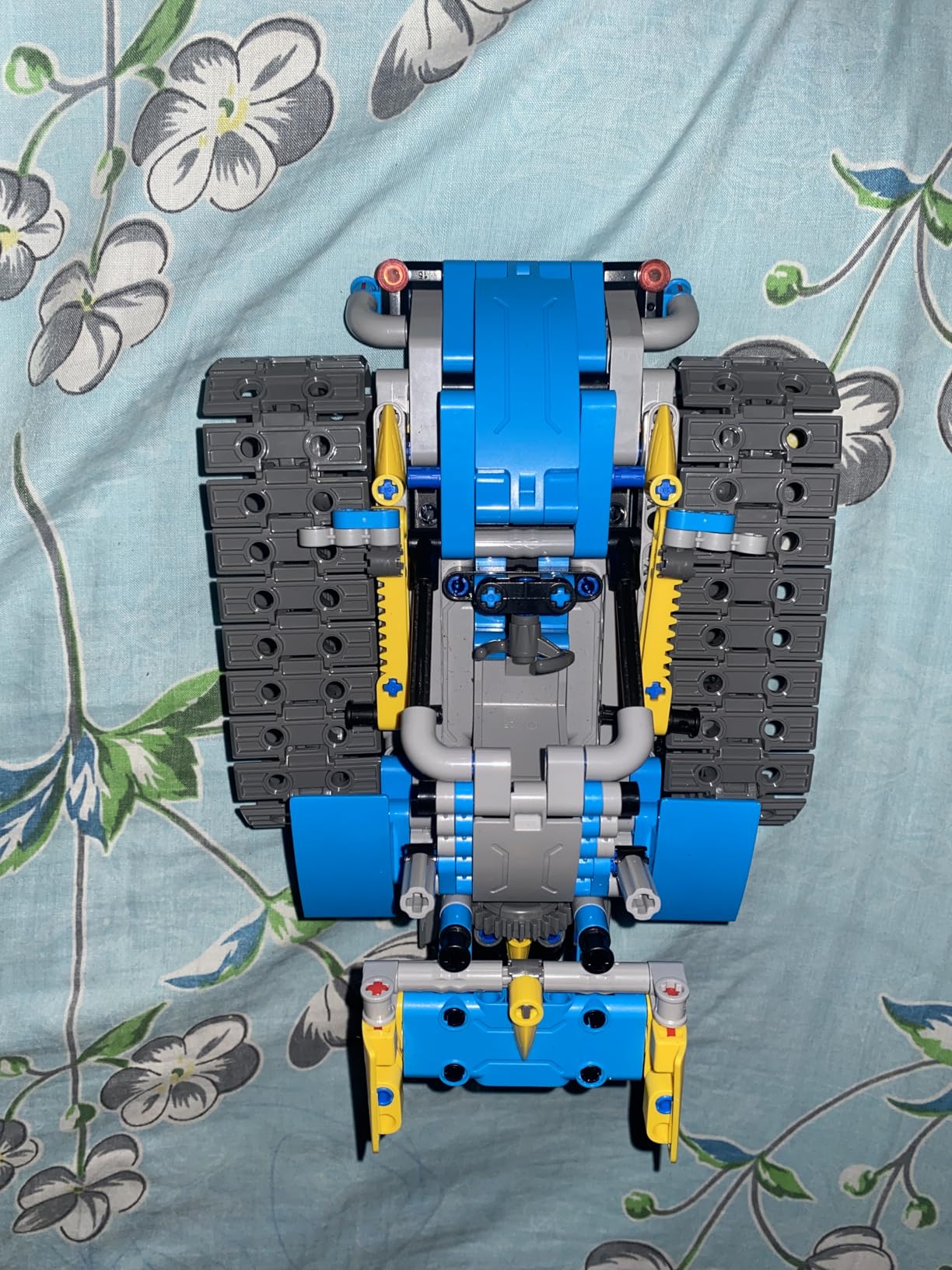
This is the compromise pick for a family that wants an app without committing to a coding curriculum. It builds a robot, a dinosaur, a car, a tank and more, with adjustable head, arms and tail, from 488 pieces with clear colourful instructions.
Control is dual-mode. A Bluetooth app handles it from a phone or tablet, and a physical remote control covers the times when a screen is unwelcome, which is more often than parents expect once the initial excitement fades.
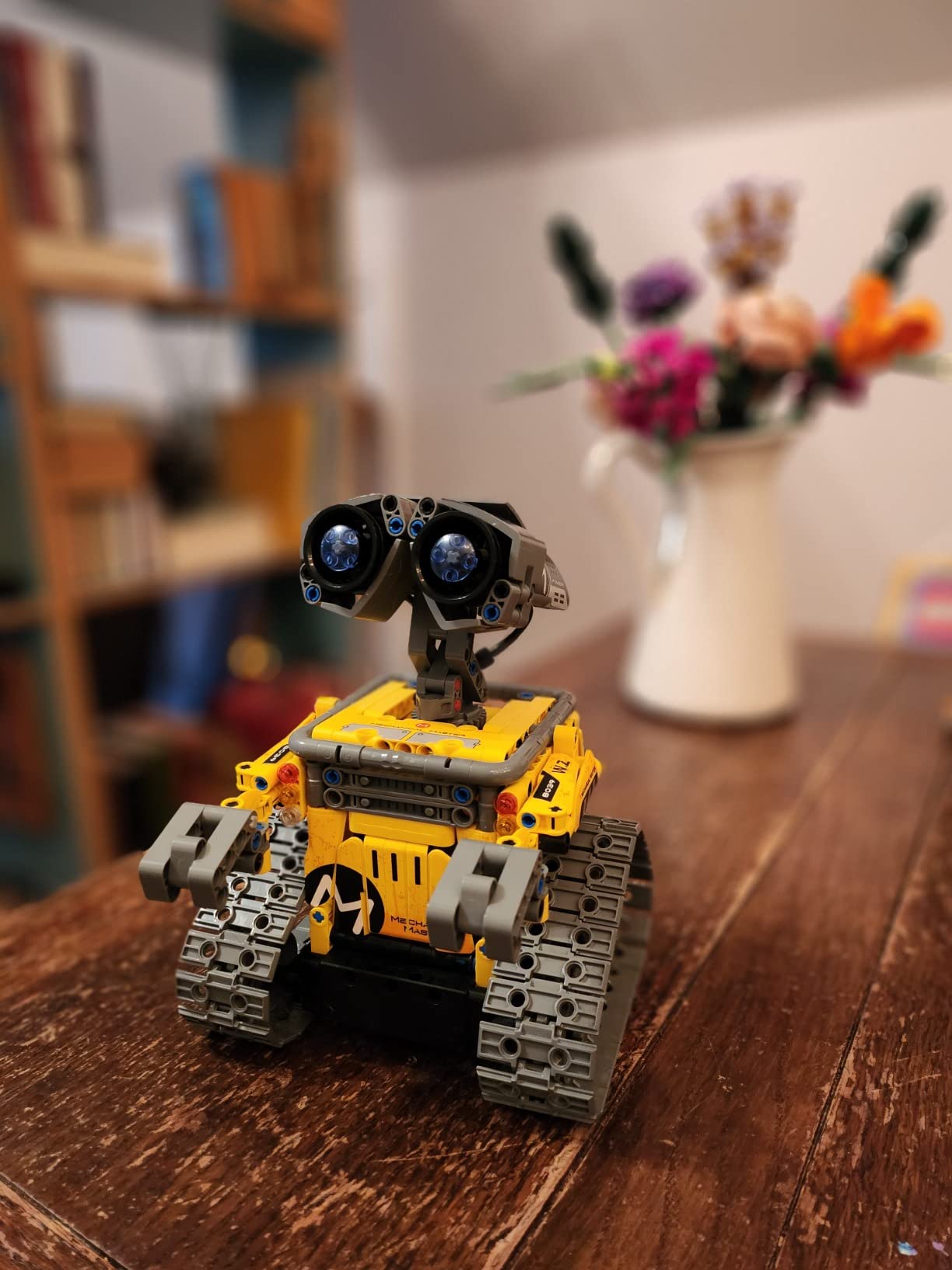
It offers basic programming, path and precise movement modes rather than a full block-coding environment, and up to 40 minutes of play per charge on the included rechargeable battery. The manufacturer rating is 6 to 16 years.
At 4.6 stars from 2086 reviews with 82% five-star ratings, satisfaction is high, and buyers consistently point to the piece count, the working app and remote, and the rechargeable design as the reasons.
How it compares with a real coding robot
Treat the programming as a bonus rather than the curriculum. The path and movement modes are enough to keep a seven-year-old engaged, and the remote gives a younger child full control without a device.
If your child is eight or older and specifically wants to write programs, spend the difference on the mBot or the ELEGOO kit instead, where the coding is the main event rather than an extra.
What to know before you buy it
488 pieces is a long build, and reviewers specifically flag this as a problem for younger children who lose interest before the first model is finished. An adult should plan to sit down for the first session.
Second, the programming is more basic than dedicated coding robots provide. Children who work out the limits quickly will want a platform that supports real logic, and at that point the kit does not grow with them.
11. ELEGOO UNO R3 Smart Robot Car Kit V4 – Premium Arduino Build for Ages 12 and Up
ELEGOO UNO R3 Smart Robot Car Kit V4 with Camera, Compatible with Arduino
- FPV camera with live video streaming is consistently praised
- Excellent documentation and example code for a coding beginner
- Works out of the box with the IR remote or app
- Four motors plus ultrasonic
- line tracking
- accelerometer and gyroscope
- Bundled software is basic and lacks motor speed ramping
- Some Android devices fail to connect over Wi-Fi
- ESP32 module needs a USB-C cable that is not included
- Camera angle is fixed with no vertical gimbal
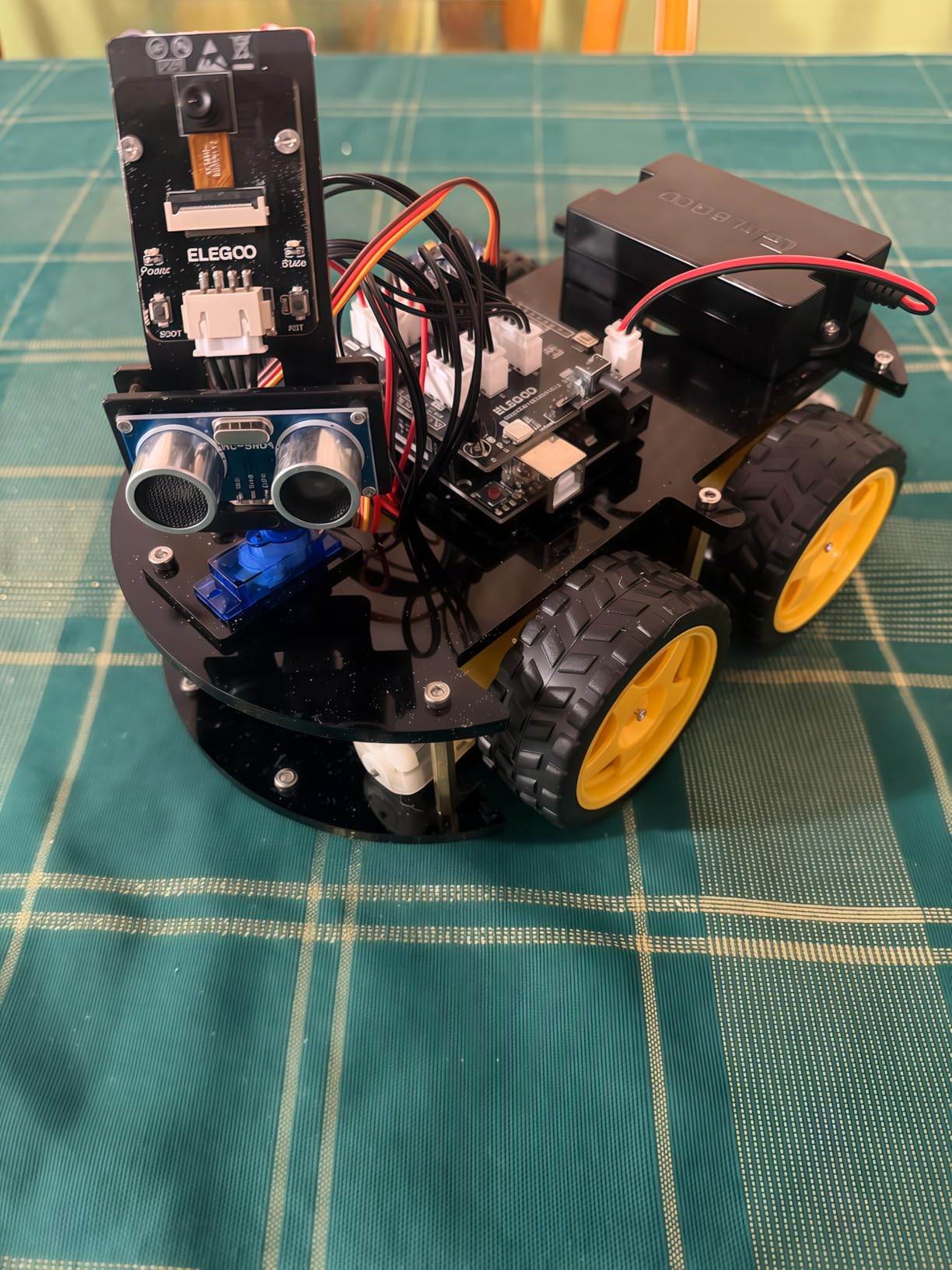
This is the most capable kit here and the one that rewards a computer-owning family. The UNO R3 controller board pairs with an ESP32-WROVER camera and Wi-Fi module, giving the robot first-person-view live video, line tracking, ultrasonic obstacle avoidance and auto-follow.
Programs are written in the Arduino IDE, and the kit is also compatible with Visuino for families who prefer visual programming. Reviewers repeatedly single out the documentation and the example code as the standout strengths, describing it as a complete project rather than a toy.
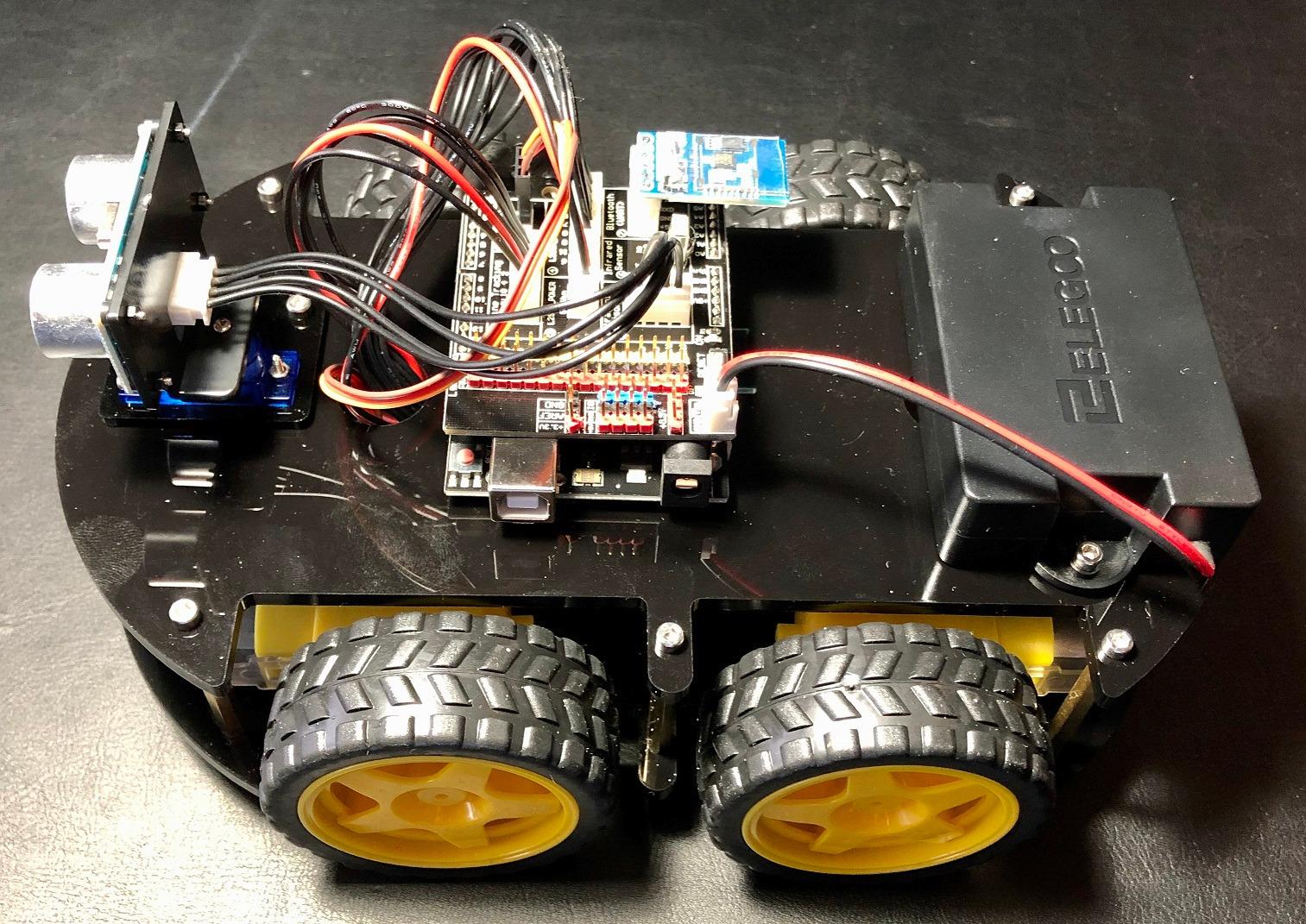
Wiring is handled with keyed XH2.54 connectors, which is a real design decision, because it reduces the wiring mistakes that derail most beginner electronics kits. Spare fasteners are included, and the illustrated tutorial ships with the box.
Power comes from a 2000 mAh rechargeable lithium-ion battery with a charging management unit, and the whole package weighs 1.23 kg in an 8 by 7 by 6 inch footprint. A half-year manufacturer warranty is provided.
What a child actually learns from it
Four motors with an ultrasonic sensor, line tracking, an accelerometer and a gyroscope is a genuine sensor set, and a teenager can write real control code against it rather than a simplified teaching language.
It also works out of the box as a remote-controlled car through the included IR remote or the ELEGOO app, so the first working robot arrives before any code is written.
What to know before you buy it
The stock companion software is basic and has no motor speed ramping, which is the most common complaint. Some Android devices also fail to connect over Wi-Fi until the code is modified, so test the pairing early.
The ESP32 module requires a USB-C cable that is not included, and the camera mount angle is fixed at about 45 degrees with no vertical gimbal. Fingerprints and dust also show easily on the piano-black acrylic panels, and there is only one expansion connector, fewer than the earlier version of this robot.
12. HISTOYE 51-in-1 Robot Building Kit – Best for Pure Construction
HISTOYE 51-in-1 Robot Building Kit for Kids Erector Set for Boys 8-12
- 700 pieces producing 51 distinct models
- Smooth burr-free ABS pieces that hold together well
- Detailed instructions make the complex models achievable
- Combines with other STEM building sets for larger projects
- Models are static with no movement or electronics
- Connecting pieces can be fiddly for younger children
Sometimes the right robotics kit is not about robots moving at all. This 700-piece set builds 51 different models, mostly static, and it is the answer for a child who wants volume, variety and no instructions that assume they can read well.
The pieces are burr-free ABS, which is a genuine quality difference at this count – there is no sanding step and no chipped edges. Reviewers also note that the set is compatible with other STEM building toys, so an existing collection extends the number of models rather than sitting unused.
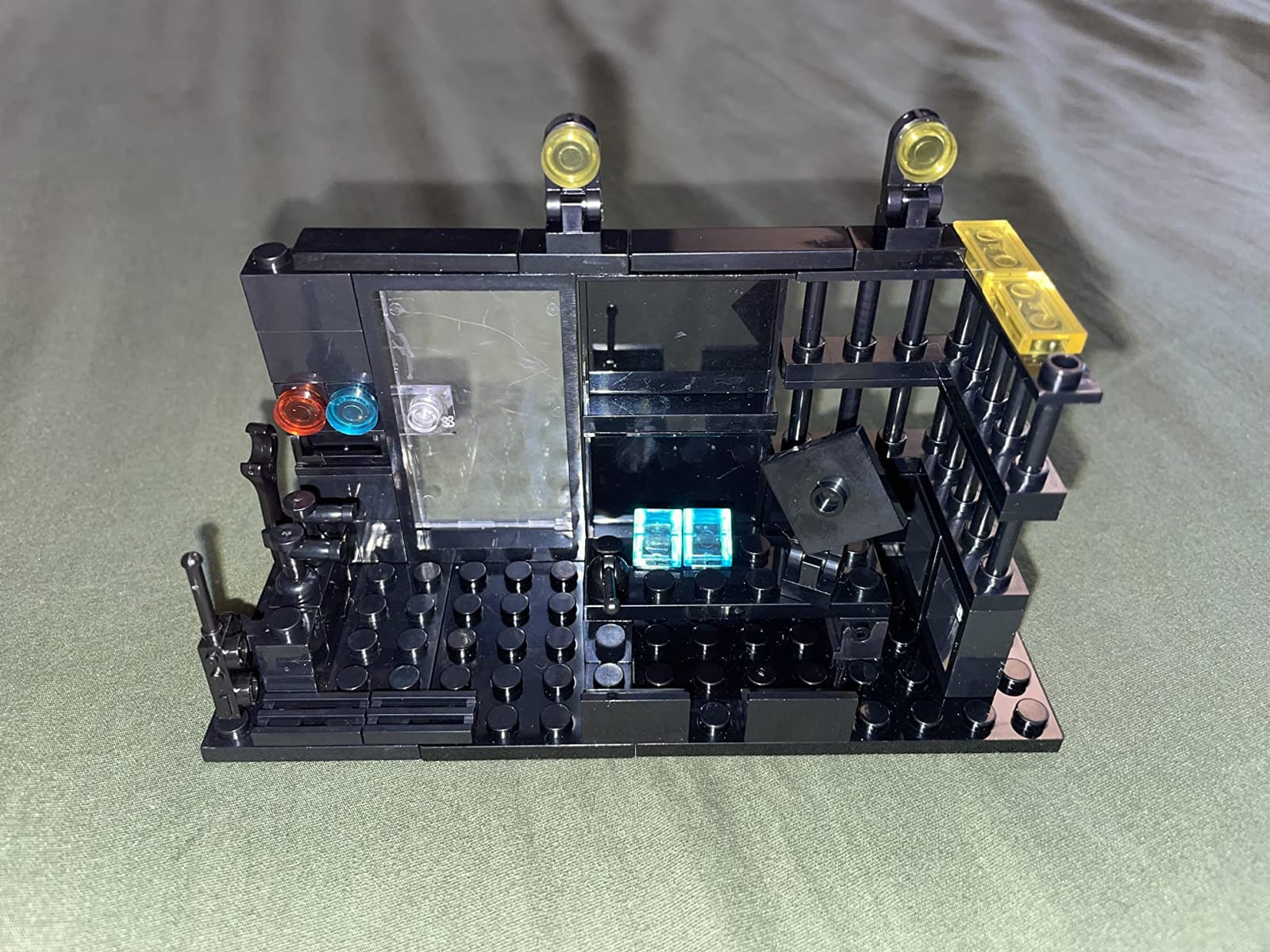
The educational framing is spatial rather than electronic: hand-eye coordination, shape recognition, spatial reasoning and problem solving are the stated objectives, and the 51 models give a lot of practice at all four.
It sits at 4.4 stars across 378 reviews, and the feedback is consistent. Buyers like the piece count, the ABS durability and the detailed instructions for the more complicated models.
Where it fits in a collection
It pairs well with a solar kit: build a static robot body, then attach a solar-driven moving base from a 12-in-1 or 6-in-1 set. Parents working with children on a larger build often find that combination works better than any single kit.
The manufacturer rating is 6 years and up, and the listing targets ages 5 to 12, so it covers the widest stretch of primary school of anything in this roundup.
What to know before you buy it
Be clear that the models are static. There are no motors, no sensors and no movement, and buyers who wanted a driving robot should look at the Sillbird or Makeblock options instead.
With 700 pieces, connecting them is fiddly for the youngest builders in the range, and sorting trays are not included. Expect a floor covered in parts for anyone under seven.
How to Choose a Robotics Kit Your Child Will Actually Use?
Age mismatch is the dominant failure mode in this category, and it is the one every parent in our research described the same way. A kit that is too advanced produces frustration in week one, and a kit that is too simple produces boredom in week two. The packaging number is a starting point, not an answer.
Match the kit to the reading load, not the age
Look at what the child has to read or interpret before the first thing works. Botley 2.0 needs no reading at all. The Smartivity hand needs someone who can follow illustrated diagrams. The ELEGOO kit needs a child who can read example code and understand error messages.
Our rule of thumb is that a child who cannot comfortably follow a set of picture-based instructions without help will not enjoy a kit that requires reading a manual, whatever the box says about ages.
Decide the screen question before you buy
Half of this list needs no screen at all, and that is a deliberate choice rather than a compromise. Screen-free kits compete with a tablet for a child’s attention instead of adding to it, and they also survive a child losing the family tablet or changing devices.
The cost is depth. Card and button coding teaches sequences, loops and cause and effect, but it will not get a child to Python. If your aim is screen-time reduction, start screen-free and step up later.
Check the app and device requirements up front
Before ordering anything app-based, find the supported device list and check it against the tablet or phone in your house. Device incompatibility is one of the most common reasons a capable kit ends up in a drawer within a month.
Also check whether the app lives on a tablet or a phone, and whether an account is required. A kit that demands a login on a shared family device creates friction that has nothing to do with the child.
Budget for the second box, not just the first
The first kit is rarely the last one, and the year-two spend is the part most roundups skip. The realistic pattern is one main kit plus either a set of expansion modules or a complete second kit once the child has worked through the first one properly.
Cheap multi-build sets absorb that pressure well, because twelve or fifty-one models means a second purchase is optional. Single-purpose kits are where the second spend becomes inevitable, so treat that as part of the cost from the start.
Look for replacement parts and durable materials
Two of the picks here supply replacement parts long after purchase, and one of them is built from engineered wood rather than plastic. Both details extend the useful life of a kit, and both reduce the chance that a broken joint ends a project permanently.
ABS plastic is the norm across this category and is perfectly adequate, but burr-free pieces and wood construction are markers of better moulding. Check whether spare fasteners and connectors are in the box before an adult has to source them.
Avoid the shelf-sitting failure mode
The most common way these purchases go wrong is not choosing badly, it is choosing passively. A kit that only works with an adult present gets used once, because the adult stops being available.
Our check is whether a child can produce a result in the first session without help. Anything that takes a three-to-four hour build with two adults is a great shared project but a poor solo toy, and the difference matters when you are deciding what to buy.
Which Coding Language Should Your Child Start With?
Coding language is the specification parents most often skip and the one that matters most. A kit that teaches the wrong level produces boredom at exactly the point where the child would have started to enjoy it.
Level 1: Cards and buttons with no screen
Botley 2.0, Thames & Kosmos Kids First, and the Teach Tech Mech-5 all sit here. The child manipulates physical objects – a remote, a wheel of buttons, a scanned card – and the concept being taught is sequencing: this move happens, then this move happens.
Loops and conditions come later, in the Thames & Kosmos manual especially, where they are taught with story contexts. This level suits roughly ages 4 to 10 and requires no device of any kind.
Level 2: Drag-and-drop blocks
Makeblock mBot and the pre-programmed modes on the Sillbird 5-in-1 sit here, alongside most classroom systems. Blocks are dragged into a script that reads left to right, and each block maps to a hardware instruction such as move forward, turn, wait or react to a distance reading.
Scratch and Blockly are the two names to look for, because they teach the same mental model and a child can move between them without relearning. Ages 8 to 12 is the usual window, and this is the level where sensor use starts to matter.
Level 3: Text-based Python, MicroPython and Arduino
The ELEGOO UNO R3 kit is the text-based entry point here, programmed in the Arduino IDE. MicroPython appears on LEGO-class hardware, and JavaScript on some web-connected platforms.
The advantage is that this is real code, so a teenager learns syntax, error messages and version control rather than simplified drag-and-drop. The disadvantage is the cliff: a child who was not ready for level 2 will not be rescued by level 3.
A sensible ladder looks like level 1 until the sequences feel automatic, then level 2 until the blocks feel obvious, then level 3 only if the child asks for it. Most children who need level 3 will ask, and the ones who ask are the ones who should get it.
Frequently Asked Questions
What is the best starter robotics kit for kids?
For a first purchase, the Smartivity DIY Robotic Mechanical Hand is our top pick: it is screen-free, rated 4.6 stars across 3914 reviews, and needs no batteries or device. If your child is under eight, the Thames and Kosmos Kids First Coding and Robotics set teaches sequences, loops and functions with paper cards and an optical scanner.
What is the best-rated robot kit for kids?
By rating and review volume together, the Smartivity DIY Robotic Mechanical Hand leads this roundup at 4.6 stars with 3914 reviews. The Makeblock mBot also scores 4.6, and the Smartivity 5-in-1 Programmable Robot Set reaches 4.6 from 2086 reviews. The most-reviewed kit overall is the Sillbird 12-in-1 Solar Robot Kit with 15909 reviews at 4.3 stars.
What is a good beginner robotics kit for kids?
A good beginner kit produces a working result in the first session and scales up rather than running out. The Learning Resources Botley 2.0 is a strong start for ages 5 to 10 because it needs no tablet and no reading. The Makeblock mBot is the better beginner kit at 8 and up, building in about 15 minutes and supporting both Scratch and Arduino.
What is the best age to start robotics?
Around four or five, if you start with a screen-free kit. Children that young can handle sequences and cause and effect but not reading-heavy instructions, which is why card-based sets such as Thames and Kosmos Kids First and Botley 2.0 work well. Text-based coding usually waits until 11 or 12.
Do kids robotics kits need a tablet or iPad?
About half of the kits in this roundup do not need a screen at all. The Smartivity hand, the two Thames and Kosmos sets, Botley 2.0, the Teach Tech Mech-5, the solar kits and the HISTOYE construction set are all device-free. The Makeblock mBot, the Sillbird 5-in-1 set and the ELEGOO robot car do require an app or computer.
What can kids build with a robotics kit?
It depends on the kit. Multi-build construction sets here produce up to 51 static models from 700 pieces, the Sillbird solar kit builds 12 moving models, and the Sillbird 5-in-1 set builds a robot, dinosaur, car and tank with adjustable limbs. Programmable kits build fewer physical models but let the child program line-following, obstacle avoidance and live camera functions.
Conclusion: Which Robotics Kit Should You Buy in 2026?
The best robotics kits for kids share one trait: a child reaches a working result in the first session and has a reason to return the next day. Start with the Smartivity DIY Robotic Mechanical Hand for a child aged 8 to 14 who wants something sturdy and screen-free. Start with Thames & Kosmos Kids First Coding & Robotics under age eight, or Botley 2.0 if you want a remote-controlled robot rather than a card reader. Start with the Makeblock mBot at 8 and up if the goal is real programming, and step up to the ELEGOO UNO R3 kit at 12 when they are ready for Arduino and a live camera feed.
Check device compatibility before you order anything app-based, add batteries to your first shopping trip if the kit needs them, and pick the level that matches the reading load your child can actually manage. For families building toward bigger outdoor toys as children grow, our guides to the best kids bikes and best kids scooters cover that next step, along with the kids helmets that go with them.