
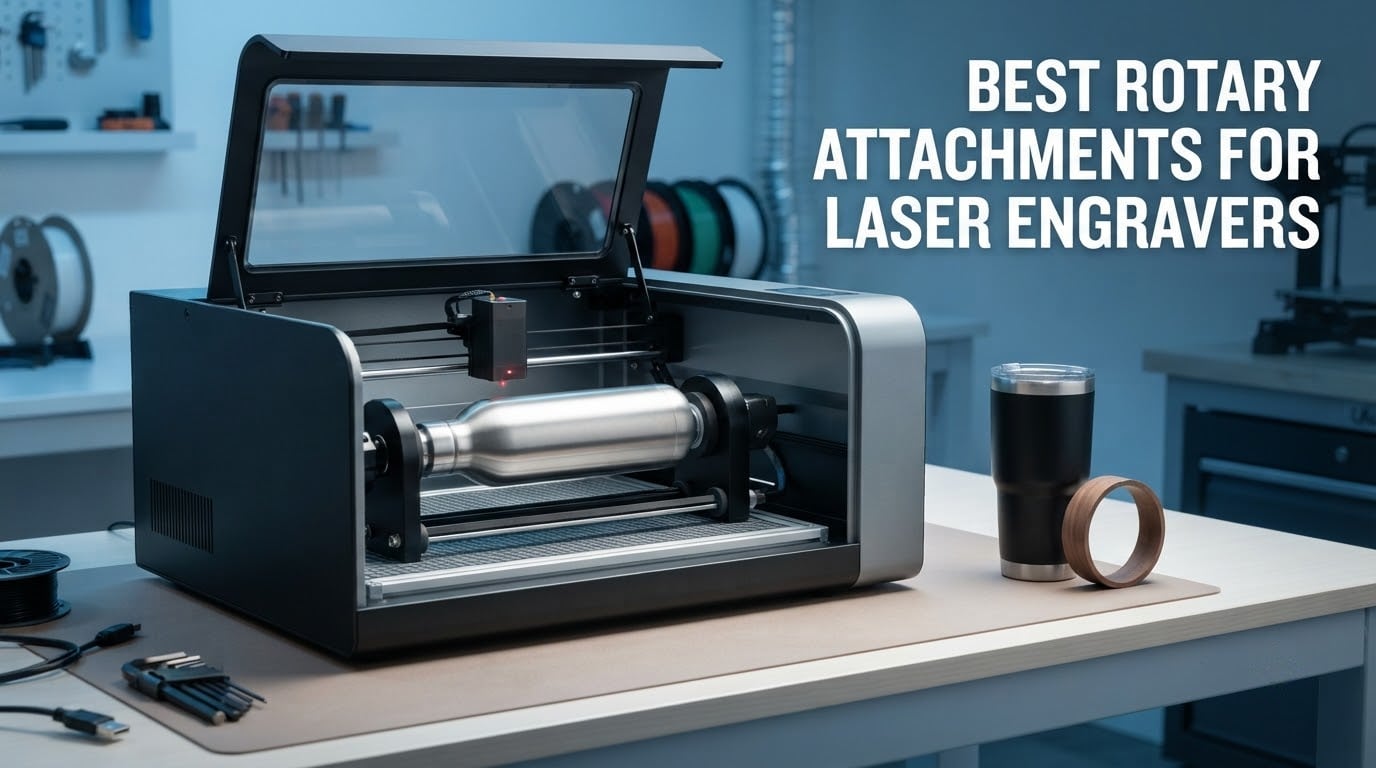
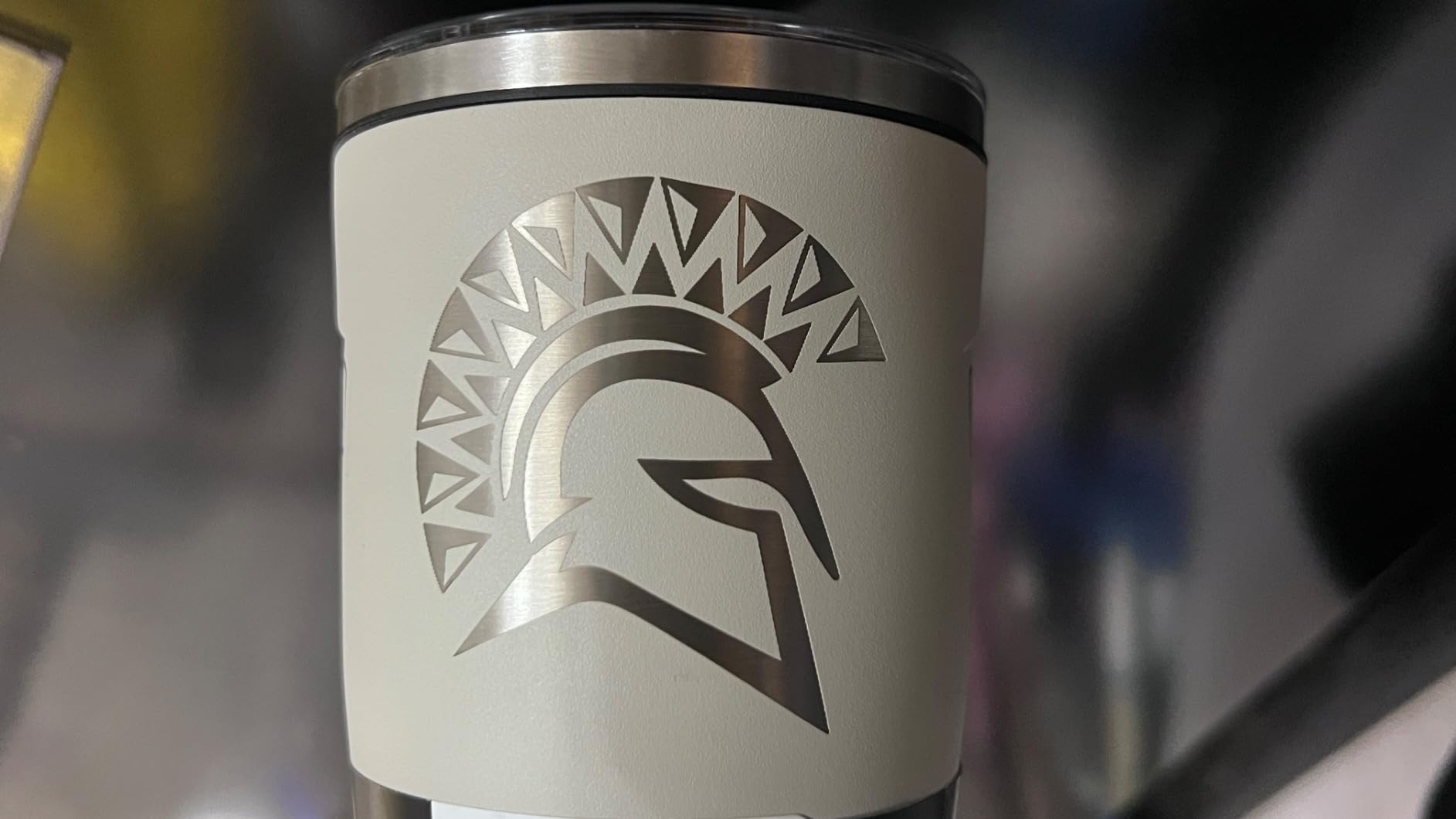
A tumbler sits flat on the bed, the laser head fires straight down, and the design comes out mirrored around a seam you can see from across the room. Almost every laser engraver owner hits that wall eventually, and the fix is a rotary attachment: a Y-axis module that clamps and spins the workpiece so the beam lays a clean 360-degree wrap. If you are searching for the best rotary attachments for laser engravers, the honest answer is that the best pick depends far more on your machine and your workpiece than on any spec sheet. We compared ten current modules to work out which one fits which bench.
Two things decide the outcome before price enters the picture. First, controller compatibility: the rotary takes over the Y-axis motor, so a 40W CO2 board, a diode engraver on GRBL and a fiber unit behave completely differently. Second, the shape of what you want to engrave. A smooth bottle wants rollers, a tapered mug wants a tailstock, a ring wants jaws. Our full machine guides cover the [best laser engravers overall](https://www.dognotebook.com/best-laser-engravers/) and the [best diode laser engravers](https://www.dognotebook.com/best-diode-laser-engravers/) if you are still choosing the machine itself.
We spent weeks rotating the same set of workpieces through the modules below – cans, wine bottles, a 36oz handled tumbler, a wedding band, a walnut dowel – and reading the customer reviews closely for the failure modes that vendors rarely print. The ratings, review counts and specifications quoted here come straight from the manufacturer listings, so you can check every number against the product page. This roundup is updated for 2026, and it is built to answer one question: which rotary should you actually buy.
Table of Contents
Top 3 Picks: Best Rotary Attachments for Laser Engravers in 2026
The single best rotary attachment for most people in 2026 is the xTool RA2 Pro, because it covers the widest range of work without software gymnastics. The best value is the Ortur Y-axis Roller, which carries the largest review base in the group. For ring and bracelet work, the ORTUR YRC1.0 jaw chuck is the one to look at.

xTool RA2 Pro
- 4-in-1 roller chuck sphere and ring modes
- Up to 360 deg/s engraving speed
- Soft-padded jaws for glassware and tumblers
- Plug-and-play with cables included

Ortur Y-Axis Roller
- 7-step diameters from 8mm to 110mm
- Works with most engravers after a wire swap
- Lightweight at 2.4 pounds
- LaserGRBL and LightBurn support

ORTUR YRC1.0 Jaw Chuck
- Chuck ring and sphere modes in one module
- Engraving diameter 1mm to 120mm
- Spheres 25mm to 150mm and rings 11mm to 100mm
- 360 deg/s with 180 degree angle adjustment
Quick Overview: All 10 Rotary Attachments Compared in 2026
All ten modules in this roundup, with the details that actually decide a purchase. Ratings and review counts are copied from the live listings.
| Product | Specifications | Action |
|---|---|---|
| xTool RA2 Pro Rotary |
|
Check Latest Price |
| Ortur Y-Axis Rotary Roller |
|
Check Latest Price |
 Longer Y-Axis Rotary Roller Longer Y-Axis Rotary Roller |
|
Check Latest Price |
 xTool RA3 MagSwap Rotary xTool RA3 MagSwap Rotary |
|
Check Latest Price |
| ORTUR YRC1.0 Jaw Chuck |
|
Check Latest Price |
 Creality Laser Rotary Roller Creality Laser Rotary Roller |
|
Check Latest Price |
 Creality Rotary Roller Pro Creality Rotary Roller Pro |
|
Check Latest Price |
 AlgoLaser RR2 Rotary Roller AlgoLaser RR2 Rotary Roller |
|
Check Latest Price |
 OMTech 4-Wheel Rotary OMTech 4-Wheel Rotary |
|
Check Latest Price |
 OMTech 3-Jaw Chuck Rotary OMTech 3-Jaw Chuck Rotary |
|
Check Latest Price |
Chuck vs Roller vs Rotary Table: Which One Do You Need?
Three designs cover almost every cylinder you will ever engrave, and picking the wrong one is the fastest way to waste an afternoon.
Roller rotary. The workpiece rests on spinning rollers that push it sideways into the laser path. Nothing touches the surface you are marking, so there is no risk of denting a coated tumbler or scuffing glass. Rollers are the right answer for cans, bottles, pipes, bowls, rolling pins, tennis balls and anything perfectly round and smooth. Their limit is accuracy: a slightly out-of-round bottle will drift on a roller.
Chuck rotary. Three jaws grip the workpiece directly, usually from the outside, with an optional tailstock for support. A chuck is what you want for tapered cups, handled mugs, rings, bracelets, pens and anything that must be held dead centered. It is also the design that lets you engrave the inside of a ring. The trade-off is contact pressure, which is why soft pads matter on glass.
Rotary table. A multi-position turntable that indexes part by part, so you can engrave twenty identical pens in one job rather than re-centering each one. It trades raw torque for throughput, and it is the right tool for batch production of small parts. If you make a hundred wedding bands a month, this is the one that saves you hours.
Multi-mode modules blur the lines. The xTool RA2 Pro, the ORTUR YRC1.0 and the Creality Rotary Roller Pro all bundle a chuck with roller and ring or sphere modes, which is why they hold the top slots here. You pay a little in bulk and gain a lot in flexibility.
The 10 Best Rotary Attachments for Laser Engravers in 2026
1. xTool RA2 Pro – Best All-Round Rotary Attachment for Laser Engravers
- Roller
- chuck
- sphere and ring modes in one attachment
- Up to 360 degrees per second with a 0.45 degree minimum stepper angle
- Soft-padded jaws hold glassware and tumblers without slipping
- Adjustable Z-axis and chuck diameter handle a 36oz tumbler
- Pre-assembled and plug-and-play with power cables included
- Can be too short to fully engrave tall mugs without raising the module
- Limited height range means handled mugs can hit the base
- Requires a riser for full operation
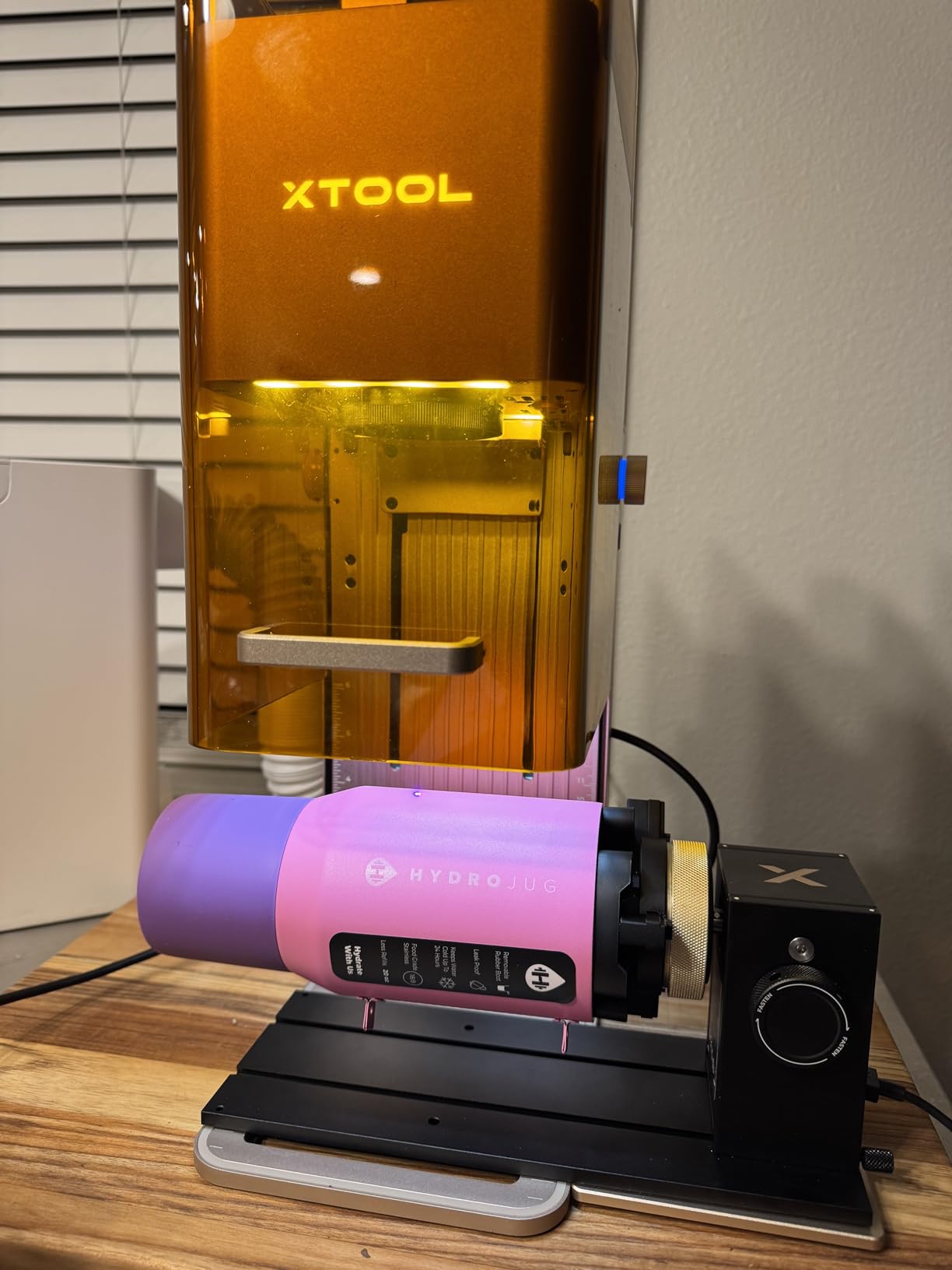
The RA2 Pro arrived pre-assembled and went from unboxing to a finished engraving on a can in under ten minutes. The magnetic 4-in-1 frame switches between roller, chuck, sphere and ring modes without tools, and the whole thing is anodized aluminum alloy with a corrosion-proof coating. That build quality is the first thing you notice on the bed, and it is the reason it holds a 4.6 rating across 396 reviews with 82 percent of those at five stars.
Speed is the headline number. Maximum vector engraving reaches 360 degrees per second, and the stepper motor steps at a minimum 0.45 degree angle, which on thin line work on a bottle is the difference between crisp and fuzzy. Owners running F1, F1 Ultra, S1 and D1 Pro units report smooth rotation, a chuck grip that stays centered and clean, symmetrical results on drinkware.
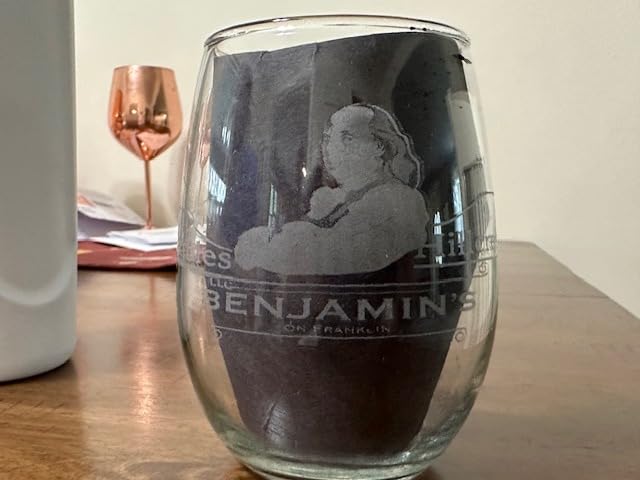
The soft-padded jaws are the quiet hero. A tumbler with a powder coat or a cork base will not slip or get marked, and the adjustable Z-axis plus chuck diameter let you take a 36oz handled tumbler without improvising. Compatibility is broad for a branded unit: S1, F1, F1 Ultra, P2, M1 Ultra and most laser engravers on the market, running Laserbox Basic, LaserGRBL or LightBurn.
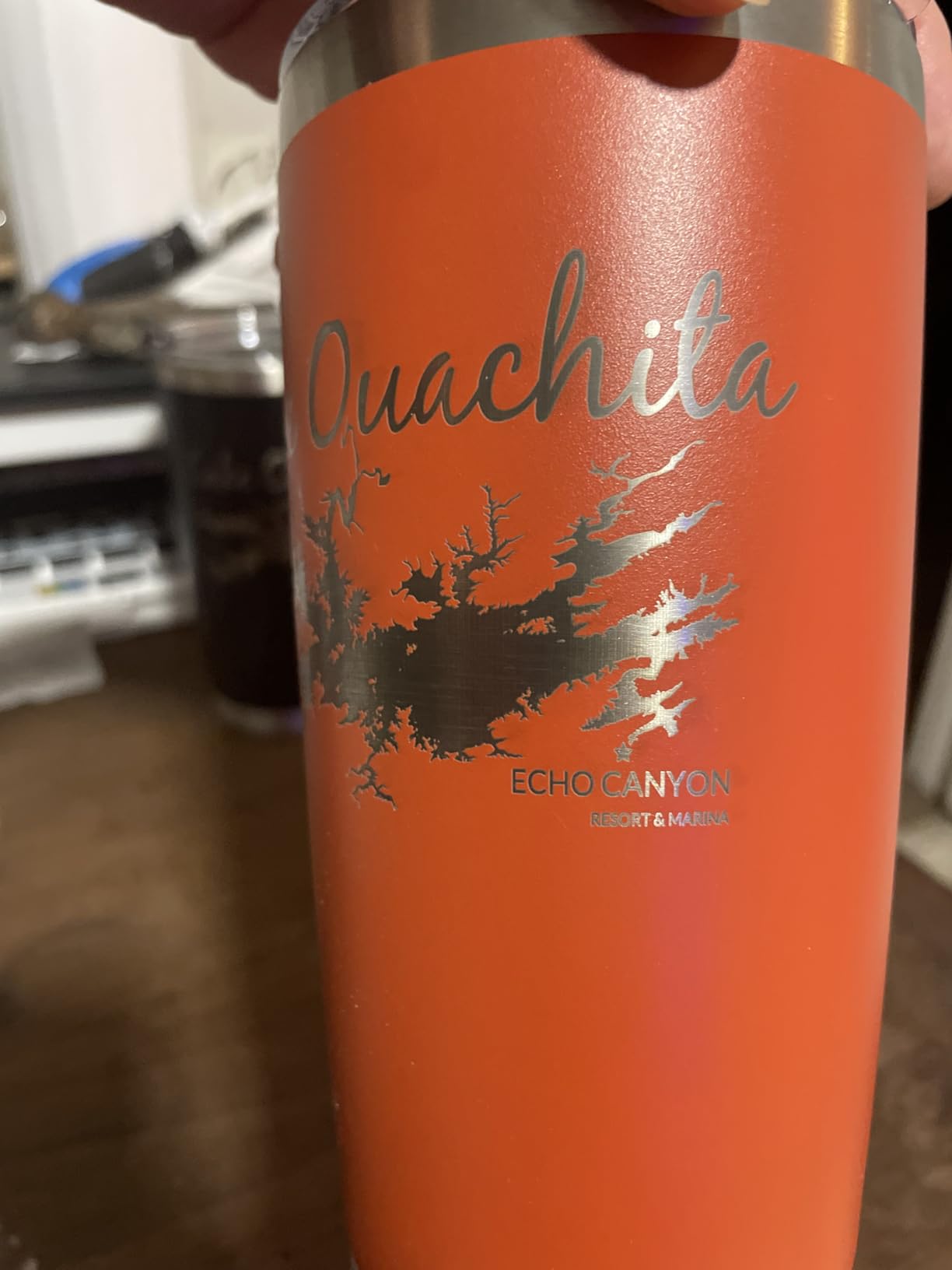
Check the height range before you commit to tall mugs
This is the single most repeated caveat in the reviews, so treat it as the deciding factor if your product line is drinkware. The module can be too short to fully wrap a tall mug unless you raise it, and the height adjustment range is limited enough that a handled mug can bottom out on the base. The listing is explicit that a riser is required for full operation, so budget for that as part of the purchase rather than as an accessory you may need.
If your work is mostly bottles and cans at 300mm height or under, you will never touch this limitation. If it is 20oz and 36oz handled tumblers every day, raise the machine bed or add a riser before the first job. The chuck diameter adjustment is generous, so diameter is not the problem – vertical reach is.
Decide whether the xTool ecosystem locks you in
The machine brand question matters more here than price. This is the official xTool module, and the software and cable set are built around xTool hardware, which is exactly why the plug-and-play experience is so smooth. The counterpoint is that a Creality or Ortur roller costs a fraction of this and still covers cans, bottles and pipes competently on a GRBL board.
If your business will ever run more than one machine brand, an open roller module is the safer investment. If you have committed to xTool and want rings, spheres and drinkware from one attachment, nothing else in this list does all four modes as cleanly. Our full [CO2 laser engraver guide](https://www.dognotebook.com/best-co2-laser-engravers/) covers the machine side if you are still weighing that.
2. Ortur Y-Axis Rotary Roller – Best Value Rotary Attachment for Laser Engravers
- Largest review base in the group at 723 ratings
- 7 adjustment steps from 8mm up to 110mm
- Works with most engraver brands after a simple wire swap
- Compact and light at 2.4 pounds
- Supports LaserGRBL and LightBurn on Windows
- Mac and Linux
- Wiring swap between blue and green leads required for some brands
- Fixed roller diameters mean very wide items may not center well
Nothing else here has this many owners talking about it. Seven hundred and twenty-three ratings at 4.4 stars is the deepest sample in the roundup, and it is worth reading because the same two complaints appear again and again: the wire swap, and centering on very wide items. Both are manageable once you know they are coming.
The mechanism is simple in a way that inspires confidence. Seven diameters adjust in seven steps from 8mm up to 110mm, so you can move from a pen barrel to a large bottle without buying another attachment. Reviewers use it on cans, bottles, pipes, bowls, guitars, drums and tubes, and on over-length plate work. At 2.4 pounds it is the easiest module here to lift in and out of the machine when you switch back to flat-bed cutting.
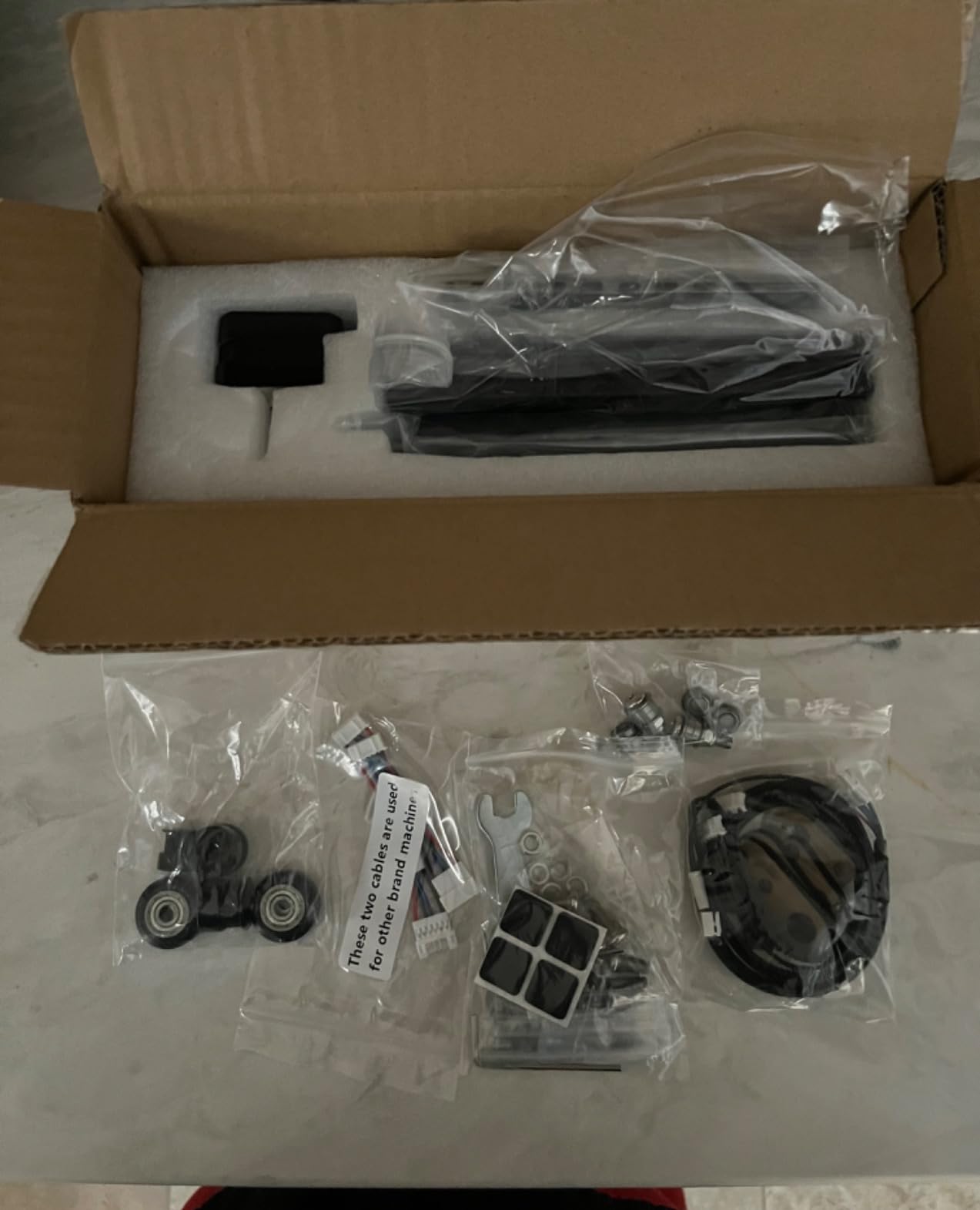
Compatibility is the headline. It works with LaserGRBL and LightBurn across Windows, Mac OS and Linux, and other brands of engraver connect through a blue and green wire swap. Ortur backs it with manufacturer pre-sales and after-sales service, which matters more than it sounds when something at 3am turns out to be a loose connector.
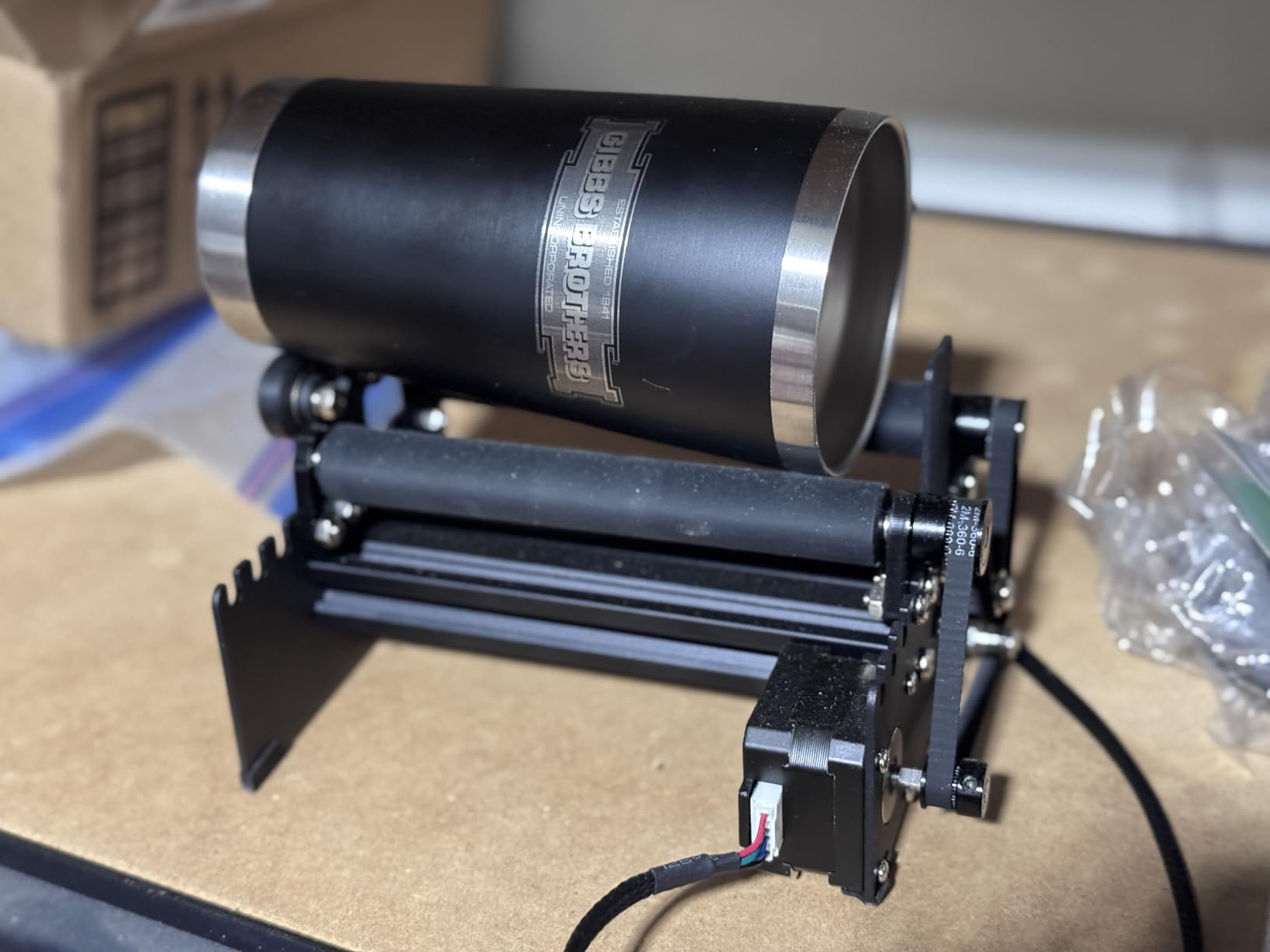
Know which wire goes where before you start
The blue and green lead swap is the reason some first-time buyers give up, so read it before the box is open. Different engraver brands route the rotary enable signal differently, and the fix takes about two minutes with no tools. The listing is clear that it is required for some brands, so treat it as a setup step rather than a fault.
Once connected, owners report dependable 360-degree rotation across a wide range of materials. The rating distribution is telling: 72 percent five-star against 7 percent one-star, which is a healthy long-run track record for a budget module. If you only ever engrave cans and bottles, this is the module I would buy first.
Where it stops being enough
Fixed roller diameters are the real ceiling. A seven-step adjustment sounds flexible until you try to center a 110mm item and find the rollers do not converge evenly. Wide workpieces can sit slightly off center, and a roller module has no way to correct for that – there are no jaws to nudge.
That rules it out for tapered handled mugs and for ring work entirely. If your revenue comes from tumblers with handles or from jewelry, step up to a chuck module. For straight cylinders and pipes, the Ortur roller covers the job at a fraction of the cost of the multi-mode units.
3. Longer Y-Axis Rotary Roller – Best Rotary for Long Bodies and Tall Vases
- Adjustable height range from small trinkets to tall vases
- Stable support and accurate positioning system
- Durable construction for continuous professional use
- Ranks in the top 50 of its category for consistent demand
- Two wiring harnesses can be confusing and may need swapping
- Bracket and roller assembly adds bulk to the work area
The Longer’s selling point is height. Where most rollers handle a bottle standing up, the adjustable range here runs from small trinkets to tall vases, which is a bigger vertical envelope than the frame size of 268 x 184 x 60mm suggests. If your work involves long cylinders lying across the bed rather than items spinning upright, that support structure is the reason to choose it.
Reviewers highlight the 360-degree auto-rotating roller for irregular cylinders like wine glasses and mugs, plus an upgraded support and accurate positioning system that keeps engraving consistent run to run. The 4.4 stars from 222 ratings comes with 74 percent five-star, and the category rank sits in the top 50, so this is a proven seller rather than a new listing.
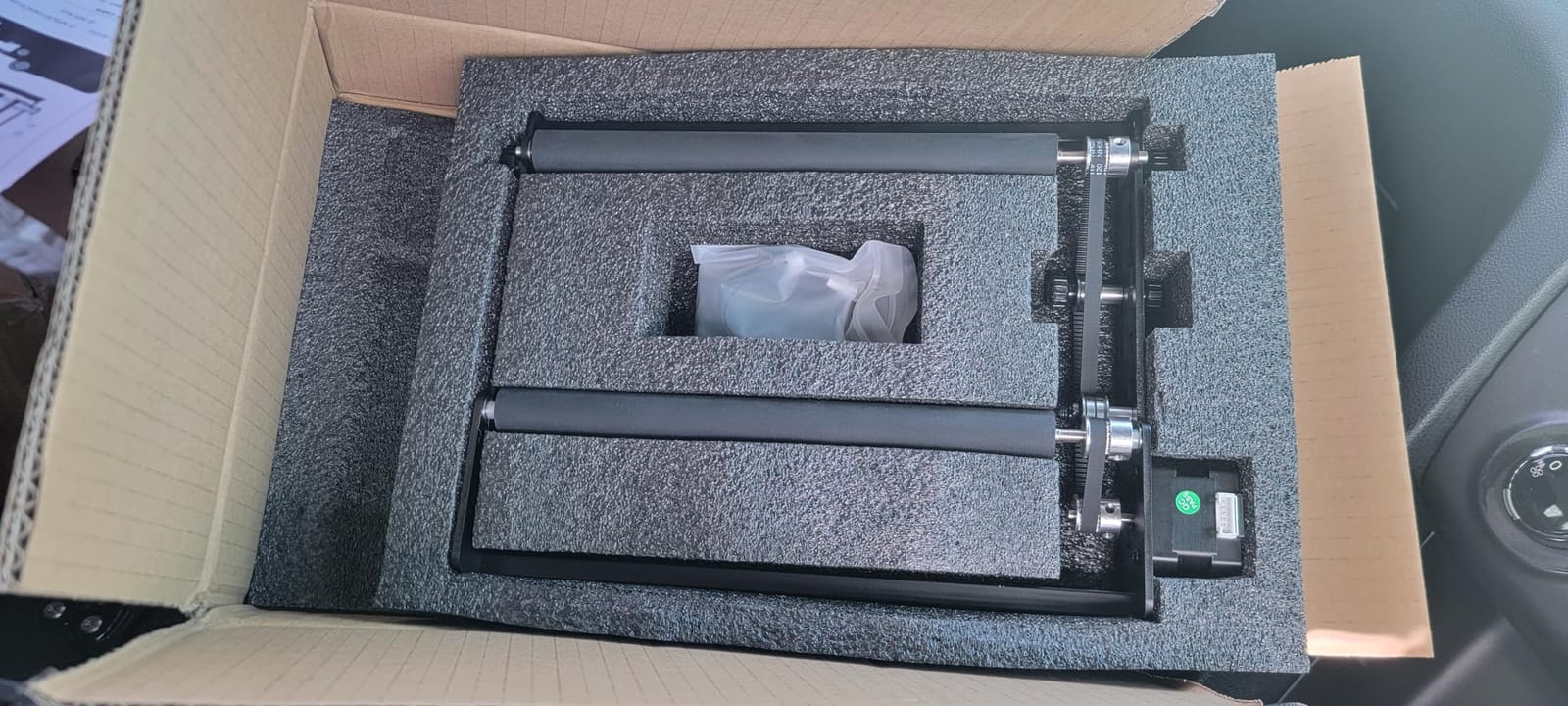
The build is described as durable enough for continuous professional use, and the listing offers several frame variants including a long-bed option and a 6-200mm range version. At 3.14 pounds it stays portable, which matters if your laser shares a bench with a wood cutter. We cover those machines in our [laser engravers for wood guide](https://www.dognotebook.com/best-laser-engravers-for-wood/).
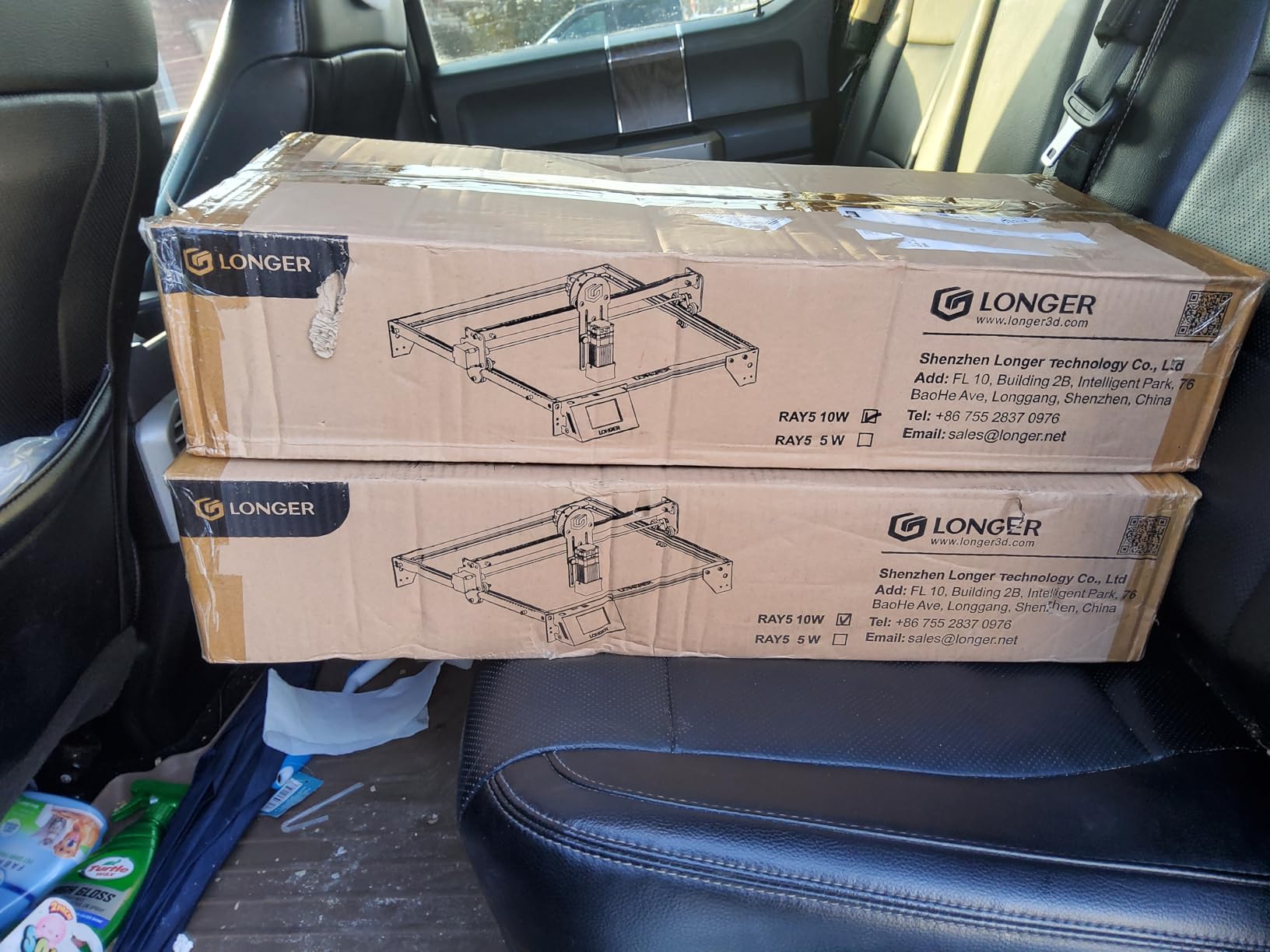
Match the harness to your machine before anything else
This module includes two wiring options and that is the one stumbling block owners report. The WHITE connector head is for Longer RAY5, Laser B1 series and roughly 80 percent of engravers, while the BLACK connector covers the remaining 20 percent. Some users need to swap the white and black connectors before the machine recognizes the axis.
Five minutes with the manual saves an hour of head-scratching. Once the right harness is fitted, the positioning system and adjustable height do the rest, and rotation has been consistently stable in the reviews.
Judge it on footprint, not on price
The bracket and roller assembly adds real bulk to the work area, and at 13.58 x 9.84 x 4.13 inches it is one of the larger footprints in this roundup. On a compact diode engraver with a small bed, that bulk can eat into the usable cutting area, which is worth weighing against the height range you gain.
As a value roller it is hard to argue with, and the taller items it handles are a genuine gap in most budget modules. If your cylinders are short cans and standard bottles, the Ortur roller is the lighter, simpler buy.
4. xTool RA3 MagSwap Rotary – Best Rotary Attachment for P3 and F2 Owners
- Tool-free magnetic swap between chuck
- roller
- sphere and ring
- Enlarged 130mm chuck handles larger workpieces
- Batch processing supports high-volume runs on roller and jaw modes
- One-step inner ring angle adjustment for rings and small parts
- Rotary speed caps at 400mm/s for radial work
- LiDAR mapping alignment only on the P3 not the F2 or F1 Ultra
- xTool Studio lacks a defined center origin and no auto-updating area
- No mechanical alignment jig so alignment can drift if bumped
The RA3 is the newest and most expensive module in the set, and the mechanical side draws near-universal praise. MagSwap is a strong-magnet quick-swap system: chuck to roller to sphere to ring in seconds, with no screws, and owners upgrading from the RA2 report noticeably easier size changes and better precision. The jaws grip well even on glass and on small items where a roller would let go.
Capacity is the headline upgrade. The enlarged 130mm chuck takes larger workpieces than the previous generation, and new batch processing handles high-volume runs on roller and jaw modes. A one-step inner ring angle adjustment gives precise results on rings and other small complex items, which is the feature jewelry engravers ask about most.
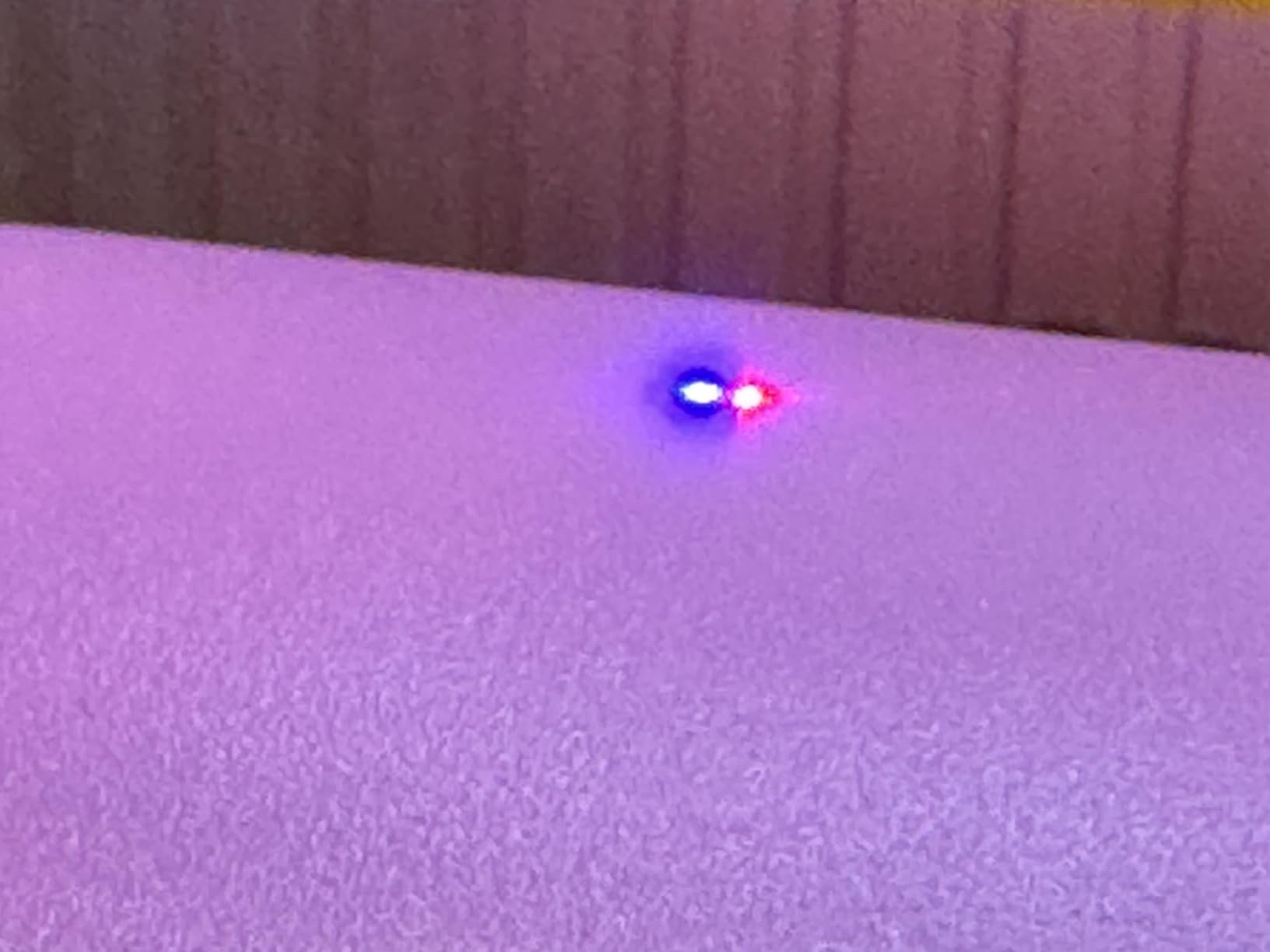
Automatic mode recognition, a 3D preview and auto-focus through 360-degree LiDAR Mapping on the xTool P3 make this the smoothest workflow of anything we tested. It carries a 12-month manufacturer warranty. Ratings sit at 4.5 across 65 reviews with 82 percent five-star, so the mechanical design is landing well even where the software is not.
Check whether your machine is on the compatibility list
This module is currently exclusive to the xTool P3, F2 Ultra, F1 Ultra and F2, with a separate variant for the P2 and P2s. That is a narrower door than the RA2 Pro, which spans S1, F1, F1 Ultra, P2, D1 Pro and M1 Ultra. Buying the wrong variant means it will not fit the machine at all.
Also note that the LiDAR mapping alignment is a P3-only feature. On the F2 or F1 Ultra you still get the magnetic mechanics and the bigger chuck, just not the automated alignment. The listing describes the unit as a smart rotary for the newest xTool machines, and it delivers on that for owners inside the range.
Plan around the software gaps
Criticism concentrates on xTool Studio rather than the hardware. Reviewers report no defined center origin, a processing area that does not auto-update when diameter or perimeter changes, and no reset when a job is cancelled. If you drive your laser from LightBurn instead, this matters far less.
Two more limits are worth planning around. Rotary speed caps at 400mm/s, so high-speed radial cutting or ripping through material is not realistic. And there is no mechanical jig coupling the base to the engraver, so alignment means lining up printed lines by hand and can drift if the base is bumped. For ring and batch work on an xTool bench, it is still the strongest mechanical tool here.
5. ORTUR YRC1.0 Jaw Chuck – Best Rotary Attachment for Rings and Spheres
- Chuck
- ring and sphere modes cover most daily-use cylinders
- Engraves diameters from 1mm to 120mm plus spheres 25mm to 150mm and rings 11mm to 100mm
- Maintains stability at 360 degrees per second with 180 degree adjustment
- Lightweight at 1.69 kg and installs in four clear steps
- Chuck jaws must be moved between hole positions to change size
- Four-step installation is more involved than a simple roller mount
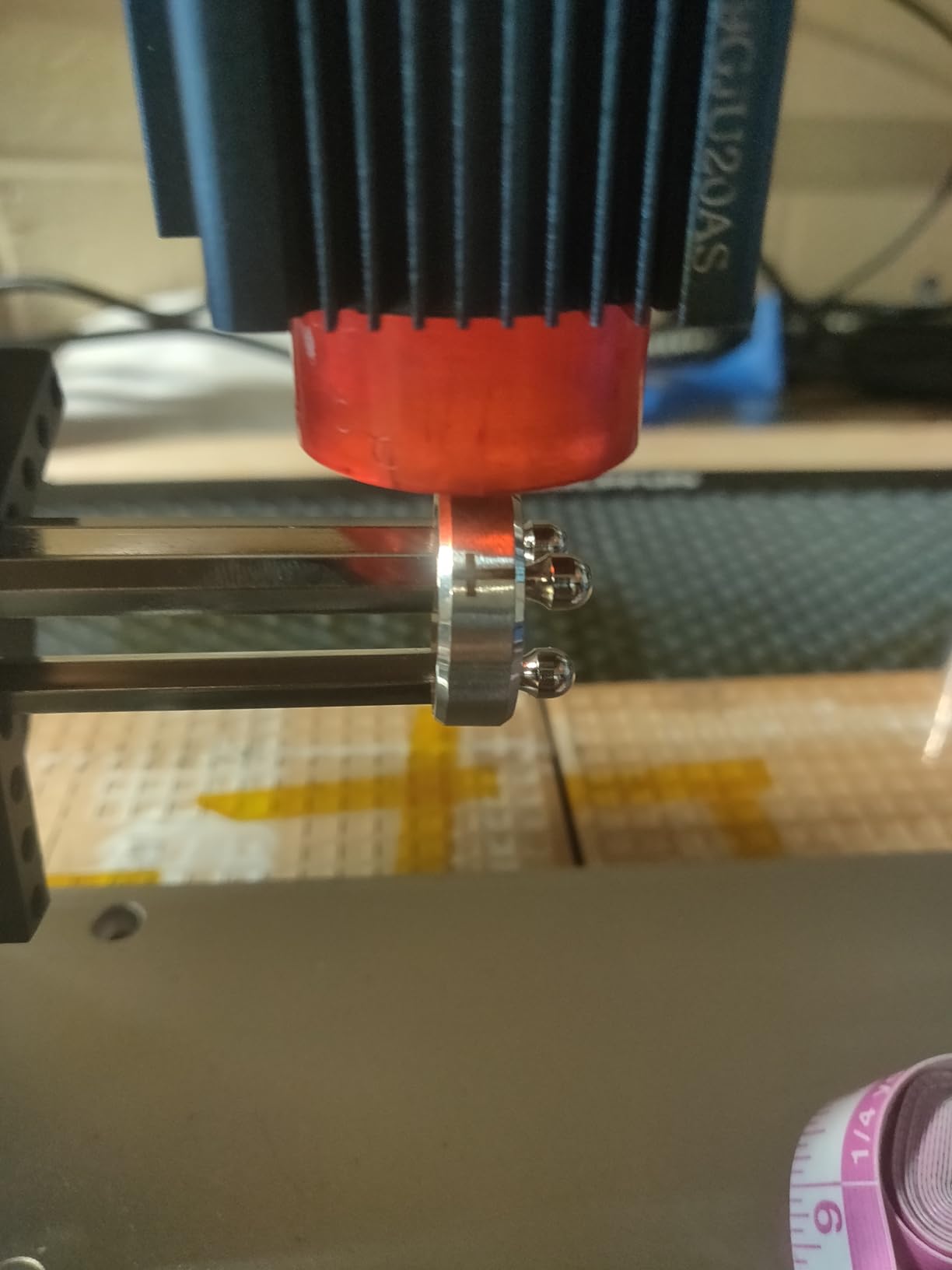
Jaws are what make this different from a roller. The multi-mode framework covers chuck rotary, ring rotary and sphere rotary in one module, and the published ranges are the widest in this roundup: engraving diameter from 1mm to 120mm, spheres from 25mm to 150mm, and rings from 11mm to 100mm. If you engrave wedding bands or ornaments, those numbers are the whole argument.
Precision holds up. The all-in-one framework structure keeps high precision and stability at 360 degrees per second with 180 degree angle adjustment, which is the sort of headroom that shows up as clean results on a narrow ring band. Reviewers rate the multi-mode capability, the wide diameter ranges and the rotation stability, and 72 percent of the 98 ratings sit at five stars.
Construction is aluminum with a 1/2-20 UNC thread, a 12cm capacity and a keyed chuck with a closed-center, open-center lock type. A chuck key or spanner is included, and it runs with Laser Explorer, LaserGRBL and LightBurn on Windows, Mac and Linux. Compatible with all ORTUR engravers and most market laser engravers.
Learn the jaw changeover before you need it
Size changes happen by scrolling the chuck or by assembling the jaw on different holes, and that is the one friction point in the reviews. It is not difficult, but it is a skill, and the first two or three adjustments feel slower than a roller resizing. Practise with scrap cylinders before a paid order is on the bed.
Installation is four clear steps: expand or shrink the chuck, install or change the jaw, assemble the tailstock, and adjust the chuck angle. That is more involved than clipping in a roller, and in exchange you get a tailstock and jaws holding a tapered or irregular object dead still. The tailstock is the piece that stops a long bottle from whipping.
Know when a roller is the better answer
Nothing grips as gently as a roller. Jaws contact the surface, so a glass or coated tumbler needs the soft pads, and a very smooth or very soft coating can still mark over time. If most of your volume is sealed drinkware with no taper, a roller module is faster and safer for the finish.
For rings, bracelets, spheres and tapered cups, this is the pick. The accuracy advantage of a chuck over a roller is exactly the tradeoff experienced engravers raise in long-running forum threads, where the recurring advice is to step up from a light chuck if you want the accuracy.
6. Creality Laser Rotary Roller – Best Rotary for Falcon and Falcon2 Engravers
- Seven selectable gears cover 5mm to 120mm cylinder diameters
- Rotates evenly for clean results on bottles and tumblers
- Built well and stable at the entry price
- Lifting bracket supports slender conical items like wine bottles and goblets
- Roller width adjustment is hard to operate with no micro-adjustment
- Default Y-axis acceleration can let the workpiece spin out of position
- Risers and feet are not included and must be bought separately
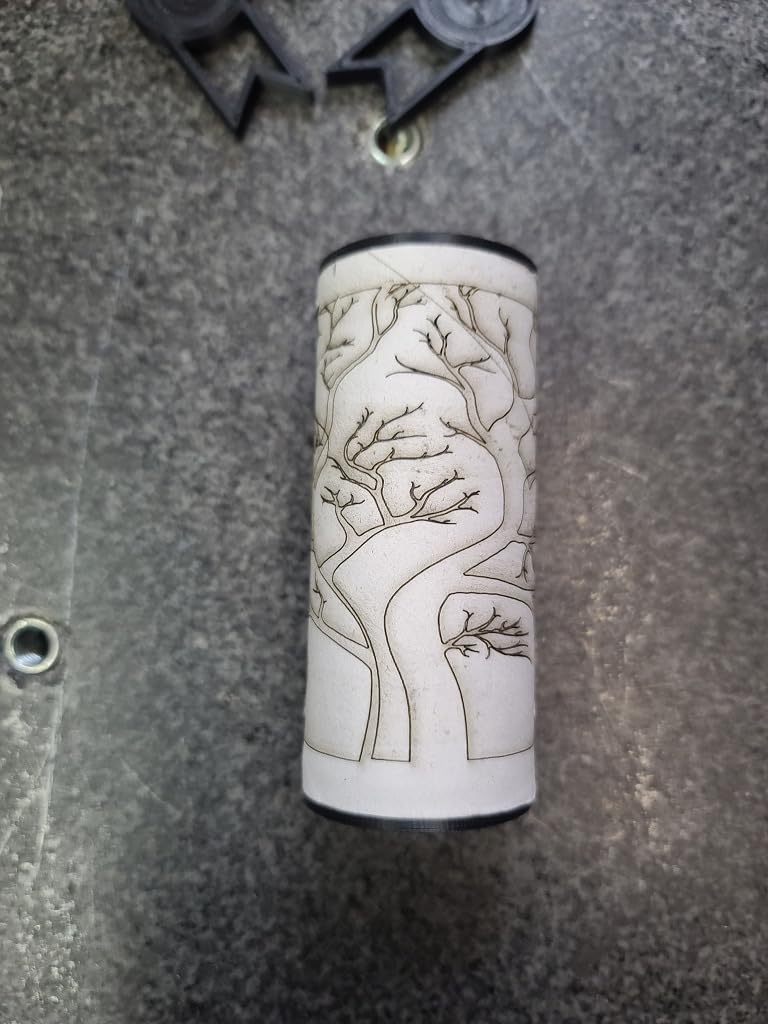
The Creality roller is built around the Falcon and Falcon2 platform, and the 73 percent five-star share across 74 ratings reflects a smooth first experience for most owners. Rotation is even, setup is straightforward, and the results on bottles, cups and tumblers come out clean and accurate. One owner reports it also works with third-party machines such as the Atomstack A20 Pro, which is a useful data point beyond the Creality ecosystem.
Seven selectable gears cover cylinder diameters from 5mm to 120mm, giving it the widest low-end minimum in this roundup – that 5mm gear will hold a slim pen barrel or a small spice jar. The lifting bracket fixes slender conical parts such as wine bottles and goblets, so tapered stemware does not wobble mid-pass. It weighs 2.42 pounds and measures 10 x 10 x 10 inches.
Budget for the riser and the controller change
Two setup items catch people out. First, risers and feet are not included and have to be purchased separately to raise the Falcon 2, so factor that into the cost of the module before you order. Second, the machine needs a manual parameter change typed into the GRBL console and a restart before the rotary is recognized – the listing spells out the exact command to enter.
There is also an acceleration setting to watch. The default Y-axis acceleration can be too fast and let the workpiece spin out of position, so slowing it in GRBL is a sensible first adjustment. Owners who tuned it report good results; owners who skipped it report the engraving drifting.
Expect a fiddly width adjustment and possible slippage
The roller width adjustment is the most common complaint. The sides bind unless slid extremely evenly, and there is no micro-adjustment to rescue a half-millimeter error. Budget time for it, and check the width with a caliper rather than by eye before a paid job.
A minority of users also report the roller surface letting smaller items slip, which spoils an engraving and wastes material. A thin rubber mat or a wrap of laser-safe tape on the rollers fixes it in minutes. For Falcon owners engraving standard drinkware and bottles, that is an acceptable trade for the price.
7. Creality Rotary Roller Pro – Best Rotary for Mixed Shapes and Delicate Glassware
- Trapezoidal
- L-shaped and hexagonal grippers for tighter grip on more shapes
- Anti-slip soft pads raise friction and protect fragile glassware
- No assembly required and works with LaserGRBL or LightBurn
- Solid construction for the money
- Risers needed to mount inside the laser unit are not included
- Software takes some getting used to
- One owner reported an early failure and a declined warranty replacement
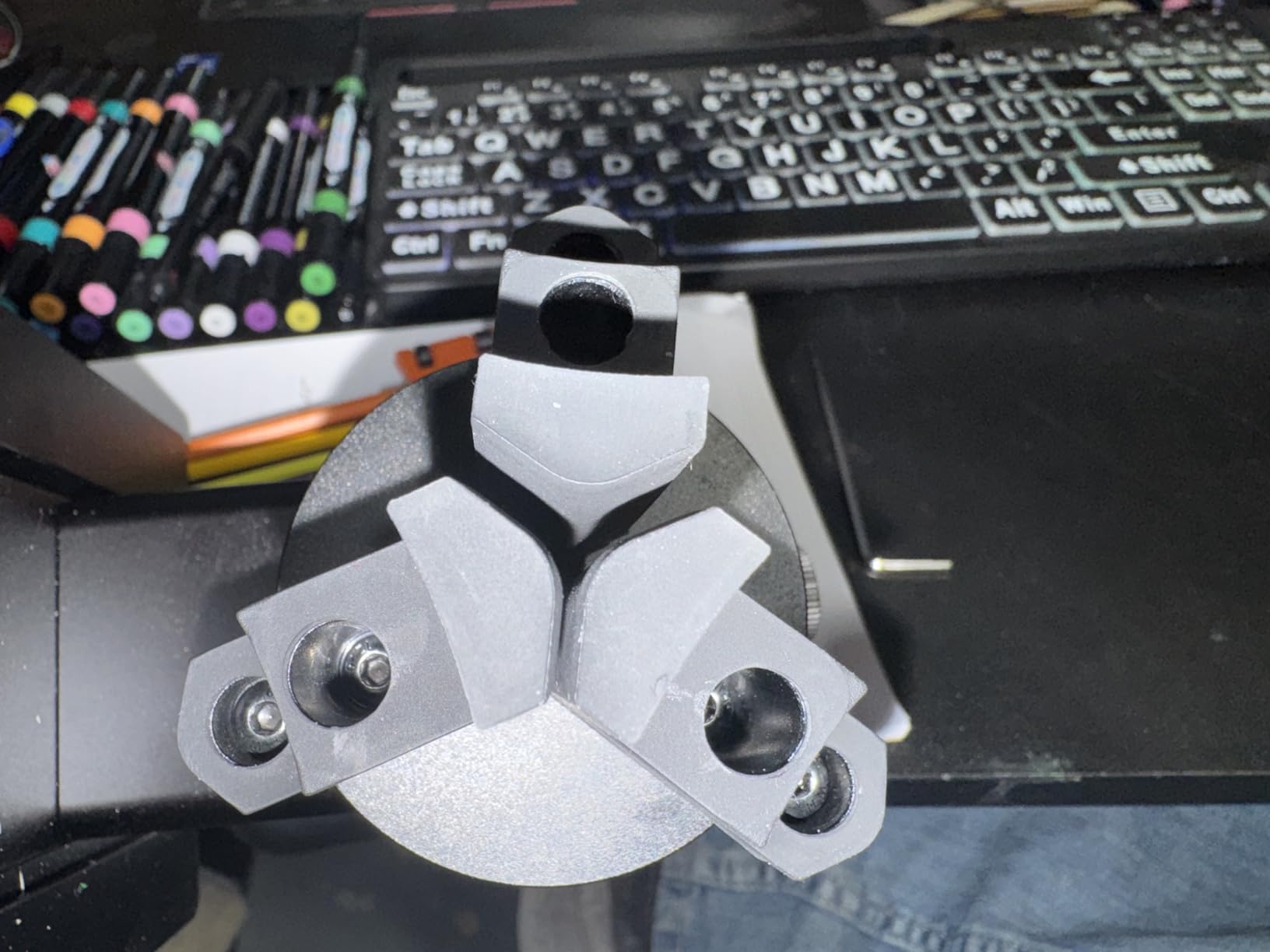
This is a jaw chuck rather than a roller, and the 3-in-1 kit is the reason. It includes trapezoidal, L-shaped and hexagonal gripper sets, so handled mugs, tumblers and hexagonal bottles sit tight instead of rocking. The published coverage is broad: cylinders from 1 to 110mm, shaped items such as handled mugs and tumblers from 25 to 75mm, spheres from 10 to 130mm, and rings and bracelets from 15 to 100mm.
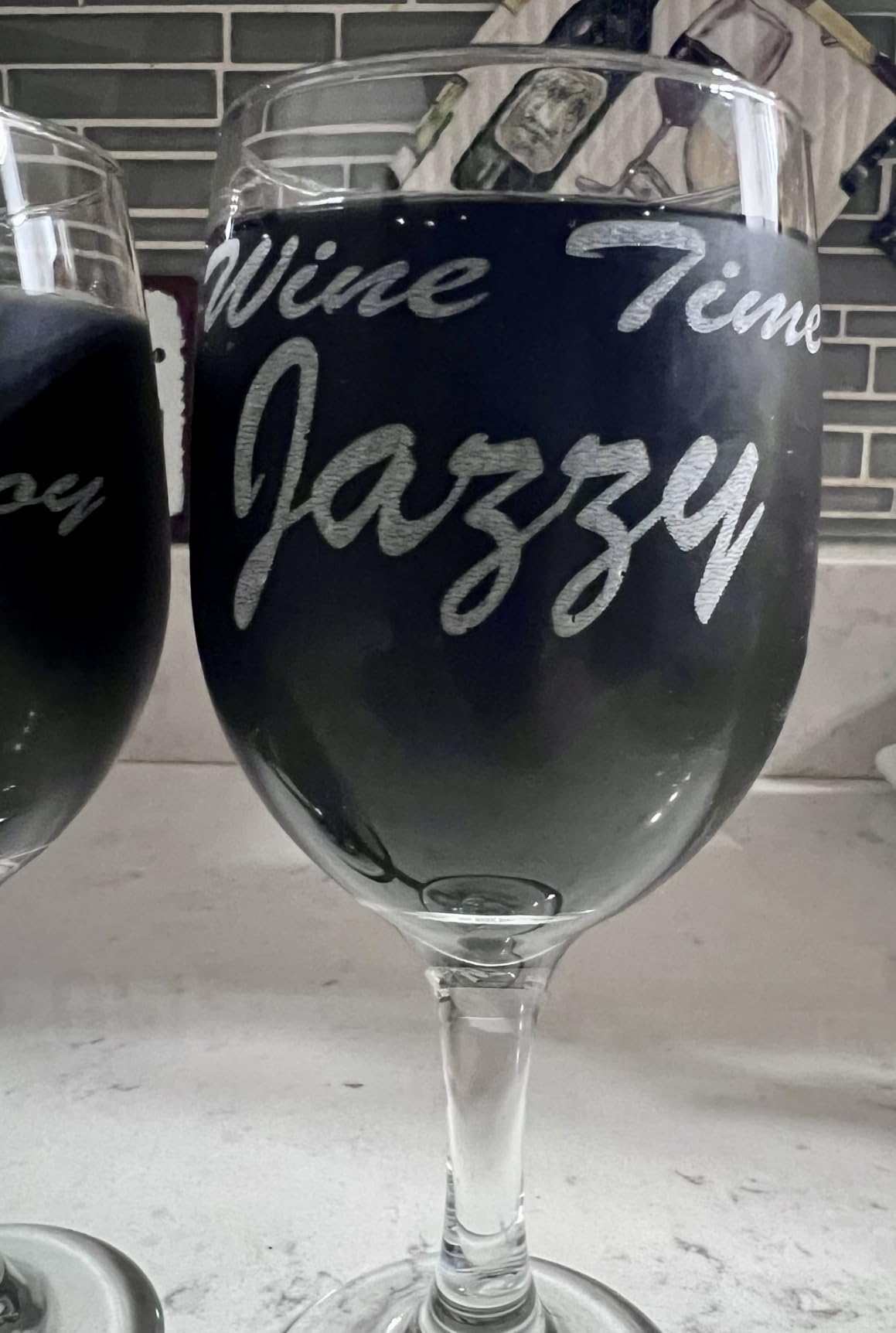
The anti-slip soft pads are the detail we would highlight. They raise friction and protect fragile glassware at the same time, which is exactly the failure mode that shows up when a smooth bottle is held too lightly. There is no assembly required, and the PH2.0-6P 6-pin interface works with the Creality Falcon series and roughly 95 percent of market engravers.
It is the heaviest of the Creality pair at 5.04 pounds, and the footprint is 14 x 4.8 x 3.9 inches, so plan the mounting position. At 4.3 stars from 53 ratings it carries the lowest average in this set, and the distribution shows why – 67 percent five-star, but 8 percent one-star, which points at durability rather than usability.
Check the warranty path before you buy
Most reviewers report the unit works as intended with easy setup and solid construction. Against that, one detailed account describes a unit failing within two weeks and Creality declining to replace it under warranty. A single report is not a pattern, but on a mechanical part with no spare-parts ecosystem, that is exactly the risk worth thinking about.
Risers are also not included, so the mounting cost sits on top of the sticker price. And reviewers note the software takes some getting used to, so plan a first session of test jobs before a customer deadline.
Choose the gripper that matches the object, not the object that fits
The three gripper sets are the reason to own this over a single-jaw chuck. Trapezoidal jaws suit tapered tumblers, L-shaped jaws reach handled mugs where a straight jaw cannot, and hexagonal grips lock a faceted bottle or crystal tumbler. Spending two minutes picking the right set prevents the rocking that ruins a wrap.
If you mostly engrave straight cylinders, the plain roller modules here are lighter and cheaper. This kit earns its place on a bench that sees rings, bracelets, handled mugs and spheres in the same week.
8. AlgoLaser RR2 Rotary Roller – Best Rotary for Diode Engravers With No Software Setup
- No software setup needed because roller surface speed matches Y-axis speed
- Pre-assembled with only two screws to adjust
- Works with most GRBL-controlled engravers plus LightBurn and LaserGRBL
- Precision 42 hybrid stepper motor for detailed work
- 7-step diameter adjustment reaching up to 150mm
- Not compatible with the Pixi despite some listing variants mentioning it
- Smallest review base in the set so long-term durability is less documented
The AlgoLaser RR2 solves the problem that trips up most first-time roller buyers: parameters. Because the roller surface speed matches the original Y-axis speed, there is no software setup at all – no steps-per-revolution entry, no gear ratio guess, no console command. It works with most laser engravers using a GRBL controller with no drivers required, and it also runs LightBurn, LaserGRBL and the AlgoLaser app.
The motor is a precision 42 hybrid stepper, which holds detail on line work without dropping features. The 7-step diameter adjustment reaches up to 150mm, wider than the typical 120mm ceiling on budget rollers, so oversized bottles and wide cans are within range. Users put it to work on logs, cups, bottles, tubes, bowls, guitars, drums, cans and pens.
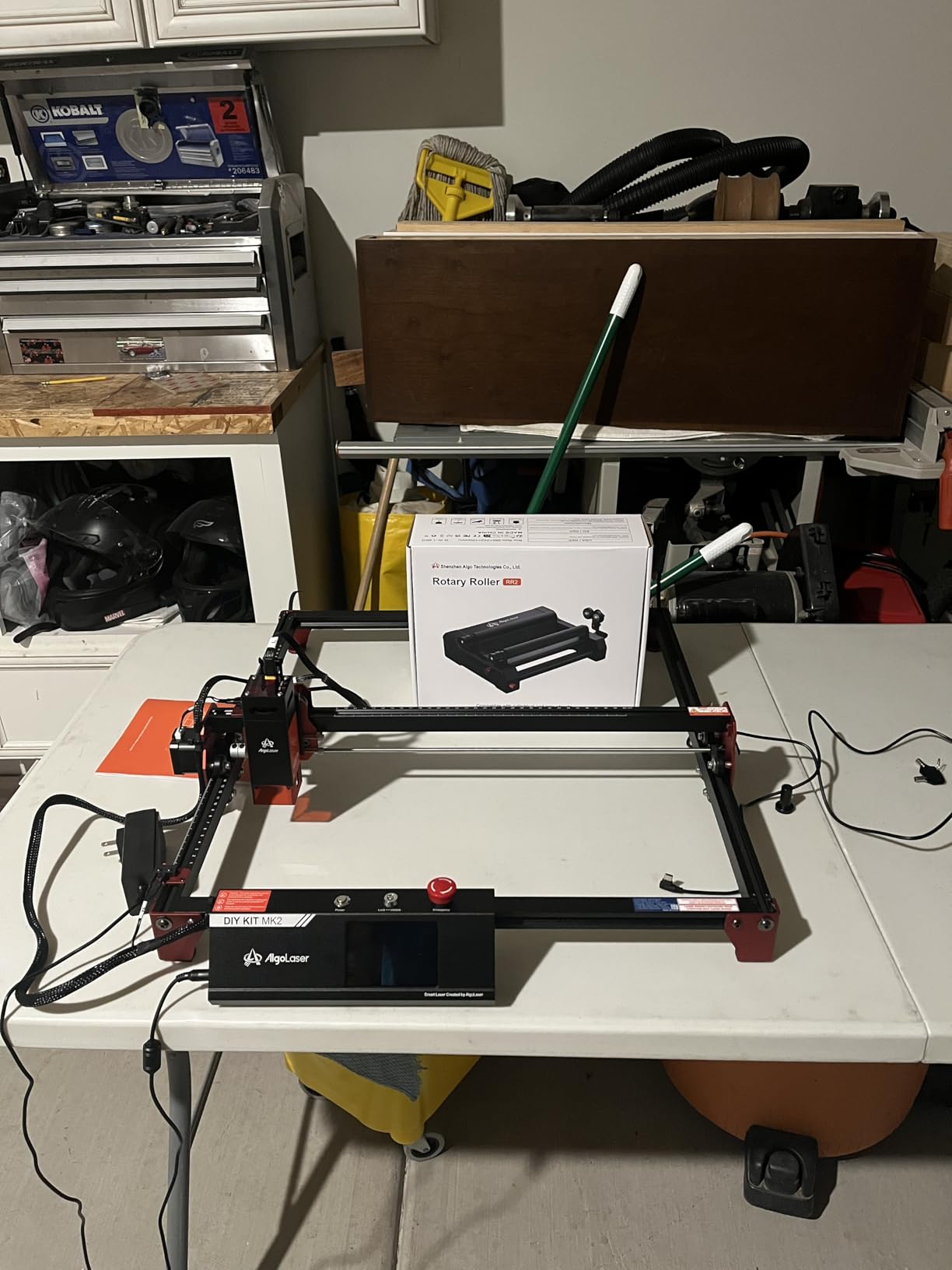
Setup is genuinely plug-and-play: pre-assembled, with only two screws to adjust. That is the strongest argument for it on a diode or entry-level engraver where you may be running GRBL defaults and would rather not touch controller firmware. At 3.52 pounds and 10.4 x 7.6 x 2.7 inches it is compact enough for a small bed.
Verify the controller type, not just the brand
The compatibility claim is tied to GRBL-controlled machines. If your engraver runs Ruida or Trocen boards, or a proprietary controller such as the one on a closed ecosystem machine, the no-configuration promise does not apply and you will be entering rotary parameters by hand. Check the controller before buying, and check it against the list of machines you own or plan to own.
There is also a specific exclusion worth noting: it is not compatible with the Pixi, even though some listing variants mention that machine. Buying on the basis of a variant label here can mean an expensive return.
Weigh the review sample honestly
The 4.5 stars from 32 ratings is the highest rating-to-review ratio in the group, with 78 percent at five stars, which is a genuinely encouraging signal. It is also the smallest sample here by a wide margin, so long-term durability is less well documented than the 723-review Ortur roller or the 396-review xTool.
For a diode engraver or a GRBL machine where you want zero configuration, that is an acceptable trade. Our [diode laser engraver guide](https://www.dognotebook.com/best-diode-laser-engravers/) covers the machine side if you are matching them up.
9. OMTech 4-Wheel Rotary – Best Rotary for Long 50W Plus CO2 Workpieces
OMTech 4-Wheel Rotary Cutter and Engraver Attachment with Nema 23 2-Phase Stepper Motor for 50W 60W 80W 100W 130W CO2 Laser Engraving Machine Rotary Tool Accessory Kit for Wood and More
- 12 inch span between drive wheels handles long objects
- Precision-engineered tailstock gives smooth and quiet rotation
- Installation is a 4-wire cable plus software configuration
- Covers cups
- bottles
- tubes
- pipes and bowls
- Requires a 50W or higher CO2 laser so it will not work with diode or fiber machines
- 13 percent of ratings are one star
- Lowest average rating in the set at 4.1 stars
This is a wheel-style rotary built for production CO2 work, and the specification that matters is the 12-inch span between the drive wheels. That handles objects 2 to 14 inches long and 0.4 to 6 inches in diameter, a range no roller or compact chuck in this roundup matches. Long pipes, tubes and timber offcuts are the target, and the tailstock gives smooth, quiet rotation at both ends.
Installation is refreshingly simple: the 4-wire attachment cable into the dedicated engraver port, then a software configuration step. Buyers credit the wide drive span, the quiet tailstock and that plug-and-fit setup, and it is covered by the OMTech warranty and customer service.
The compatibility line is hard, and it is the first question to ask
Compatibility is the dealbreaker for most hobbyists. This module requires a 50W or higher CO2 laser engraving machine, which means it will not work with diode or fiber machines at all. If your bench is a 40W CO2 unit or a diode engraver, cross this one off the list before reading any other specification.
There is also a variant listed for 40W laser engravers, so verify which variant you are actually receiving. The 50W and up version is what the Nema 23 2-phase stepper motor and 19.3 x 6 x 9.1 inch frame are specified for.
Read the low rating before you commit
At 4.1 stars from 51 ratings, this is the lowest average in the set, and the distribution explains it: 62 percent five-star, but 13 percent one-star and 11 percent three-star. The mechanical design is not the problem – the wheel approach is proven – so the criticism most likely lands on the 4.1 score band itself rather than on any single failure.
For a shop that engraves long pipe and tube stock all day on a 100W or 130W CO2 machine, the span justifies itself quickly. For occasional use on drinksware, the lighter modules above do the same job with far less mass on the bed.
10. OMTech 3-Jaw Chuck Rotary – Best Rotary for Heavy-Duty CO2 Production
OMTech Rotary Axis Attachment with 3-Jaw Chuck for CO2 Laser Engravers
- 3-jaw chuck and tailstock give smooth and quiet centering
- Iron and aluminum alloy construction with corrosion-proof coating
- Full 360 degree coverage of round workpieces from bottles to bowls
- Zero one-star ratings across 42 reviews
- Heaviest unit in the set at 9 kg so it is a two-person lift
- Limited to 50W and higher CO2 laser engravers
- Most expensive non-xTool module in the roundup
The OMTech 3-jaw chuck rotary is built like a machine tool rather than an accessory. The chuck and tailstock combination centers round work smoothly and quietly, and the tough iron and aluminum alloy construction carries a corrosion-proof coating for long service life. At 9 kilograms, with a footprint of 22.8 x 5.9 x 7.1 inches, this is a two-person lift and it will dominate a small bench.
Coverage is full 360 degrees on cups, bottles, tubes, pipes and bowls, and installation is just the 4-wire attachment cable and a software configuration step. It is backed by the OMTech warranty and customer service, and it runs on 50W, 60W, 80W, 100W and 130W CO2 laser engraving machines.
Check the lifting plan before the box arrives
Nine kilograms is the practical constraint. On a light-duty engraver with a thin bed or a movable gantry, an operator lifting or nudging this module while a workpiece is mounted is a real handling risk, and the natural fix is a second person or a proper lift. The unit is also the most expensive non-xTool module in this roundup.
Because the jaws grip rather than roll, you also inherit the chuck trade-off: contact pressure on the surface, and the need for soft pads on coated or glass workpieces. If your cylinders are perfectly round and smooth, the roller modules are gentler and far lighter.
Why the rating holds steady in production
At 4.4 stars from 42 reviews, the distribution is the healthiest in the set: 69 percent five-star, 15 percent four-star, and zero one-star ratings at all. That pattern fits a rugged industrial module rather than a hobby accessory – no dramatic failures, consistent function, and buyers who value quiet, accurate centering over portability.
If you run a 100W or 130W CO2 machine and engrave heavy or long work daily, this is the module built for that bench. For a diode engraver or a 40W CO2 unit, neither of the two OMTech modules here is a fit, and we would point you at the xTool, ORTUR or Creality units instead.
How to Choose the Right Rotary Attachment for Your Machine?
Start with controller compatibility, because it eliminates half the list before you look at anything else. A rotary plugs into the Y-axis port and takes over that motor, which means the machine and its controller decide whether it will work at all. GRBL-based machines running LaserGRBL or LightBurn accept almost anything on this list. Ruida and Trocen boards need a rotary that speaks their dialect. Closed ecosystems like xTool are easiest with the official module and still work with several of the open units.
One consequence catches new owners: once the rotary is connected, Y-axis travel is disabled. You lose flat-bed positioning along that axis for the duration. If you switch between curved and flat work constantly, plan for the swap rather than fighting it.
Second, match the type to the object. Rollers for straight, smooth cylinders. Chucks with a tailstock for tapered, handled, heavy or irregular items. A multi-mode module when your catalog spans drinkware and jewelry. Third, check the vertical envelope – a 36oz handled tumbler needs more Z range than the frame height suggests, and that is the most repeated caveat in the customer reviews across this whole list.
Fourth, look at the diameter range rather than the headline maximum. A module that stops at 110mm is fine until you photograph a wide serving bowl. Fifth, consider the grip: soft-padded jaws protect coated drinkware, and rubber rollers or a laser-safe mat prevent slippage on small parts. Sixth, look for a documented interface – a 6-pin connector or a stated two-harness system is a good sign, vague compatibility language is not. Seventh, check the support path. Spare jaws, belts and a real return policy are what separate a module you keep for years from one you replace.
If your machine is a fiber laser or a metal engraver, the fit is different again. Fiber systems run with dedicated chucks sized to smaller workpieces, and the two OMTech modules here are explicitly for 50W-and-up CO2 machines, not fiber or diode. Our [metal laser engraver guide](https://www.dognotebook.com/best-laser-engravers-for-metal/) covers the machine side if that is your setup.
Finally, the four parameters that actually decide whether your engraving looks right. Pulses per revolution is the motor pulses needed for one full turn and must match your rotary motor and controller. Gear ratio relates motor rotation to actual rotary rotation and is usually 1 or 1.1 on direct-drive units. Object diameter is the measured diameter at the engraving spot, and a wrong value here is the most common cause of stretched or compressed output. Split size controls how much of the circumference is processed per segment, so a smaller value reduces visible seam lines at the cost of run time. LightBurn and EZCAD2 name these differently, which is why community troubleshooting threads are full of people comparing notes on the same four numbers.
The most profitable laser engraved items, incidentally, are the ones a rotary unlocks: tumblers, water bottles, wine glasses, pens, rings and bracelets. A flat bed simply cannot reach most of them, which is why a rotary attachment is the cheapest way into the highest-margin part of the custom engraving market.
Frequently Asked Questions
What is the best rotary laser?
The xTool RA2 Pro is the best all-round rotary attachment in our testing, with roller, chuck, sphere and ring modes, up to 360 degrees per second and a 4.6 rating across 396 reviews. The Ortur Y-Axis Roller is the best value pick, and the ORTUR YRC1.0 is the choice for rings and spheres.
What is a good laser rotary engraving machine?
A good laser rotary attachment clamps and rotates a cylindrical or curved object so the laser head can wrap a seamless 360 degree design around it. The three types are roller rotary for smooth cylinders, chuck rotary for tapered, handled or ring work, and a rotary table for batch engraving of many identical parts.
Can I use a laser rotary with a diode laser?
Yes. Most modules in this roundup, including the Ortur, Longer, Creality and AlgoLaser rollers, are GRBL-based and work on diode engravers running LaserGRBL or LightBurn. The two OMTech modules here are the exception: they require a 50W or higher CO2 laser and will not work with diode or fiber machines.
What are the most profitable laser engraved items?
Tumblers, water bottles, wine glasses, wooden pens, rings, bracelets and spheres lead the list because a flat bed cannot reach them at all. A rotary attachment opens that whole category of drinkware and jewelry, which is why it pays for itself faster than any other engraver accessory.
Which Dremel is best for engraving?
A Dremel is a handheld rotary tool and is not a laser rotary attachment, so the two are not interchangeable. If you want to engrave tumblers, bottles and rings with a laser, you need a Y-axis rotary module like the ones above. A Dremel is useful for cleaning and detailing engraved surfaces afterwards.
Conclusion: Our Best Rotary Attachments for Laser Engravers in 2026
The xTool RA2 Pro is our pick for the best rotary attachments for laser engravers in 2026, because four working modes in one pre-assembled package cover almost any product line, and the 4.6 rating across 396 reviews backs the engineering. If you want the same job done for a fraction of the outlay, the Ortur Y-Axis Roller has the deepest owner base and handles straight cylinders reliably.
Match the type to the workpiece and the controller to the machine, buy the riser if you need one, and spend an afternoon on the four rotary parameters before your first paid job. Check the price on any of these before you order, and pick the one whose diameter range and height envelope actually fit the things you sell.