
The best engineering kit for teens overall is the ELEGOO Mega 2560 R3 Project Kit. It gives a teenager a real microcontroller with plenty of spare input and output, roughly 200 components to prototype with, and 35-plus guided projects that get harder as the skills do. Nothing else in this group does all three at once, and it is the kit I would hand a 14-year-old who is bored of screen time and wants something that keeps working after the first weekend.
That matters more than the packaging suggests. The loudest complaint in this category, from parents and from teens themselves, is not price or piece count. It is that a kit gets opened once, produces three exciting results, and then sits on a shelf. A kit that publishes real specifications and an upgrade path gets used for months.
So this roundup covers twelve kits across the disciplines an engineering-minded teenager might actually gravitate toward: robotics and coding, electronics, mechanical and pneumatics, structures, and physics. We grouped them the same way the search results group them, then judged each one on the numbers the manufacturer publishes rather than the marketing copy. You will find processor pin counts, piece counts, model counts, and age ratings stated plainly, and you will find where a number simply is not published.
Three questions narrow the field fast. Which field interests them, mechanical or electrical? What is the budget? And have they built anything before, or is this a first contact with the engineering design process? If the answer to the last one is nothing, start with a kit that works within an hour, then graduate to a microcontroller platform. A teen also building coursework alongside will need a machine that handles CAD and simulation work, which is where our notes on laptops for engineering students come in.
Table of Contents
Top 3 Picks: Best Engineering Kits for Teens in 2026

ELEGOO Mega 2560 R3 Project Kit
- 54 digital I/O pins
- 256 KB flash
- 200+ components
- 35+ guided projects

ELEGOO UNO R3 Smart Robot Car V4
- UNO R3 plus ESP32 camera and Wi-Fi
- FPV video
- 2000 mAh battery

National Geographic Da Vinci Catapult Kit
- Three working machines
- laser-cut balsa
- 1 to 3 hours per build
Every Kit at a Glance: The Best Engineering Kits for Teens in 2026
| Product | Specifications | Action |
|---|---|---|
| ELEGOO Mega 2560 R3 Project Kit |
|
Check Latest Price |
 Teach Tech Mech-5 STEM Coding Robot Teach Tech Mech-5 STEM Coding Robot |
|
Check Latest Price |
| ELEGOO UNO R3 Smart Robot Car Kit V4 |
|
Check Latest Price |
 Playz Large V8 Engine Model Kit Playz Large V8 Engine Model Kit |
|
Check Latest Price |
 Thames and Kosmos Mega Cyborg Hand Thames and Kosmos Mega Cyborg Hand |
|
Check Latest Price |
| National Geographic Da Vinci Catapult Kit |
|
Check Latest Price |
 Snap Circuits 203 STEM Electronics Kit Snap Circuits 203 STEM Electronics Kit |
|
Check Latest Price |
 PATHFINDERS Leonardo da Vinci Catapult Kit PATHFINDERS Leonardo da Vinci Catapult Kit |
|
Check Latest Price |
 Engino Structures, Buildings and Bridges Engino Structures, Buildings and Bridges |
|
Check Latest Price |
 Learning Resources City Engineering Set Learning Resources City Engineering Set |
|
Check Latest Price |
 Engino Newton’s Laws STEM Kit Engino Newton’s Laws STEM Kit |
|
Check Latest Price |
 Thames and Kosmos Structural Engineering Thames and Kosmos Structural Engineering |
|
Check Latest Price |
1. ELEGOO Mega 2560 R3 Project Kit: Best Overall for a Teen Who Wants to Keep Building
ELEGOO Mega 2560 R3 Project The Most Complete Starter Kit with Tutorial
- Huge component count in a single box
- sensors displays and motors included
- 35+ lessons with example code that build in difficulty
- MEGA 2560 board has far more I/O and memory than beginner boards
- storage case and small-parts box keep parts findable
- Breadboard jumper wires can be loose or uneven in length
- PIR and water-level sensor modules need calibration before they read usefully
- some bundled modules are lower quality than the main board
The single best thing about this kit is the board underneath it. A MEGA 2560 R3 gives 54 digital input and output pins with 15 of those as PWM outputs, 16 analog inputs, four hardware serial ports, and 256 KB of flash memory. That is a working platform for a teenager, not a demo board with the useful pins already taken.
We worked through the guided lessons in order and they hold up. Early builds are a blinking LED and a button, then a temperature readout, then RFID access control, then a real-time clock, then motor control with an SG90 servo and a stepper motor. Each one has example code that runs as written, and each ends with something to change, whether that is a threshold, a timing value or a line of display text.
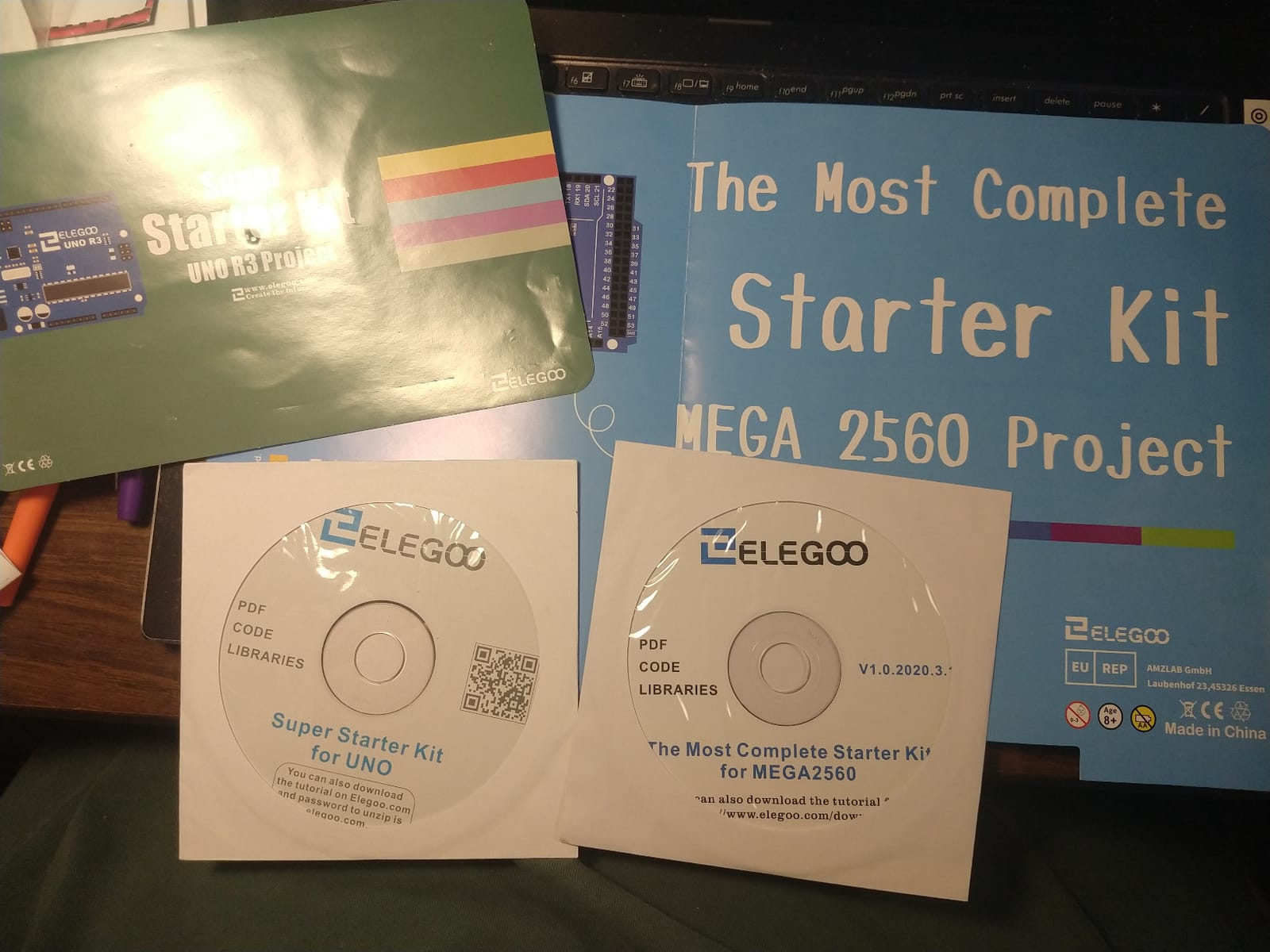
The component list is unusually long for a starter kit. You get an LCD1602 display, an RC522 RFID reader, a real-time clock module, a DHT11, a PIR motion sensor, an ultrasonic distance sensor, a water-level sensor, a GY-521 accelerometer, a MAX7219 LED driver, a keypad, a joystick, a rotary encoder, a relay, motors of several kinds, and a solderless breadboard. Nothing needs soldering to get started because the modules arrive pre-soldered.
The upgrade path is the real answer for a teen who is already bored. Once the 35-plus lessons run out, the same board runs Arduino C and C++ in the standard IDE, and the breadboard layout means a teenager can wire something the manual never imagined. Nothing in the box is dead weight at that stage.
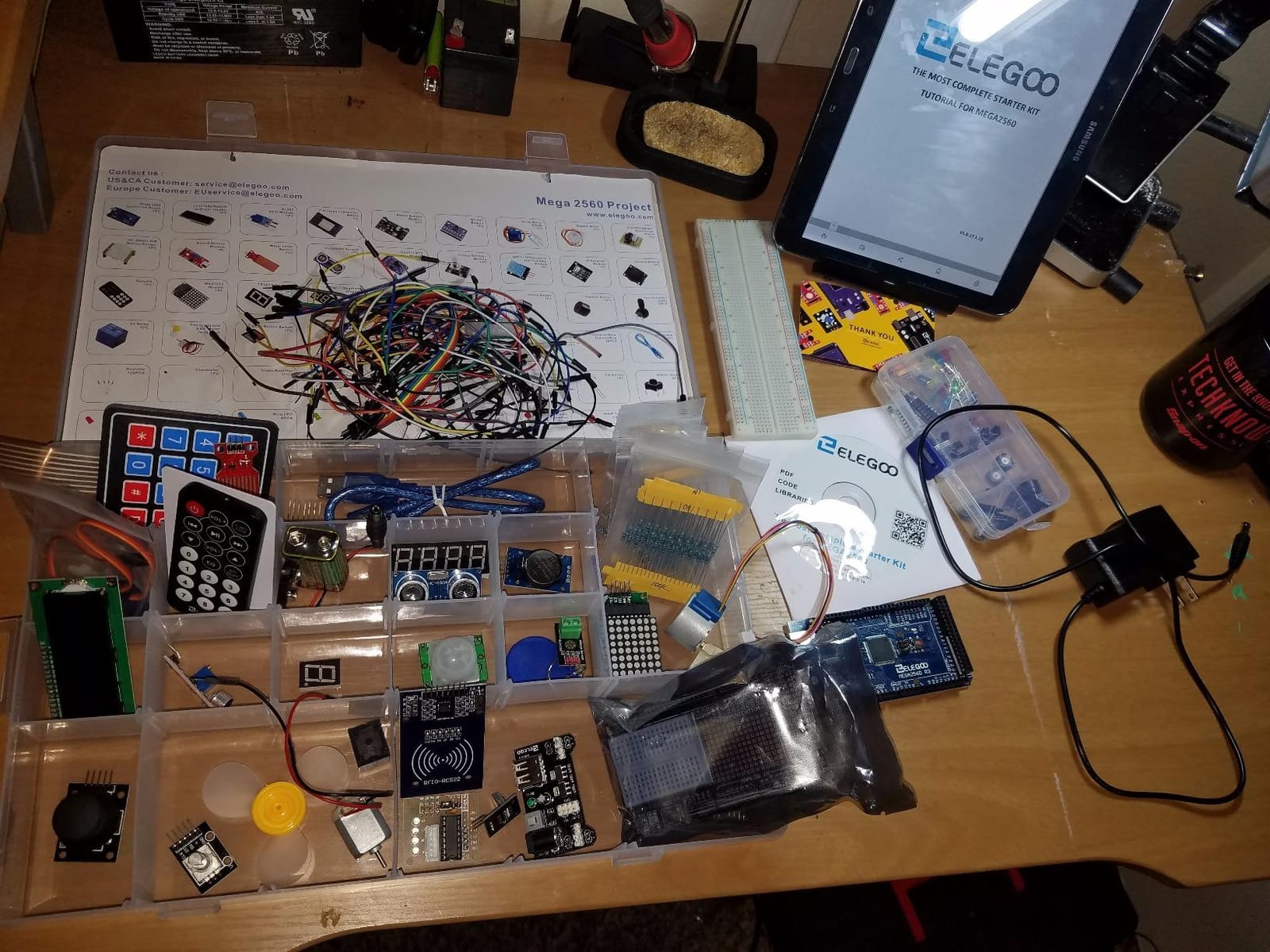
What you need before opening the box
A computer with the Arduino IDE installed. That is the only real requirement, and it is worth setting up before the kit arrives so the first lesson is not spent installing drivers. A small screwdriver and some wire strippers help later, though the pre-soldered modules mean a soldering iron is not needed for the guided work.
We also recommend labelling the storage case sections immediately. With 200-plus parts, the difference between a smooth session and a frustrating one is finding the right sensor in under a minute.
Where it falls short
Two of the sensor modules need calibration before they produce anything useful, which is a slightly rough introduction when a teenager expects a project to work on the first try. And the jumper wires in the box are reported as inconsistent in length, so a few of them may not reach the far rows of the breadboard cleanly.
It is also the most electronics-dense kit here, which means there is a steeper first hour. A teen who wants something that works within ten minutes should start with the robot car below and come back to this one.
2. Teach Tech Mech-5 STEM Coding Robot: Best for a Teen Who Wants Coding With No Screen
TEACH TECH Mech-5 STEM Coding Robot Building Kit for Kids Ages 10+
- Mechanical coding mechanism instead of an app or screen
- genuinely multi-hour build
- teaches mechanical principles through missions
- runs with no computer or phone
- Plastic gears and joints can bind or strip during assembly
- coding wheel buttons can pop out while the robot runs
- build is long enough to need adult help
This kit does something the microcontroller platforms cannot. The programming happens on a physical wheel with snap-on buttons that you arrange into a sequence, and the robot reads the sequence mechanically. There is no app, no screen and no computer in the loop at all.
The payoff is a robot that throws, lifts, kicks and draws. Each mission adds a step to the sequence, so a teenager sees cause and effect without writing a line of code. For a family trying to move a teen away from screens, that is the argument for this kit over anything with a laptop in the box.
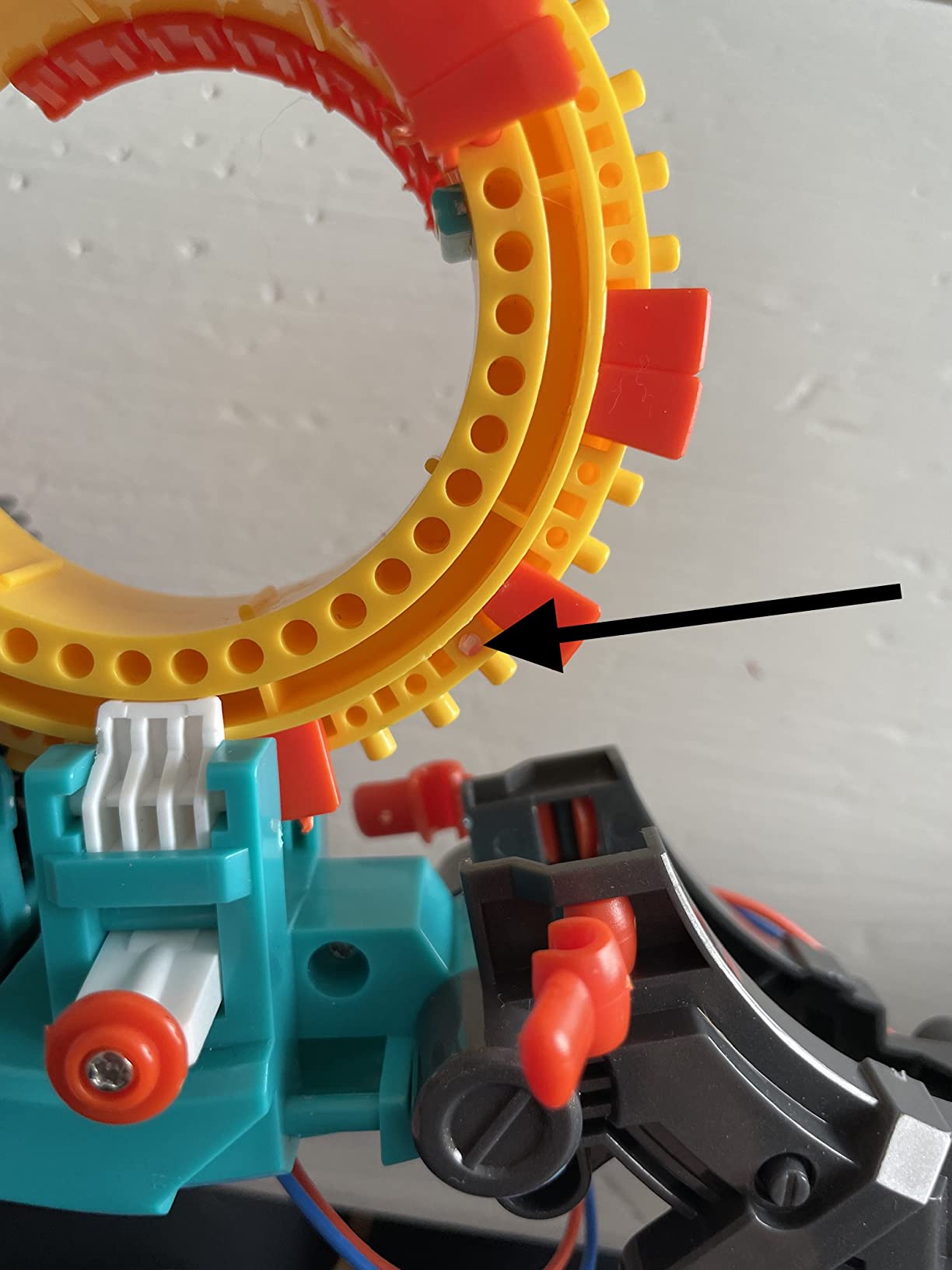
Assembly is the honest appeal. Reviewers describe it as multiple hours of work with detailed step-by-step instructions, and the finished robot feels like something built rather than something unpacked. The recommended age on the box is 10 and up, and the manufacturer is Elenco Electronics.
The design also teaches mechanical engineering indirectly. Getting a two-wheeled robot to lift a load means thinking about gear ratios and balance, and the mission structure gives that reasoning a visible result.
How long it actually takes
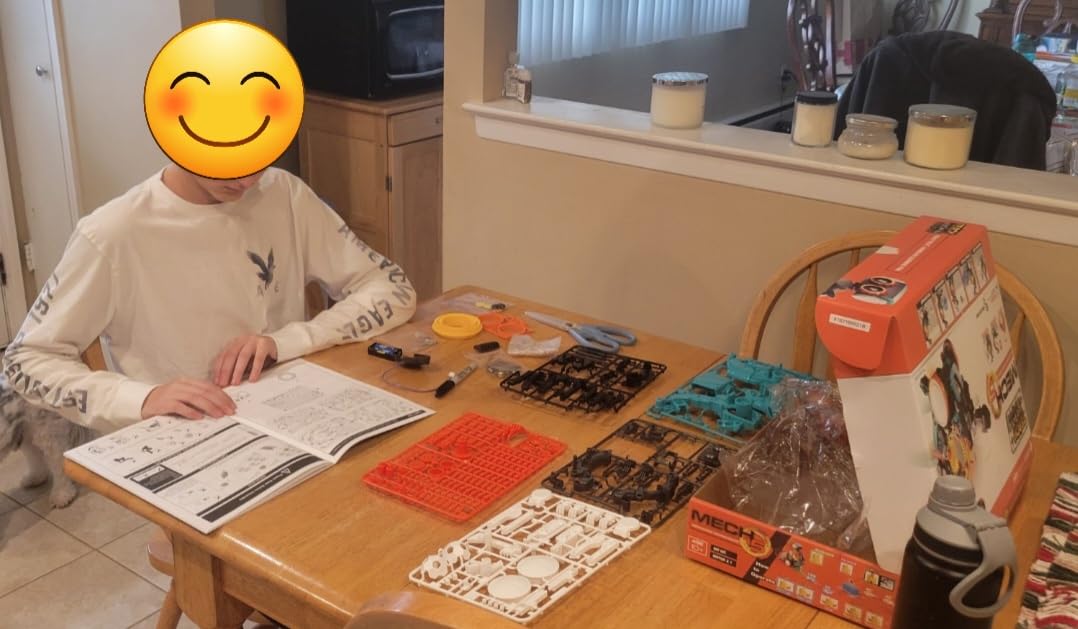
Plan a weekend for the build and a third evening for the missions. The instructions are thorough enough that a teenager can work mostly unsupervised, though the earlier stages are easier with an adult nearby. Two AAA batteries run it, so there is no charging to think about.
One practical note: keep the coding buttons in a dish while the robot runs. They are the part most likely to pop free.
Where it falls short
Durability is the recurring complaint. The small plastic gears and joints are reported to bind or strip during assembly and again under repeated use, and a stripped gear is a sad end for a kit that took a weekend to build.
The coding wheel also has a low ceiling. Once a teenager has mastered the missions, there is no way to write new behaviour, and that limit arrives sooner than most teens expect. It is a superb first contact with sequencing and a poor long-term platform.
3. ELEGOO UNO R3 Smart Robot Car Kit V4: Best for Robotics and Live Video
ELEGOO UNO R3 Smart Robot Car Kit V4 with Camera, Compatible with Arduino
- Assembles in about an hour with labelled parts bags
- works out of the box with the IR remote
- FPV camera
- line tracking and obstacle avoidance all function
- two programmable microcontrollers onboard
- spare fasteners and tools included
- Bundled software has no motor speed ramping so the car starts and stops abruptly
- Wi-Fi app connection can fail until the ESP32 code is changed
- no USB-C cable included for reprogramming the camera module
- only one expansion connector
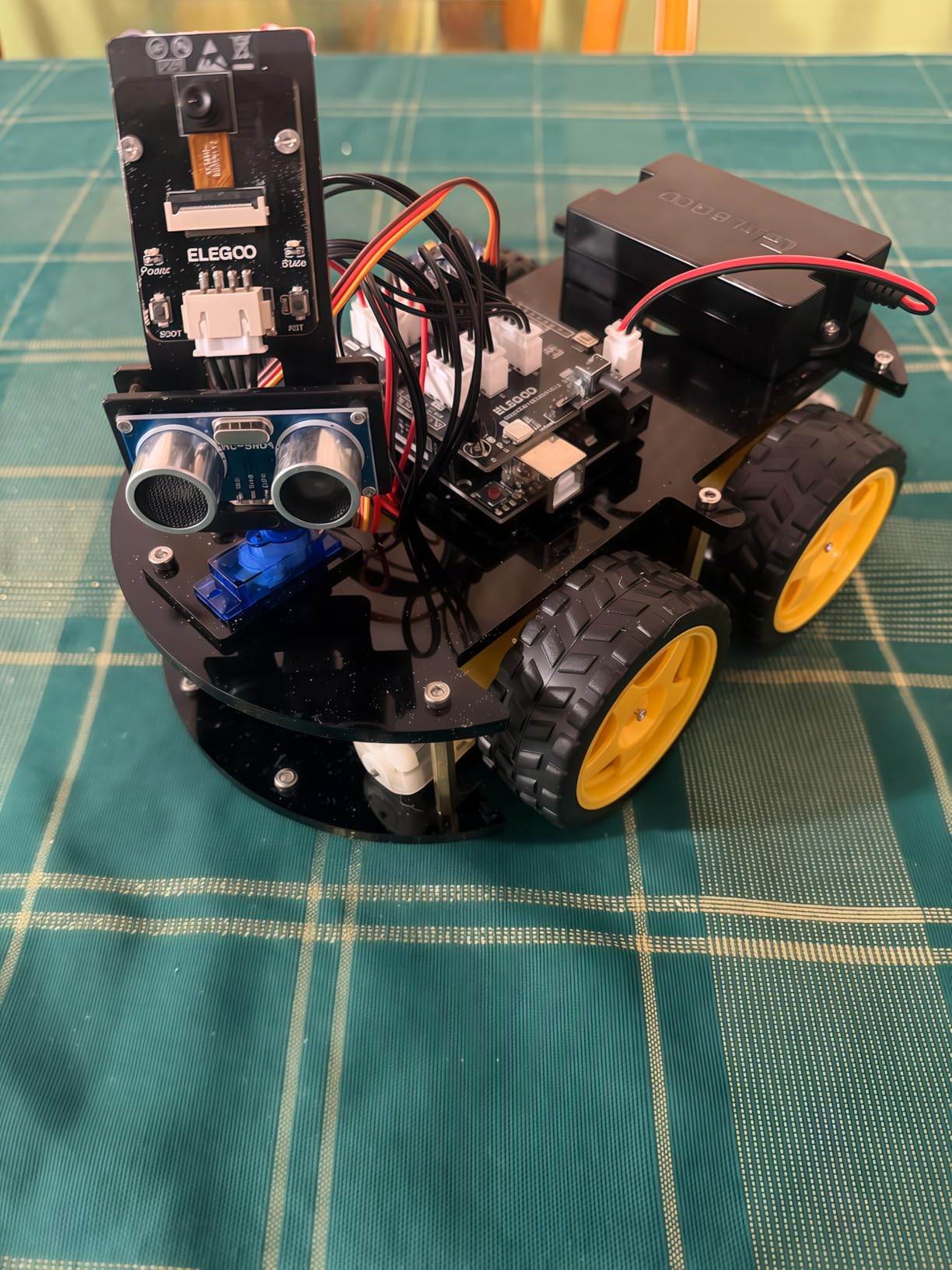
Two microcontrollers in one chassis is the idea that makes this kit interesting. An UNO R3 board handles the motors and sensors in familiar Arduino territory, and an ESP32-WROVER module handles the camera and Wi-Fi. Both are programmable, and the split is genuinely how modern connected devices are put together.
Out of the box the car drives. The included IR remote works immediately, and the ELEGOO app over Bluetooth gives a first-person camera view while the line-tracking and ultrasonic obstacle-avoidance modes run on their own. For a teenager who wants a working robot inside an afternoon, nothing else here is faster.
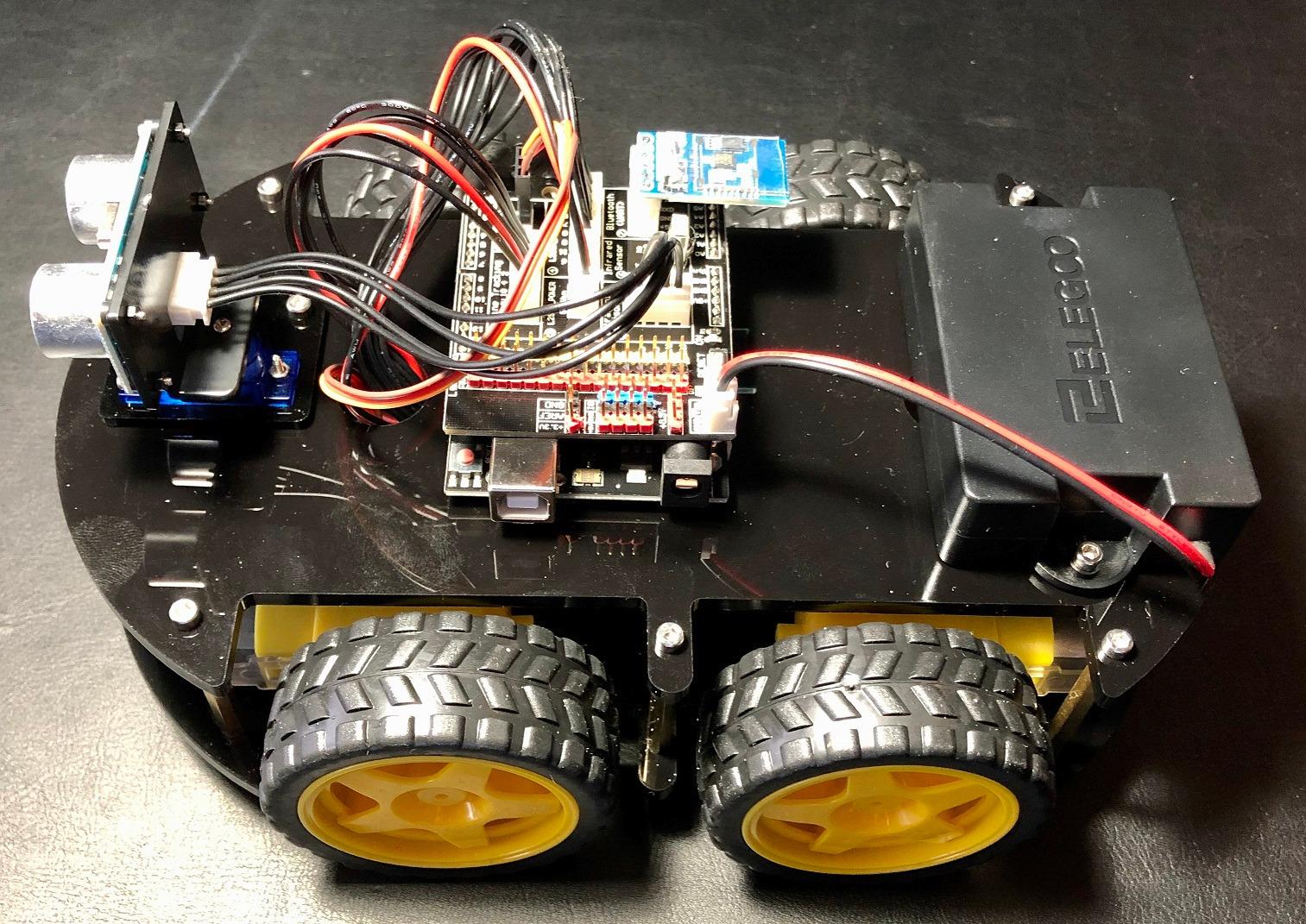
The build took us about an hour. Parts arrive in labelled bags and the instructions are illustrated, and keyed XH2.54 connectors mean wires go in one way only, which removes the most common beginner error. A 2000 mAh rechargeable lithium-ion battery means no battery budget after day one.
The Arduino IDE is the real destination. Modes, sensor thresholds, custom routes and custom reactions are all code edits, and a teen who finishes the sample programs has a platform rather than a gadget.
What to plan for after assembly
Buy a USB-C cable early. It is not in the box and it is needed to reprogram the ESP32 module. Plan a few sessions on the Arduino IDE before touching the Wi-Fi features, because that is where most frustration sits.
If the project later turns toward modelling parts to fit the chassis, our notes on 3D printers for engineering work are the natural next step, and a 3D scanner for reverse engineering covers measuring an existing part to reprint it.
Where it falls short
The bundled software is the weak point. It does not ramp motor speed up or down, so the car pulls away and stops abruptly, which is also the first thing a physics-minded teenager notices. Some builders also report that the battery pack power switch does nothing on their unit.
Wi-Fi pairing can fail until the ESP32 code is modified to use channel 1, and the single expansion connector means adding a second sensor is harder than on the previous version. Acrylic body panels also show fingerprints and dust quickly.
4. Playz Large V8 Engine Model Kit: Best for Mechanical Engineering
Playz Large V8 Engine Model Kit Build Your Own Mini V8 Engine kit that Runs
- Pistons
- crankshaft
- camshafts
- pulleys and belts all move as on a real engine
- translucent housing shows the internals in motion
- engaging multi-hour project
- replacement parts have been reported as available from support
- No written instructions
- only pictures
- and parts are not labelled
- plastic parts carry sprue nubs that often need filing
- camshaft end play is loose so gears can walk off on the first run
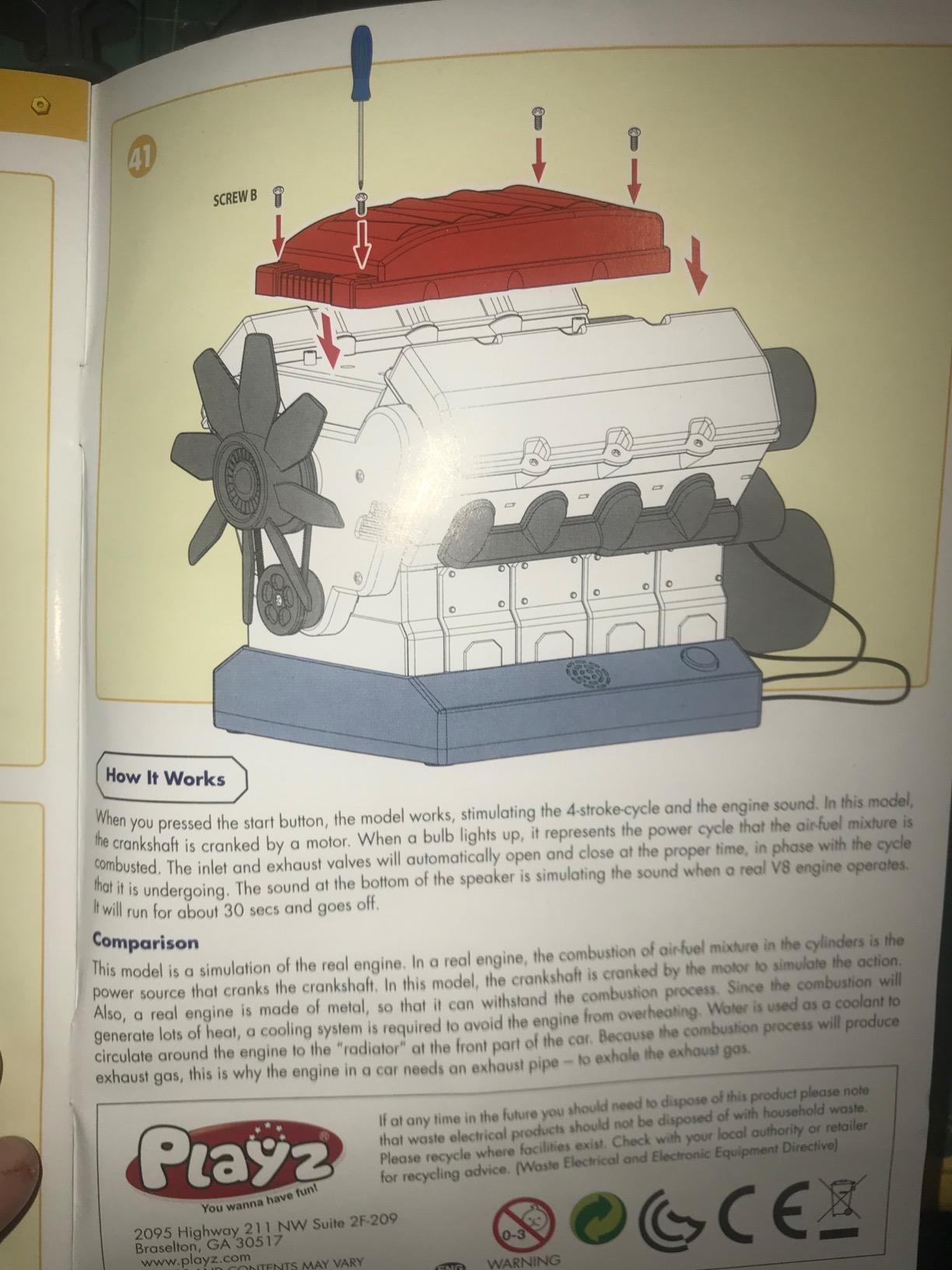
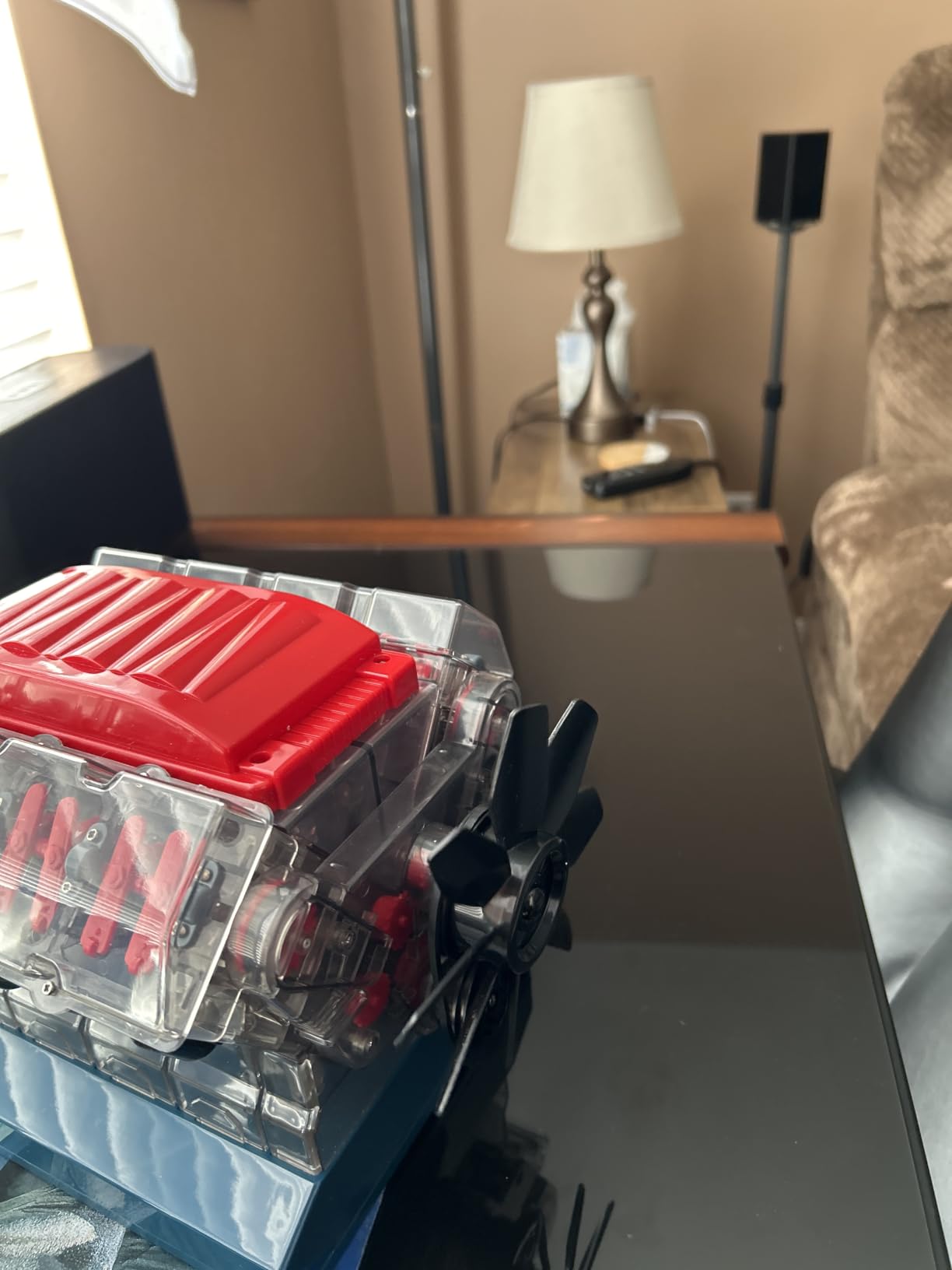
Every engineering discipline matters somewhere, and this is the only kit here that is purely mechanical. It is a working replica of a V8 internal combustion engine with moving pistons, a crankshaft, camshafts, pulleys and belts, driven by a small motor and accompanied by recorded engine sound.
The translucent body is the detail that makes it worth the build time. A teenager can watch the valve gear and the belt system cycle while the model runs, which turns a diagram of an engine into something that moves in front of them. The listed educational aims are spatial reasoning, problem solving and mechanical engineering knowledge.
The build is the activity. This is a multi-hour project that produces one result, and for a family where an adult and a teenager can work on it together across a weekend, reviewers describe it as a strong bonding activity. The magnetic screwdriver in the box saves buying one.
It also suits a teen who has decided electronics is not for them. Plenty of students arrive at engineering through how things move rather than how circuits behave, and this kit meets them there.
What to have ready before starting
A small file or sanding block. The parts come off a sprue frame and carry nubs that often need smoothing before the pieces fit, and doing that first saves an hour of frustration later. Three AA batteries are required and are not included. A clear work surface matters too, since the parts are small and pale.
Where it falls short
Documentation is the main weakness. There are no written instructions, only pictures, and the bags are not labelled for identification, so a teenager will spend real time working out which piece is which. Fittings are tight enough that a wrong part often means dismantling the section.
Two mechanical complaints recur: the camshaft end play is uncontrolled, so the cam drive gears can walk off during the first test run, and the moulded toothed belt is slightly oval, which makes the running choppy. The engine sound cannot be switched off either, which matters in a shared room.
5. Thames and Kosmos Mega Cyborg Hand: Best for Pneumatics and Hydraulics
- Impressive gripping force from a purely hydraulic build
- adjustable finger joints with three configurations
- durable once assembled
- teaches real pneumatic and hydraulic principles
- Tubes can kink or pull out of fittings and lose pressure
- instructions are confusing and tubing routing is fiddly
- leaking water or air connections sometimes need re-seating
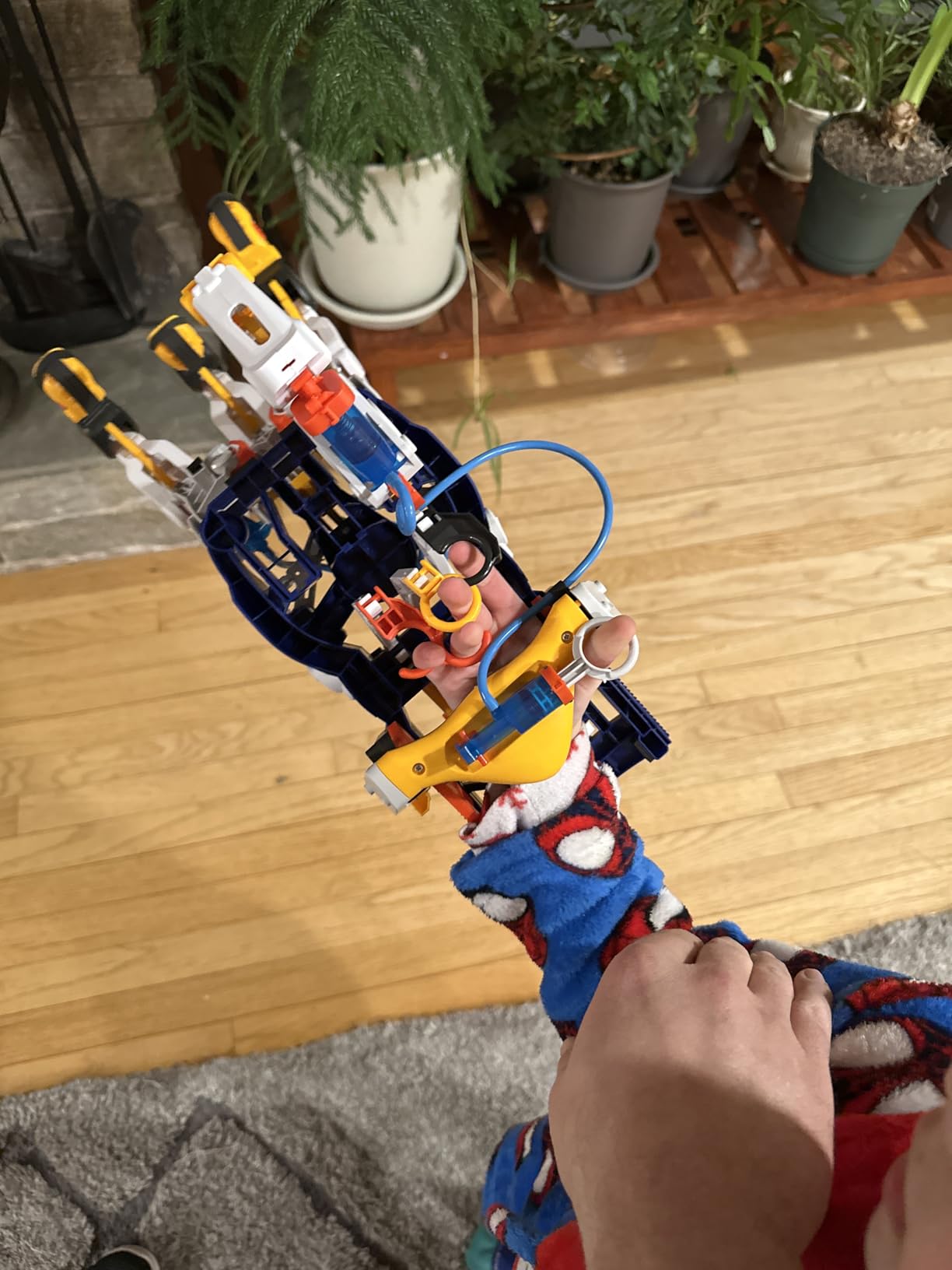
Pneumatics is a real branch of mechanical engineering that almost no kit in this category covers, and this one covers it properly. There are no motors and no batteries. The fingers are driven by hydraulic pistons using air pressure and water, actuated by the builder’s own hand.
It is a wearable hand. You operate it with your fingers, and it grips objects with real force. Each joint adjusts to different angles, and the kit reconfigures into three arrangements, including a claw-like form, so it can be fitted to different hand sizes or used on an object.

This is also the shortest route to a genuine engineering idea in the whole roundup, because the mechanism is fully visible and fully mechanical. A teenager can trace the pressure from the squeeze to the piston to the fingertip with their eyes. The manufacturer lists exploratory skills and STEM as the educational aim, and it was named the 2021 Toy Association STEAM Toy of the Year.
Because there is no electronics, it works as a companion to one of the coding kits rather than a replacement. A teen who loves both will find the contrast instructive.
How long assembly takes and what to expect
The build is a single evening for most teenagers, and reviewers report it working reliably after the initial assembly. The parts list is plastic pieces, metal springs, flexible tubing, screws and a manual, at 1.8 pounds and 10 by 4.75 by 11 inches. The one-year warranty covers manufacturing defects.
Have a small flathead screwdriver ready and clear the table before unpacking. The tubing routing is the fiddly part and needs room to lay out lengths.
Where it falls short
Airtightness is the recurring issue. Tubes can kink or pull out of their fittings, which drops the pressure and weakens the grip, and connections sometimes need re-seating after heavy use. The instructions are reported as confusing at points, and the routing of the tubing is awkward to follow on the page.
It is also a one-build kit with a narrow ceiling. Once the hand grips properly, there is not much to iterate on, which suits a teen who likes a satisfying mechanism and disappoints one who wants an open-ended system.
6. National Geographic Da Vinci Catapult Kit: Best Value
- Three working machines where comparable kits ship one
- laser-cut pieces punch out cleanly
- catapult and ballista launch projectiles well
- booklet includes short history of each machine
- assembled models are sturdy under repeated firing
- Instructions are hard to decipher at times
- balsa is fragile and pieces can snap or need glue
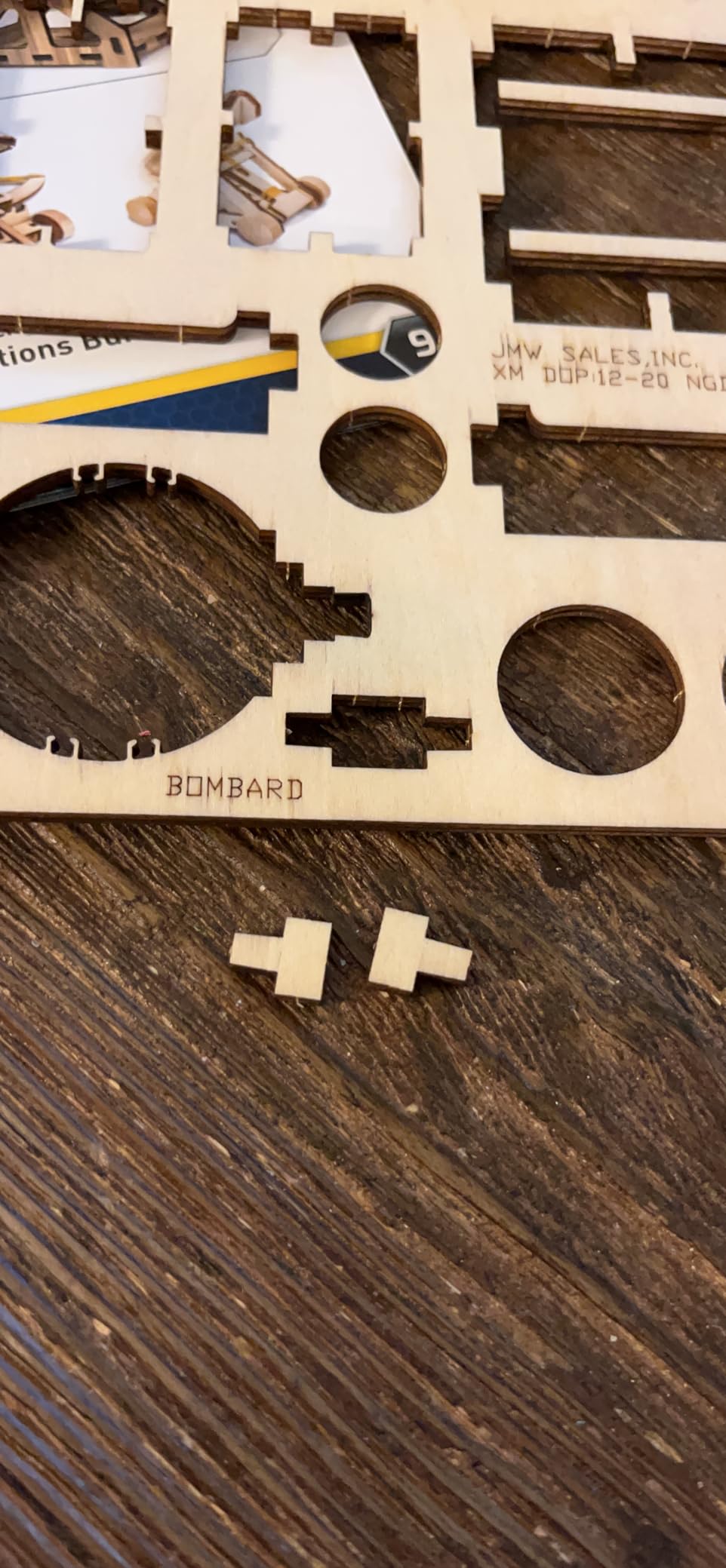
- the bombard is the weakest of the three and its trigger is hard to operate
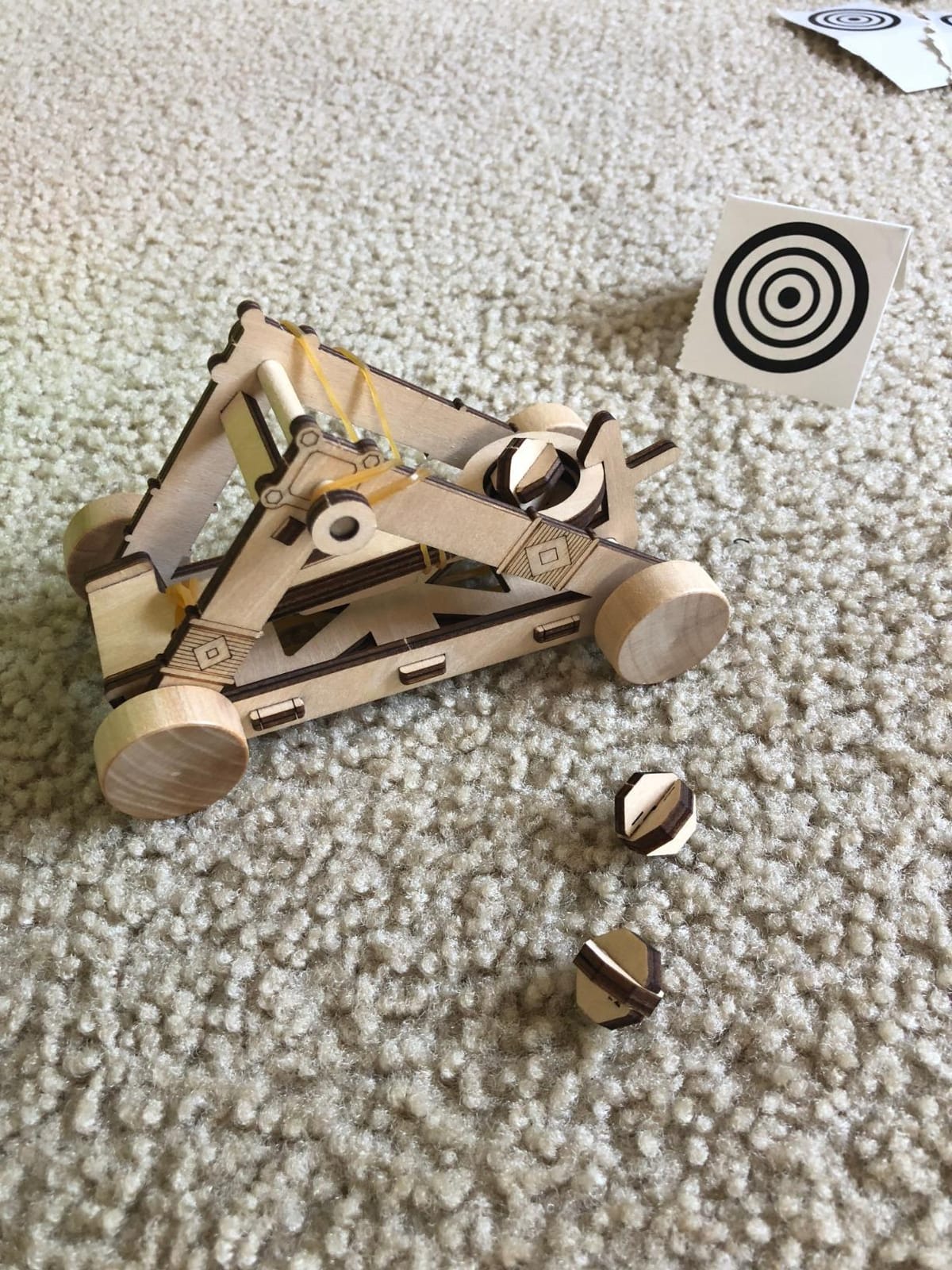
Three working machines in one box makes this the best value in the roundup. You build a ballista, a bombard, an early form of the cannon, and a catapult. Each one assembles in one to three hours, so a teenager can work through the set over several evenings rather than committing to a single long build.
Everything needed is in the box: laser-cut wooden components, rubber bands, sandpaper and instructions. No batteries, no special tools. That low barrier is part of why it suits a first engineering purchase or a parent-teens weekend project.
The catapult and the ballista are the strong builds. Reviewers report they launch projectiles surprisingly far and run smoothly, and that once assembled the models hold up to repeated firing. The booklet pairs each machine with a short historical note, which gives the physics some context.
The listed age rating is 12 and up, with a 60-day warranty against manufacturing defects, and the stated aims are construction skills, engineering skills and hand-eye coordination.
Which of the three to build first
Start with the catapult. It is the most reliable of the three, the parts are forgiving, and a working launcher on the first afternoon does more for a teenager’s confidence than a difficult first build does.
Have wood glue nearby even though none is included. Balsa pieces that are forced together can snap along the grain, and a thin film of glue fixes most of those before they become real breaks.
Where it falls short
The instructions are hard to decipher in places, particularly for the bombard, and the fitting is very tight, which means a mistake is not always easy to undo without taking the model apart again.
Balsa is a fragile material and the three models are built from it, so a dropped model can crack a piece. The bombard is the weakest of the set and its trigger mechanism is difficult to operate, so expect one disappointing model out of three.
7. Snap Circuits 203 STEM Electronics Kit: Best for Learning Circuits from the Ground Up
SNAP CIRCUITS 203 STEM Electronics Kit, 200+ Projects, Ages 8+
- Tool-free snap design approachable for new builders
- unusually large project count in one box
- well-illustrated color manual with builds that progress in difficulty
- durable parts that survive repeated assembly
- modular and combinable
- Some modules need pressing firmly to make a reliable contact
- a small number of snap parts reported defective on arrival
- projects are largely fixed rather than open-ended
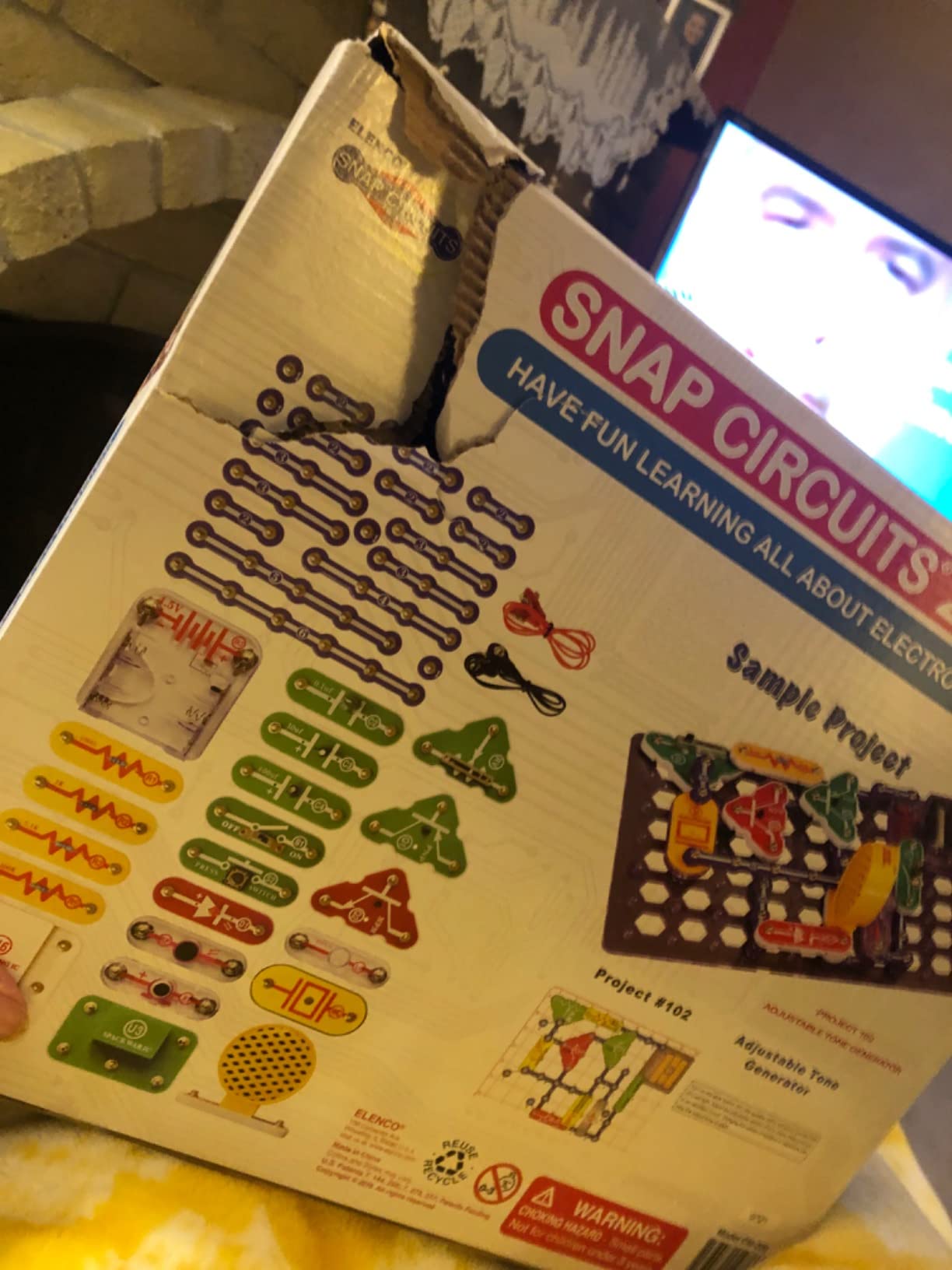
Let us deal with the obvious objection first. The box is stamped ages 8 and up, and the format reads young. That is fair. What the kit actually delivers is 42 snap modules supporting more than 200 guided projects, and the manual is progressive enough that a teenager can work far past the first dozen without stalling.
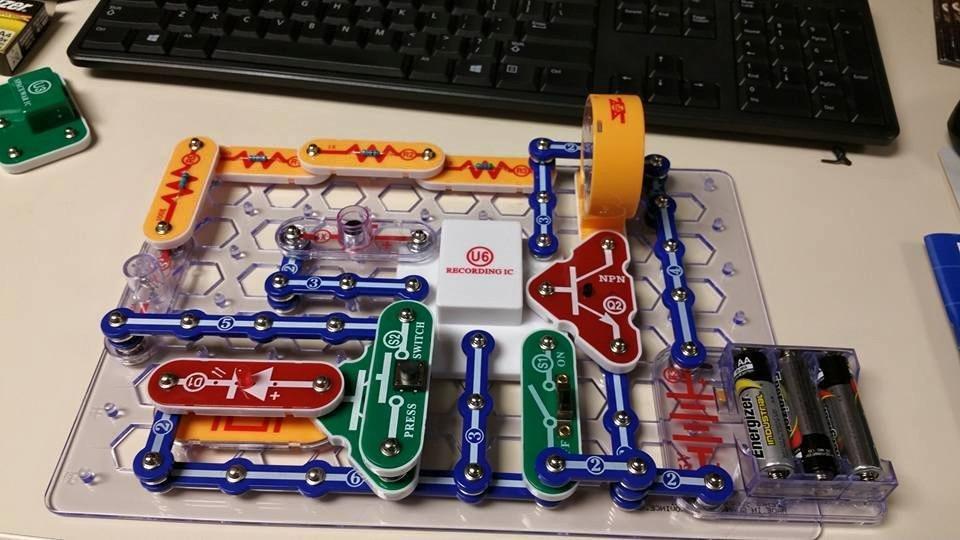
Every part snaps onto a plastic grid with no tools and no soldering. The components are numbered and colour-coded, so a teenager can match a diagram to a part without asking for help. Builds run from a doorbell and a burglar alarm to playable electronic games.
There is a real argument for it as a first kit. It teaches current, resistance, series and parallel circuits by making them visible, and a teenager who finishes it understands what a breadboard is doing before anyone names it. A classroom teacher would recognise the format immediately, since the Snap Circuits line is standard in primary and elementary STEM rooms.
It also holds together physically. The snap connections are rated by reviewers as durable across repeated assembly and disassembly, and the set combines with other Snap Circuits kits if you want to expand later.
How to get past the ceiling
Plan it. The 200-plus project count is real, but it is a fixed library rather than an open-ended system, and a determined teen will exhaust it faster than expected. Treating it as a two to three month course and pairing it with a breadboard kit afterwards keeps the momentum.
Nothing else is required. No soldering iron, no power supply, no computer. The kit carries 2.2 pounds and measures 15 by 2.2 by 12 inches, which makes it easy to keep on a shelf between sessions.
Where it falls short
Connections sometimes need pressing together firmly to conduct reliably, and a small number of buyers report defective snap parts on arrival, so check the count against the manual before the first build.
The fixed project library is the real limitation. Nothing in this kit can be programmed or redesigned, so it teaches circuit concepts well and engineering design not at all.
8. PATHFINDERS Leonardo da Vinci Catapult Kit: Best for a Single Weekend Build
- Roughly one-hour build that still produces a working launcher
- laser-cut pieces fit cleanly
- booklet explains the underlying physics and the historical context
- complete single project in one box
- Balsa pieces are delicate and break if forced
- thin elastic bands stretch and lose tension quickly
- instructions are diagram-heavy and assume a careful build
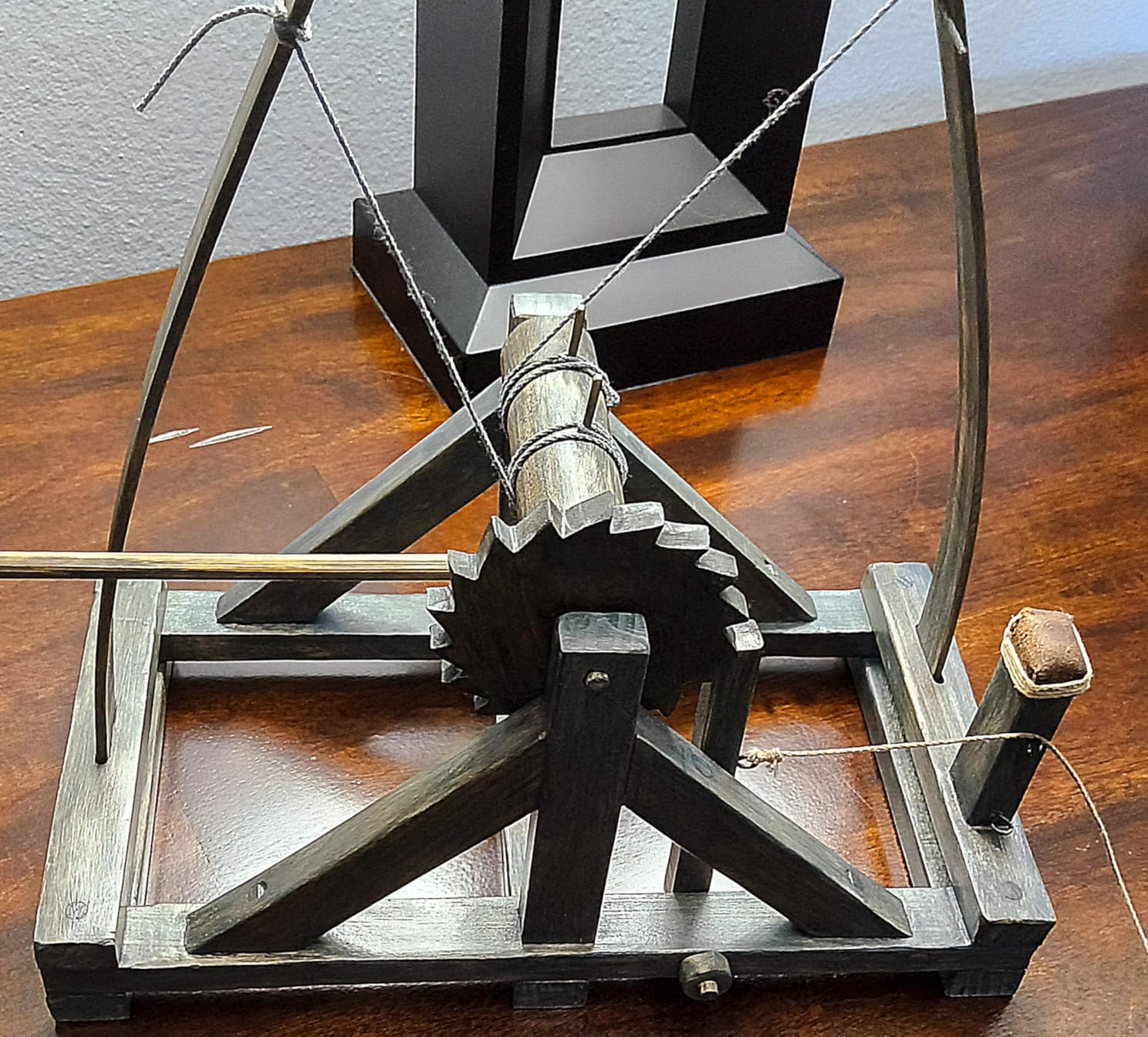
This is the shortest path to a finished, working machine in the entire roundup. Assembly takes about an hour, the pieces are precision laser-cut, and the result is a functioning trebuchet-style catapult that launches lightweight projectiles.
The rating on the box is 14 and up, which is the highest age band in this group, and the listing positions it for homeschool use, classrooms and science fairs. The stated aims are critical thinking, history and STEM.

The booklet is the reason to buy it over a generic catapult. It covers force, motion and medieval mechanics, so the hour of assembly is tied to real principles rather than just following a diagram. For a science fair entry, the write-up material is already written.
It is also small and light at 400 grams, which makes it a good kit to hand to a teenager who has abandoned something larger in frustration. Something completed in an afternoon is worth more than something ambitious that stays in the box.
Who should skip this one
Skip it for a teen who wants an ongoing project. One machine, one hour, done. The honest selling point is the completeness of the single build, and anybody expecting a system to grow with will be disappointed by the narrow scope.
Buy wood glue. The balsa pieces break if forced into place, and glue is not included. A tube of PVA turns a snapped piece from a lost build into a two-minute repair.
Where it falls short
Two material problems limit repeat use. The balsa pieces are delicate, and the thin elastic bands stretch and lose tension quickly under heavy firing, so performance drops after a while.
The instructions are also diagram-heavy and assume a careful, supervised build. For older children that is fine; for a younger sibling working unsupervised it is not.
9. Engino Structures, Buildings and Bridges: Best for Structural Engineering Theory
Engino- STEM Toys, Structures, Buildings & Bridges, Building Toys for Kids 9+, STEM Projects, Creative Engineering Kit, Gifts for Boys & Girls (9 Model Options)
- Patented connectors work in multiple directions so models other sets cannot make
- durable ABS plastic that survives daily building
- genuine theory pages experiments and a quiz
- nine distinct models give long replay value
- Instructions rely heavily on the free app for anything beyond simple models
- the app and booklet do not explain how to attach cables on bridge models
- rope and cable designs feel cheap next to the connectors
- printed instructions are hard to read
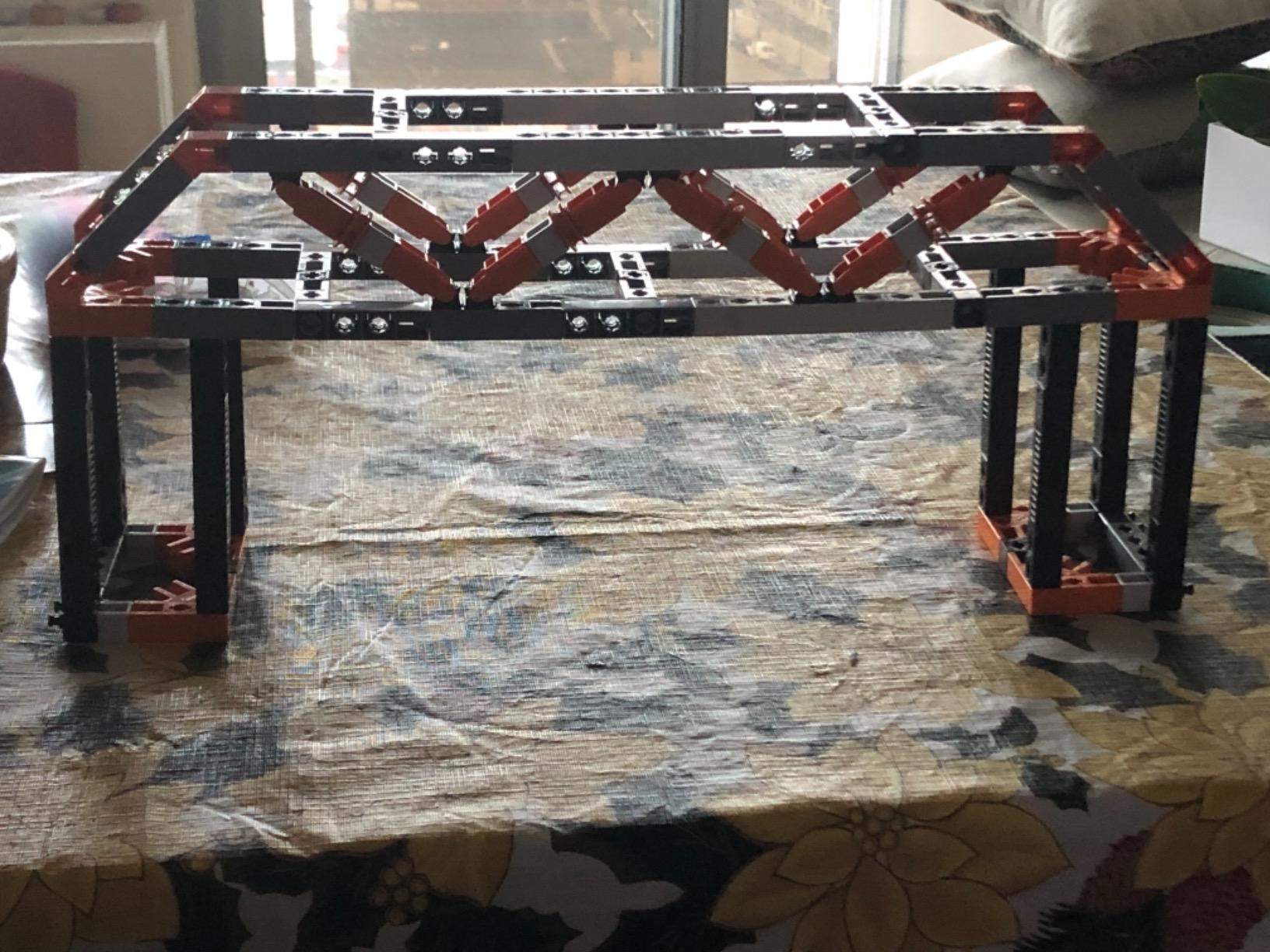
Most bridge kits teach one type of bridge. This one builds nine models covering different structural families, including a house, a pyramid, a beam bridge, an arch bridge, a truss bridge, a cable-stayed bridge and a suspension bridge. Moving from the beam to the truss to the cable-stayed model is a genuine lesson in how engineers span a gap.
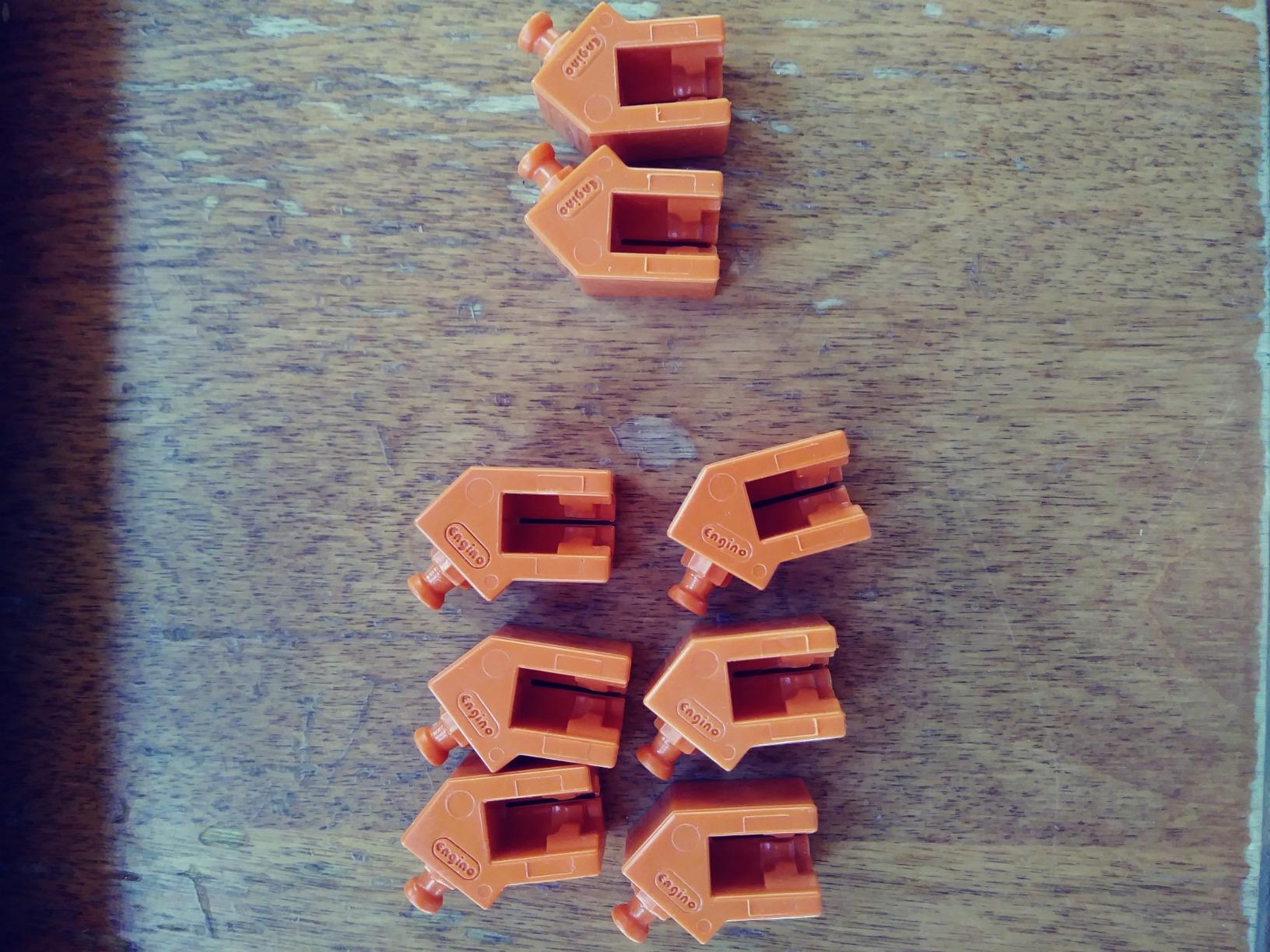
The patented multi-directional snap-fit system is what makes those models possible. Pieces connect in more than one plane, so a truss stands up without the constant reinforcing that simpler interlocking systems need. The parts are durable ABS plastic designed by an engineer and a teacher, with a two-year limited warranty.
The educational material is unusually serious for a building set. Ten pages of theory and facts come with fun experiments and a three-page quiz, plus a free companion app. For a homeschool or a student who has to write something up afterwards, that content is worth as much as the pieces.
Rating is 9 and up, the parts are stackable and non-toxic, and the box measures 14.6 by 2.7 by 10.6 inches at 680 grams, so it stores flat.
What to do about the app dependency
Download the app before the first build. Anything beyond the simplest models is documented there rather than in the booklet, and a teenager working without a phone will hit a wall quickly. The models are also designed to be built one at a time, which keeps a session short and a set of nine projects from feeling endless.
Watch the cable models specifically. Reviewers report the app and booklet do not clearly explain where or how to attach the cables on the cable-stayed and suspension designs.
Where it falls short
The documentation is the weakness. Reliance on an app for basic instructions is awkward in a classroom with a limited device budget, and a few users find the printed instructions hard to read.
The rope and cable bridge designs also feel cheap and poorly finished next to the quality of the snap-fit connectors, and some models need adult guidance, so the 9-and-up rating reads a little optimistic at the harder end.
10. Learning Resources City Engineering and Design Set: Best for a Younger Sibling Alongside a Teen Kit
- Genuinely suited to preschool and early elementary ages
- cards structure play around the design process rather than open fiddling
- open-ended building lets children design their own city
- compact enough for a classroom or homeschool table
- Some pieces do not hold together firmly so larger structures need careful assembly
- a few cards reference pieces or steps that are not clearly illustrated
- limited piece count relative to generic building block sets
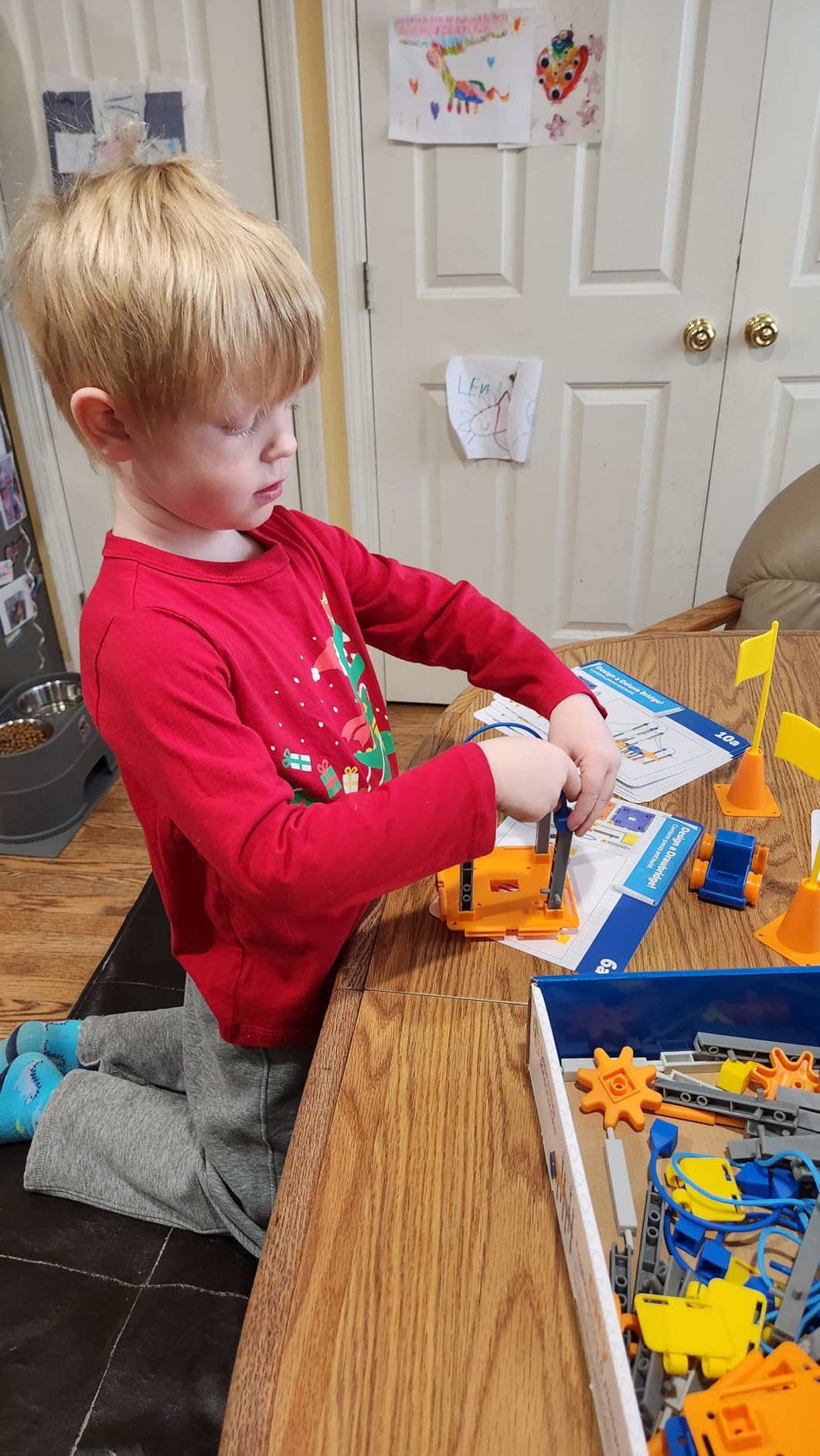
We include this one for a specific reason, and it is not that it is a good teen kit. The manufacturer’s recommended age is 5 to 8 years, and it is the youngest entry in this roundup. It earns its place because a number of families buy for two kids at once, and this is the one that pairs well with a microcontroller kit without competing for the same table space or the same patience.
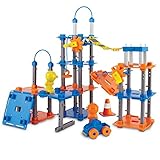
What it does well is teach the engineering design process to a small child in a way nothing else here does. The activity cards walk through ask, imagine, plan, create and improve, so the sequence is explicit rather than accidental. The 89 pieces support towers, bridges and city structures with no batteries required.
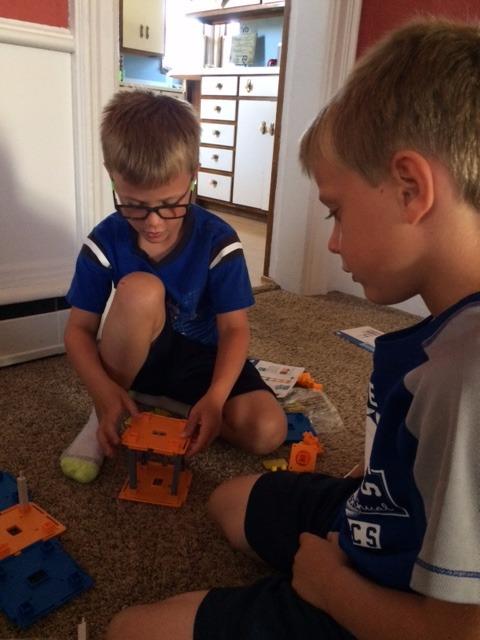
Reviewers consistently value the guided cards and the age-appropriate scale. Open-ended building means a child can also ignore the cards and design their own layout, which is the better outcome when it happens.
It stores small at 10.1 by 3 by 13.8 inches and works fine on a classroom table, which is why teachers and homeschool families use it.
How to use it alongside a teen kit
Give the two kits to the two children and let them build the same problem at different scales. A teenager can prototype a truss on the snap-fit set while the younger child works through the tower and bridge cards, and the conversation between them is the real lesson.
Do not expect the connection pieces to transfer between systems. The snap-fit parts in the Engino and Thames and Kosmos sets are proprietary to those sets, so plan each build around its own inventory.
Where it falls short
Connection strength is the recurring complaint. Some pieces do not hold firmly together, so larger structures need careful assembly to stay upright. A few cards also reference pieces or steps that are not clearly illustrated, which is frustrating when a child is working alone.
For a teen, the honest limit is simple. At 89 pieces with a 5-to-8 rating, it is outgrown in a weekend and the educational content stops well before the hardware does.
11. Engino Newton’s Laws STEM Kit: Best for Physics That You Can See Move
- Working models such as a ballistic catapult and crash test car make abstract physics concrete
- good balance of theory experiments and quiz content for homeschool
- same durable snap-fit system as the rest of the Engino STEM line
- free app lets a child preview models in 3D first
- App required for anything beyond the simplest models and its guidance is incomplete for some steps
- strings and small parts are fiddly for younger builders
- balls and elastic components wear out with repeated use
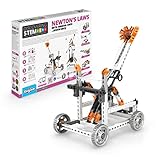
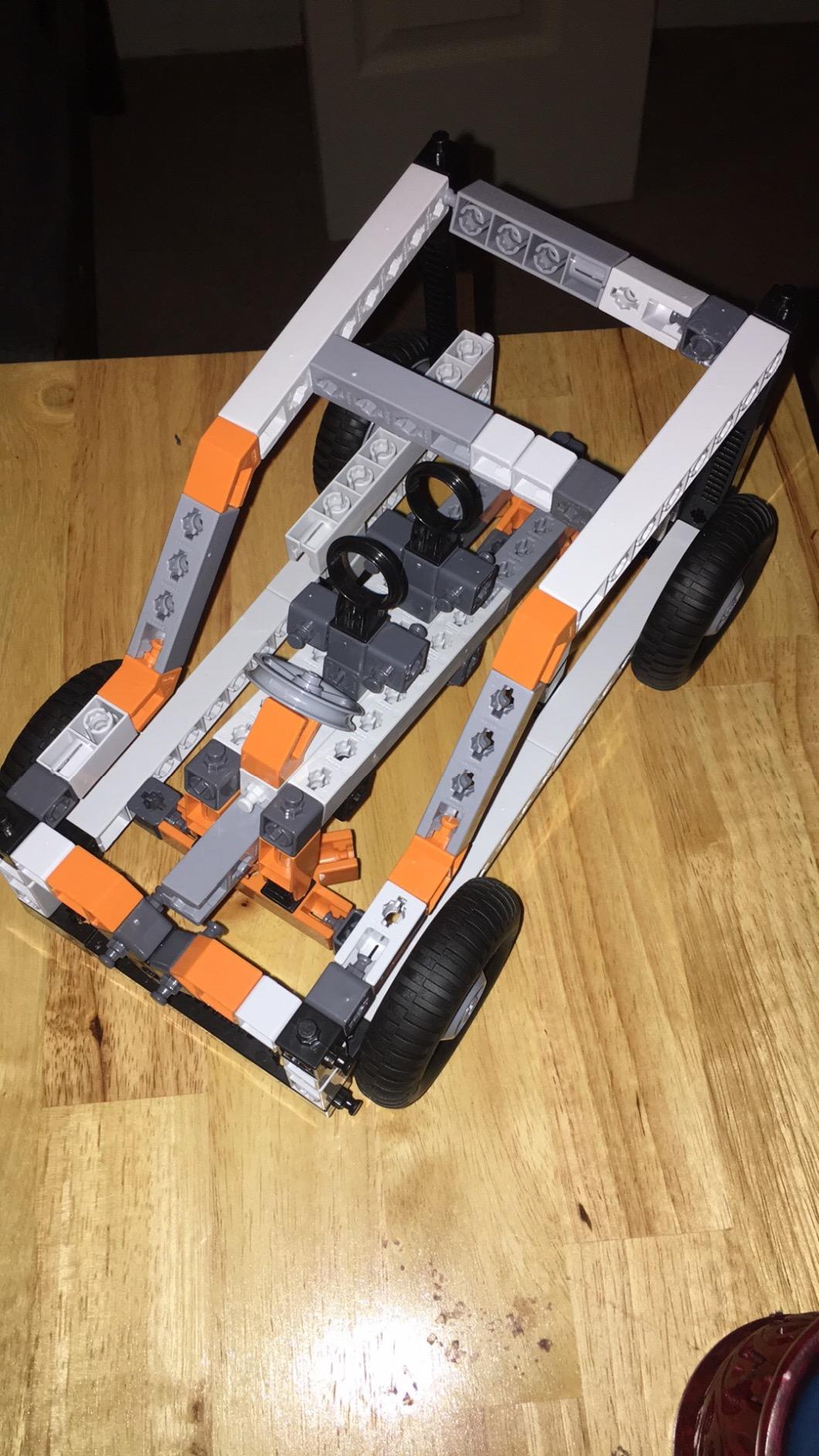
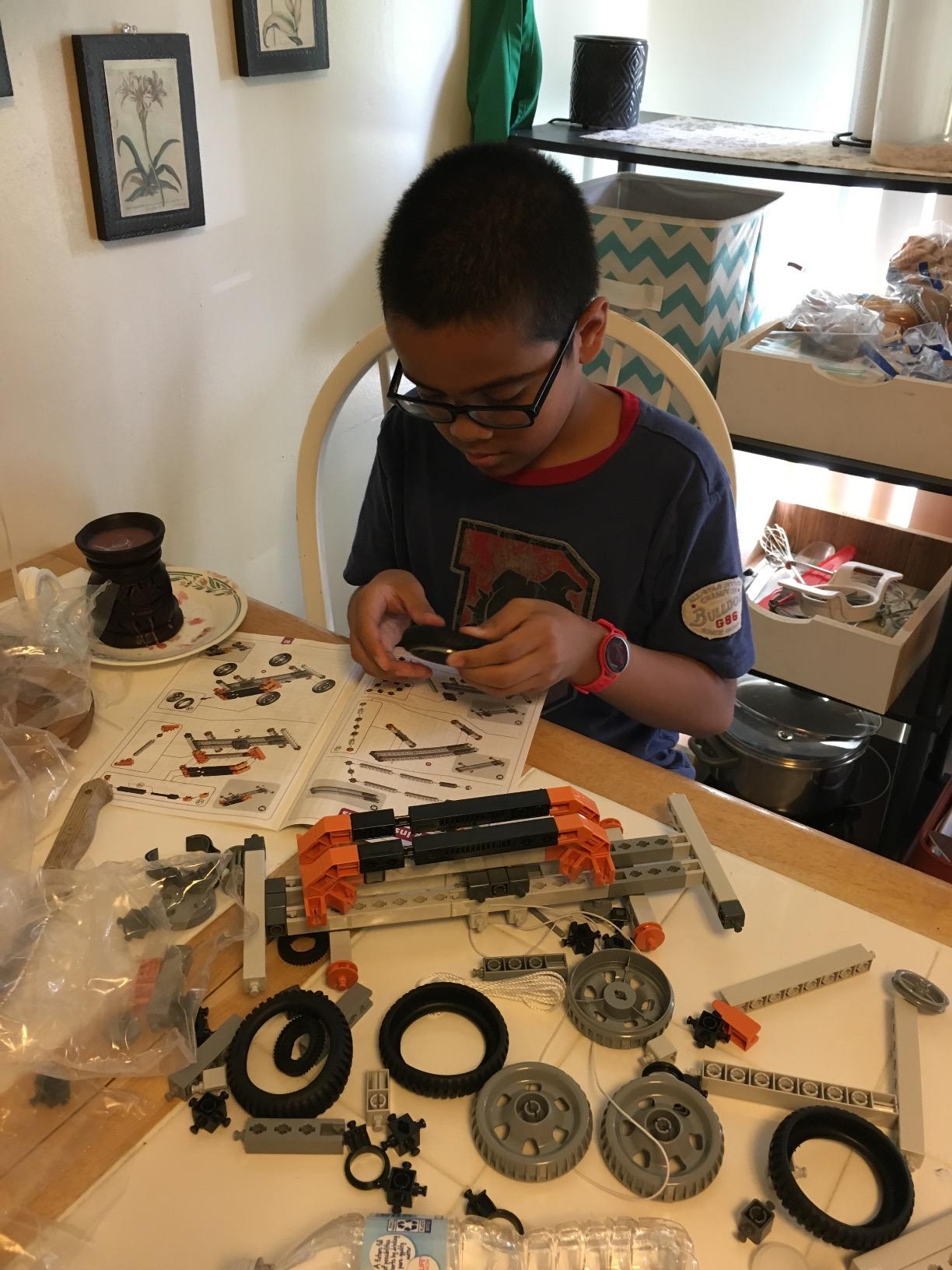
Inertia, momentum and energy are the three ideas that make a physics course stop being abstract, and this kit attacks all three with machines that move. Eight working models include a ballistic catapult, a crash test car and a balloon-powered plane, which is a better demonstration of Newton’s laws than any diagram.
The crash test car in particular invites the engineering design process. Change the mass, change the distance, change the surface, run it again, and record what happened. A teenager with a notebook and this kit has a real experiment, not a demonstration.
The supporting material is a strength. Twelve pages of theory and facts, fun experiments and a three-page quiz come in the box, alongside the free interactive 3D app that lets a child preview each model before committing parts to it. That preview feature is genuinely useful for a build kit of this type.
It uses the same multi-directional snap-fit system as the structures set, carries a two-year manufacturer warranty and two years of spare part availability in the EU, and is rated 9 and up.
Which models to build first
Start with the crash test car. It has the fewest fiddly parts, it produces a clear result, and it is the one that invites modification. Leave the catapult and the balloon-powered plane for later sessions, since both involve strings and elastic that are easier to fit once the build method is familiar.
Set up the app and AA batteries before the first session. The app is needed beyond the simplest models, and the listed power source is AA batteries, which are not described as included.
Where it falls short
The app dependency shows up again here, and reviewers specifically report incomplete app guidance for some steps. That is a real problem for a teen working without a phone nearby, and it is the main reason this scores below the Engino structures set despite similar build quality.
Some of the strings and small parts are fiddly for younger builders, and the balls and elastic components are reported to wear out with repeated use, which matters most for exactly the models a teenager will want to keep adjusting.
12. Thames and Kosmos Structural Engineering Bridges and Skyscrapers: Best for Load, Tension and Compression
- Excellent piece count for the box
- with a large interchangeable inventory
- 20 distinct models covering compression and tension
- 36-page illustrated manual pairs each build with the physics
- durable plastic holds rigid models without heavy gluing
- Piece inventory is confusing at first and the manual layout is not always easy to follow
- some models need a fair amount of adult guidance
- a small number of pieces reported arriving damaged or short
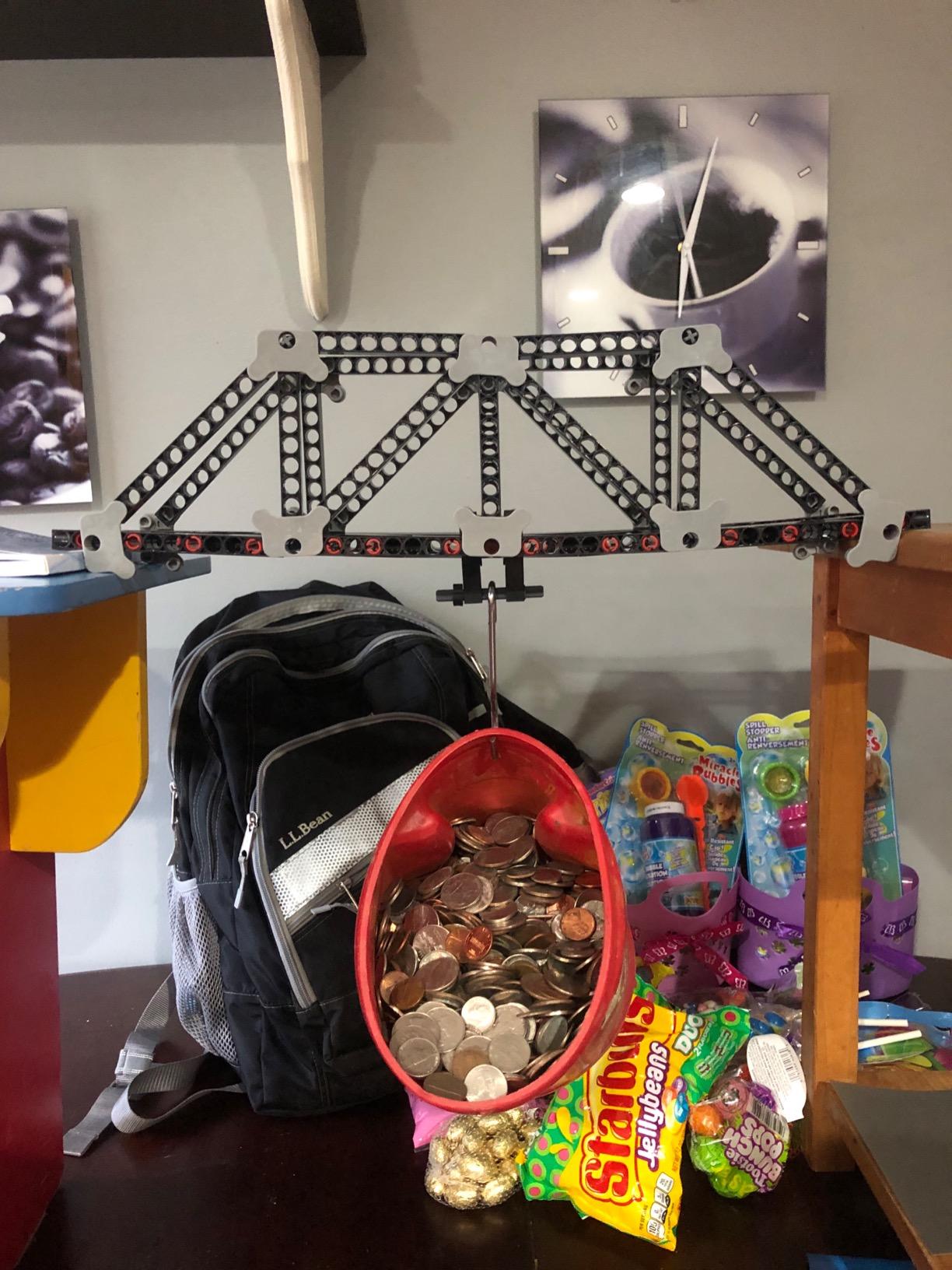
This is the piece-count winner in the roundup. The box holds 287 interchangeable plastic building pieces and 20 different models, and the manufacturer rates it as an intermediate skill set for ages 8 to 14. A large inventory of identical parts is the point here, because a structural engineer tests a shape by changing one variable and rebuilding.
Each model teaches something specific about force, load, compression and tension. A 36-page illustrated experiment manual and assembly guide pairs every build with the physics behind it, which makes this the most self-teaching kit on the list if a teenager is willing to read it rather than skim it.

The plastics hold rigid models without a lot of glue, which matters when the test is whether a structure carries a load. The 16-ounce weight and 13.1 by 1.8 by 11.6 inch footprint also make it easy to store and to carry to a club.
This is the pick for a teen who wants to understand why a truss works, and it pairs naturally with the Engino bridges set for a teenager who wants to compare two different connector philosophies on the same problem.
How to get the most out of 287 pieces
Sort the pieces into a few groups before the first build. With an inventory that size, the main obstacle is not the difficulty of any model but finding the right connector, and five minutes of sorting saves that problem on every later session.
Load each model rather than only building it. The stated aims are about force and load, and a teenager who puts something on a finished bridge has performed the test the kit exists for.
Where it falls short
The manual is informative but dense, and its layout is not always easy to follow. Some models also need a fair amount of adult guidance, so the 8-to-14 range spans a wider ability gap than the box suggests.
A small number of buyers report pieces arriving damaged or short, so it is worth counting the parts against the manual on day one. At 16 ounces and 95 listed items, a few missing connectors can block a build until replacements arrive.
Two Kits We Would Pass On for a Teen
A roundup that recommends everything is a sales page, so here are the two entries we would not buy for a teenager. Both are good products. Neither is aimed at the age band.
The Learning Resources City Engineering and Design Set carries a manufacturer rating of 5 to 8 years. At 89 pieces with guided cards, a teenager will finish it in a weekend and never return to it. We include it above only because a family buying for two children needs to know which kit belongs to the younger one. For a teen, it is a toy.
The PATHFINDERS Leonardo da Vinci Catapult Kit is rated 14 and up, which makes it look like a strong fit, and the machine works. The problem is scope. Roughly one hour of assembly produces one project, and the elastic bands lose tension quickly. A teen who is already 14 and building things will read that as a finished activity rather than a starting point.
Both share the same underlying issue, and it is the issue the loudest complaints in this category share. A kit gets used for months when it produces a visible result a teenager can still be improving a month later, and gets thanked for once when it does not.
How to Choose an Engineering Kit for a Teen
What each type of kit actually teaches
Science kits teach through repeatable, measured experiments, and they run out when reagents or a fixed project list run out. Electronics kits teach current and circuits and are tool-free at the entry level. Robotics kits add a code-and-run loop, where a bug is visible in the machine’s behaviour, and they have the highest ceiling. Structural and mechanical kits teach through build, load-test, fail and rebuild, with no screen involved at all.
Choose the type that matches the question the teen is already asking. A teen who asks why a bridge holds up needs a structural kit. A teen who wants to program something needs a microcontroller platform, and the same teen will keep using a breadboard long after a Snap Circuits project book runs out.
The specification test: would this number interest an adult
Marketing copy cannot survive this test. Manufacturer specifications can. Look for a published processor pin count, a published piece count, a published project count, a published magnification range or model count, and a named safety standard where one applies.
Where a number is not published, that is worth knowing too. A kit that publishes nothing is telling you its manufacturer did not think the detail mattered, and the piece count you will care about is often the one they left out. Compare what is stated across two kits before you commit, because the same phrase like advanced components means nothing on its own.
Age rating versus real difficulty
The mismatch is the loudest complaint parents report, and the reason is usually a box that reads as juvenile. A kit stamped 8 or 10 and sold as a teen gift is usually right about the age and wrong about the packaging.
The reverse case matters too. A 14-and-up rating on a kit that takes one hour to finish does not make it more advanced, it just means the manufacturer aimed the marketing at a teenager. Read the build time, the tool requirement and the ceiling on the projects before you read the number on the box.
What each budget tier buys
At the entry tier you are buying a mechanism. The Mega Cyborg Hand teaches pneumatics, and the Da Vinci catapult set gives three working machines. These are satisfying and they are finished in a weekend, so they pair well with something larger.
In the middle tier you are buying a system with a project library. Snap Circuits 203, the Mech-5 robot, the Engino structures set and the Thames and Kosmos structural set all sit here, and the difference between them is the ceiling rather than the cost. Ask whether the projects are open-ended or fixed.
Higher up you are buying a microcontroller platform where the individual parts are not the point. The Mega 2560 kit and the UNO R3 robot car both work this way. The board outlives the box, and a teen who can write Arduino code keeps everything else.
Beyond that, the honest advice is to look at tools instead. A microscope, a bench power supply or a 3D scanner for engineering work outlasts a kit that runs out of projects, and it pairs with any of the platforms above.
Tools, safety and supervision
Most kits in this roundup need no tools at all. Snap Circuits, the Mega Cyborg Hand and the Engino sets are tool-free or screwdriver-only. The Playz V8 engine wants a small file and three AA batteries, and the UNO R3 robot car needs a USB-C cable that is not included.
Nothing here involves mains electricity, heating elements or reactive chemistry, which is worth stating plainly. The practical supervision points are small-parts choking hazards for younger siblings sitting nearby, elastic bands under tension on the catapult kits, and the very fine strings used in the Engino bridge and balloon models.
Soldering is the escalation to plan for. None of these kits require an iron, so if a teen moves up to a microcontroller platform that does, that is the point to set rules about ventilation, a heat-resistant mat and an adult in the room.
Where to go when a teen outgrows a kit
Every kit here has a ceiling, and the exit plan matters more than the kit. The Snap Circuits line leads to a breadboard. A breadboard leads to an Arduino or ESP32 board, which is where the Mega 2560 and UNO R3 kits already sit. Structural kits lead to load testing and CAD, and a teen ready for that will get more out of a 3D printer than a fourteenth model.
The other exit is a team. Teenagers already on a school robotics club need a platform that matches the one their club uses, because competition parts and software are not interchangeable across ecosystems. Before buying a second platform, ask what the club or the competition runs.
Frequently Asked Questions
What is the best robot kit for teenagers?
The ELEGOO UNO R3 Smart Robot Car Kit V4 is the fastest route to a working robot, assembling in about an hour and driving out of the box with the included IR remote. For a longer platform that lasts years, the ELEGOO Mega 2560 R3 Project Kit has more input and output, more memory and far more components for the same general outlay.
What is a good robot kit for a 14-year-old?
At 14 most teenagers are ready for a microcontroller rather than a preset robot. A board with plenty of spare input and output, a breadboard and 35-plus guided projects gives them structure for the first month and a platform for the next year. Screen-free options exist too, such as the Teach Tech Mech-5, whose mechanical coding wheel needs no laptop at all.
What is a good programming kit for a 12-year-old?
The ELEGOO UNO R3 Smart Robot Car Kit V4 works well at 12 because it works before any code is written and opens up to the Arduino IDE afterwards. The snap-together circuit kits are the gentler starting point if coding is the new part, and they need no computer at all.
What are the best STEM kits for teenagers?
It depends on the discipline. For robotics and coding, the ELEGOO Mega 2560 R3 Project Kit. For electronics fundamentals, Snap Circuits 203. For mechanical engineering, the Playz V8 Engine. For pneumatics, the Thames and Kosmos Mega Cyborg Hand. For structures, Engino Bridges and Buildings. For physics, the Engino Newton’s Laws set.
Why do teenagers not use STEM kits they are given?
Most often because the kit produces three visible results and then stops. A fixed project list, a small parts count or a build finished in an hour all end the activity quickly, and a kit that reads as a toy gets thanked for once. The fix is a platform with an upgrade path rather than a larger project count.
Is Snap Circuits too young for a teenager?
The box is stamped ages 8 and up, and the format does read young, but 42 modules and more than 200 guided projects carry a motivated teenager a long way. The real limit is that the project library is fixed rather than open-ended, so it teaches circuits well and engineering design not at all. Plan it as a first course of two to three months, then move to a breadboard.
The Verdict
The best engineering kits for teens in 2026 are the ones that survive the second month. Our pick overall is the ELEGOO Mega 2560 R3 Project Kit, because a real microcontroller with 54 digital pins, 200-plus components and 35-plus progressive projects is a platform a teenager can still be improving a year later.
Match the discipline to the teen instead. Choose the UNO R3 robot car for a working robot this week, the Playz V8 engine for mechanical curiosity, the Mega Cyborg Hand for pneumatics, Engino or Thames and Kosmos for structures, and Snap Circuits only as a first course in circuits. Check the published specifications, the build time and the upgrade path before the age rating on the box, and skip anything whose project list you can count on two hands.
Whichever kit you choose, set the first build session up before it arrives, and give the teenager a deadline to change something. That is where engineering starts.