
If you want one box that covers vocals, guitar, podcasting and a two-person session without overspending, the Audient iD14 MKII is the strongest all-round pick at this budget. It runs two Class-A microphone preamps borrowed from Audient’s high-end ASP8024 console, and it stays comfortably inside a sub-500 dollars budget with room left over for a mic cable or a second headphone pair. Prices and configurations move constantly, so check the current listing on each product before you buy.
That is the honest shape of the sub-500 dollars market. You are choosing between a handful of genuinely excellent two-channel boxes and a smaller group of four-input units that record a duo at once. Every interface in this guide sits at or under the ceiling we set, verified against the product data at the time of writing, and we have listed what each one gives up as plainly as what it delivers.
Our team compared all ten units on preamp architecture, converter specification, input and output count, latency claims, driver behaviour and the software that ships with them. We did not run long listening tests, so where a claim is spec-verified rather than measured we say so. If you want the wider picture first, our general audio interface guide covers the format end to end, and the beginner’s guide covers the first setup.
Table of Contents
Top 3 Picks for the Best Audio Interfaces Under 500 Dollars in 2026

Audient iD14 MKII
- 2 Class-A mic preamps
- All-metal chassis
- 2 headphone outputs
- ADAT via optical input

Quick Picks: What to Buy for Different Jobs
- Best overall: Audient iD14 MKII, because Class-A preamps, a metal chassis and two headphone outputs cover almost every home studio task.
- Best for streaming and podcasting: MOTU M4, with an LCD meter, hardware monitoring and loopback in a four-input body.
- Best value: Universal Audio Volt 2, which brings a UA 610 preamp circuit, Vintage mode and a bundled DAW.
- Best for low latency tracking: Arturia MiniFuse 4, whose owners report buffer sizes far below the older 128-sample floor.
- Best for two performers: Solid State Logic SSL 2 MKII Plus, with two discrete headphone outputs and four line outputs.
- Best for recording more than one source at once: Tascam US-4x4HR, with four XLR/TRS combo inputs and selectable 4-sample buffer sizes.
- Best on a tight budget: Audient EVO 4, which brings a JFET instrument input and per-channel phantom power to a small bus-powered box.
- Best for high-gain dynamic mics: Elgato Wave XLR MK.2, with 80 dB of gain that handles an SM7B without an inline booster.
Best Audio Interfaces Under 500 Dollars at a Glance
Every product below was checked against the sub-500 dollars ceiling before it was included. The Key Features column is the short version; the full review underneath carries the trade-offs.
| Product | Specifications | Action |
|---|---|---|
| Audient iD14 MKII |
|
Check Latest Price |
 MOTU M4 MOTU M4 |
|
Check Latest Price |
| Universal Audio Volt 2 |
|
Check Latest Price |
 Arturia MiniFuse 4 Arturia MiniFuse 4 |
|
Check Latest Price |
 SSL 2 MKII Plus SSL 2 MKII Plus |
|
Check Latest Price |
 Tascam US-4x4HR Tascam US-4x4HR |
|
Check Latest Price |
 Audient EVO 4 Audient EVO 4 |
|
Check Latest Price |
 Focusrite Scarlett Solo 4th Gen Focusrite Scarlett Solo 4th Gen |
|
Check Latest Price |
 Behringer UMC404HD Behringer UMC404HD |
|
Check Latest Price |
 Elgato Wave XLR MK.2 Elgato Wave XLR MK.2 |
|
Check Latest Price |
1. Audient iD14 MKII: Best Audio Interface Under 500 Dollars Overall
- Two Class-A preamps from Audient's ASP8024 console
- Transparent and natural conversion
- All-metal chassis feels premium
- Two independent headphone outputs
- Stable drivers with no reported issues
- No on/off power switch so sleep needs a re-plug
- No MIDI input or output
- Bundled plug-ins feel dated
This is the box I would put in front of most people buying their first serious interface. Audient built the two preamps from the same Class-A topology used in its high-end ASP8024 console, and owners consistently describe the result as quiet and accurate rather than coloured. Nothing in the specification sheet suggests a compromise that actually shows up in a session.
The all-metal housing is the detail that surprises people. It weighs in at a little over 900 grams, which means it stays put when you reach for a cable, and the finish looks like studio hardware rather than a computer accessory. My one niggle is the lack of a power switch: when the computer sleeps, owners report having to unplug the unit to wake the connection.
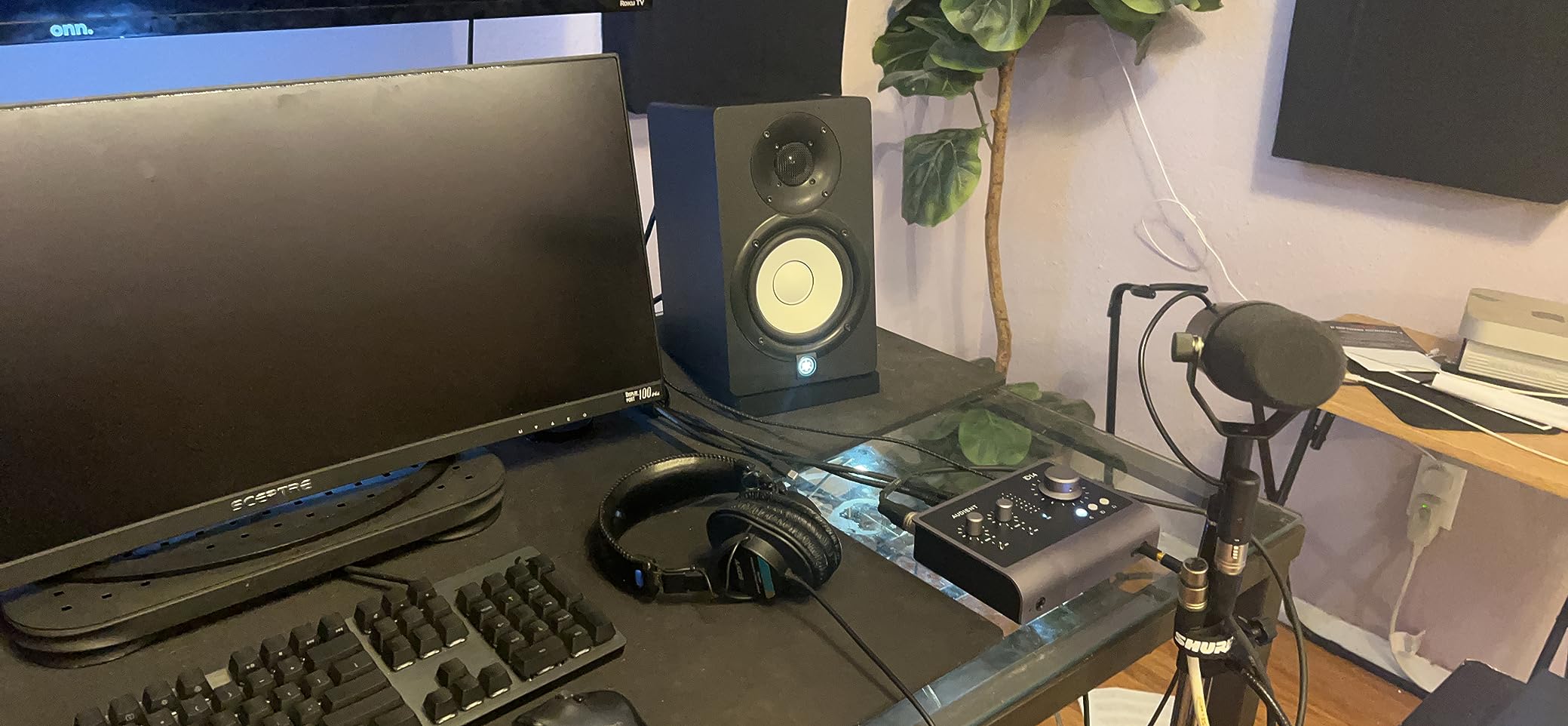
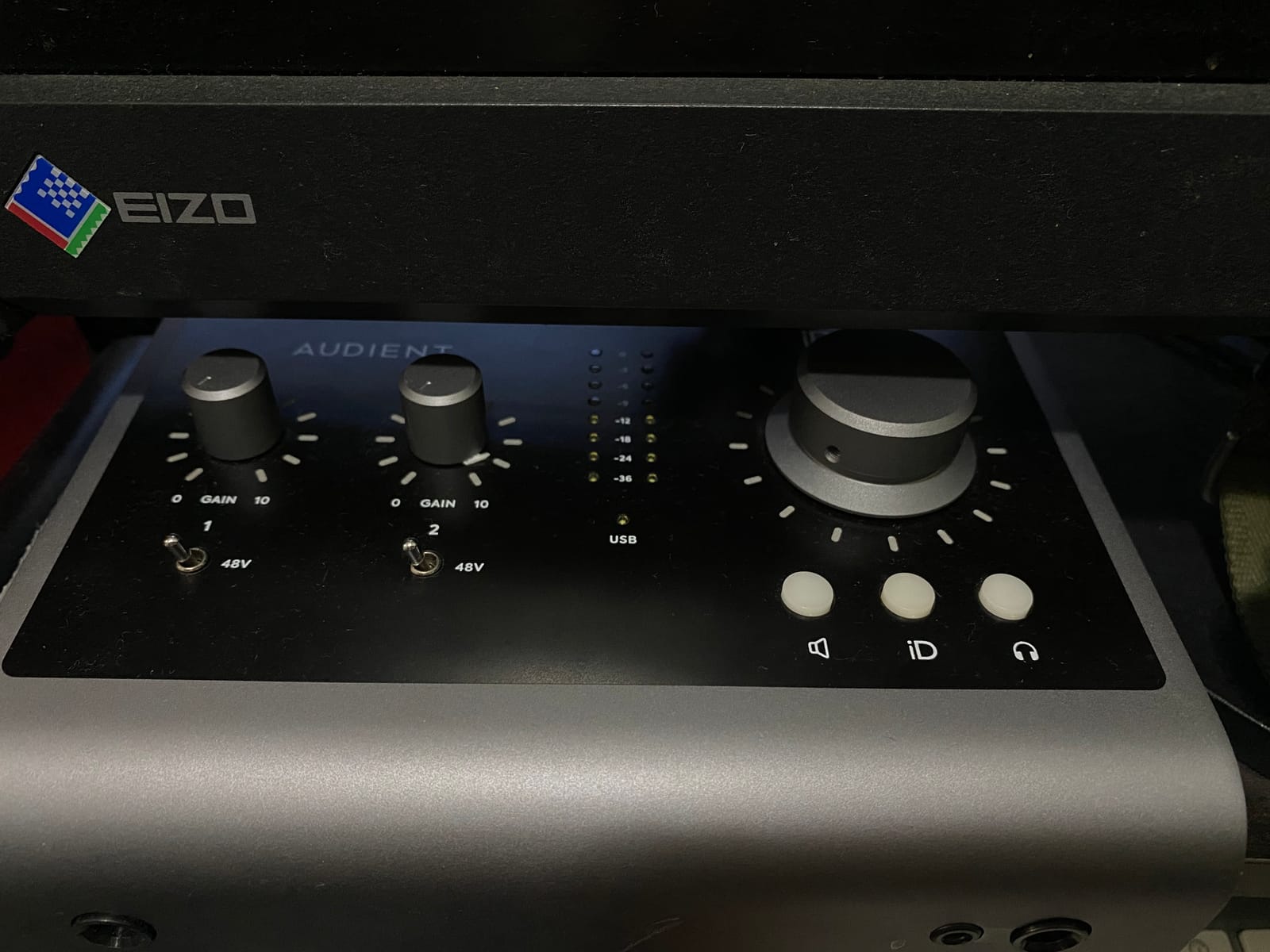
There is also no MIDI input or output, and no dedicated input-level control, which means the second XLR and the instrument channel are set in software. The software itself has a real learning curve, but reviewers who have spent time with it say the workflow settles down quickly.
The optical S/PDIF input is the quiet hero. Feed it an ADAT converter and the two onboard preamps become a four-input system, which is the cheapest way to add mic channels without buying a bigger box. Maximum sample rate is 96 kHz, so if high-resolution capture at 192 kHz matters to you, this is the wrong pick.
Is the iD14 MKII right for a first home studio?
Yes, for a solo singer-songwriter, a podcast host or a two-person tracking session. Two headphone outputs mean a performer and an engineer can each monitor independently, and the metal chassis survives being moved between a desk and a shelf. If your project involves a ribbon microphone, the Class-A preamps handle that fine.
When should you skip the iD14 MKII?
Skip it if you need MIDI, if you record a full band simultaneously, or if you insist on 192 kHz. There is no physical power switch and no direct monitoring hardware control, so if you like to set levels by hand rather than in software, the MOTU M4 suits that better. Our podcasting picks go deeper on the routing side.
2. MOTU M4: Best for Streaming and Podcasting With Four Inputs
- Four inputs and four outputs in a compact box
- On-screen LCD shows meters and settings
- Hardware monitoring plus loopback for streaming
- 192 kHz ESS converter technology
- 6+GB of bundled software and content
- Compact enclosure leaves little room for larger controls
- MIDI I/O is listed in the specs but not in the product highlights
The MOTU M4 solves the problem most two-channel boxes create: you cannot record a guest and yourself at the same time. Four inputs and four outputs in a body small enough to sit under a monitor gives you a genuine duo workflow, and the M4 adds an LCD that shows meters and settings on the hardware itself.
That screen is more useful than it sounds. You can check levels from across the room without alt-tabbing into the DAW, which matters when you are tracking live rather than composing. Converters are ESS silicon running up to 192 kHz, and reviewers put the noise floor comfortably below anything they were recording over.
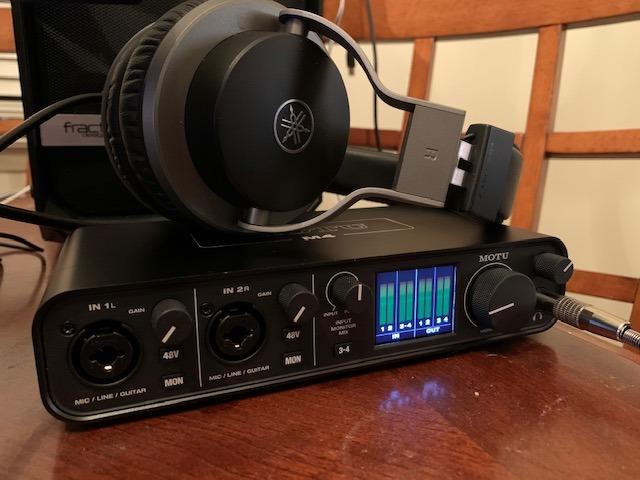
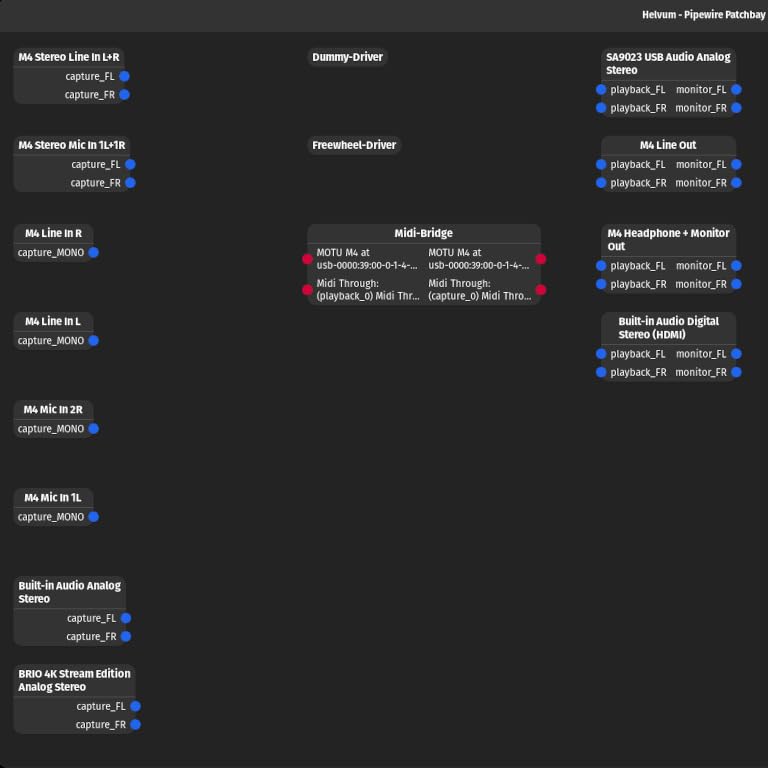
For streaming and podcasting, hardware monitoring plus loopback means you can send a second mix to the platform while keeping your own latency out of the way. MIDI I/O is present for controllers, though it is listed in the technical details rather than the marketing highlights, which is worth knowing if a keyboard is central to your setup.
The enclosure is the compromise. At 4.25 by 8.25 inches there is not much room for bigger knobs, so most day-to-day changes happen in the MOTU control panel software. Our podcasting guide covers the loopback routing in more detail.
Does the M4 have enough gain for quiet microphones?
It has two mic preamps, which is the constraint to plan around rather than a gain problem. For an SM7B or an RE20 sitting close to a loud source, the practical answer is a dynamic-mic inline booster or a cloudlifter, and that is true of every two-preamp unit in this list, not just the M4. For a condenser, ribbon or an SM58, the headroom is fine.
Who should skip the MOTU M4?
Skip it if you are recording solo and want the cleanest possible two-channel signal path, or if you are on iOS and want a simple one-cable setup. Four inputs also mean you will be tempted to use all four at once, so a four-channel recording workflow is worth planning before you commit.
3. Universal Audio Volt 2: Best Value for a Warmer Vocal Sound
- UA 610-derived preamp circuit with a Vintage mode
- 24-bit/192 kHz converters
- MIDI I/O included at this level
- Bundled LUNA DAW and UAD plug-ins
- Portable metal and wood chassis
- Only two analogue channels
- Bundled software access is tied to an account
- Mobile use needs the external power supply
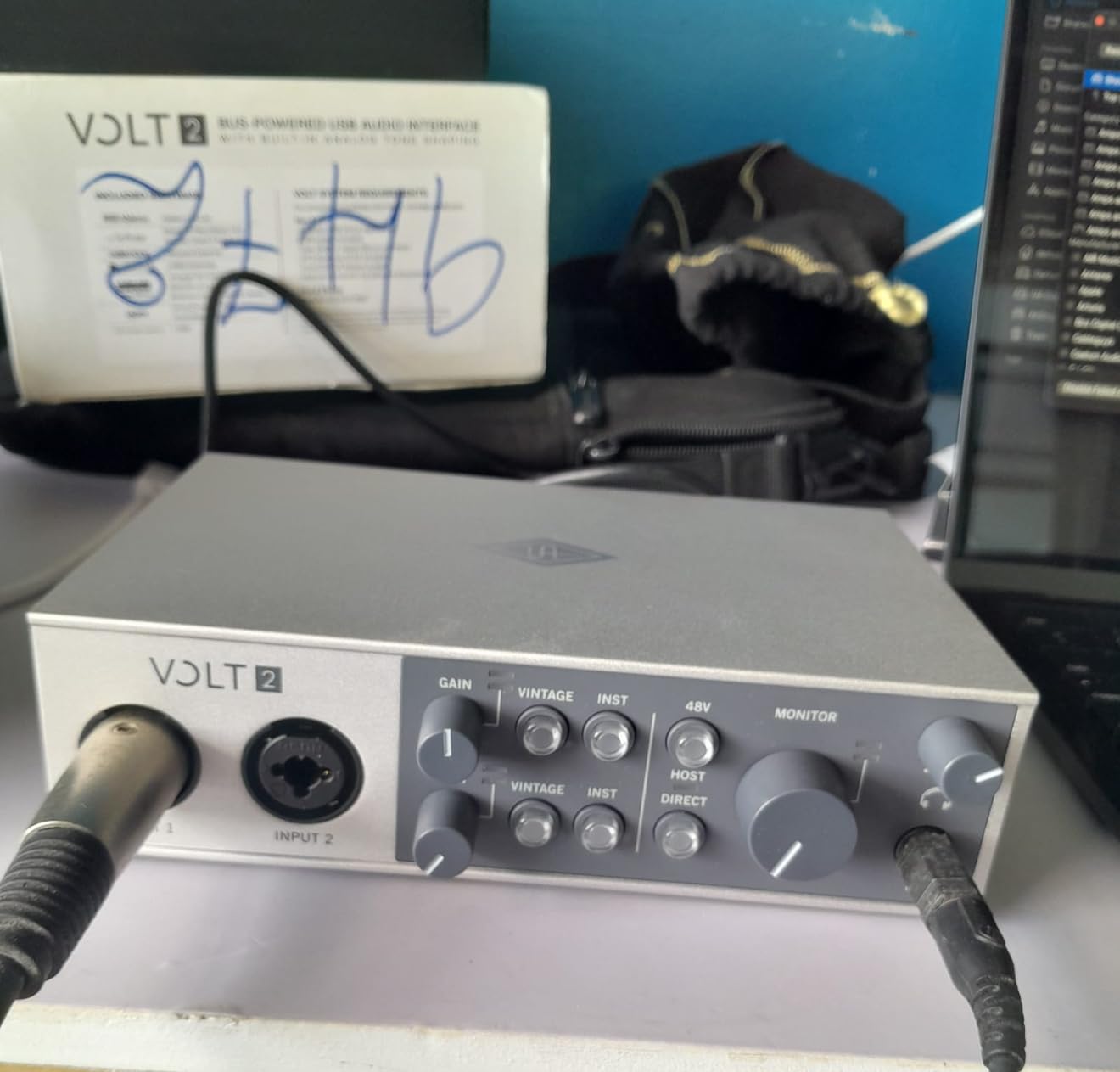
The Volt 2 is the most distinctive character on this list. Universal Audio built the preamp stage around the classic 610 circuit and included a Vintage mode that pushes it toward a warmer, fatter vocal sound. Owners describe vocals as full and usable with very little corrective EQ, which is a real time-saver for a beginner.
Everything else here is generous. Converters run to 24-bit/192 kHz, MIDI input and output are included on 5-pin DIN, and LUNA comes bundled so the box is usable the day it arrives. It works on Mac, Windows, iPad and iPhone, which makes it the most portable option we list.
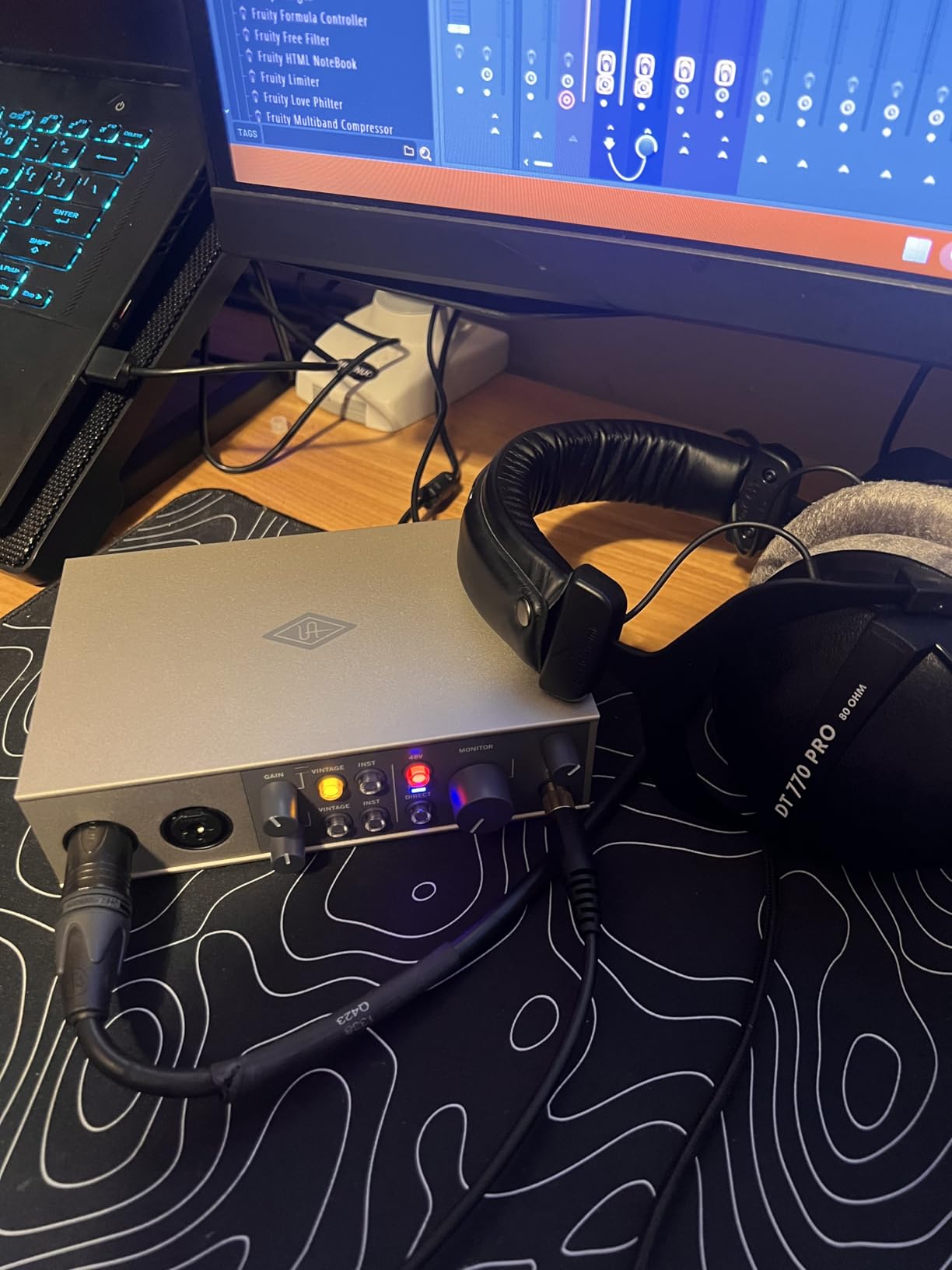
The catch is the software model. LUNA access is tied to an account and a subscription, so if you stop paying, the tools disappear. That does not affect recording, but it changes the long-term maths if you were counting on owning those plug-ins.
There is also only two analogue channels, so a duo needs a second input source and patience. Mobile use requires the external Volt power supply plus an Apple Lightning adapter on non-USB-C iPads, so check your cable before you commit to a tablet workflow.
Is the Volt 2 good enough to mix on?
Yes for a home studio release. The converters capture fine detail at 24-bit/192 kHz, and the bundled UAD plug-ins are the same family used on professional sessions, so the processing chain available to you is credible. For mastering, a dedicated converter still wins, but that is true across this entire price band.
Who should skip the Volt 2?
Skip it if you need to record two people at once, if you dislike subscription-based software, or if you want a completely transparent signal with no character options. If you are after plugins more than hardware, our Thunderbolt interface guide covers higher-end routes.
4. Arturia MiniFuse 4: Best for Low-Latency Tracking
- Exceptionally low reported latency
- Reliable MIDI input and output
- Four inputs and four outputs in a small body
- Fast and stable drivers
- Very powerful headphone output
- Five-year warranty
- USB hub ports do not power a host iPad
- Headphone volume knob is very sensitive
- A small number of units reported with output faults
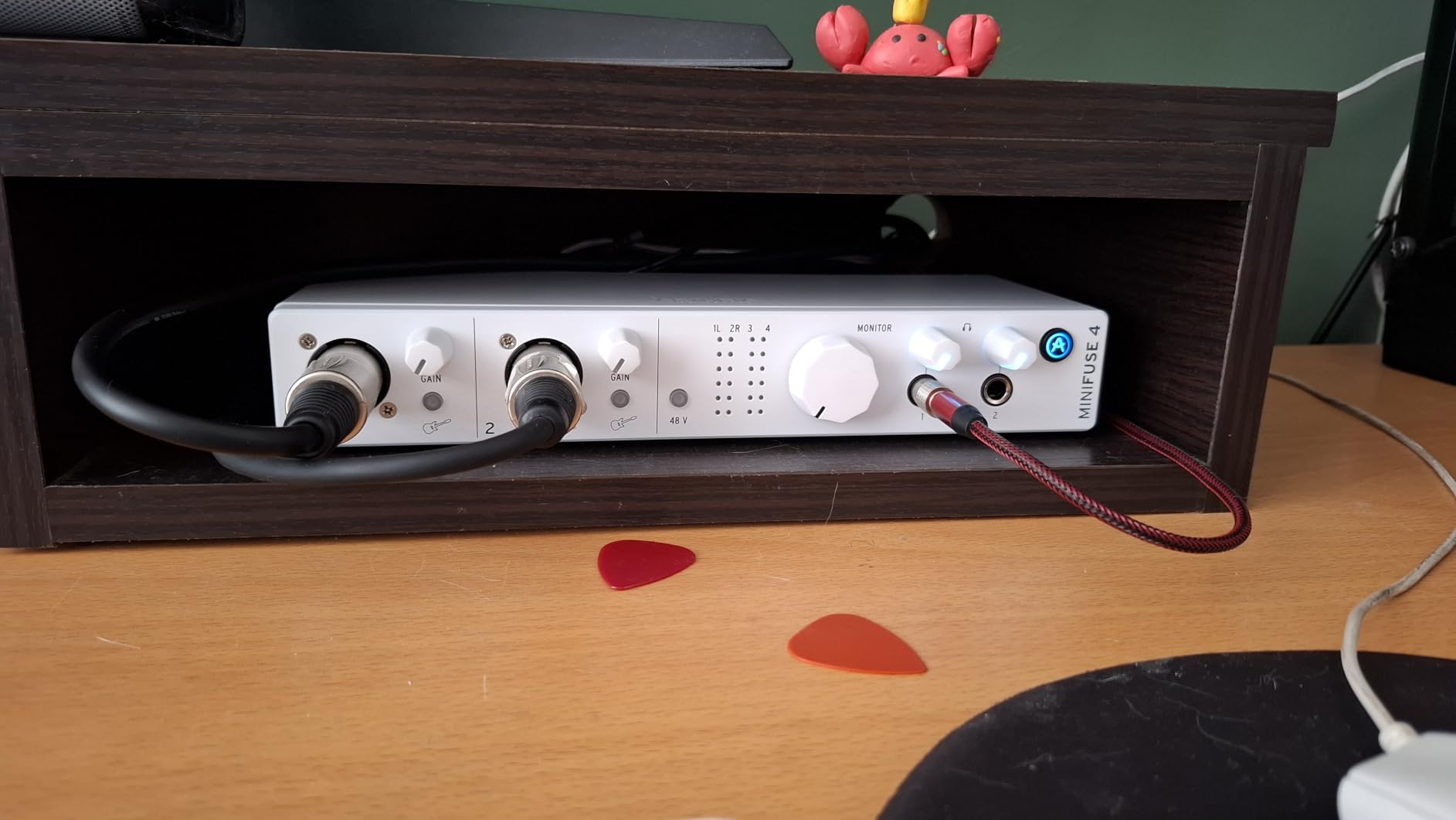
Latency is the whole argument for the MiniFuse 4. Owners report round-trip times around 5 milliseconds at a 32-sample, 48 kHz setting, which is a fraction of the 128-sample floor that older budget interfaces were stuck with. If you play guitar while recording, that difference is the difference between a usable take and a frustrated one.
It also gives you four inputs and four outputs, two of them combo XLR with 48V phantom power, plus two TRS instrument and line inputs. Add MIDI on 5-pin DIN and two USB-A hub ports for controllers, and you have a small hub that does more than a typical 2×2.
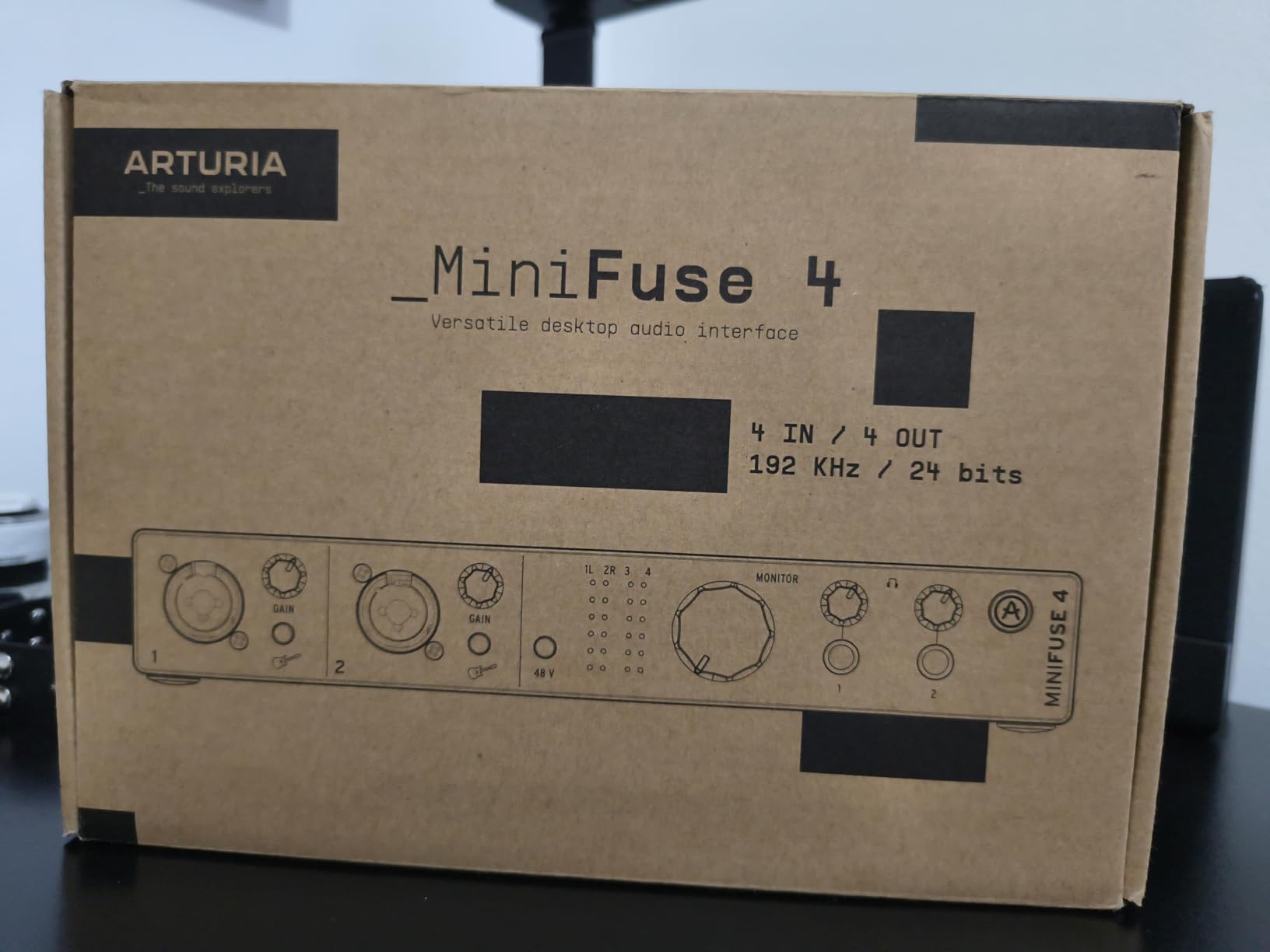
The headphone output is powerful. Users report that the monitor knob barely moves before levels become uncomfortably loud, which is exactly what happens with high-impedance studio headphones such as the 250-ohm DT 770 Pro. The flip side is that with low-impedance cans you should start the knob at minimum.
Owners also praise the bundled software, which includes Ableton Live Lite, Analog Lab Intro, Guitar Rig 6 LE, Auto-Tune Unlimited and a Splice plan. The 5-year warranty is the longest on this list, and the chassis passed more than 200 reliability tests before approval.
Does the MiniFuse 4 work for live performance and recording at once?
It is built for exactly that. The MIDI ports solve the kind of delay problems that make cheap controllers feel sluggish, and the loopback feature captures voiceover alongside in-app or in-game audio. Just remember the USB hub ports do not pass power back to a host iPad, so a mobile keyboard rig needs a powered external hub.
What are the drawbacks of the MiniFuse 4?
The headphone knob is hypersensitive, so precise low-level adjustment takes practice, and a small number of owners have reported a faulty left output within a few months. The sensitivity itself is not a fault, but it is the first thing a fiddly new owner will complain about.
5. Solid State Logic SSL 2 MKII Plus: Best for Two-Person Sessions
Solid State Logic 2 MKII Plus USB-C Audio Interface 2×4
- Highest average rating in this group at 4.7
- Four line outputs allow two monitor pairs
- Bus powered with no external supply
- Two discrete headphone outputs
- SSL 4K console character
- Only two mic preamps
- Two-channel recording limit
- MIDI is 5-pin DIN rather than USB MIDI
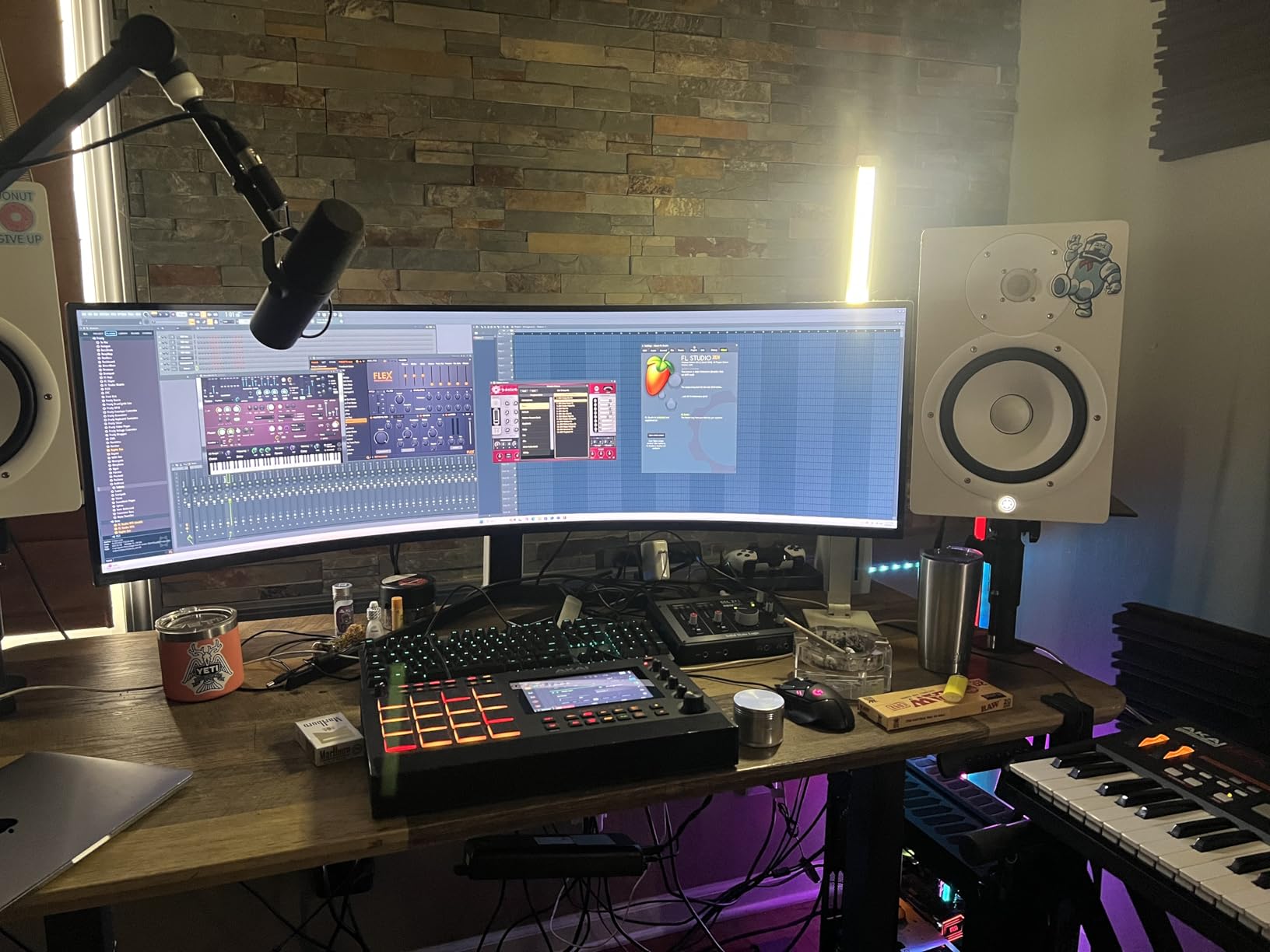
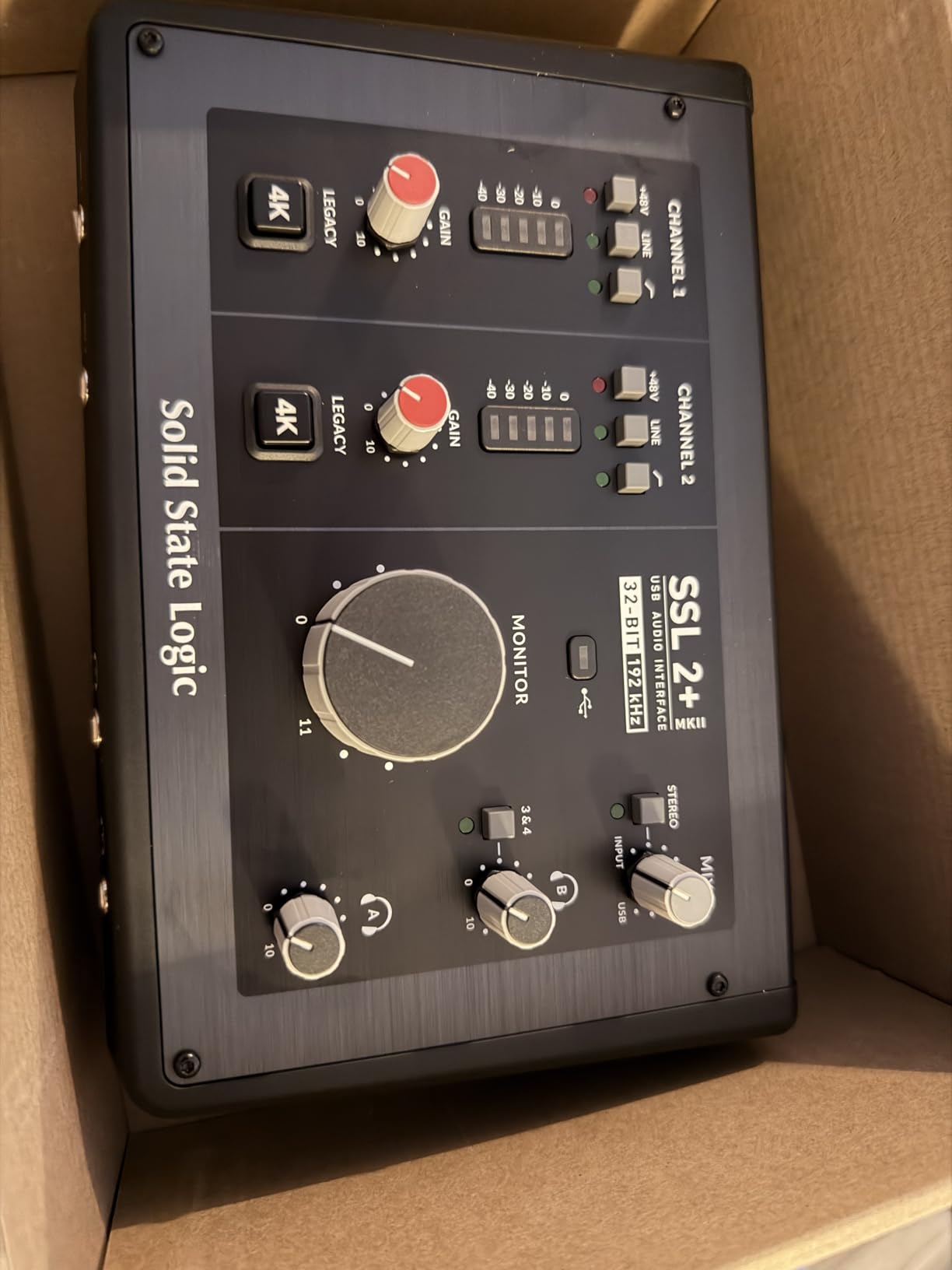
This one exists for a specific situation: two people in a room, each with headphones, plus two sets of monitors. Two discrete headphone outputs and four quarter-inch line outputs mean you can monitor a performer and an engineer separately and reference two speaker pairs, all from one box with no extra splitter.
The conversion is 32-bit/192 kHz, and the SSL 4K enhancement adds a console colour option if you want the character of a large analogue desk on a mix. Zero-latency monitoring, 48V phantom power, stereo loopback and high-pass filters are all present, and the whole thing runs bus powered on Mac or Windows.
It is also the highest-rated unit in this group at 4.7, with a large share of five-star ratings. That is not a marketing line, it comes from the review data, and it is the reason this box keeps showing up in producer and podcaster recommendations.
The limitation is channel count. Two XLR preamps and two Hi-Z inputs mean you can only record two sources simultaneously, so a duo can work but a band cannot. MIDI is on 5-pin DIN, which excludes modern USB MIDI controllers without an adapter.
Is the SSL 2 MKII Plus worth it over a 2×2?
If you track one performer at a time, no, a cheaper 2×2 gives you the same recording result. If you regularly have a second person in the room, or run two monitor positions, the four line outputs and dual headphone outs save you a headphone splitter and a monitor switcher. The stainless chassis also survives being moved between locations.
What should I know before buying?
Bus power means no external supply to lose or replace, and the SSL Production Pack software bundle covers the basics. The SSL name carries more perceived value than most interfaces at this level, and buyers consistently report that the 4K character is the feature they actually keep switched on.
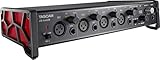
6. Tascam US-4x4HR: Best for Recording More Than One Source at Once
Tascam US-4x4HR 4 Mic 4IN/4OUT High Resolution Versatile USB Audio Interface for Recording, Streaming, Podcasting, Songwriting
- Four XLR/TRS combo inputs for multi-person tracking
- Ultra-HDDA preamps with per-input phantom power
- Native driver with buffers selectable to 4 samples
- 24-bit/192 kHz operation
- IN1-2 inputs double as guitar inputs
- Metal chassis
- Lowest average rating in this group at 4.3
- Wide 13-inch footprint
- 90-day labour warranty is short
This is the pick for tracking a duo or a live band, because four genuine XLR/TRS combo inputs is double what a 2×2 gives you. Every input takes a mic or an instrument and has its own phantom power switch, so a condenser and a dynamic mic can sit side by side without rewiring.
The driver is the standout. Tascam’s native Windows driver lets you select buffer sizes down to 4 samples, which is the lowest figure any interface in this guide publishes, and the system stays stable at those settings according to the specification and owner reports.
The negatives are real and worth weighing. Its 4.3 average is the lowest in this group, with a higher share of one-star reviews than the alternatives, the 13-inch-wide chassis eats desk space, and labour is only warranted for 90 days even though the hardware itself feels solid. Driver support reads as Windows-centric despite the stated Mac and iOS compatibility.
Is the Tascam US-4x4HR reliable enough for client work?
The specification suggests yes: metal construction, four Ultra-HDDA preamps and a native driver that supports very small buffers. The review pattern is more mixed than any other model here, which is why we place it below the four-input alternatives. If you are billing a client for a session, the M4 or the MiniFuse 4 carry more predictable long-term support.
Who should skip it?
Skip it if your desk is small, if you are on a strict multi-year warranty comparison, or if you need a polished control panel and bundled software. If you are building a permanent install, our lower-cost interface guide covers what a smaller budget gives up.
7. Audient EVO 4: Most Versatile for Solo Recording
- Clean transparent preamps with low noise
- Smart Gain sets levels in one press
- Independent phantom power per channel
- JFET hi-Z input with its own character
- Compact and bus powered
- Headphones auto-mute the speaker outputs
- Plastic chassis and a bright LED ring
- 96 kHz maximum sample rate
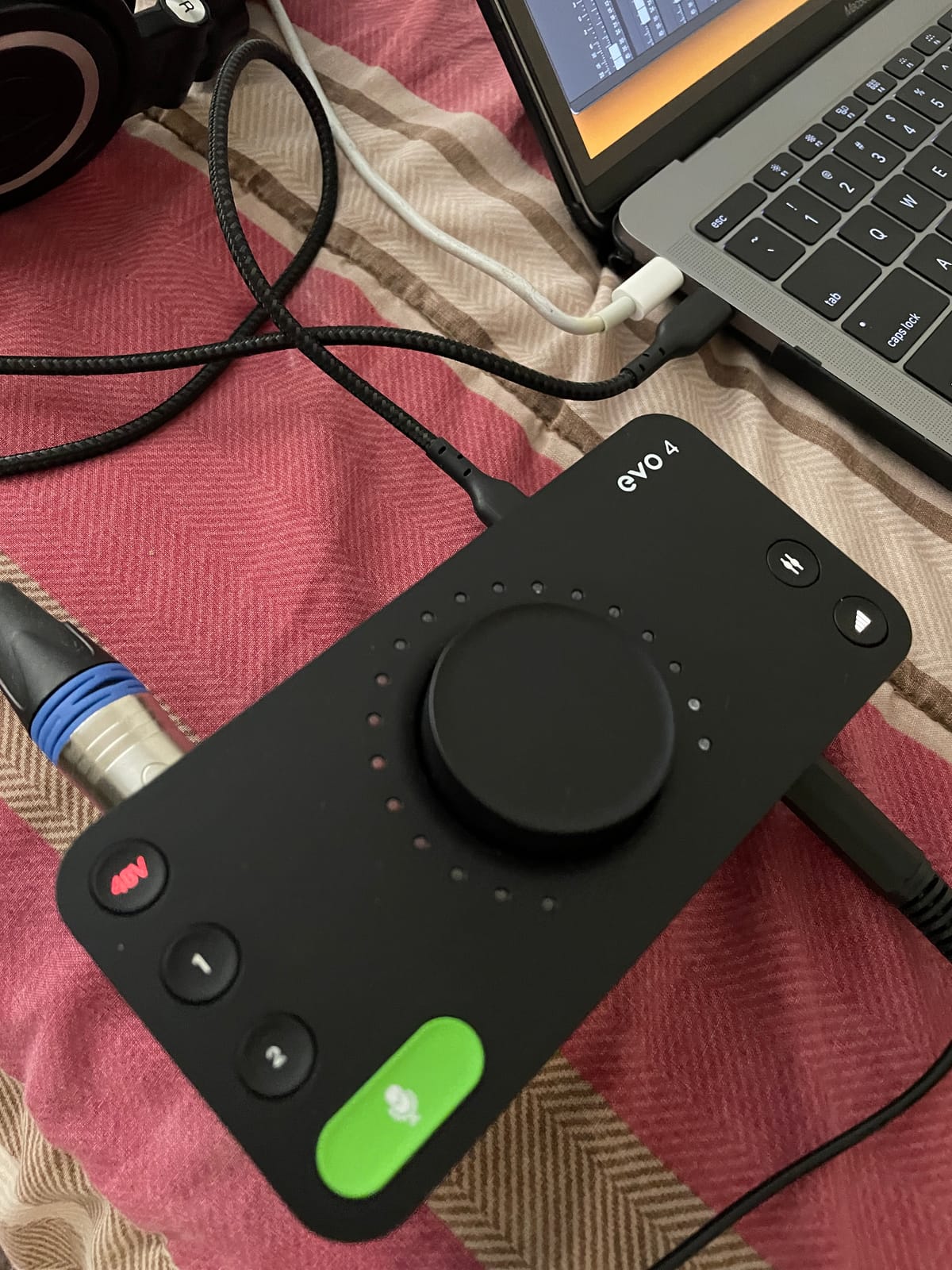
The EVO 4 does two surprising things. It gives each input its own phantom power switch, so a condenser and a dynamic mic can be connected at the same time, and it puts a JFET hi-Z instrument input on channel two, which gives electric guitar and bass a warmer, more saturated character than a generic instrument stage.
Smart Gain removes the least enjoyable part of interface ownership. One button press sets a sensible level on the selected channel, which matters enormously for a first-time buyer who does not yet know what a healthy level looks like. The illuminated encoder doubles as a gain control, an output meter and a monitor balance control.
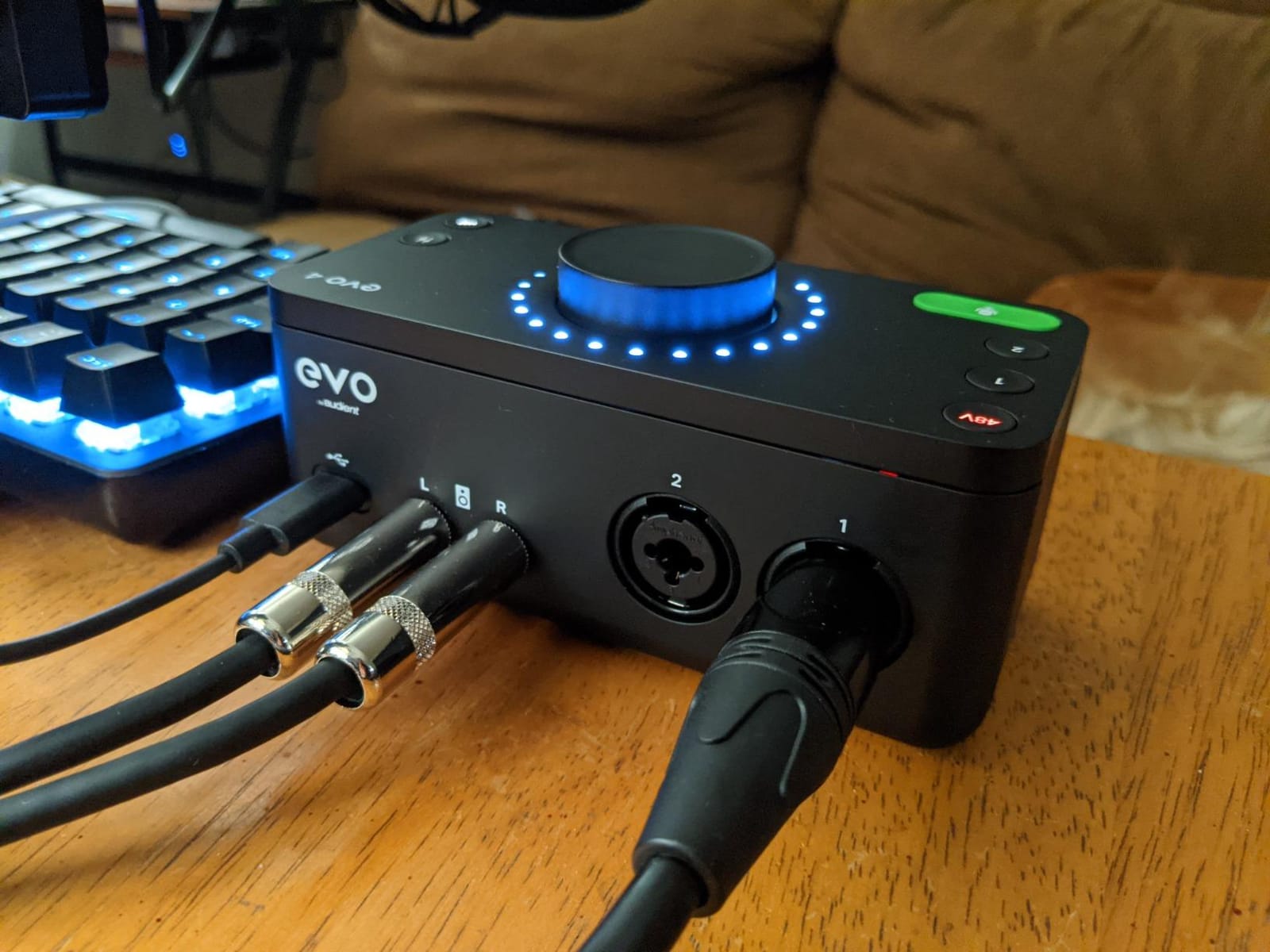
Converters are AKM silicon running to 24-bit/96 kHz, which is a lower ceiling than most rivals. At 360 grams and bus powered, it is the most portable model we list and works on iOS with a powered USB hub, so it fits a laptop or tablet session without a power brick.
The functional catch is that plugging in headphones automatically mutes the line and speaker outputs, so you cannot check a mix on monitors while wearing cans. A subset of owners also report crackling on very quiet passages, and the bright white LED ring cannot be dimmed, which is unpleasant in a dark room.
Should a beginner buy the EVO 4 or save up?
If you are recording one voice or one guitar, the EVO 4 is enough and the Smart Gain button removes most of the early frustration. If you plan to grow into two-person tracking, stereo pairing or 192 kHz capture, step up to the iD14 MKII or the M4 instead, because the EVO 4 cannot be expanded internally.
What do reviewers dislike most?
The auto-muting behaviour and the always-on LED ring come up repeatedly, along with the plastic enclosure, which reviewers comparing it with the metal iD line often describe as a step down in feel. Gain is also slightly light for very demanding dynamics such as an SM7B, which again is a two-channel limit rather than an Audient weakness.
8. Focusrite Scarlett Solo 4th Gen: Best Proven Starting Point
- Most proven interface in this group with the largest review base
- 120 dB dynamic range from flagship converters
- Auto Gain and Clip Safe simplify setup
- Air mode adds presence to vocals and guitar
- Bus powered USB-C for Mac Windows and iPad
- Generous bundled software
- Only one mic preamp and one instrument input
- No MIDI input or output
- Very limited control surface
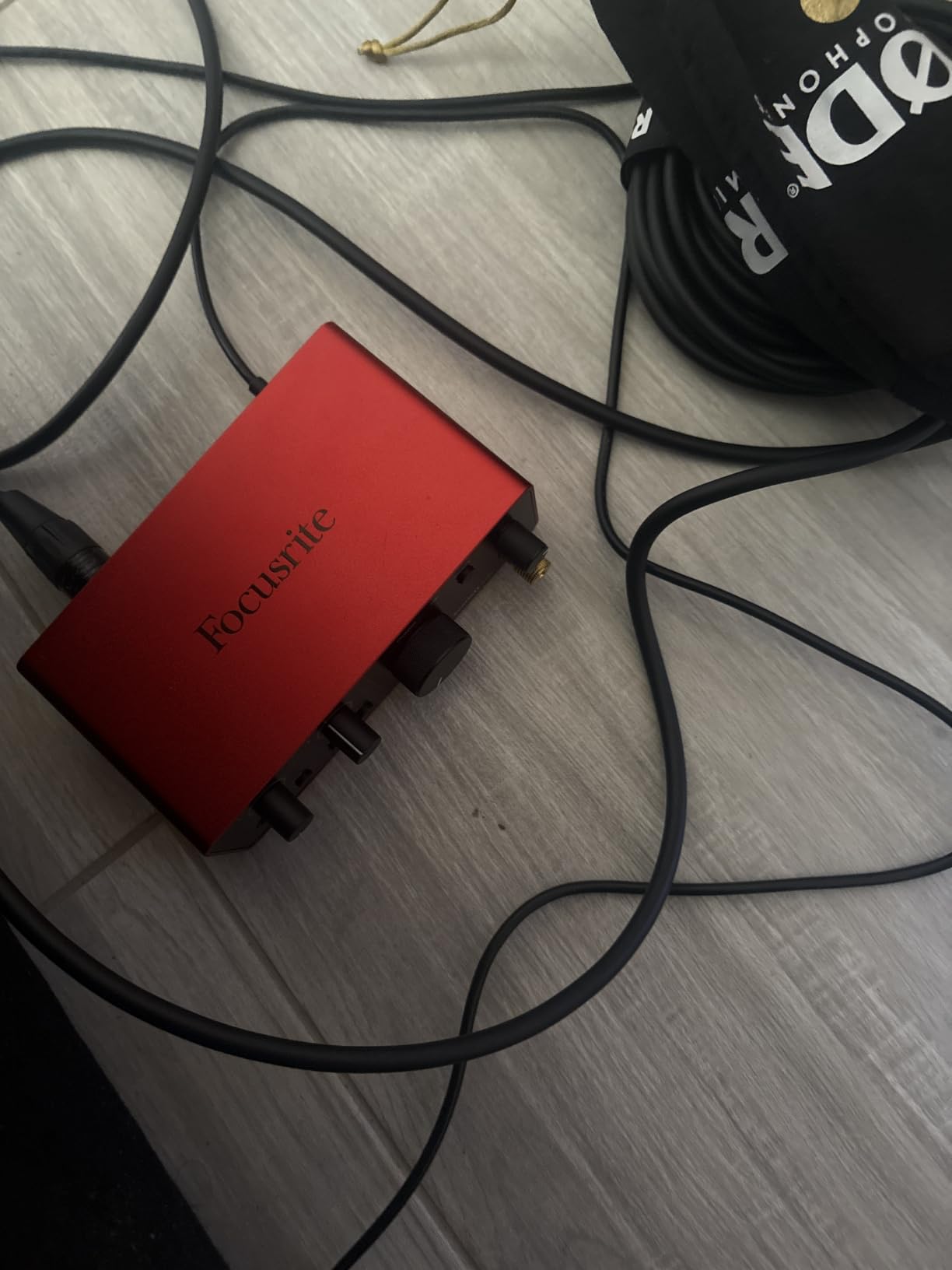
Nothing here is untested. The Scarlett Solo 4th Gen carries the largest review base of anything on this list by a wide margin, which matters more than raw star count: when a product has thousands of owners across years, the listed limitations are the real ones rather than the first-week impressions.
The converters are the same family Focusrite uses in its flagship studio hardware, and they deliver 120 dB of dynamic range at up to 24-bit/192 kHz. Auto Gain and Clip Safe handle level setting and prevent a ruined take from an overloaded input, and Air mode adds presence and harmonic drive to vocals and guitars without a plug-in.
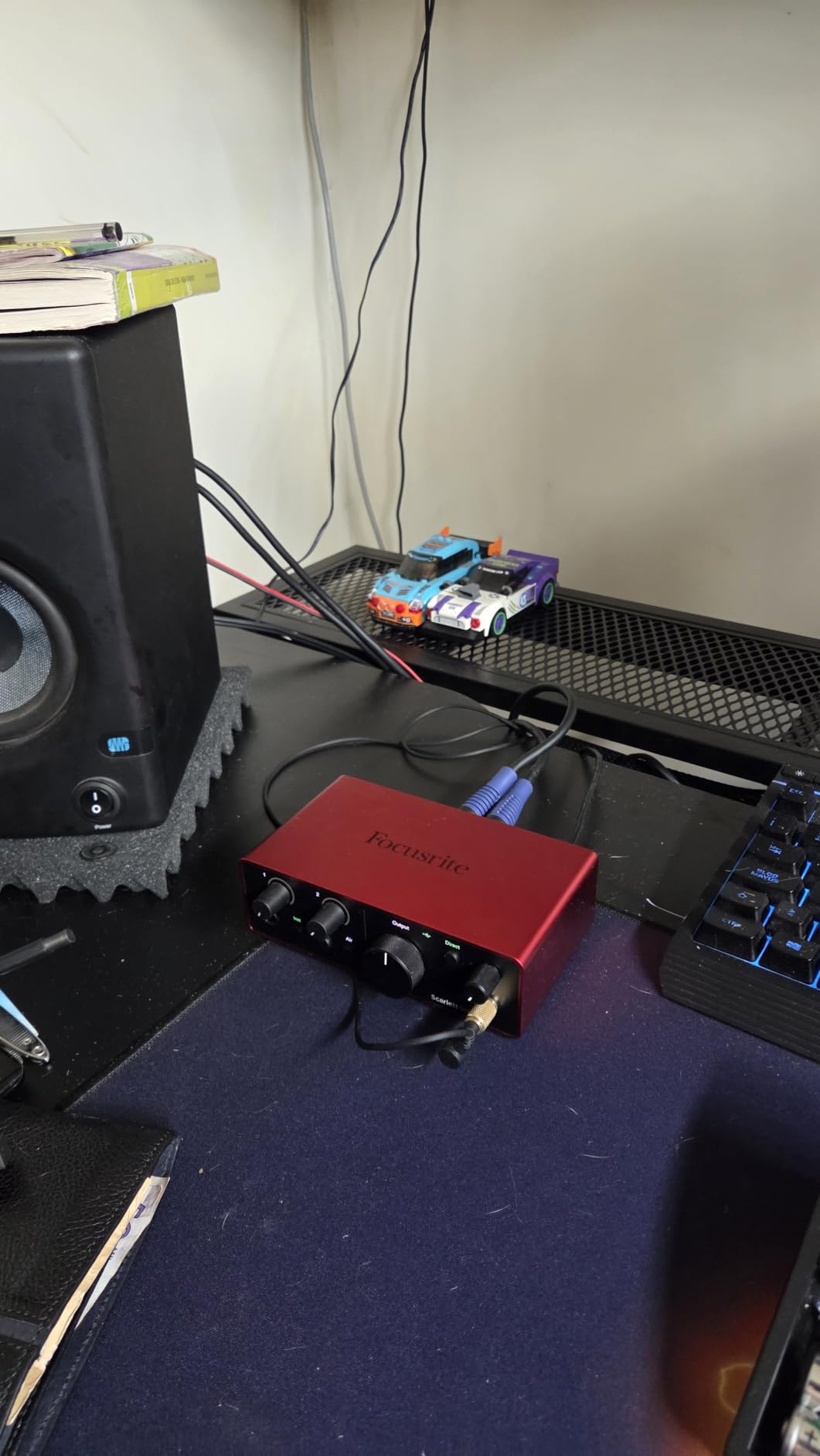
Bus-powered USB-C means it runs on Mac, Windows and iPad out of the box, and the bundle includes Pro Tools Intro, Ableton Live Lite, Cubase LE and the Hitmaker Expansion. Loopback is there for streaming, and the footprint is small enough for a laptop bag.
The one-channel format is the whole story. One XLR preamp and one instrument input means you cannot record a duo, a stereo pair or a band, and there is no MIDI. For a single voice, a single guitar, a podcast or a stream, that limitation does not apply.
Is the Scarlett Solo still worth buying in 2026?
Yes, for a single source. The dynamic range and converter pedigree are first-tier, the setup assistance is unmatched for a beginner, and the ownership record is long enough that driver problems would have surfaced by now. The 4th generation hardware is the current shipping version, which matters if you are buying new.
When should you move up from the Solo?
Move up the moment you need a second simultaneous input, whether that is a guest on a podcast, a stereo pair of mics or a band overdub. The EVO 4 covers two channels in a small body, and the M4 or the Tascam covers four. Our beginner guide walks through that upgrade logic.
9. Behringer UMC404HD: Best for Four Channels and MIDI on a Budget
Behringer U-PHORIA UMC404HD Audiophile 4×4, 24-Bit/192 kHz USB Audio/MIDI Interface with Midas Mic Preamplifiers
- Lowest cost in this group with four preamps and MIDI
- Four Midas-designed mic preamplifiers
- MIDI included at this level
- Impact-resistant metal chassis
- Works with Pro Tools Ableton Live and Cubase
- No bundled recording software
- Bare-bones control surface with no loopback
- USB 2.0 rather than USB-C or USB 3.0
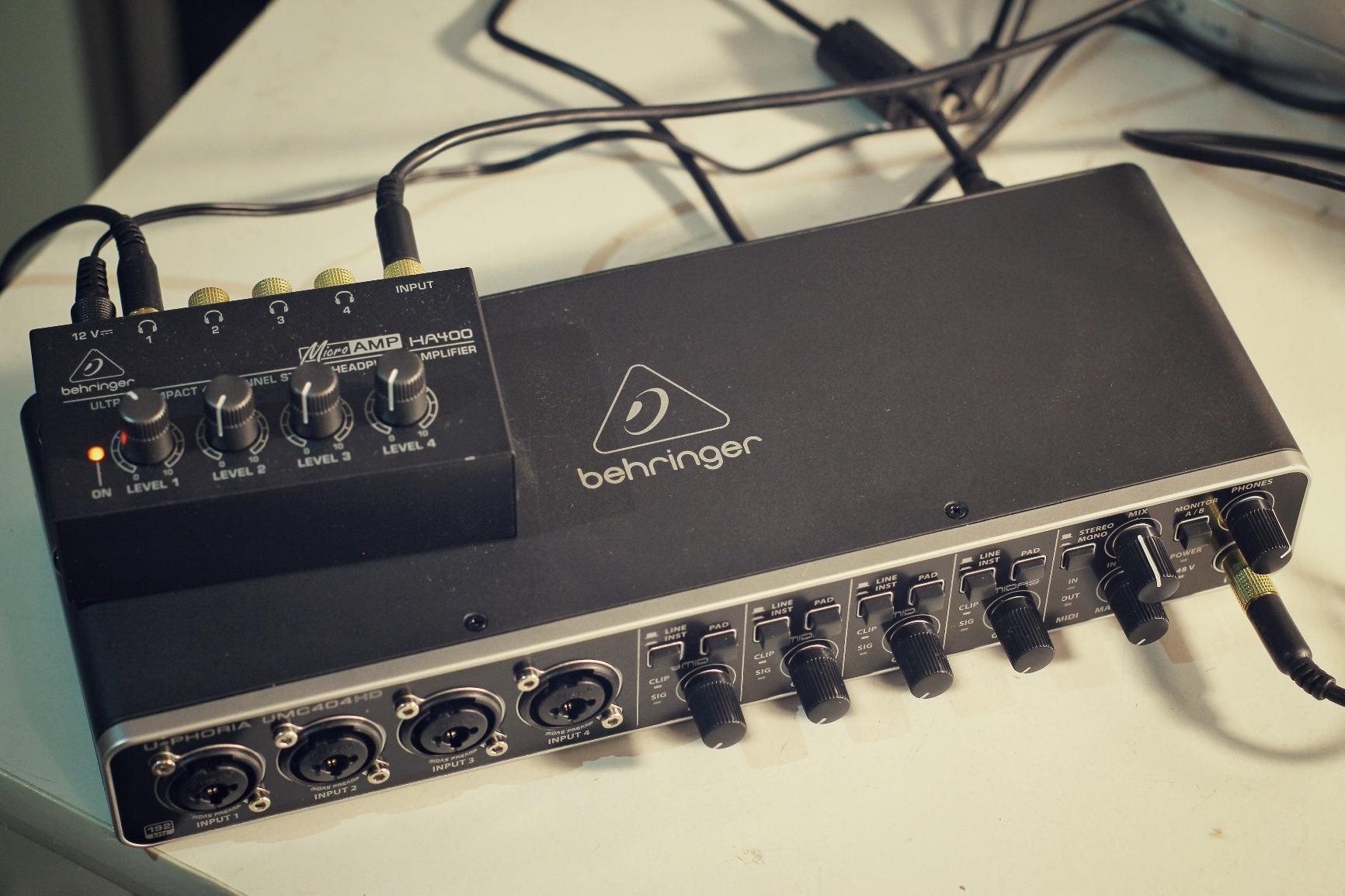
The UMC404HD has been the dependable four-channel workhorse for years, and the long review base reflects that. Four Midas-designed preamplifiers, 4×4 I/O, MIDI in and out, 24-bit/192 kHz resolution and an impact-resistant metal chassis — none of that is exotic, and all of it works.
It is the cheapest way in this guide to track a duo, an acoustic guitar and a mic at the same time with hardware MIDI for a controller. For a small project studio that has outgrown a 2×2, the maths is hard to argue with.
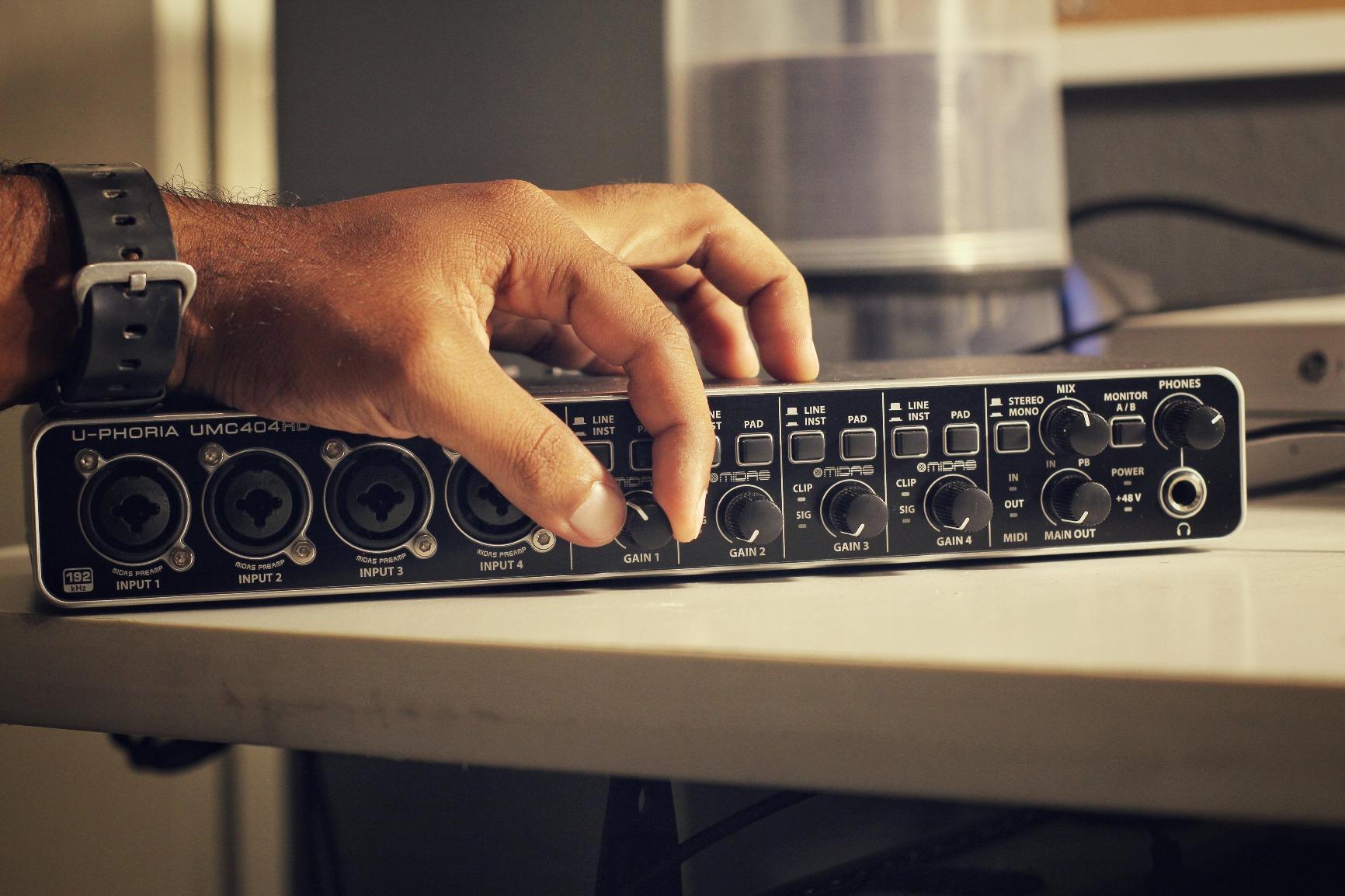
What you give up is refinement. There is no bundled recording software, the control surface is minimal with no loopback, no onboard effects and no direct monitoring controls, and it uses USB 2.0 rather than a modern USB-C connection. You will live inside your DAW’s control panel rather than the hardware.
The footprint is 11.5 inches deep, so it is a desk unit rather than a laptop accessory, and the delivery terms on its listing can differ from the other picks here.
Is the UMC404HD still worth it in 2026?
Yes, if four inputs and MIDI are the deciding factors and the price gap to the alternatives matters to you. The preamps are the weakest of the four-input options here in terms of refinement, but the long ownership history means the platform is well understood and widely supported.
Who should buy something else?
If you need loopback for streaming, a meter on the hardware, or bundled software, choose the MOTU M4. If you want the cleanest two-channel path for a solo voice, the Audient iD14 MKII is a better use of the money. The UMC404HD is a channels-first tool, not a features-first one.
10. Elgato Wave XLR MK.2: Best for High-Gain Dynamic Mics
Elgato Wave XLR MK.2 USB Audio Interface and DSP Mixer
- 80 dB of gain drives demanding dynamic mics without a booster
- Onboard voice enhancer compressor and EQ
- Wave FX Processor mixes DSP and VST in one chain
- LED ring shows levels and mute state
- Wave Link supports multiple mixes
- Stream Deck integration
- Wave Link software reported as buggy and crash-prone
- AI noise reduction weak on room and fan noise
- Only a single XLR input
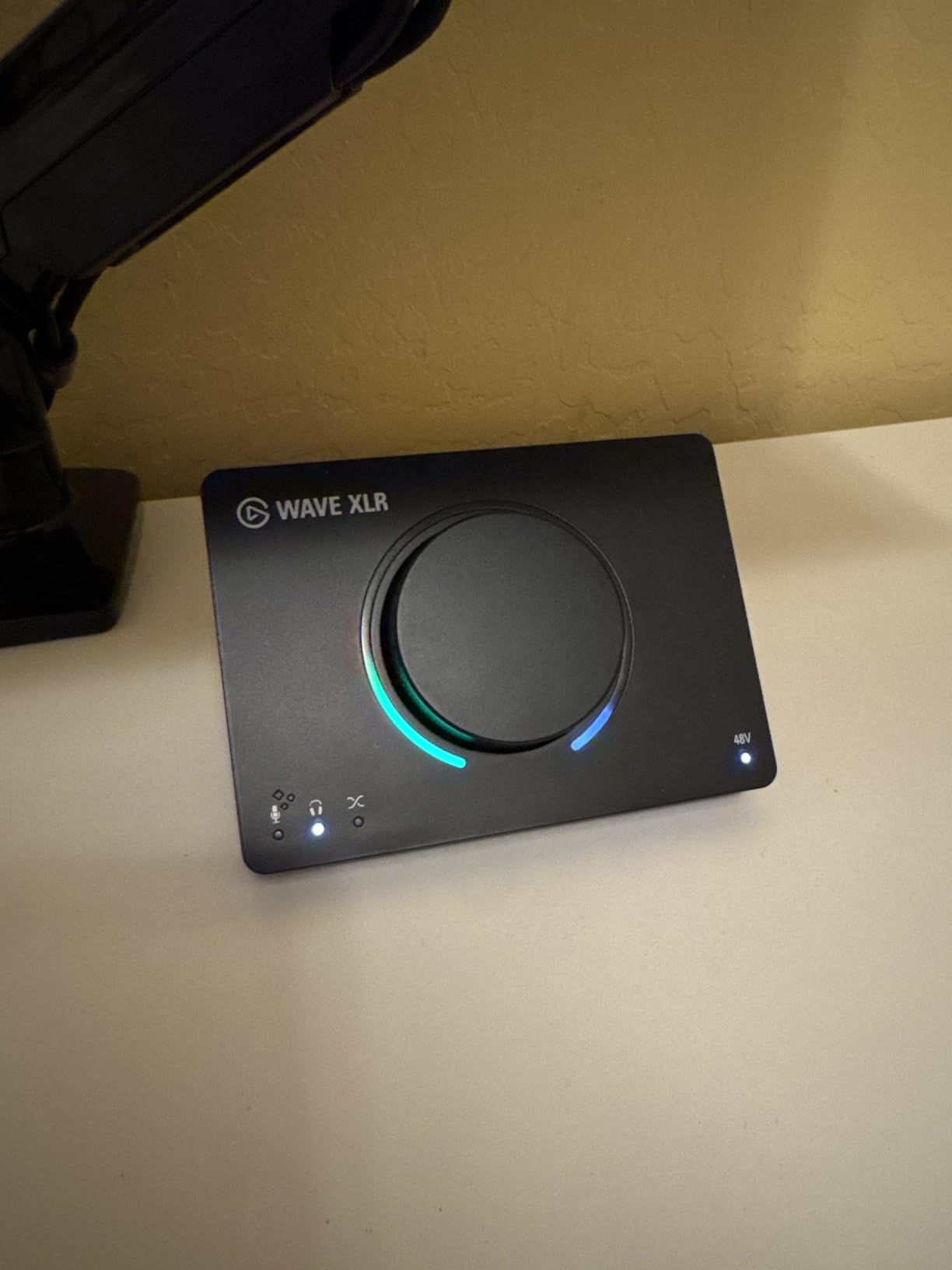
The Wave XLR MK.2 is built around one problem: how much gain you get. At 80 dB of XLR gain it drives an SM7B without an inline booster, which removes the most common extra purchase for a broadcast-style dynamic microphone. There is a dedicated headphone amp with its own level control for studio cans.
Onboard DSP includes a voice enhancer, a compressor and EQ, and the Wave FX Processor puts that hardware processing and your VST plug-ins in a single chain. Wave Link routes up to five separate mixes, which for a streamer or podcaster replaces a full piece of virtual mixer software.
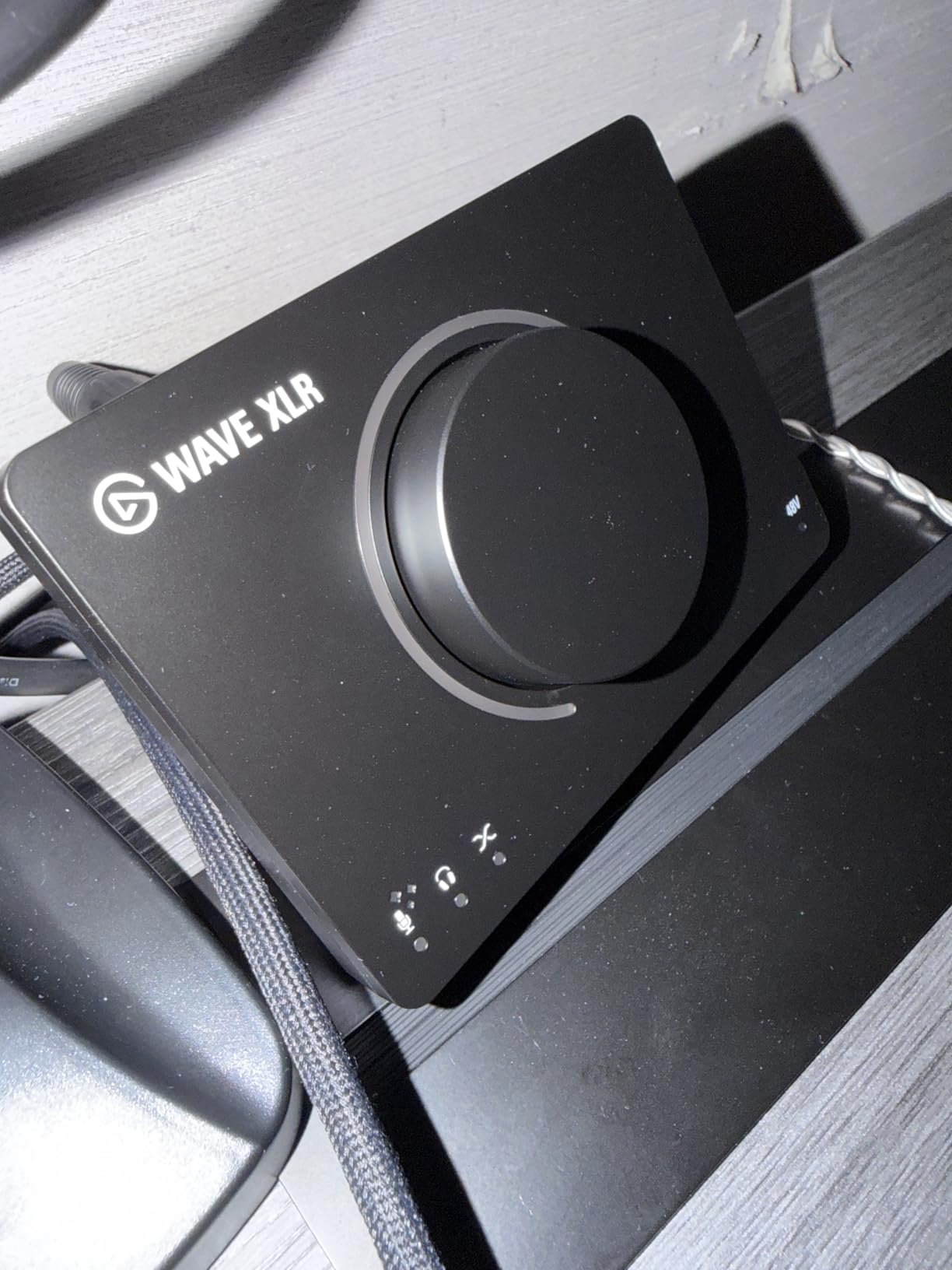
The software is the problem. Several reviewers report crashes and audio dropping out mid-session, and our advice is to read the most recent reviews before buying. The AI noise reduction is also weak against room tone and fan noise, and the animated LED ring cannot be static or recoloured, so it stays distracting.
Note that the MK.2 dropped PlayStation 5 compatibility compared with the first generation, and there is no built-in limiter. It is a single-XLR box, so a second person on a podcast needs a different route entirely.
Is the Wave XLR MK.2 good for streaming?
For a solo streamer or podcaster with one XLR microphone, yes. The gain range, the headphone output and the multi-mix routing in Wave Link cover the whole job, and Stream Deck integration turns mute and level changes into one-touch actions. Our podcasting guide compares the multi-mic options.
When should you avoid it?
Avoid it if your session depends on the bundled software staying stable, if you stream to a PlayStation, or if you need to record two people at once. The MOTU M4 covers multi-host work with hardware monitoring and loopback, without asking you to rely on a control app.
How We Picked and Ranked These 10 Interfaces
We did not run hours of listening tests on these units, and we would rather tell you that than imply otherwise. What we did was compare the published specifications and the accumulated owner feedback for each model, then rank them against five criteria that decide whether a sub-500 dollars interface will suit you.
- Preamp and converter pedigree. Class-A topologies, converter family and maximum sample rate set the ceiling on noise floor and detail. We weighted Audient’s Class-A preamps and the ESS converters in the MOTU M4 highly.
- Input and output count against your actual project. Two channels suit a solo voice. Four channels suit a duo, a band or a stereo pair. A two-channel box chosen for a two-person session is a return trip to the shop.
- Latency claims and driver behaviour. We looked for published buffer sizes, native drivers and reports of crashes. The loudest complaint across owner discussions is Windows driver instability, so this carries real weight.
- Connectivity that changes the workflow. Loopback for streaming, MIDI for controllers, ADAT or optical for expansion, and headphone output power for 250-ohm studio headphones all change the true cost of the setup.
- Price against what is included. Bundled software, warranty length and control surface quality decide how much of your budget is really spent on the box.
Owner feedback also told us where each unit is honest about its limits. A list where every pick has no downsides is a marketing document, not a buying guide.
Buying Guide: What Actually Matters Under 500 Dollars
Preamps and gain staging
Preamp gain is how much a quiet microphone signal is raised before conversion, and it is the number that decides hiss. A condenser mic outputs a healthy signal and needs little gain. A ribbon or an SM7B needs a great deal, and pushing any budget interface past roughly 50 dB of gain is where the noise floor becomes audible in a quiet room.
The Elgato Wave XLR MK.2 publishes 80 dB of gain, which removes the need for an inline booster with a demanding dynamic mic. Most other models here have two preamps and no published figure, so the practical answer is a cloudlifter or booster if your microphone is quiet.
Converters and sample rate
The AD and DA converters turn analogue sound into numbers and back. Most interfaces in this range claim 24-bit/192 kHz, and that figure is now table stakes rather than a differentiator. The Audient EVO 4 and the iD14 MKII top out at 96 kHz, which is still more than most sessions need.
Converter character matters more than the headline number. Audient is consistently described as transparent and natural, MOTU’s ESS converters are praised for detail, and the Universal Audio Volt 2 deliberately adds colour through its 610-derived preamp circuit. None of that is measurable from a spec sheet.
Latency and driver stability
Round-trip latency is the delay between playing and hearing. It does not affect the recorded file, only what you monitor while tracking. Published buffer sizes range from the Arturia MiniFuse 4, whose owners report around 5 ms at 32 samples, to the Tascam US-4x4HR, whose driver goes down to 4 samples, with most models sitting in between.
Stability matters more than the smallest possible buffer. Driver crashes and dropped sessions are the single most repeated complaint in owner discussions, and the units with native drivers tend to fare better. Update the driver before your first session, and keep a second input device available for critical work.
How many inputs do you actually need?
Count the sources you record at the same moment, not the sources you record in a week. One vocalist needs one. A singer and a guitarist need two. A podcast with a host and a guest, a stereo pair of condensers, or any drum kit needs four.
That is the entire decision. The Scarlett Solo and the Wave XLR cover one source, the iD14 MKII, the Volt 2 and the EVO 4 cover two, and the M4, the US-4x4HR and the UMC404HD cover four.
Headphone output power
High-impedance headphones such as the 250-ohm DT 770 Pro need real current, not just volume. A weak headphone stage forces a separate amplifier into the shopping list, which quietly raises the total cost of the setup. The Arturia MiniFuse 4 and the Audient iD14 MKII both receive comments about strong headphone output, while smaller models often struggle.
Loopback, MIDI and expansion
Loopback mixes system audio back into your recording, which is how you capture a call, a livestream or in-game sound. MOTU, Arturia, Audient EVO 4 and Focusrite all provide it. MIDI matters if you own a controller; the Volt 2, the M4, the MiniFuse 4, the SSL 2 MKII Plus and the UMC404HD have it, while the iD14 MKII and the Scarlett Solo do not.
For expansion, the iD14 MKII has an optical S/PDIF input that accepts ADAT, which is the cheapest way to add mic channels later. Most other units here cannot grow.
Bundled software and warranty
Bundled software varies widely. Arturia, Focusrite and Universal Audio ship meaningful packages, the Audient units include Cubase LE, and the Behringer UMC404HD includes nothing. Watch the model: the Volt 2 ties LUNA access to an account and subscription, and the Tascam’s labour warranty runs 90 days while others offer three to five years.
What a Sub-500 Dollars Budget Does Not Buy
At this ceiling you get genuinely good preamps and converters, but you do not get everything. The most common limit is channel count: four inputs is the practical ceiling, and anyone tracking a full drum kit live or a large ensemble needs a different class of hardware entirely.
Second is headroom on demanding microphones. Interfaces with 80 dB of published gain remove the booster purchase, and most others do not, so budget for a cloudlifter if you own a ribbon or an SM7B. Third is raw headphone power for high-impedance cans.
There is also a used market worth considering. Owner discussions repeatedly raise the question of whether a used interface from a higher tier beats buying new at this level, and for a buyer who can test a unit before committing and who does not need current warranty cover, it is a legitimate route. Weigh that against the risk of buying a grey-market or no-warranty unit at a discount, which owner discussions flag as a real concern. We would not make that trade for a first interface.
Frequently Asked Questions
What is the best audio interface under 500 dollars?
The Audient iD14 MKII is the strongest all-round choice at this budget, with two Class-A microphone preamps, an all-metal chassis and two independent headphone outputs. For streaming and podcasting the MOTU M4 is the pick, thanks to four inputs, an LCD meter and loopback. For the lowest cost per channel the Behringer UMC404HD gives you four preamps plus MIDI.
Which audio interface has the best sound quality?
It depends on what you are measuring. Audient units are consistently described as transparent and accurate, MOTU uses ESS converters that reviewers praise for detail, and the Universal Audio Volt 2 deliberately adds warmth through its 610-derived preamp circuit. The Focusrite Scarlett Solo 4th Gen publishes 120 dB of dynamic range using converters from its flagship hardware.
Is MOTU better than Focusrite?
Yes for streaming, no for everything else. The MOTU M4 wins on converter pedigree, LCD metering, hardware monitoring, loopback and MIDI. Focusrite wins on driver maturity, software ecosystem, resale value and cost, and the Scarlett Solo 4th Gen is the most proven interface in this guide with the largest review base.
Do I need phantom power for my condenser mic?
Yes, almost always. Condenser microphones need 48V phantom power, and ribbon microphones must never receive it because it can damage the element. Every interface here supplies 48V, and the Audient EVO 4 and the Tascam US-4x4HR switch it per input, so a condenser and a dynamic mic can be connected at the same time.
Is a 500 dollar audio interface worth it?
It is worth it once you have a condenser or a dynamic microphone that deserves better than a laptop input. At this level you get first-tier converters, real Class-A preamps, hardware monitoring and enough gain for most work. If you are still using a built-in laptop microphone, a cheaper two-channel unit will serve you equally well.
Conclusion: The Best Audio Interfaces Under 500 Dollars in 2026
The best audio interfaces under 500 dollars in 2026 come down to how many sources you record at once. The Audient iD14 MKII is the all-round winner, with Class-A preamps, a metal chassis and dual headphone outputs. The MOTU M4 is the streaming and podcasting choice, the Arturia MiniFuse 4 wins on latency, the Tascam US-4x4HR covers four inputs for band tracking, and the Focusrite Scarlett Solo 4th Gen remains the most proven starting point.
Check the current listing for each unit before you buy, set your gain with a ribbon or a dynamic mic in mind, and spend the time to learn the buffer settings. Our main audio interface guide covers the format in full if you are still weighing it up.