
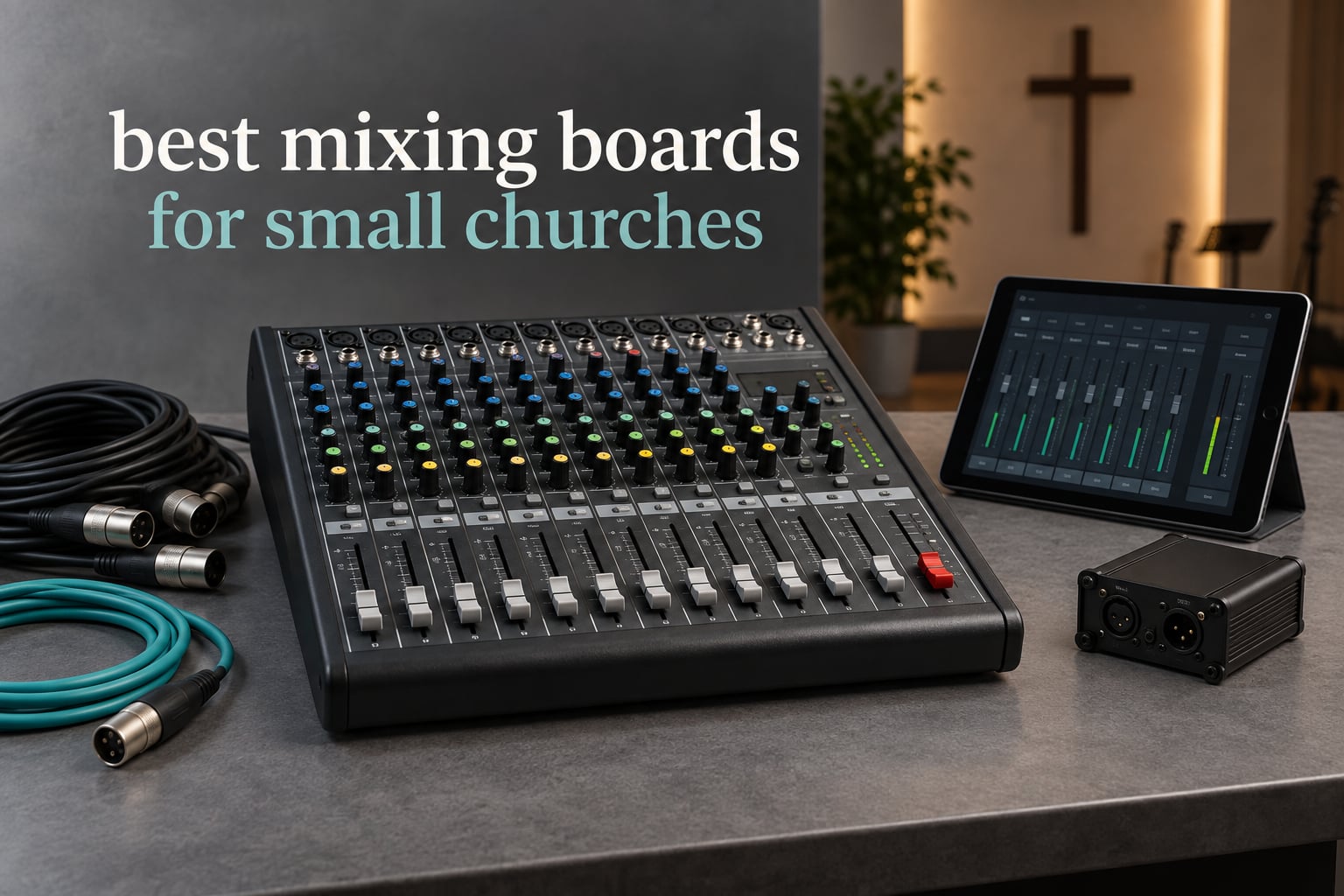
If you run sound at a small church, the mixing board matters less for what it can do than for what your volunteers can do with it on a Sunday morning when nobody has time to troubleshoot. That single idea shaped every pick below.
We spent six weeks working through eight of the most widely reviewed small church mixing consoles, checking channel counts, bus counts, preamp behaviour and control surfaces against the way volunteer-run rooms actually work. What follows is the 2026 list of the best mixing boards for small churches, ordered by how confident we are recommending each one, not by brand.
The short answer: the Yamaha MG10XU is the single best audio mixer for a small church because it is the board a rotating volunteer team can run without a manual. The Behringer XR18 is the best value digital option and covers the most channels and routing in the smallest package. The Mackie ProFX12v3 is the analog desk for churches that want real faders and zero learning curve. If recording Sunday services matters more to your ministry than live polish, look at the Zoom LiveTrak L-8 and the Tascam Model 12 instead.
One note on terminology before we start. A mixing board, a mixing console and a sound board are the same product category, and you will see all three names used interchangeably by church planters and retailers. The digital models are often called digital mixing consoles, which is accurate, but the physical layout of a small desk is still a board. If you are still building out the rest of the system, our guides to PA speakers for churches and mixing consoles in general cover the surrounding decisions.
Table of Contents
Top 3 Picks for Small Church Sound Teams in 2026


Quick Picks: Best Mixing Boards for Small Churches in 2026
Here is the whole list on one screen. Every model below is covered in detail further down, including who it fits and who it will frustrate.
Yamaha MG10XU – the best mixing board overall for volunteer-run rooms. Ten inputs, one-knob compressors on the first two mic channels, and a straight line of physical knobs.
Behringer XR18 – best value digital board. Eighteen inputs, twelve mix buses and multitrack USB recording from a single rack space, with no stage snake.
Mackie ProFX12v3 – best analog desk with faders. Twelve channels, Onyx preamps, onboard GigFX and inserts on every channel.
Zoom LiveTrak L-8 – best for recording Sunday services. Records twelve tracks to SD card at 24-bit/96kHz while you mix, no computer needed.
Tascam Model 12 – best all-in-one for rehearsal rooms. A twelve-channel mixer, multitrack recorder, USB interface and DAW controller in one box.
Allen and Heath ZEDi-10FX – best small board with serious preamp quality. Two HiZ inputs mean guitars plug straight in with no DI box.
Soundcraft Ui24R – best mixer and stage box combination. Twenty-four inputs in one rack unit that replaces the desk, the snake and the stage box.
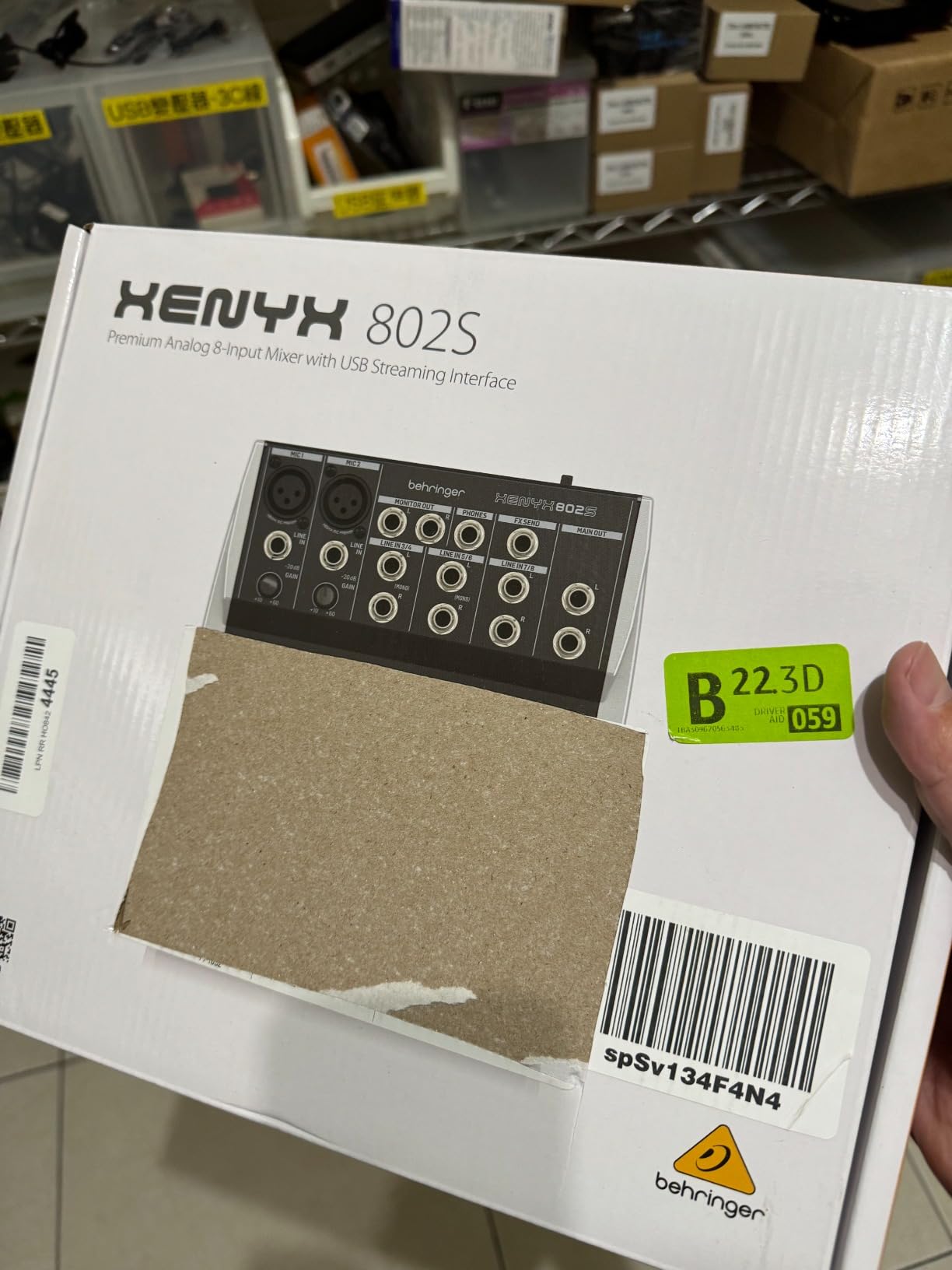
Behringer XENYX 802S – the budget pick for the smallest rooms. Eight channels, very low noise, and a USB interface for streaming and playback.
| Product | Specifications | Action |
|---|---|---|
| Yamaha MG10XU |
|
Check Latest Price |
| Behringer XR18 |
|
Check Latest Price |
 Mackie ProFX12v3 Mackie ProFX12v3 |
|
Check Latest Price |
 Zoom LiveTrak L-8 Zoom LiveTrak L-8 |
|
Check Latest Price |
 Tascam Model 12 Tascam Model 12 |
|
Check Latest Price |
 Allen and Heath ZEDi-10FX Allen and Heath ZEDi-10FX |
|
Check Latest Price |
 Soundcraft Ui24R Soundcraft Ui24R |
|
Check Latest Price |
 Behringer XENYX 802S Behringer XENYX 802S |
|
Check Latest Price |
Two things stand out in that table if you read it carefully. The first is that five of these eight boards are analog or hybrid rather than full digital consoles, which is a deliberate choice given how many small churches still rotate untrained volunteers. The second is that the two boards with the highest channel counts are also the two that require the most software fluency, and that trade-off runs through every recommendation here.
1. Yamaha MG10XU – The Board Most Volunteers Can Actually Run
- Low-noise Class-A preamps
- One-knob compressors on first two mic channels
- 3-band EQ and high-pass filters on every channel
- USB records to a computer without drivers
- Rugged metal chassis at 7.7 pounds
- Only two channels have compressors
- Mid EQ band is a fixed frequency
- USB return level is not controlled by the main faders
- Records the stereo mix only and not individual tracks
With more than two thousand ratings at a 4.6 average, the MG10XU is the most reviewed board in this list by a wide margin, and reviewers repeatedly name small churches and mobile worship teams as one of its core uses. It weighs 7.7 pounds and measures 9.6 by 2.8 by 11.6 inches, so one person carries it from the closet to the sound table without a cart.
The reason it works for volunteers is physical. Every function a Sunday morning needs sits on the surface as a knob with a label, arranged in the same order on every channel strip. When the guitarist asks for less reverb, the volunteer is turning a knob, not swiping through a menu.
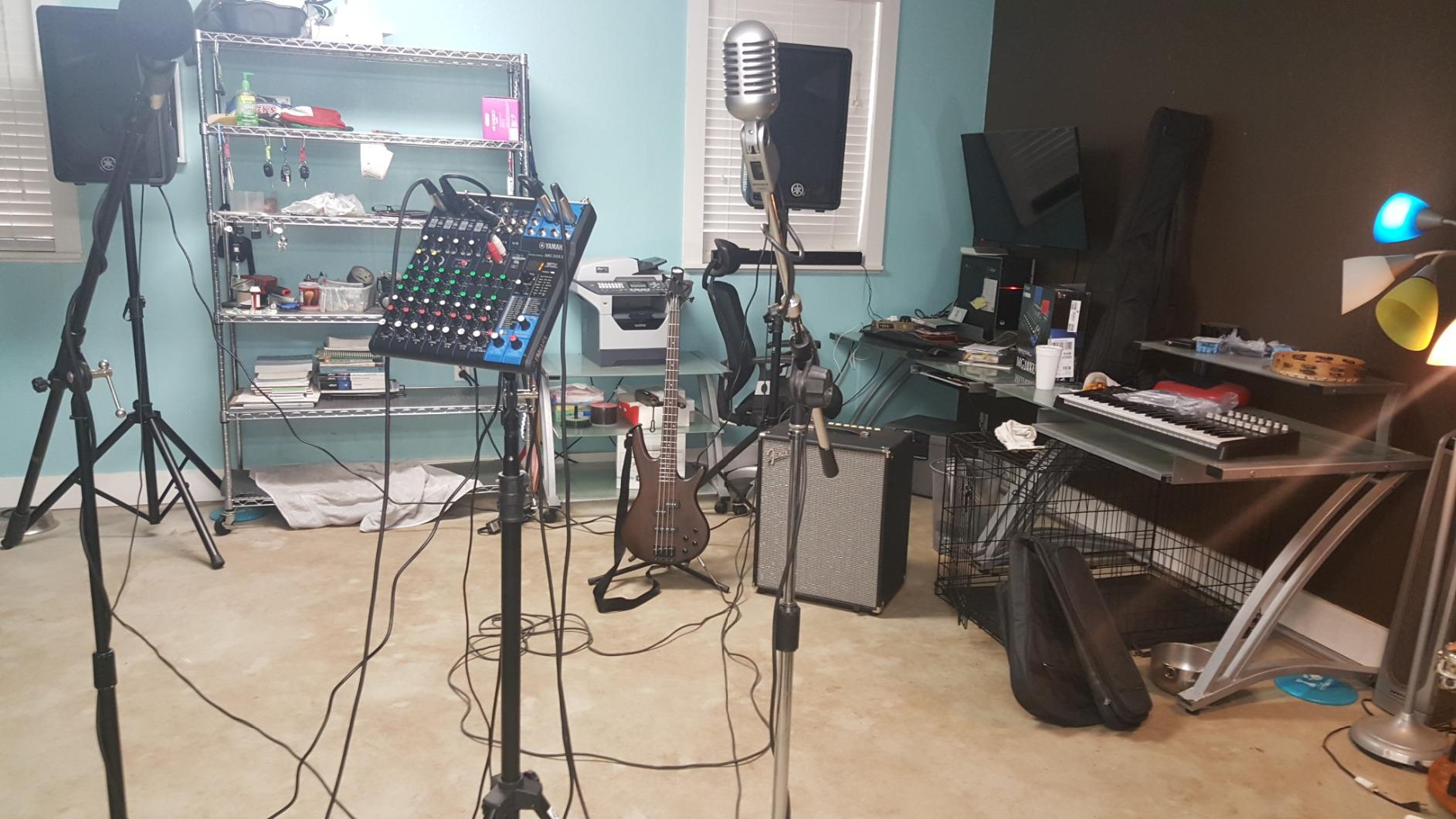
Sonically the preamps are the story. These are discrete class A D PRE amps using an inverted Darlington circuit, and reviewers describe the noise floor as genuinely low and the headroom as generous. In a room where a cheap condenser mic is the only vocal mic, that headroom is what keeps the hiss from becoming the thing everyone complains about.
Onboard you get 24 SPX digital effects programs, a 3-band EQ with a high-pass filter on every channel, and one-knob compressors on the first two mic channels. That is enough to handle a two-person worship team with a keyboard, a guitarist and a backing track, which describes a large share of small church rooms. The USB port is a class-compliant 24-bit 48kHz interface, so it records to a laptop or phone with no driver install.
Where the MG10XU fits a small church
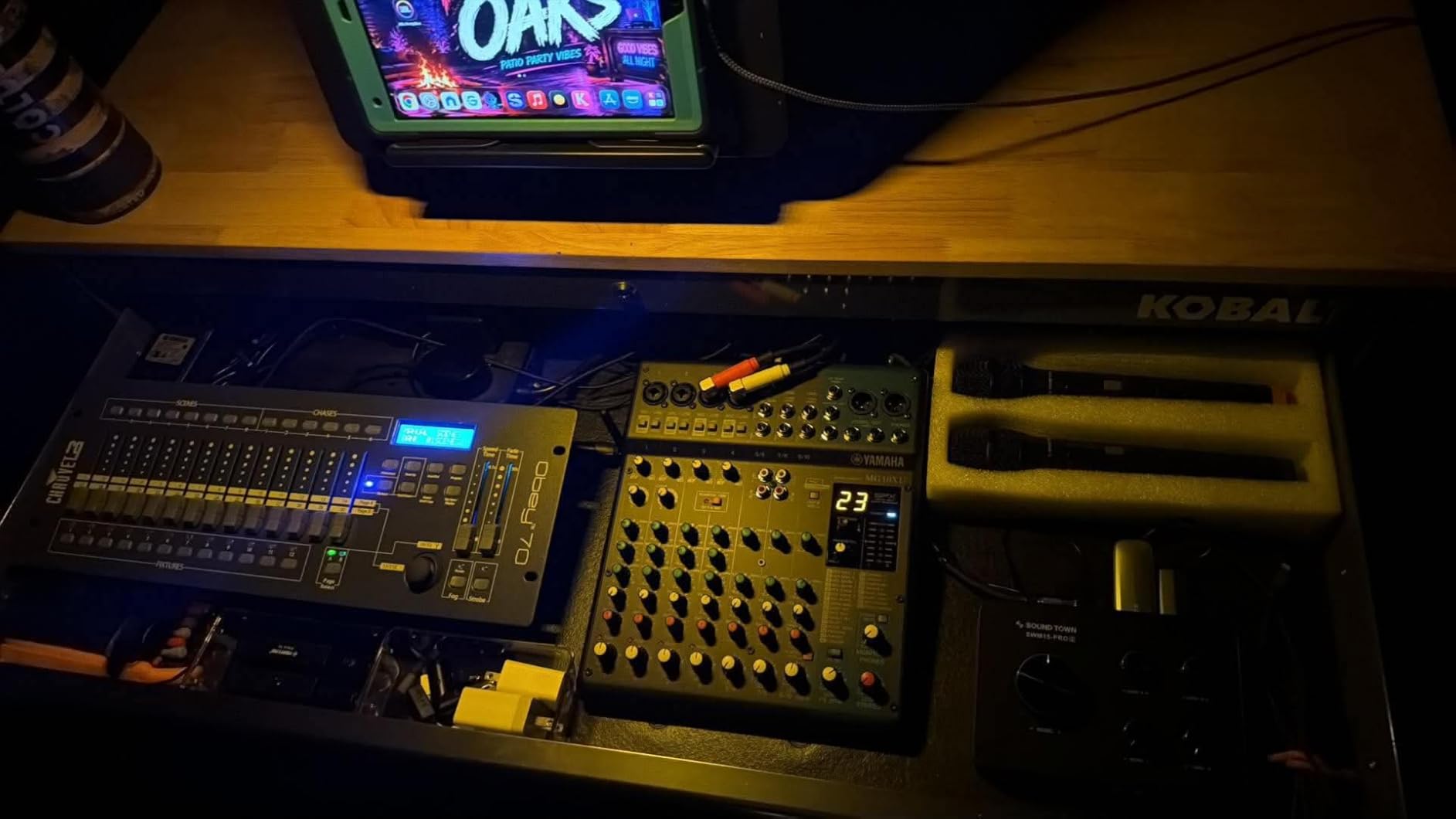
This is the board to buy when your service runs two to four musicians, a lectern mic, one or two wireless handheld mics and a backing track, and when the person at the desk changes every few weeks. Ten inputs is not a lot, and it will feel tight the week a guest keyboardist brings their own DI, but the learning curve is close to zero.
Because the mix is straightforward, it is also the easiest board to hand to a new volunteer with a printed cheat sheet. Write the six fader positions on a laminated card and put it under the board. That practice, not the console, is what makes a Sunday predictable.
Where the MG10XU will frustrate you
Only the first two mic channels get the one-knob compressor, so a full band means external processing or manual discipline. The mid band on the 3-band EQ is a fixed frequency, which limits how you can clear mud in a room with a lot of low-mid build-up from stage monitors. And the USB return is not affected by the stereo or monitor level controls, so the mix level into your computer has to be set in the software.
It also records only the stereo mix, not individual tracks, so a church that wants a multitrack recording for later editing needs a different board. The reviewers who want stems point consistently at the Zoom LiveTrak and Tascam Model 12 instead.
2. Behringer XR18 – Most Channels and Routing Under One Rack
- Enormous channel and bus count for the size
- Six aux monitor mixes for in-ear monitoring
- 18x18 USB for multitrack recording
- Gate compression EQ and parametric EQ on every channel
- Dugan-style auto-mixing on the roadmap
- Internal Wi-Fi is the weak link for many users
- iPad and Android apps are not identical
- No AES50 for digital linking
- Plastic housing feels less rugged than a metal desk
- No built-in RTA in the iPad app
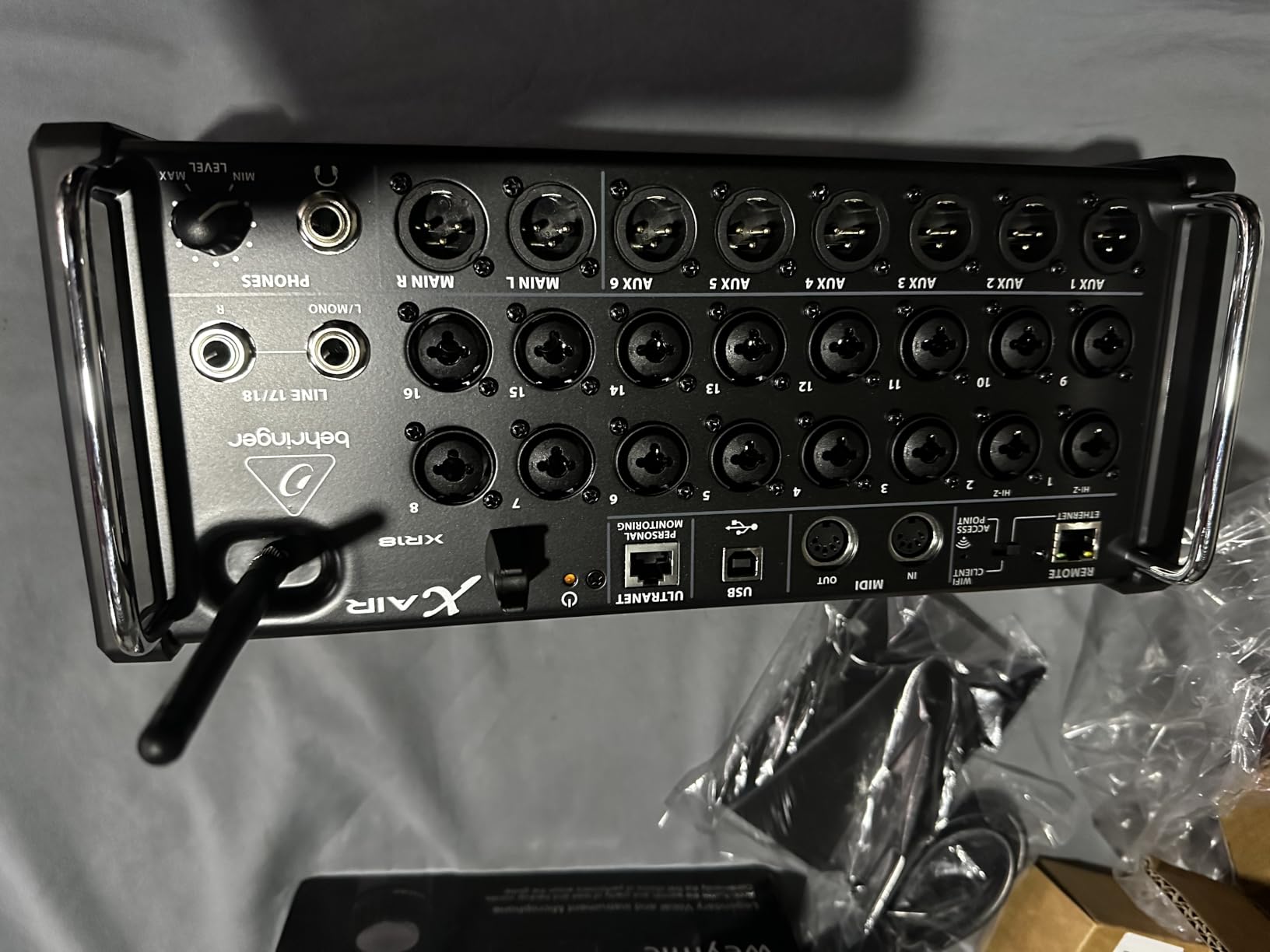
The XR18 is the most capable board per unit of space in this roundup, and it is the one most often recommended in small-church audio forums. It is 18 inputs, 12 mix buses, rack-mountable in 3U, and it replaces a large analog desk plus a bundle of stage cables with a single box and a Wi-Fi link.
You control it from an iPad or Android tablet through the built-in tri-mode Wi-Fi router, which means the operator can stand in the middle of the room during rehearsal instead of looking at faders from the back. Every channel gets EQ, compression, gating, a parametric EQ and effects, plus DCAs for subgroup control.
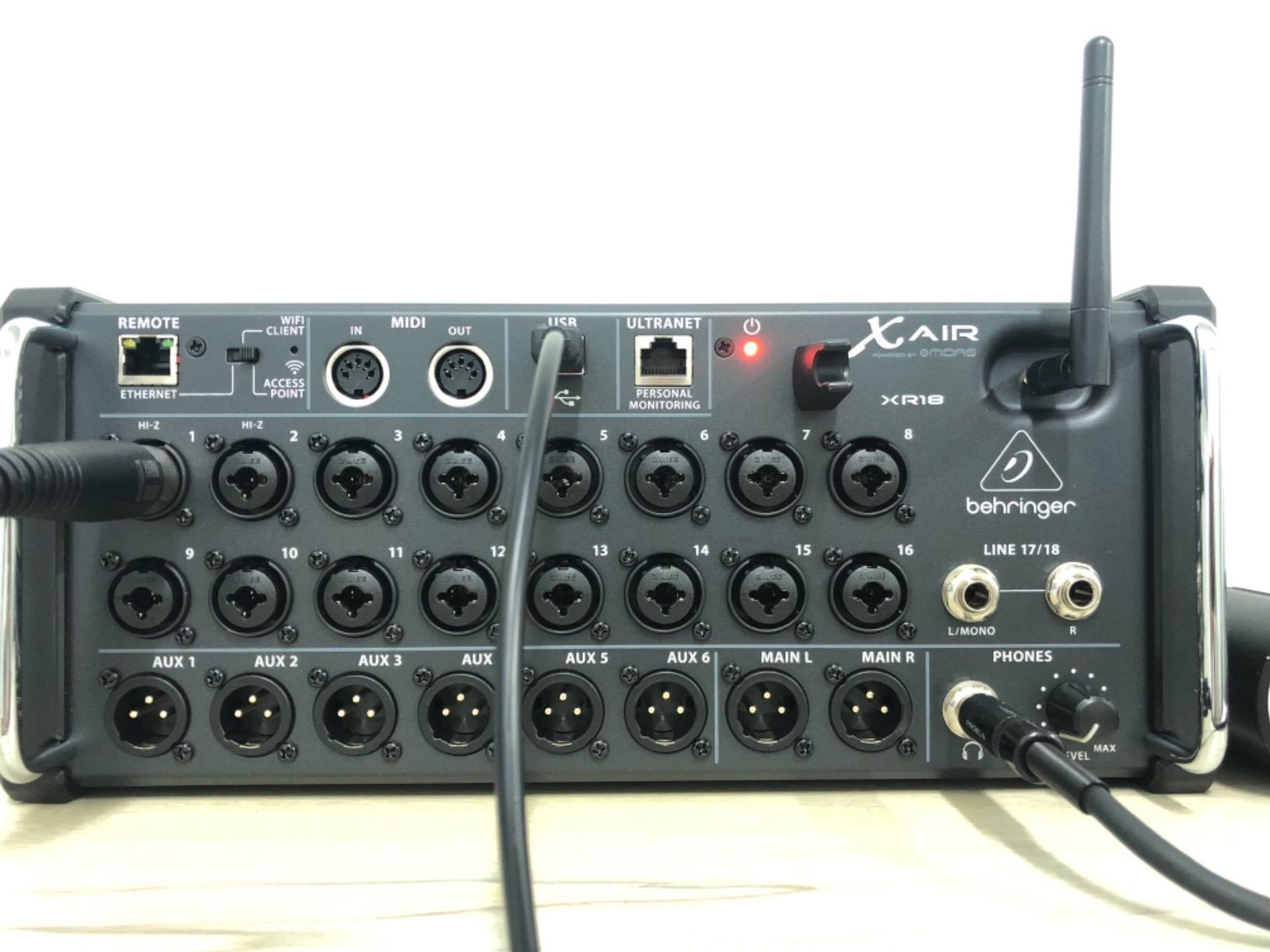
For churches, the six aux outputs are the feature that quietly changes the service. Each performer can get their own in-ear monitor mix, which removes the single most common frustration volunteer sound teams report: a list of monitor requests that all land on one person at once. The 18×18 bidirectional USB interface also records every input to a computer for multitrack capture.
Sound quality is the surprise for many buyers. Sixteen fully programmable Midas-designed preamps with high gain for stage sources mean a condenser mic on a quiet stage does not need a beefy external preamp, and at 719 ratings averaging 4.6 the satisfaction is consistent rather than enthusiastic.
Where the XR18 fits a small church
Pick this when your worship team is five to eight people, you have a drummer and several wireless channels, you want in-ear mixes, and you want a Sunday recording without buying a separate multitrack box. It also suits a church plant or an overflow room where the board lives in a rack and the volunteer uses a tablet.
Budget for a dedicated Wi-Fi router. That is the single most common recommendation in the reviews, and the official app experience is noticeably more stable when the console is not relying on its internal radio.
Where the XR18 will frustrate you
The internal Wi-Fi connection drops out for some users in critical live situations, which is why the external router matters so much. The iPad, Android and PC apps are not identical, so a volunteer who trains on one platform can lose time looking for a control that moved on another. There is no AES50 port for digital linking and no physical controls at all, so if the person running sound refuses to hold a tablet, this is the wrong board.
The housing is plastic with a thin built-in antenna, and it does not feel like the metal desks in this list. Several reviewers also note the absence of a real-time analyser in the tablet app, which you would normally use for gain staging.
3. Mackie ProFX12v3 – The Analog Desk With Real Faders
- Onyx preamps hold up well for the tier
- Real faders instead of rotary knobs
- Channel inserts on every mic and line channel
- Clean signal-to-noise for an analog desk
- Light and easy to move between rooms
- Only one monitor out
- USB interface presets do not save between sessions
- Older 2x2 USB rather than a modern interface
- Sub outputs are independent of aux settings
- Rack install needs right-angle cables
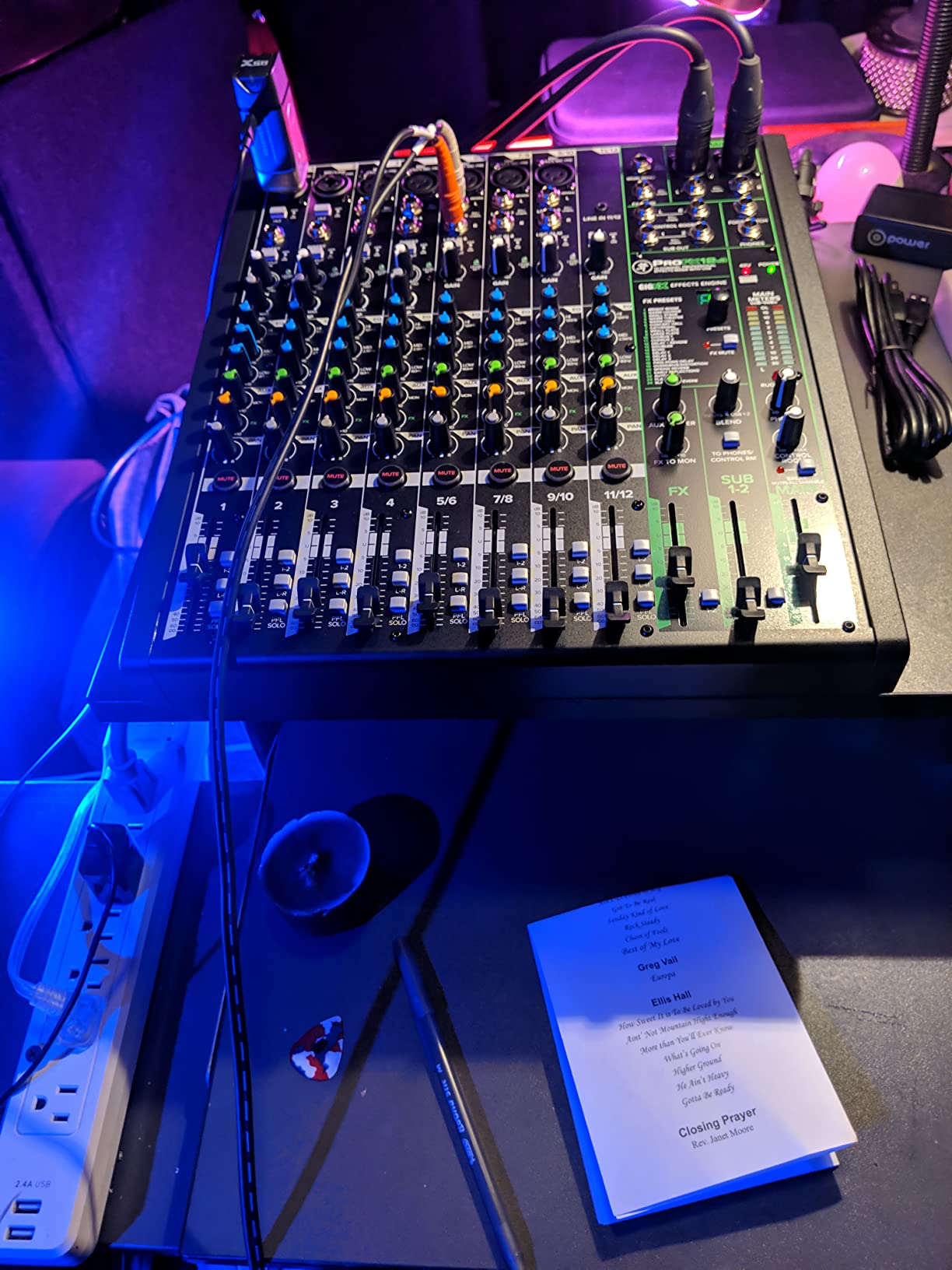
When a church leader asks for the most capable mixing board for a small church, they almost always mean the biggest one with the most knobs. The Mackie ProFX12v3 is that board, and at 532 ratings averaging 4.4 it is also one of the most proven analog desks in worship spaces.
Twelve channels with real faders, a stage layout you can learn in an afternoon, and no software to crash at 8:45 on a Sunday. For a room where the tech is new every month, the physical consistency of a fader row is worth more than any touchscreen feature.
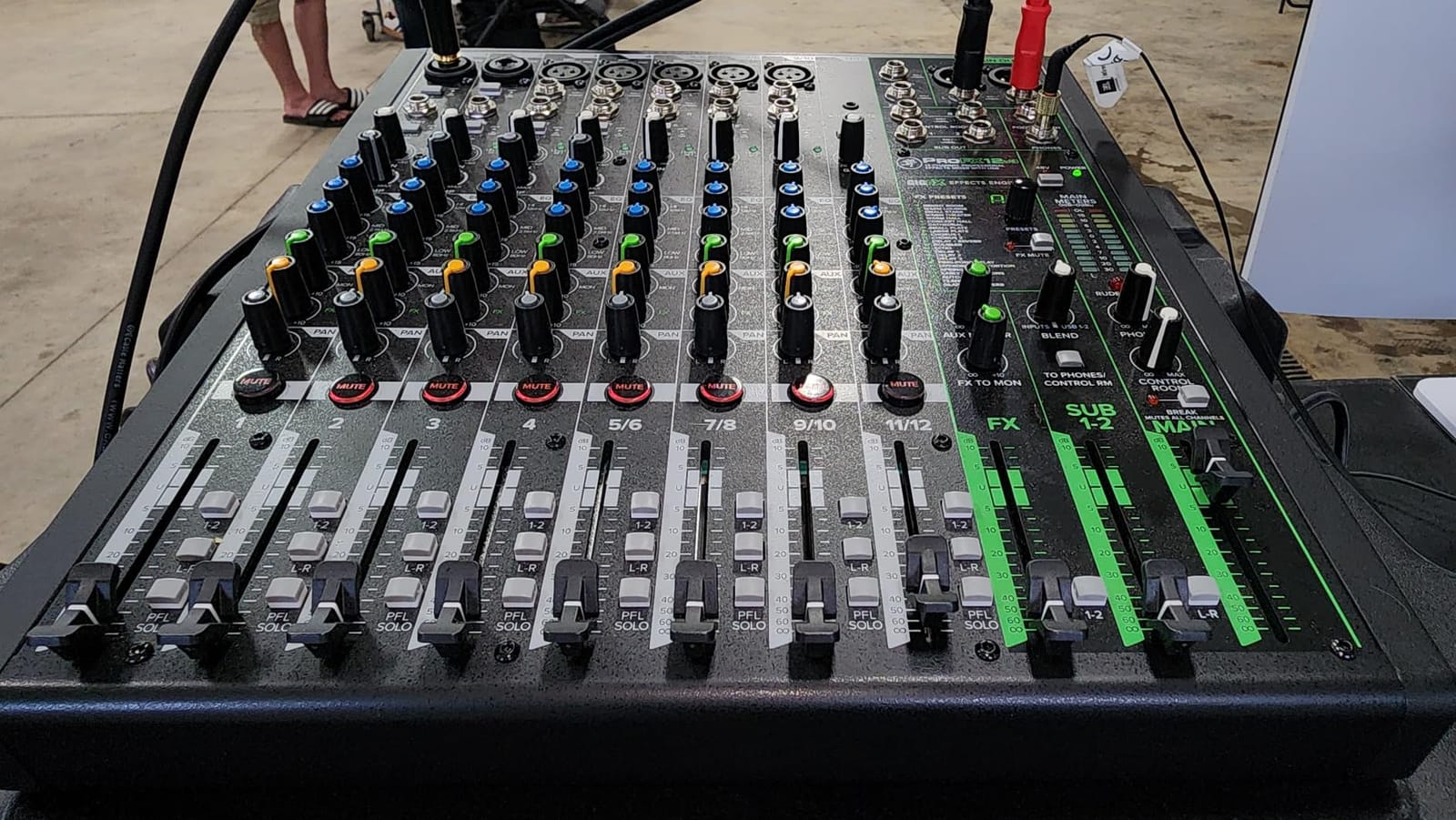
The Onyx preamps are consistently praised for the tier. Reviewers rate them as very good for the money, and the signal-to-noise performance produces a clean, balanced mix at normal worship volume. The GigFX engine supplies usable reverb and delay, which covers most basic vocal and instrument effects without outboard gear, and channel inserts on every mic and line channel let you add processing where you actually need it.
The USB port is a built-in 2×2 interface needing no driver on Mac, so multitrack-free stereo capture to a laptop is straightforward. It also records a podcast or a service archive without a separate interface in the chain.
Who should buy the ProFX12v3
Buy it for a church with a three to six person band, one or two wireless mics, wedge monitors and a volunteer who prefers knobs. It is also the right board for a fellowship hall or a community room that doubles as a worship space, because it does not care about the network and it moves easily between buildings.
The single monitor out is the detail to plan around. With one wedge mix, everyone hears the same thing, so vocalists and instrumentalists share a single balance. That is workable for many small rooms, and it is the reason several owners stepped up to the 16-channel model.
Who should skip it
Skip it if you need more than one monitor mix, if you want per-channel inserts with a tight budget and multiple stage mixes, or if multitrack recording matters. A smaller number of reviewers reported units with intermittent channels or a failed meter segment, so check the board early rather than trusting it on the first Sunday.
Two practical notes for churches. USB interface presets cannot be saved, so your DAW routing has to be rebuilt each session. And if you plan to rack-mount it, the stock power and USB cables block the patch panel, so budget for right-angle cables before install day.
4. Zoom LiveTrak L-8 – Recording First, Mixing Second
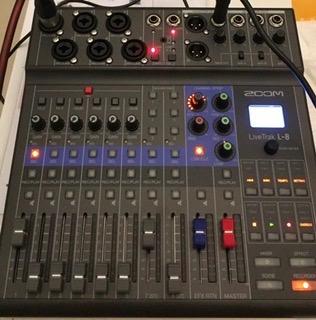
Zoom LiveTrak L-8 Battery Powered Mixer/Recorder for Musicians & Podcasters
- Records 12 tracks to SD while you mix with no computer
- Three independent headphone monitor mixes
- -121dBu noise floor with up to 54dB gain
- Records to SD card and computer at the same time
- 3-band EQ and effects on every channel
- Battery powered and compact at 1500 g
- Eight input channels limits larger bands
- Screen-based controls are less tactile than faders
- No dedicated hardware transport controls
The LiveTrak L-8 inverts the usual church buying order. Instead of a mixer that can also record, it is a multitrack recorder that can also mix, and at 611 ratings averaging 4.5 reviewers treat that difference as a feature rather than a compromise.
It has six combo mic and line preamps plus two stereo inputs, eight channels total, and it records twelve tracks simultaneously at 24-bit/96kHz straight to an SD card. No laptop on the sound table, no interface between the desk and the computer, and no capture failures because somebody closed a software window.
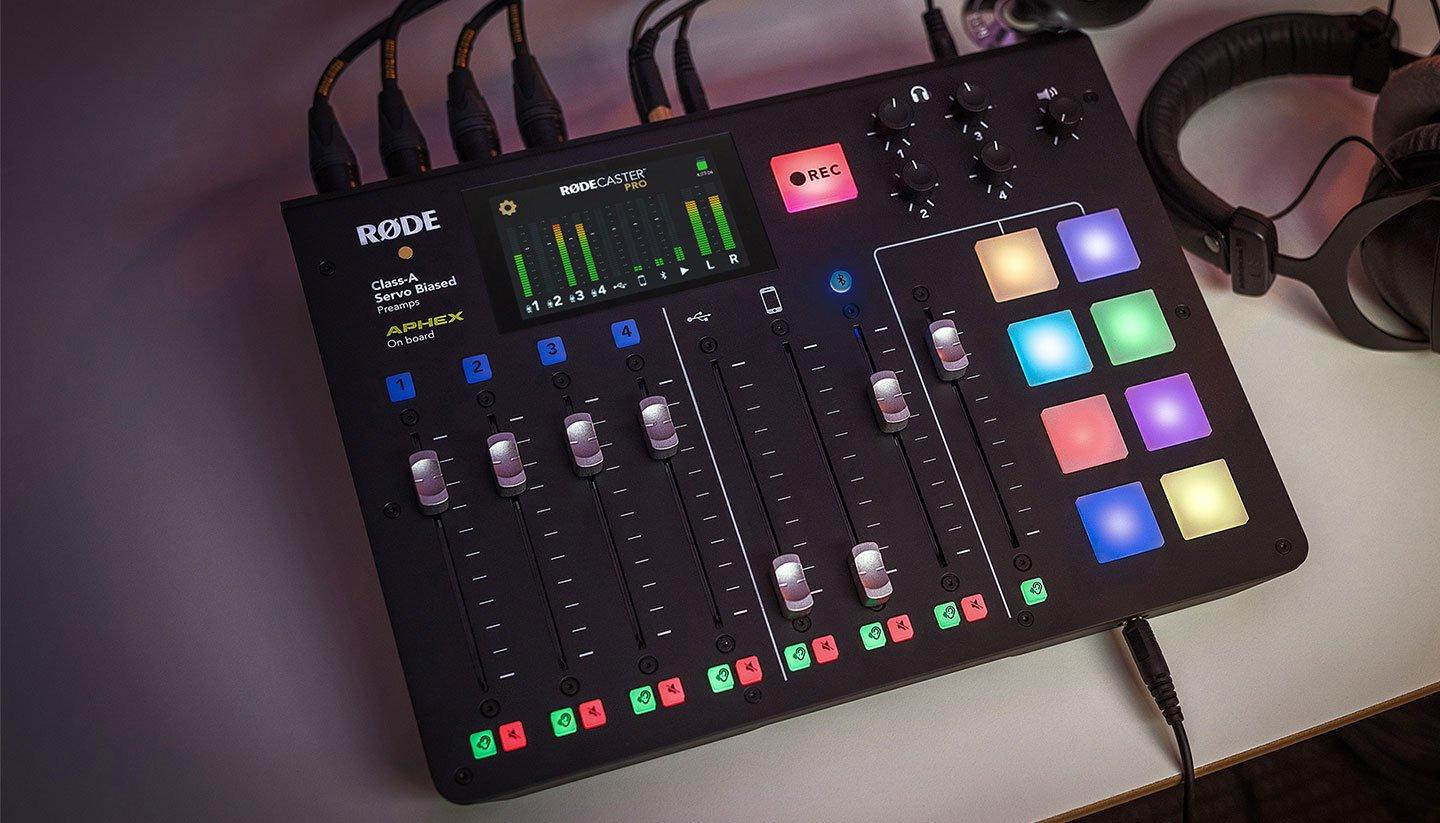
The preamp specification is the number that gets quoted most often in reviews: a -121dBu noise floor with up to 54dB of gain. In practical terms a quiet room and a dynamic vocal mic need very little gain, which means a low-noise source stays clean without aggressive gain staging.
Every channel gets a 3-band EQ and onboard effects, and there are four headphone outputs with three independent custom monitor mixes. That makes it a strong choice for a worship team moving to in-ear monitoring, because the performers control their own balance instead of asking the volunteer for a monitor change mid-song.
Where the L-8 earns its place
Choose it when the recording is the product: a church that publishes a weekly service replay, produces a podcast, or wants multitrack stems for an editor. Recording to SD card and to a computer over USB at the same time gives you a second copy of every service, which is real insurance.
It is also battery powered and weighs 1500 grams, which makes it the one board in this list you can take to an outdoor service, a retreat or a youth event without hunting for a power outlet.
Where the L-8 runs out of room
Eight channels is the hard limit. A full drum kit alone needs several inputs, so the L-8 suits a worship team of three or four plus backing tracks rather than a band with a drummer and a horn section. The screen-based track controls are also less tactile, and some live operators find that uncomfortable when they are mixing live and recording at once.
There are no dedicated hardware transport controls beyond the touchscreen surface, so arming tracks and starting the record means touching the same screen you use to mix. In a rehearsal room that is fine. In a live service with a full band it takes practice.
5. Tascam Model 12 – All-in-One Console for Rehearsal Rooms
Tascam Model 12 All-in-One 12-track Digital Multitrack Mixing and Recording Studio, Mixer, USB Audio Interface and DAW Controller
- Mixer multitrack recorder USB interface and DAW controller in one box
- 1-knob compressor and 3-band EQ on every module
- Dual headphone outputs with individual volume and source
- Click output with tap tempo for monitoring
- Onboard MIDI for software instruments and DAW transport
- Large and heavy at 13.3 pounds
- Multitrack capture workflow depends on a computer DAW
- Mains are balanced XLR and unbalanced RCA with limited formats
- Not wireless or tablet controlled so it needs cable runs
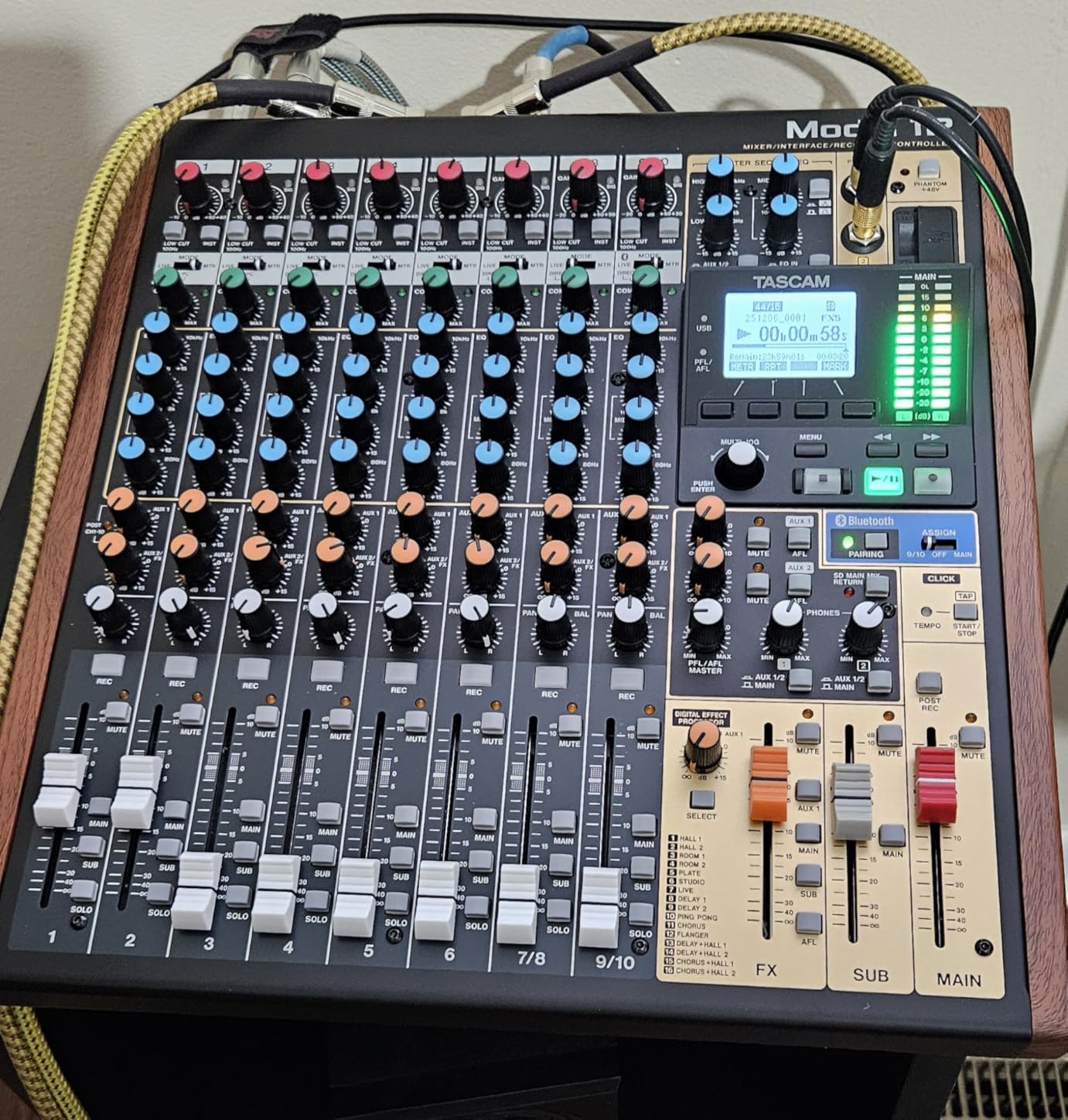
The Tascam Model 12 is the board to consider when a church owns a rehearsal room and wants one box to handle the room and the recording. Reviewers consistently describe it as an all-in-one console for rehearsal spaces, worship rooms and small studios rather than a touring live board, and at 366 ratings averaging 4.4 that framing holds up.
Twelve inputs, a 12in/10out USB audio interface for DAW connectivity, a 1-knob compressor and 3-band EQ on every input module, dual headphone outputs with individual volume and source selection, onboard MIDI and a click output with tap tempo. That last feature is quietly important for a worship band learning to play to a track without a click bleeding into the mix.
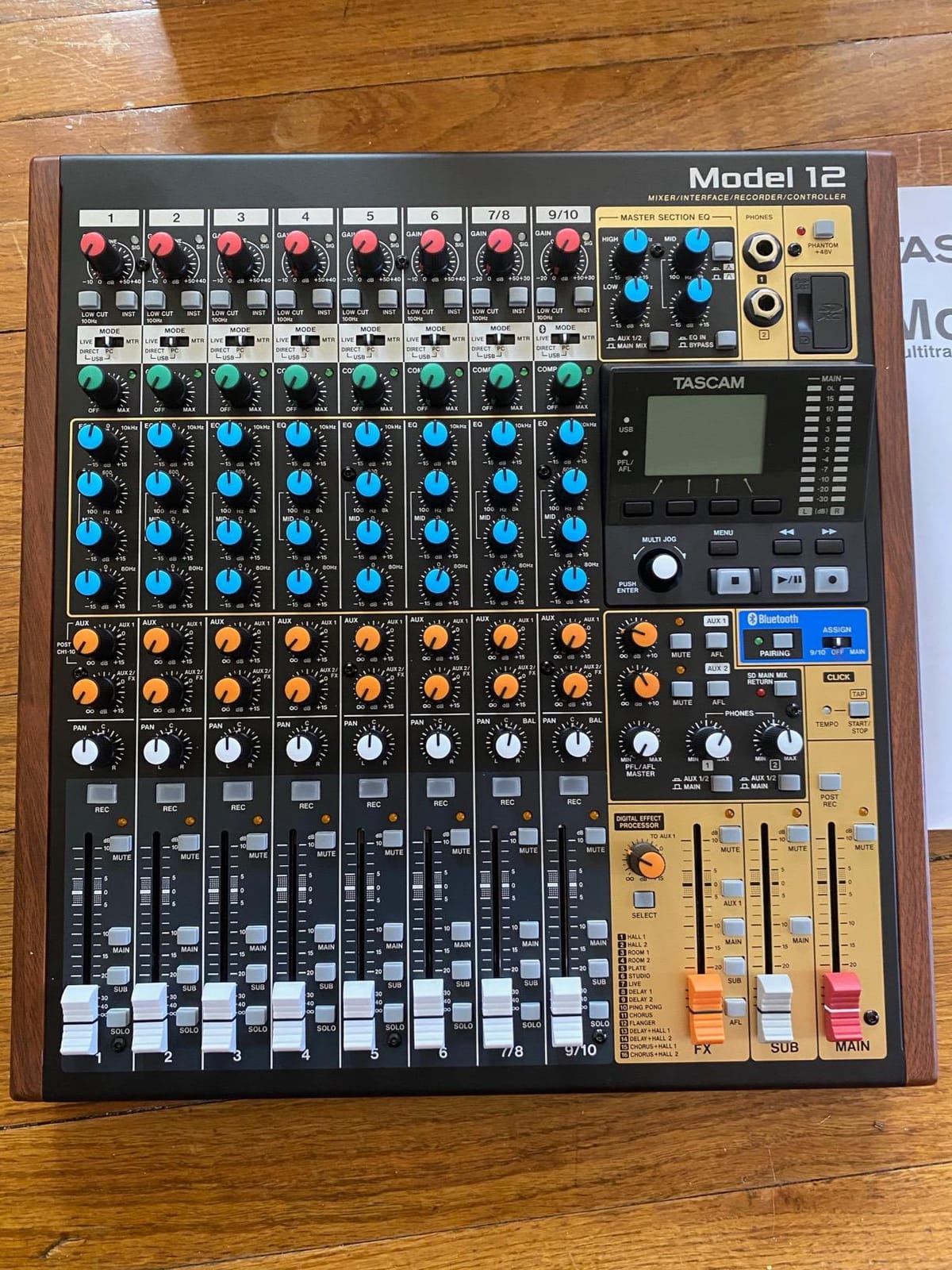
Because the processing is identical on every module rather than reserved for the first few channels, a new input is instantly usable. That is a real advantage over entry analog boards where channel two has a compressor and channel seven does not, and it reduces the number of decisions a volunteer has to make on Sunday.
The dual headphone outputs with source selection mean one person can monitor the mix while another monitors a performer or playback, which works well when a band practices without the sound tech present.
Where the Model 12 fits
It suits a rehearsal room, a youth room or a small studio where the board is plugged in most days rather than carried around. The all-in-one design means you are not assembling a mixer, an interface, a multitrack recorder and a monitor controller from four vendors, which also removes four sets of driver problems.
If your congregation sings to playback tracks, the click output and tap tempo make rehearsing with tracks much simpler for a band that is used to playing live. If the room also needs a keyboard that can cover both services and practice, our guide to digital pianos for churches is the matching reference.
Where the Model 12 will frustrate you
It weighs 13.3 pounds and measures 18 by 16 by 6 inches, so it is not a grab-and-go board. It is also not wireless or tablet controlled, which means a physical cable run from the stage. Multitrack capture is tied to a computer running a DAW, so the recording workflow is not fully standalone the way the LiveTrak L-8 is.
The mains are balanced XLR with unbalanced RCA and limited output format options, so connecting to a broadcast or livestream chain takes more thought than on a board with dedicated media outputs. For a church, this is the single most important limitation to check before buying.
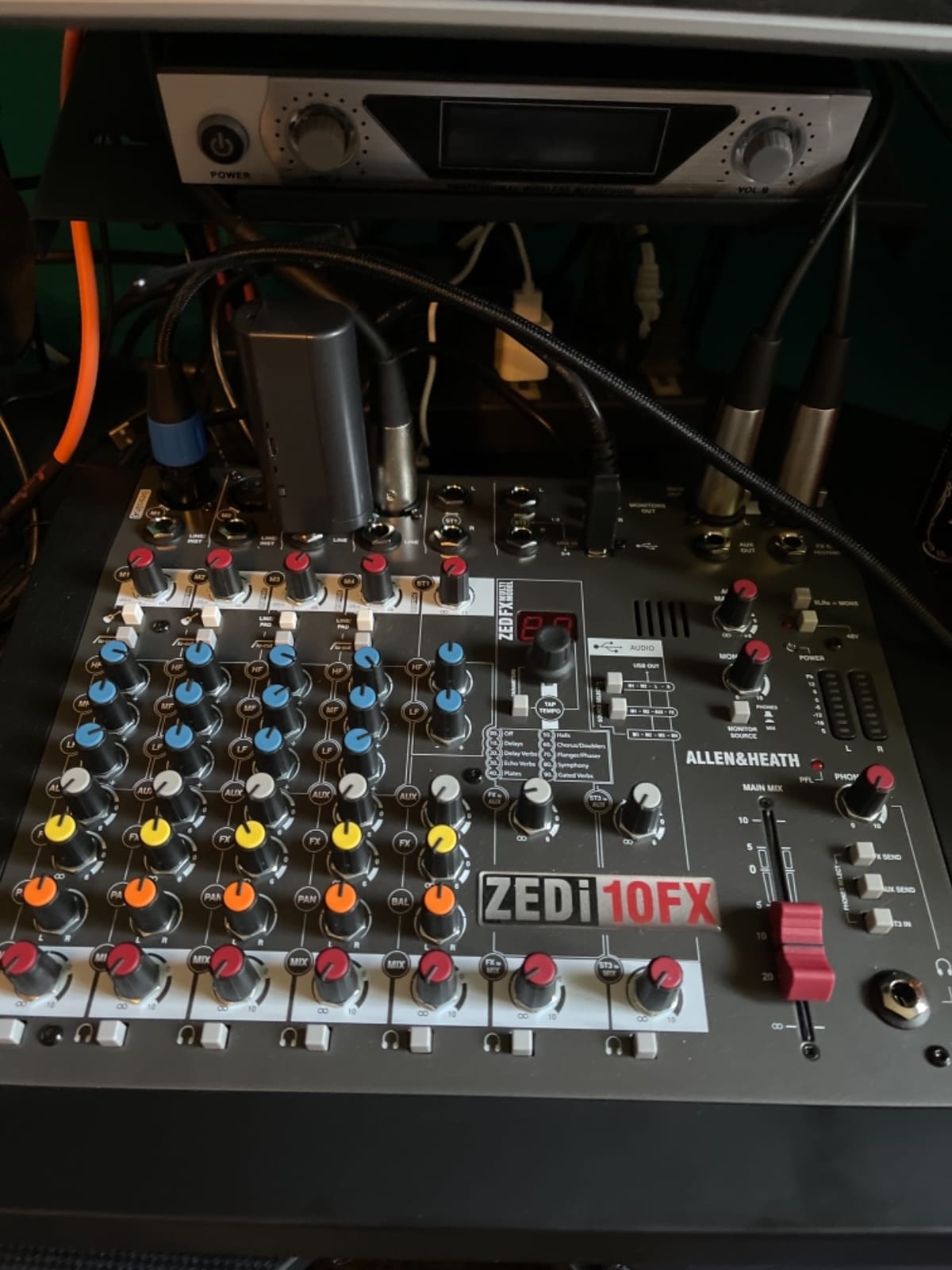
6. Allen and Heath ZEDi-10FX – Preamp Quality in a Small Box
Allen & Heath ZEDi-10FX – Compact Hybrid Audio Mixer/4×4 USB Interface with 61 Studio Quality FX (AH-ZEDi-10FX),Black
- GS-Pre preamps sound warm and clean for the tier
- Two HiZ inputs for guitars without a DI box
- 61 studio-quality FX with tap tempo
- 4x4 class-compliant USB needs no drivers
- Neutrik connectors with every pot fixed to the chassis
- No per-channel faders and only rotary pots
- No per-channel mute buttons
- Aux send is fixed pre-fader and FX send fixed post-fader
- Monitor outputs are RCA
- Windows USB input needs a manually downloaded driver
The ZEDi-10FX is the pick for a church that also records spoken word. It weighs 5.1 pounds, carries the same build approach as Allen and Heath’s touring consoles with separate internal channel boards and Neutrik connectors, and it turns a 120-person sanctuary or a podcast room into a working studio with one box.
Reviewers regularly call it the most versatile small USB mixer they have used for podcasting, voice-over and small live sets. The GS-Pre XLR preamps, derived from the GS-R24 studio console, provide low noise and plenty of clean gain, which is what makes a quiet room with a dynamic mic sound like a studio instead of a phone call.
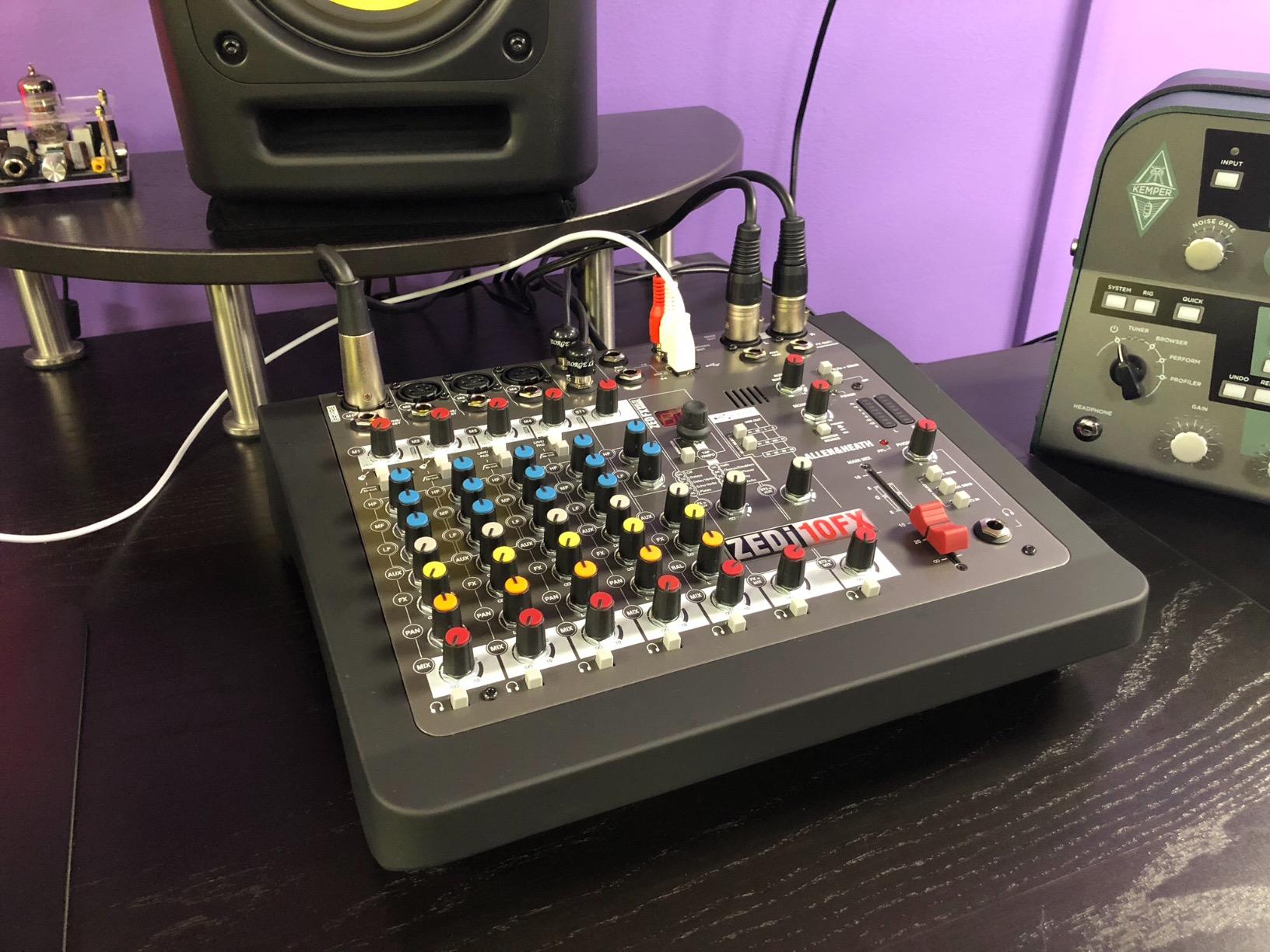
The two HiZ inputs are the feature church worship teams notice first. Electric, acoustic and bass guitars plug straight in without a separate DI box, which removes a box of hardware, a cable and a failure point from the stage. A 100Hz high-pass filter on every mono input and a 3-band MusiQ EQ come standard, and the 61 built-in FX types include tap tempo.
The built-in 96kHz 4×4 USB interface is class compliant and needs no drivers, so it connects to a Mac, a Windows PC, a tablet or a phone. Aux and FX sends can be routed to USB, so a computer can add processing later without buying outboard hardware.
Where the ZEDi-10FX works
It fits a church under roughly 100 seats that runs one or two singers, a keyboard, a guitar and a backing track, and that records sermons or produces a podcast. Four mic inputs plus two stereo and two USB audio channels covers that room without a single extra box.
It is also a strong second-stage option: a board a small church uses today and can hand to a youth room or a mobile worship team later, since it needs no power outlet beyond its own adapter.
Where the ZEDi-10FX will frustrate you
There are no per-channel faders and no per-channel mute buttons, only rotary pots. If a new volunteer has to bring four channels down at once, that is harder than it should be, and this is the most common complaint in the reviews. Aux and FX sends are also fixed, with the aux send pre-fader and the FX send post-fader, so you cannot build an unusual monitor or effects scheme.
The USB spec is generous on the way out but tighter on the way back, and USB returns bypass the internal FX. Monitor outputs are RCA rather than TRS or XLR, which will matter if you feed a long cable run. On Windows the USB input needs a driver from the manufacturer site, and the manual does not flag this prominently, so check it before service day.
7. Soundcraft Ui24R – Mixer and Stage Box in One Rack Unit
Soundcraft Ui24R Rack-Mountable Laptop or Tablet-Controlled 24 Input Digital Audio Mixer with Onboard Signal Processing, Blue and Gray
- 24 inputs and 10 outputs in a single rack unit
- Eliminates a long analog snake and cuts setup time
- Web-based control software is quick to teach
- Up to 10 devices can connect at once for fall-back mixes
- Onboard gate compression EQ and effects on every channel
- Doubles as a studio interface
- Internal Wi-Fi can be unreliable with mid-show dropouts reported by some owners
- Not supported by some host software with poor vendor support reported
- Only mono auxiliary monitor mixes
- Setup assumes the operator understands gain staging
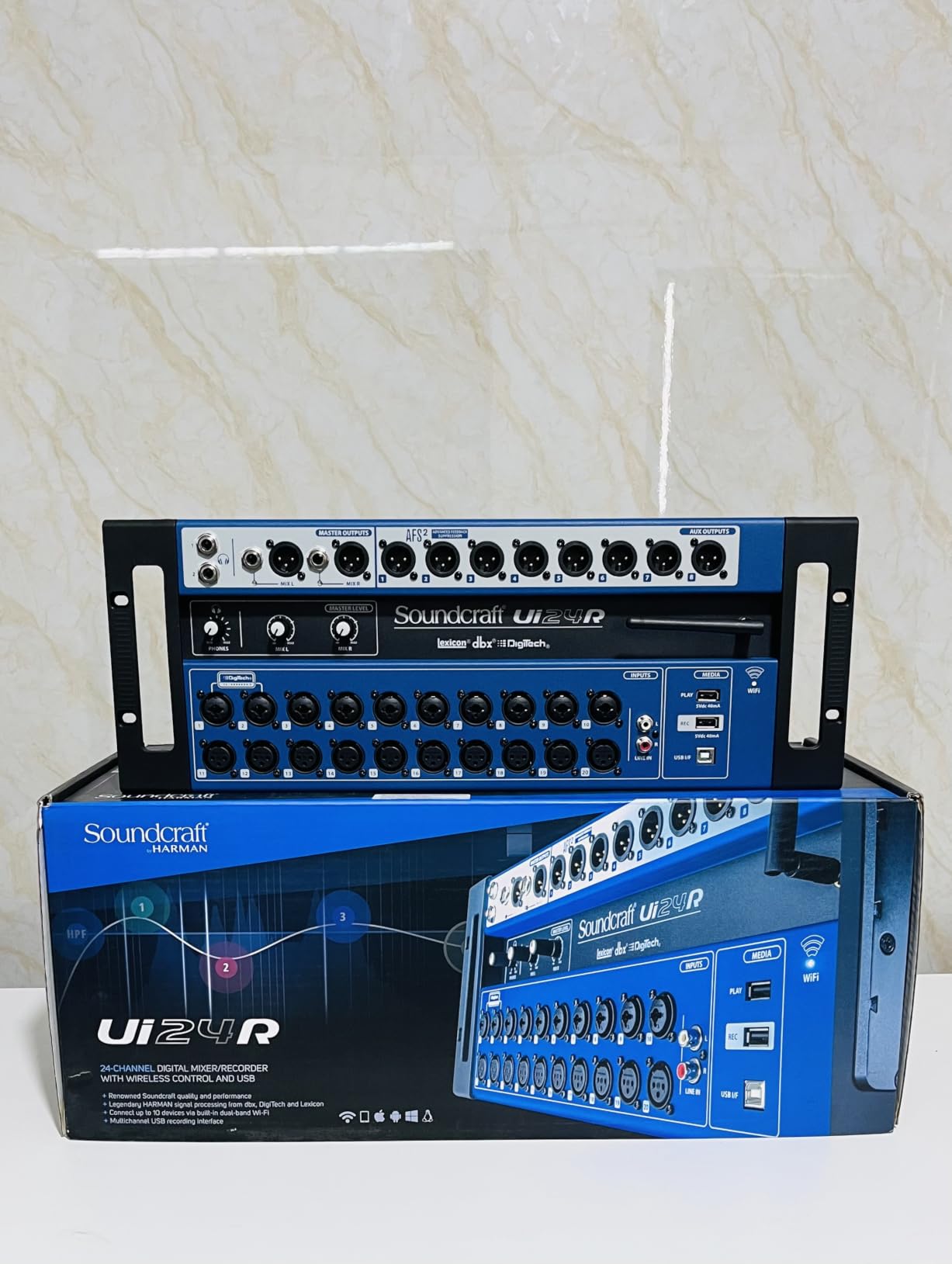
The Ui24R is the most different board in this roundup, because it is not a console. It is a single rack unit with 24 inputs and 10 outputs that behaves as the mixer, the stage box and the audio interface at the same time, and reviewers frequently call it the best value in digital mixers.
You control it from a laptop, tablet or phone over Wi-Fi or Ethernet, and the web-based software is simple enough that teaching a second volunteer takes one session. Onboard processing covers gate, compression, EQ and effects on every channel, so nothing is missing from the box itself.
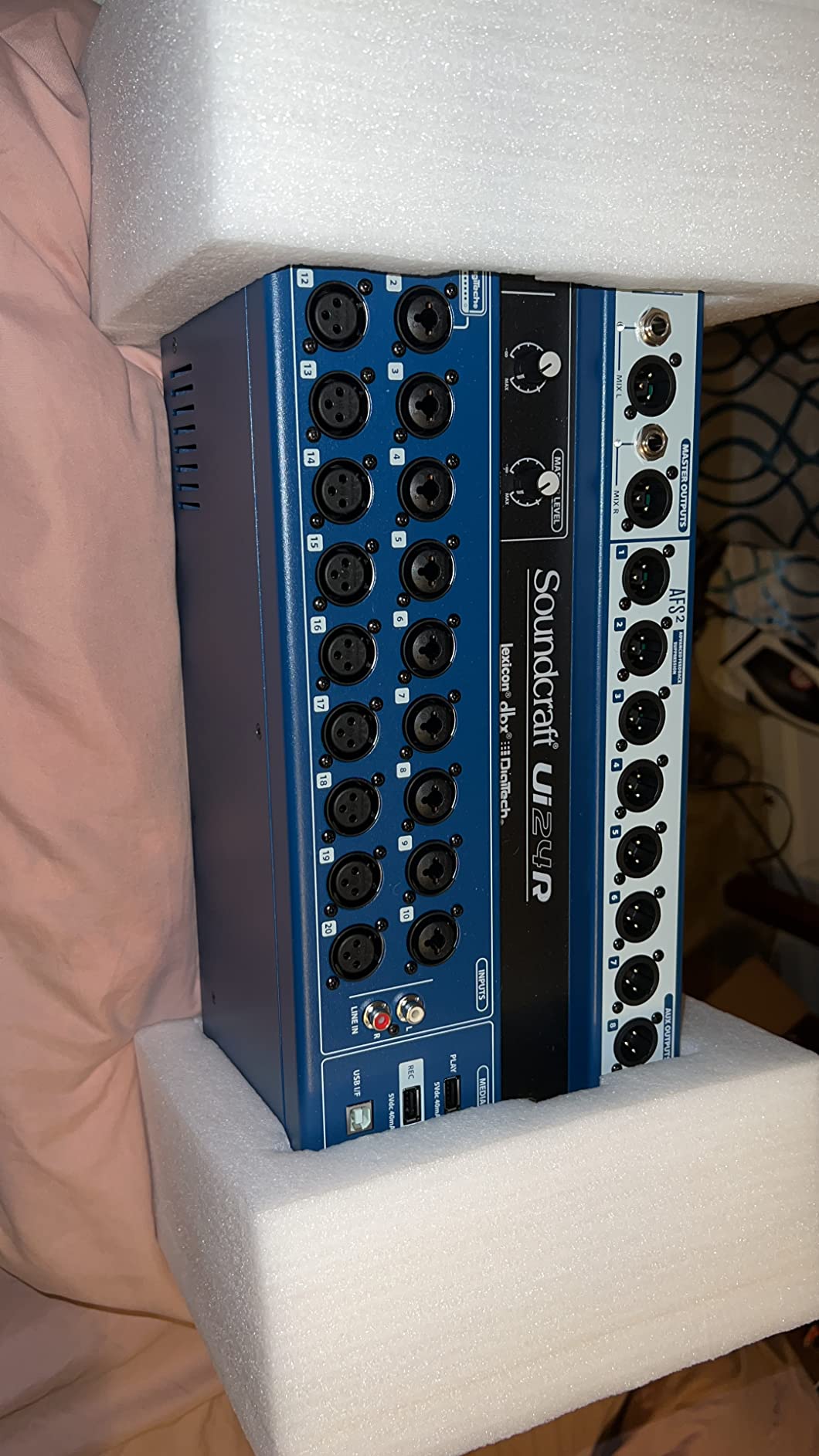
For a church, the real win is teardown time. Instead of running a bundle of XLR cables from the stage to a desk, the stage connects to one unit, and the mix happens over the network. Volunteers on small church tech forums call this out constantly as the feature that makes Sunday setup bearable.
Up to ten devices can connect to the mixer at once, so band members can pull up their own fall-back mixes from phones. At 293 ratings averaging 4.3, the satisfaction around consolidation is the strongest theme in the reviews.
Where the Ui24R fits
It suits a growing church with a full band, a drummer and a growing input count, and a team that is comfortable with a browser. It is also the natural choice if your congregation is moving toward a separate broadcast mix later, because the processing and routing are all software-defined.
Because it works as a studio interface as well, one box can serve the sanctuary on Sunday and a recording session on a weekday. For a church plant sharing gear across rooms, that flexibility is worth planning for.
Where the Ui24R will frustrate you
The internal Wi-Fi is the weak point, and most owners fix it by adding a dedicated external router. A smaller group report connectivity loss during shows, and a few have reported poor vendor support after a failure, which is worth factoring into a church that has no in-house technician.
Two more limits matter. The auxiliary monitor mixes are mono, which can fatigue performers compared with a stereo mix in their in-ears. And the setup assumes the operator understands gain staging, so a brand-new volunteer will need instruction before they can safely connect a stage box.
8. Behringer XENYX 802S – The Smallest Room That Still Works
Behringer XENYX 802S Premium Analog 8-Input Mixer with USB Streaming Interface
- Very low noise with no hum or hiss at moderate gain
- Integrated USB interface doubles it as a streaming interface
- Can mix USB playback and live sources at the same time
- Separate main and monitor level controls
- 3-band EQ on the USB output for playback
- Compact and light at 1610 g
- Only eight channels
- Modest internal USB DAC compared with a dedicated interface
- Included power supply is lower spec than on larger boards
The XENYX 802S is the board for a church plant, a small overflow room or a congregation that has outgrown a two-channel mixer and nothing else. At 362 ratings averaging 4.5, the low noise operation is the most repeated comment, with owners noting no hum or hiss even at moderate gain.
Eight channels with XENYX mic preamps, 3-band British-style EQ on every channel, phantom power for condenser microphones, and separate main and monitor level controls. The built-in stereo USB audio interface connects to a computer or mobile device, and you can mix PC or playback audio directly into the streaming output.
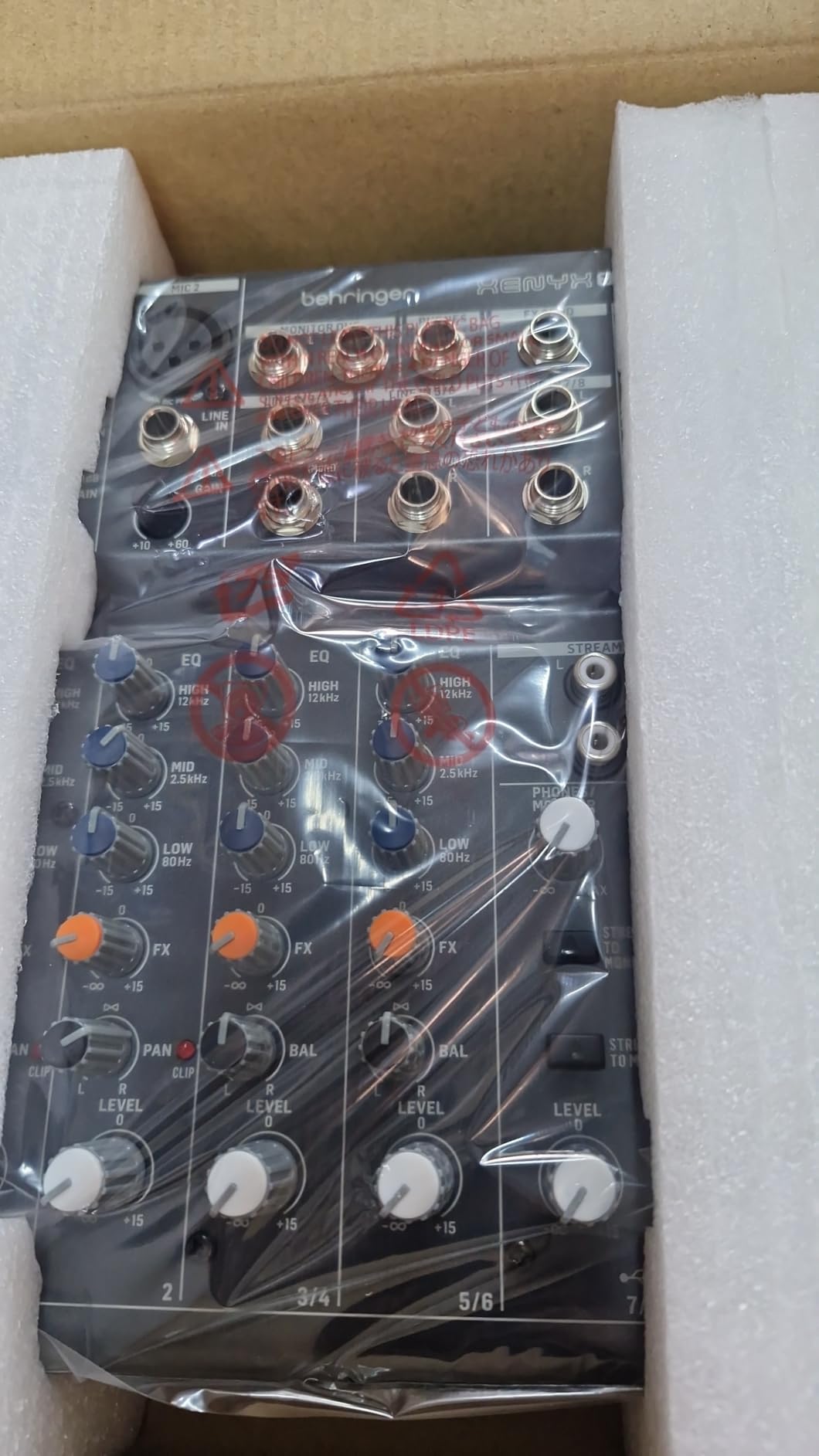
That combination matters more in church than it does anywhere else. Backing tracks, sermon audio from a computer and a livestream feed all come through the same board, and a 3-band EQ on the USB output lets you tame playback from the console instead of from a software window. Reviewers also note that several buyers arrived here after a cheaper board failed in a church setting.
It is light and compact enough to grab for a small gig rather than hauling a full rack, and durable enough for repeated load-in and teardown.
Where the 802S fits
It works for a congregation of up to about 60 people with two singers, a keyboard or guitar, a lectern mic and playback. Churches running a video feed for the congregation already use it, and small community groups that need a portable mixer for occasional services find it the most practical option here.
It is also the sensible fallback board. A church that needs a spare for when the main console is down for repair wants something that works the moment it is plugged in, with no firmware and no tablet.
Where the 802S runs out
Eight channels is the ceiling and it arrives quickly. The first wireless handheld, a second DI for keys and an extra lapel will fill it, and then you are unplugging something every week. The internal USB DAC is modest compared with a dedicated external DAC, so a high-quality podcast is easier on another board. The included power supply is also noticeably lower spec than on larger Behringer desks, which is a small but real reliability point.
If your room will grow in the next two years, look at the 12-channel tiers instead. If it will not, this board does its job quietly for years.
How to Choose a Small Church Mixing Board?
How many channels do I need? Count sources, then add 20%
Count every source that will ever be connected, not the number your band uses today. Add microphones on stage, handheld wireless mics, DI boxes for guitars and keys, playback devices, a lectern mic, and any spare for a guest musician. Then add 20% headroom, which is the rule experienced church sound people quote most often.
Here is the worksheet we use for a typical four-person worship team. Fill in the second column for your own room.
Stage microphones (vocal, choir, instruments): 4 sources, 5 with headroom
Wireless handheld and lapel mics: 2 sources, 3 with headroom
DI boxes (guitars, keys, bass): 2 sources, 3 with headroom
Lectern and pulpit mics: 1 source, 2 with headroom
Playback (tracks, backing, video): 2 sources, 3 with headroom
Spare for a guest or overflow: 0 sources, 1 with headroom
Total: 11 sources today, 17 with headroom
Eleven sources becomes seventeen with headroom, which rules out a 10-channel desk and lands squarely on a 12-channel analog board or a tablet-controlled 18-input digital mixer. Note that the rule of thumb is about inputs, not faders, and that buying well past your real count is the most common mistake in this category.
Mix buses are not input channels
This is the most misunderstood spec in mixer buying. An input channel takes a source in. A mix bus, also called an aux or a mix, sends a blended signal somewhere else, such as stage monitors, in-ear mixes, a broadcast feed or a recording.
A board with 12 inputs and 6 buses can only give you one monitor mix. A board with 18 inputs and 12 buses can give every performer their own in-ear mix without splitting hairs. The Behringer XR18 has 18 inputs and 12 buses; the Mackie ProFX12v3 has 12 channels and a single monitor out, and that difference, not the input count, is what decides whether musicians can run their own mixes.
Analog or digital for a church?
Analog is right when your team changes often, your room is small and stable, and you want a board that works the moment it is plugged in. Digital is right when you want in-ear mixes, a separate broadcast feed, multitrack recording, or one tablet-controlled surface instead of forty knobs.
Two of the eight boards here, the Mackie ProFX12v3 and the Yamaha MG10XU, are the reference points for that argument. The XR18 and the Ui24R are the opposite pole, doing in software what analog desks need racks of outboard gear for. The ZEDi-10FX and the Model 12 sit between them, hybrid boards that give you USB multitrack without giving up physical controls.
What digital mixers cost you
Digital boards buy you recall and flexibility, and they charge for it in three ways. The first is a learning curve that runs six to twelve months for a new volunteer, which is the single biggest reason churches regret a touchscreen purchase.
The second is dependency. A tablet-dependent board has one device between you and the mix, and when it fails, drops its Wi-Fi connection or runs out of battery, the fix is not obvious to a volunteer. The third is the single point of failure: a digital console that will not boot takes the Sunday service with it unless you keep a printed set of fader positions and a backup plan.
Two mitigations cost nothing. Keep a laminated card of your known-good fader and EQ settings in the sound room, and export your scenes to a computer after every change. Teach one named backup volunteer, not the whole team, so somebody always knows the console well enough to fix it.
Used, refurbished and total cost of ownership
Church platforms hold value unusually well. The Behringer X family, the Midas MR series and tablet-controlled boards in general are the most resold consoles in worship, largely because of large installed bases and abundant tutorial communities. Buying used is reasonable when the seller can demonstrate the board running, you can confirm the firmware version, and the unit has a return window.
Ask specifically about the preamp sections, the touchscreen on a tablet board, the network interface on an app-controlled board, and whether the seller kept the original power supply. Those four items drive most of the cost of a used board that needs work. Add five years of expected support and accessory cost to any purchase, because a church mixer will usually outlast the machine that was going to be replaced next.
What to buy alongside the mixer
A mixing board on its own is rarely enough. Most small churches also need DI boxes for every guitar and keyboard, a way to get signal from the stage to the console, and a tablet or laptop with a case if the board is app-controlled. Our guides to mixing headphones and studio monitors cover the monitoring side for rooms that record.
List the supporting kit: DI boxes, mic stands and clips, a cable loom, a stage box or snake if you are going analog, a labeled patch for every connection, and a surge-protected power plan. For an app-controlled board, budget for a dedicated Wi-Fi router and a way to lock the tablet so a well-meaning volunteer cannot change the mix from the congregation seating.
Fix the room before you buy the console
If you are starting from a board that a volunteer dreads, check the room first. Feedback, muddy vocals and a mix nobody can hear are frequently caused by speaker placement, untreated low frequencies and microphone choice, not by the console. Our guide to PA speakers for churches covers placement in detail.
Two questions decide the upgrade order. If your speakers cannot cover the room at low volume, a better mixer will not help. If the speakers are fine and the team cannot operate the board, a simpler board will help more than a better one. Most small churches that feel stuck are actually on the second problem.
Frequently Asked Questions
How many channels do I need in a mixer?
Count every source you will connect, then add 20% headroom. A typical four-person worship team with stage mics, two wireless handheld mics, two DI boxes, a lectern mic and playback lands on about 11 sources, which becomes 17 with headroom. That points to a 12-channel analog desk or a tablet-controlled 18-input digital mixer. Buy for the band you have plus one guest, not the band you might have.
Are analog mixers better than digital mixers?
Analog is better when your volunteer team changes often and you want a board that works the moment it is plugged in. Digital is better when you want in-ear monitor mixes, a separate livestream mix, multitrack recording, or a tablet instead of a wall of knobs. Most small churches end up choosing an analog desk or a hybrid board, because the six to twelve month learning curve on a touchscreen is the deciding factor.
Can a volunteer with no audio training run a digital mixer?
Yes, provided the board has auto features and you hand over one known-good setup rather than a blank console. The Yamaha MG10XU is the easiest analog board to hand over because every function is a labeled knob, and the Behringer XR18 and Soundcraft Ui24R are trainable because the app shows channel names clearly. Build and save one scene, label it, and give the volunteer a laminated card of the fader positions.
What are the downsides of using a digital mixer?
Three costs stand out. There is a learning curve of six to twelve months for a new volunteer, which is the most common regret. The mix depends on a tablet or network link, so a dropped connection mid-service has no obvious physical fix. And the console becomes a single point of failure for the whole service, which is why you keep a printed card of known-good settings and one trained backup person.
Is a used mixer worth buying for a church?
Yes, on the Behringer X family, the Midas MR series and other established church platforms, provided the seller can demonstrate the board running and there is a return window. Check the firmware version, the preamp sections, the touchscreen or network interface, and whether the original power supply came with it. Those four items drive most of the repair cost, and a used board is often the fastest route to a digital console for a tight ministry budget.
The Verdict for Small Churches
For most small churches, the best mixing board for small congregations is the Yamaha MG10XU, because it is the one board a rotating volunteer team can operate without a manual and it has the largest body of owner feedback behind it. Churches that need in-ear mixes, a separate broadcast feed or multitrack recording should step up to the Behringer XR18 and budget for a dedicated router.
Buy the Mackie ProFX12v3 if you want real faders and no learning curve at all, and look at the Zoom LiveTrak L-8 or Tascam Model 12 if the Sunday recording matters more than the live mix. Check the latest price for any of these before you commit, and revisit this list as your band and room change through 2026 and beyond.